
Choose gear that fits your stream.
A mic still needs somewhere to sit, and a keyboard still needs room for your mouse. Work out what fits your space before you fill the basket.
Find the help for your setup.
Start with your app or exact device, then choose the symptom. Keep your model’s version notes close by.
Before you buy.
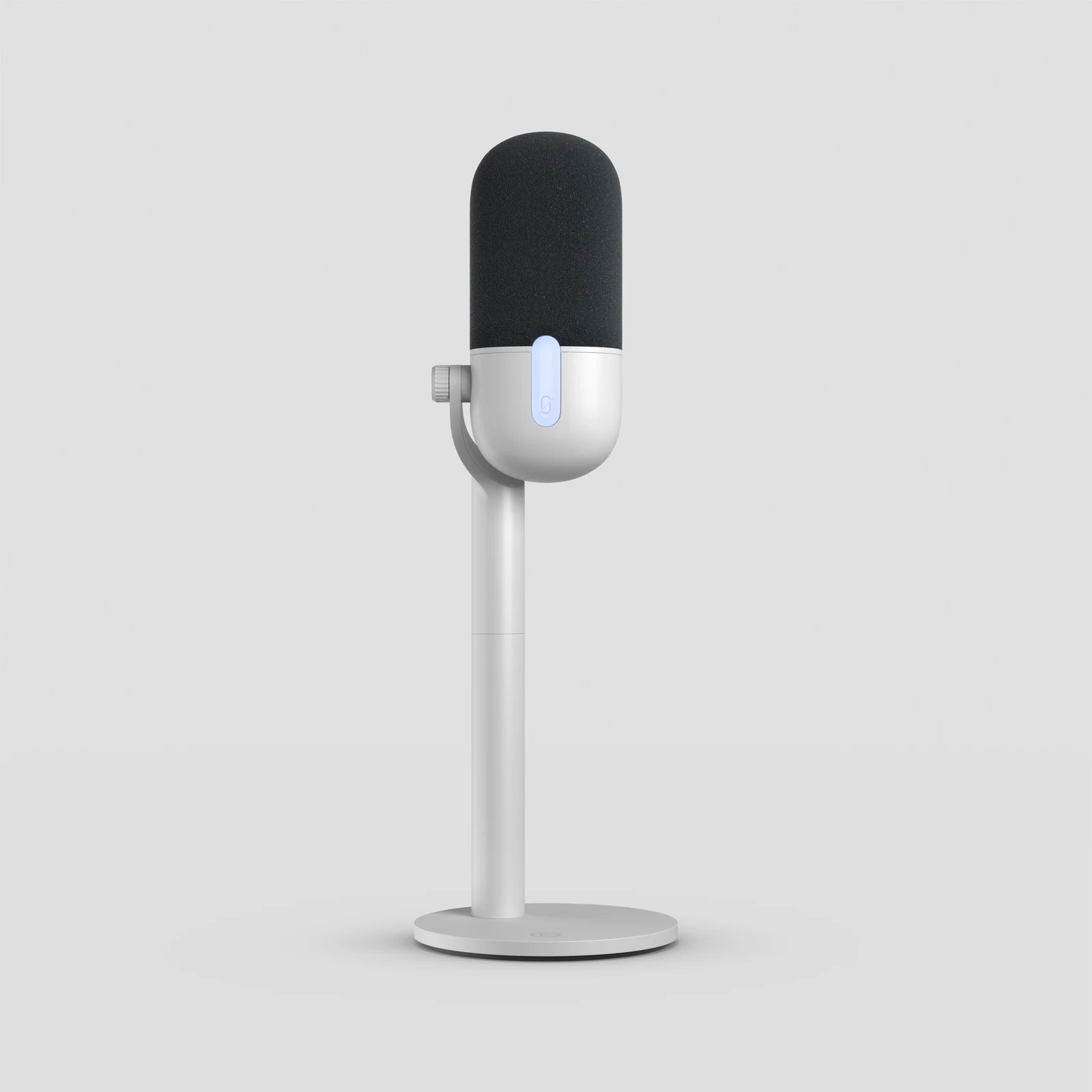
USB Streaming Microphones for a Small Desk: Which One Fits?
Wave Neo, NT-USB Mini or MV6 Gen 2? Compare stand size, speaking position and connections before a new microphone crowds your desk.
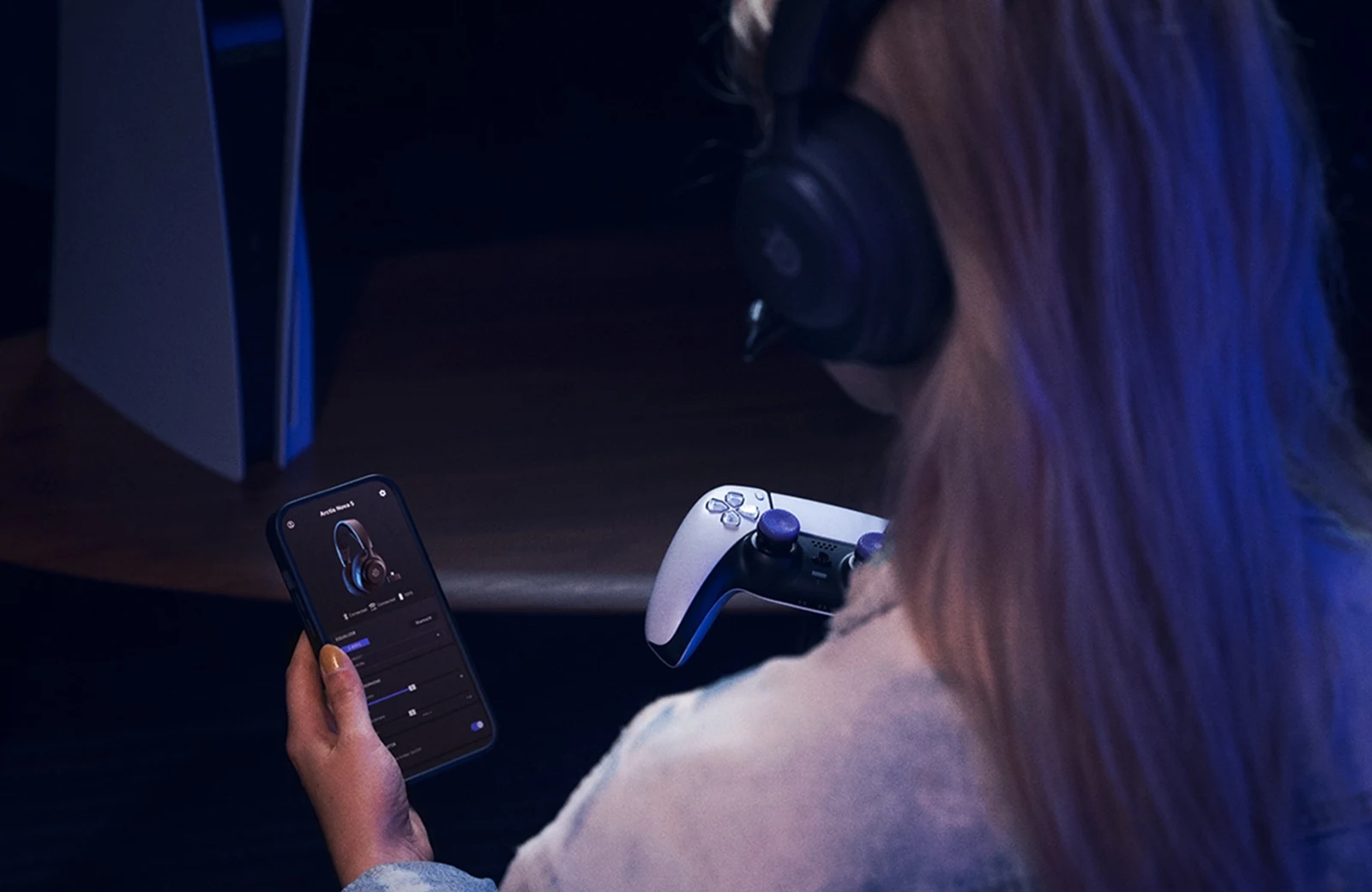
Streaming Headsets When You Already Have a Separate Microphone
Compare Cloud III wired, Nova 5 Wireless and PRO X 2 by how they connect, what you hear and whether the extra features help your setup.
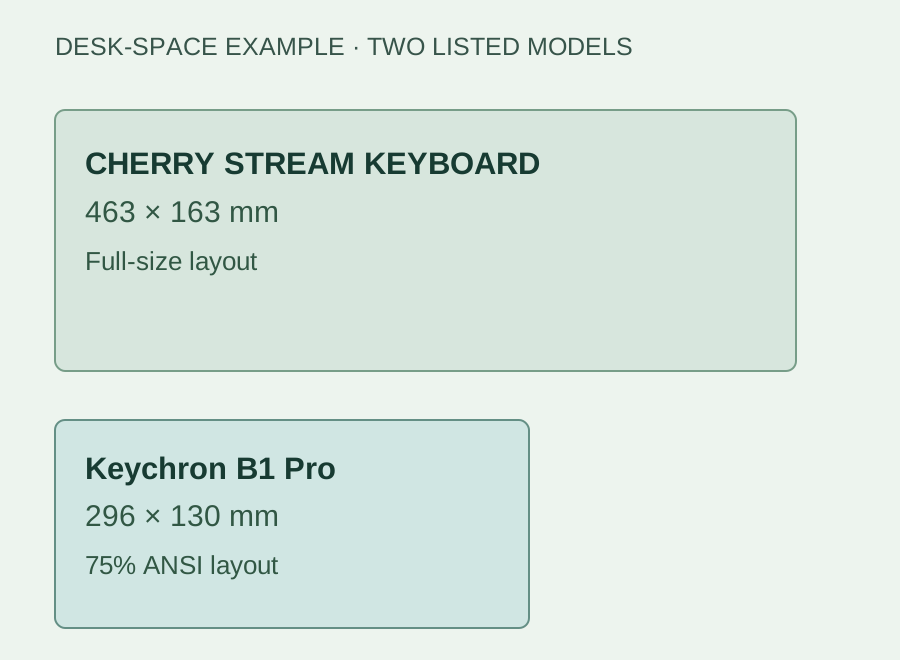
Quiet Keyboards for Streaming: Three Low-Profile Options
CHERRY STREAM, MX Keys S or B1 Pro? Compare layouts and connections, then check what your microphone hears when you type.
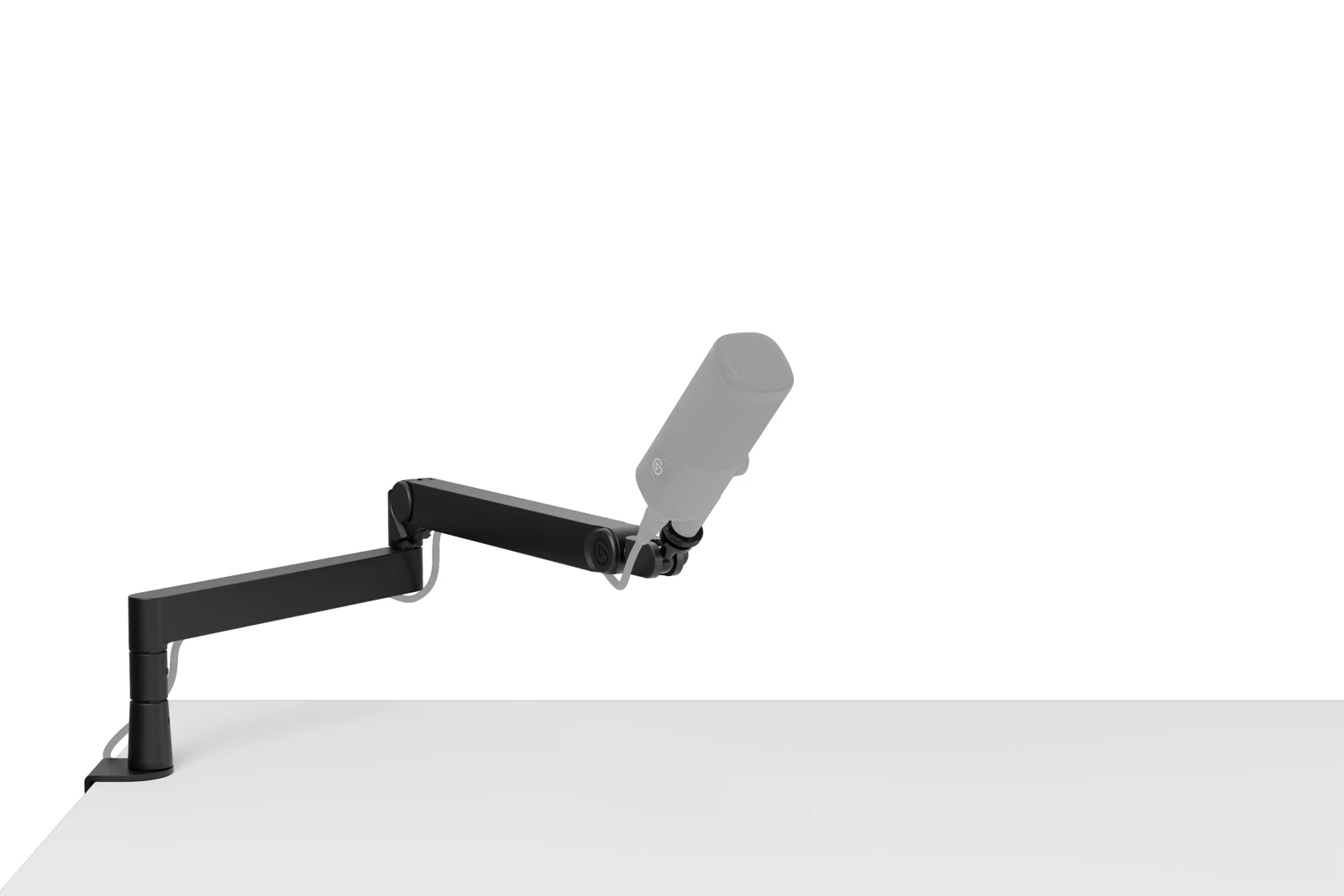
Will a Microphone Arm Fit Your Desk? Check Before You Buy
Check the clamp, microphone weight and reach before ordering an arm that has nowhere useful to go.
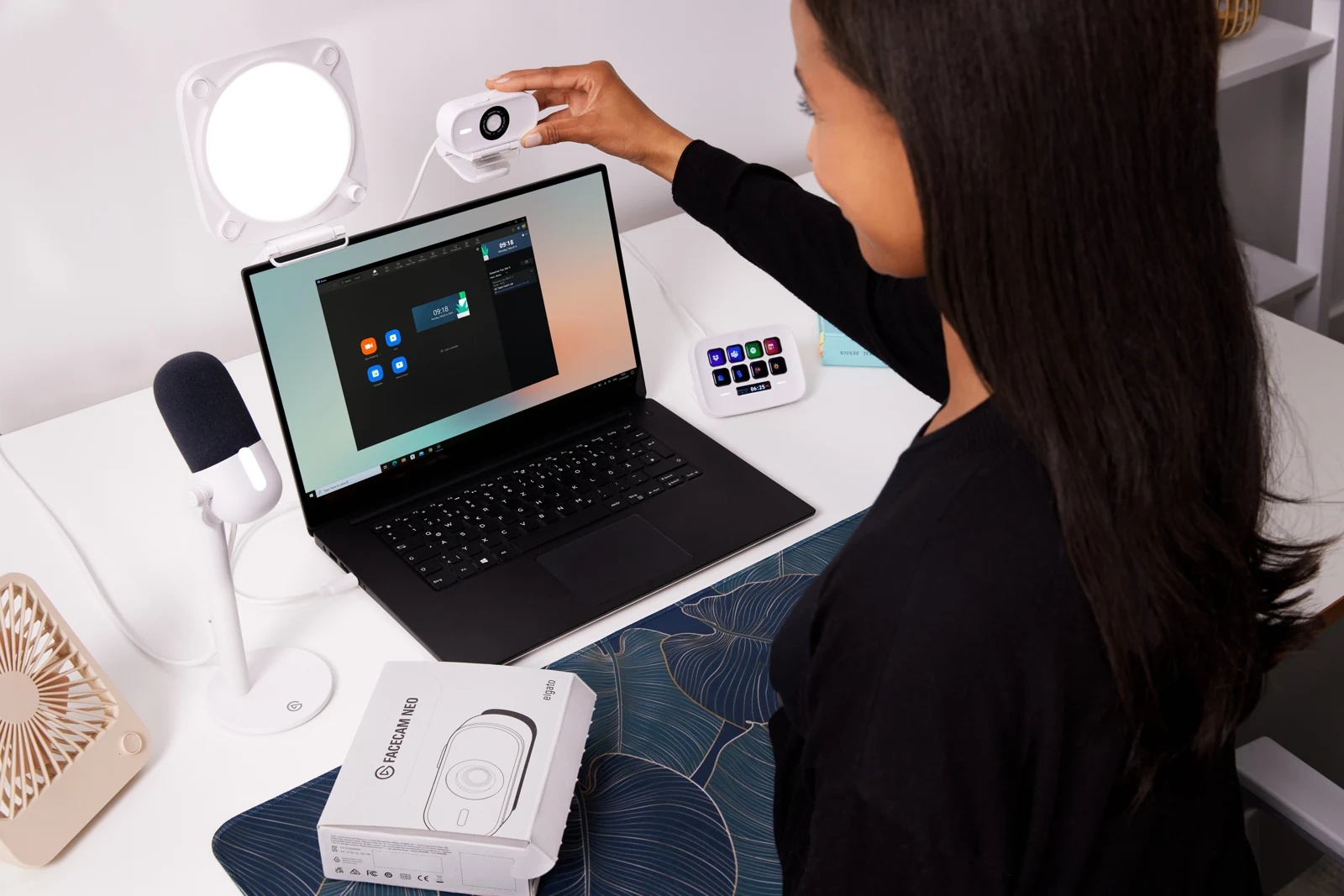
How to Fit a Streaming Setup on a 100 cm Desk
Plan a small streaming desk around the gear you own, with space to move the mouse, speak into the mic and reach the controls.
USB vs XLR for Streaming: What Does Your Setup Need?
Decide whether to keep your microphone, choose USB or build an XLR setup by tracing the connections, controls and extra gear you need.
Microphone Distance and Placement: Find Your Speaking Position
Find the right side of your microphone, choose a starting distance for that model and compare recordings while you sit, speak and play normally.
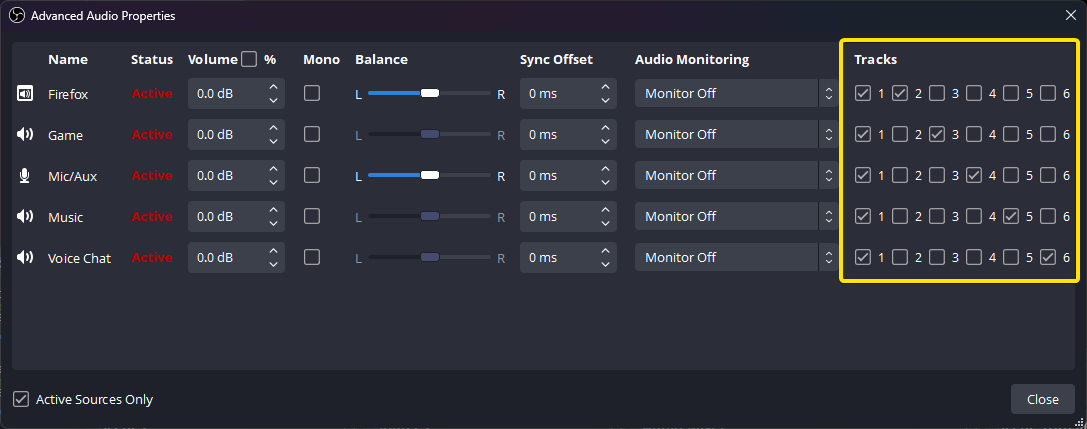
Direct Monitoring vs OBS Monitoring: Why Your Headphones Sound Different
Find out which microphone path you’re hearing, remove an unwanted doubled voice and check what OBS actually records.
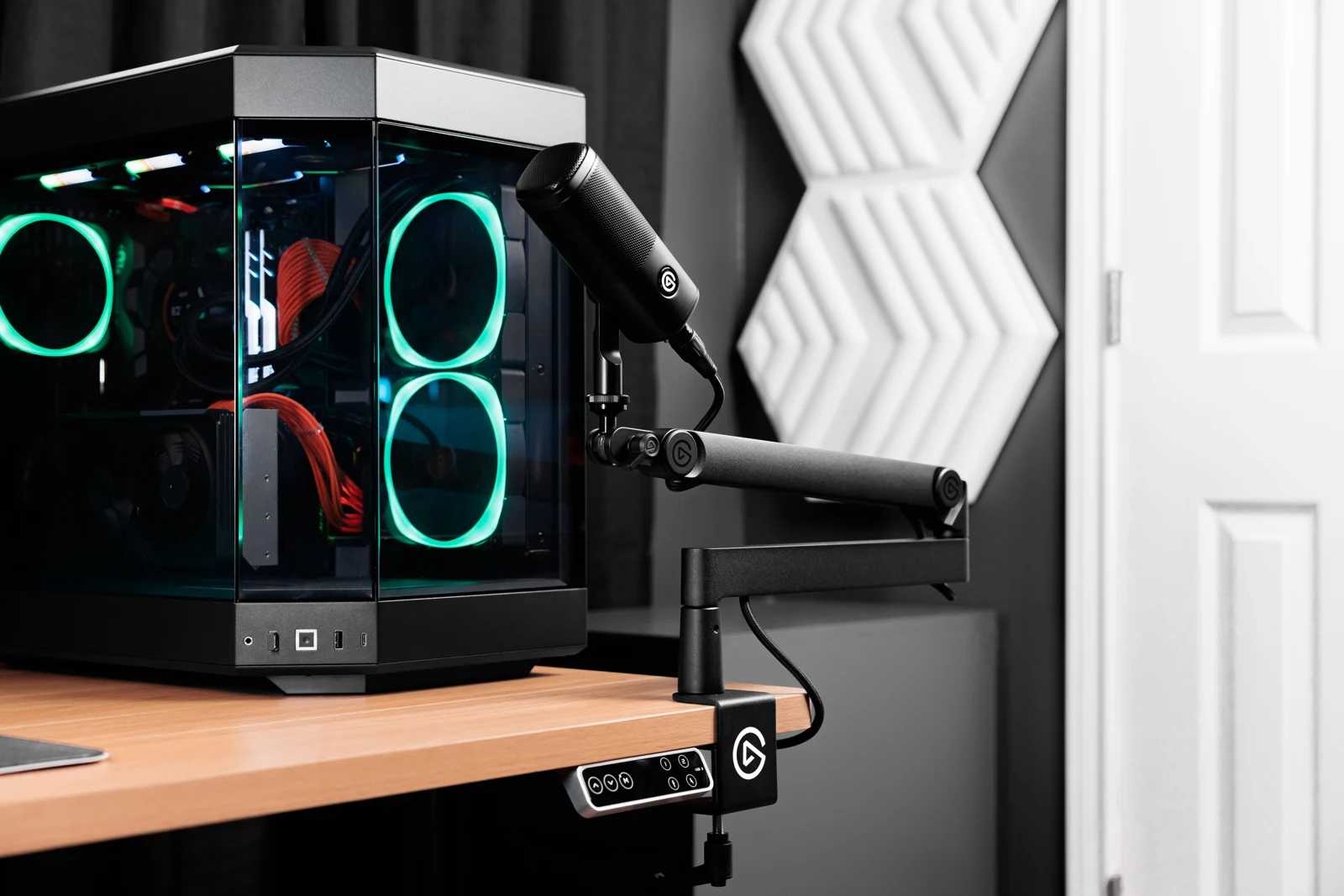
Small-Desk Cable Routing: Keep It Tidy and Easy to Fix
Label the connections, leave room for the mic arm to move and check the setup still records properly before fastening everything in place.
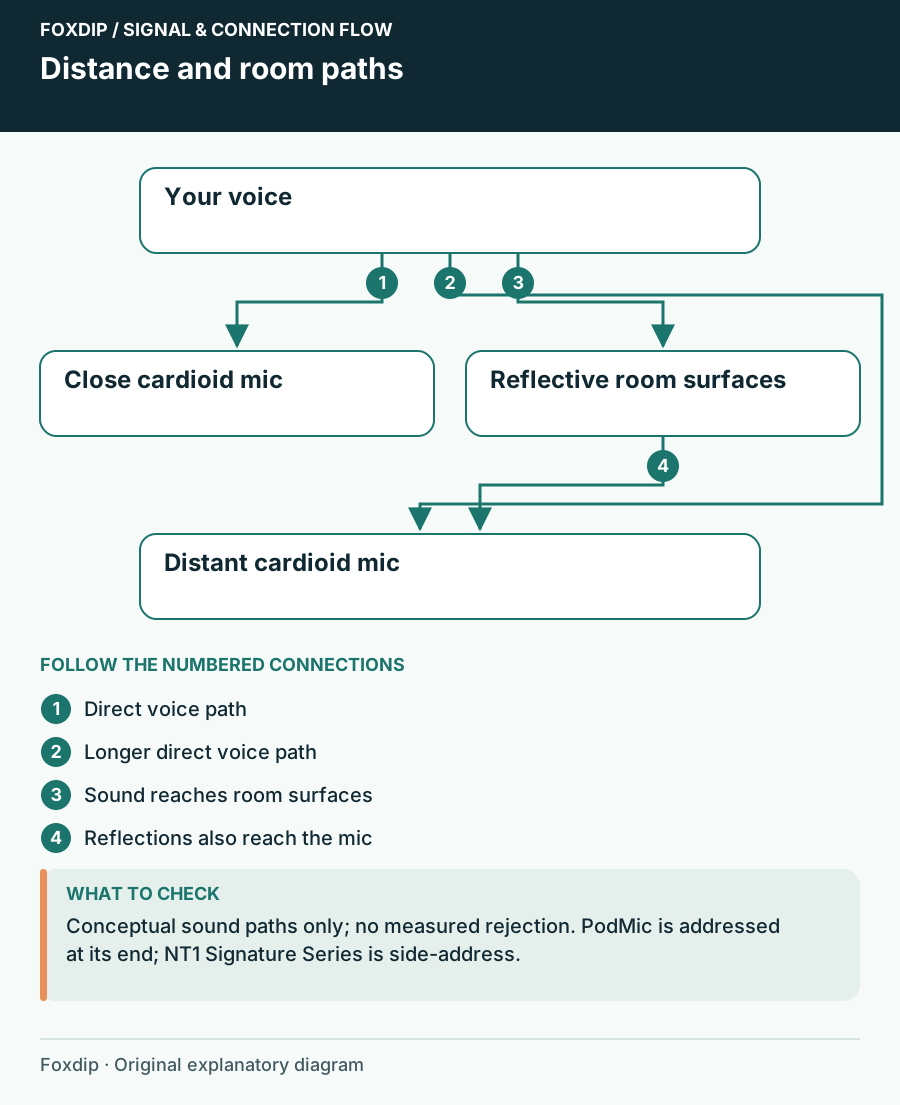
Dynamic or Condenser Mic for an Untreated Streaming Room?
Compare PodMic and NT1 Signature Series by position, interface needs and room sound before replacing a microphone that may only need a better spot.
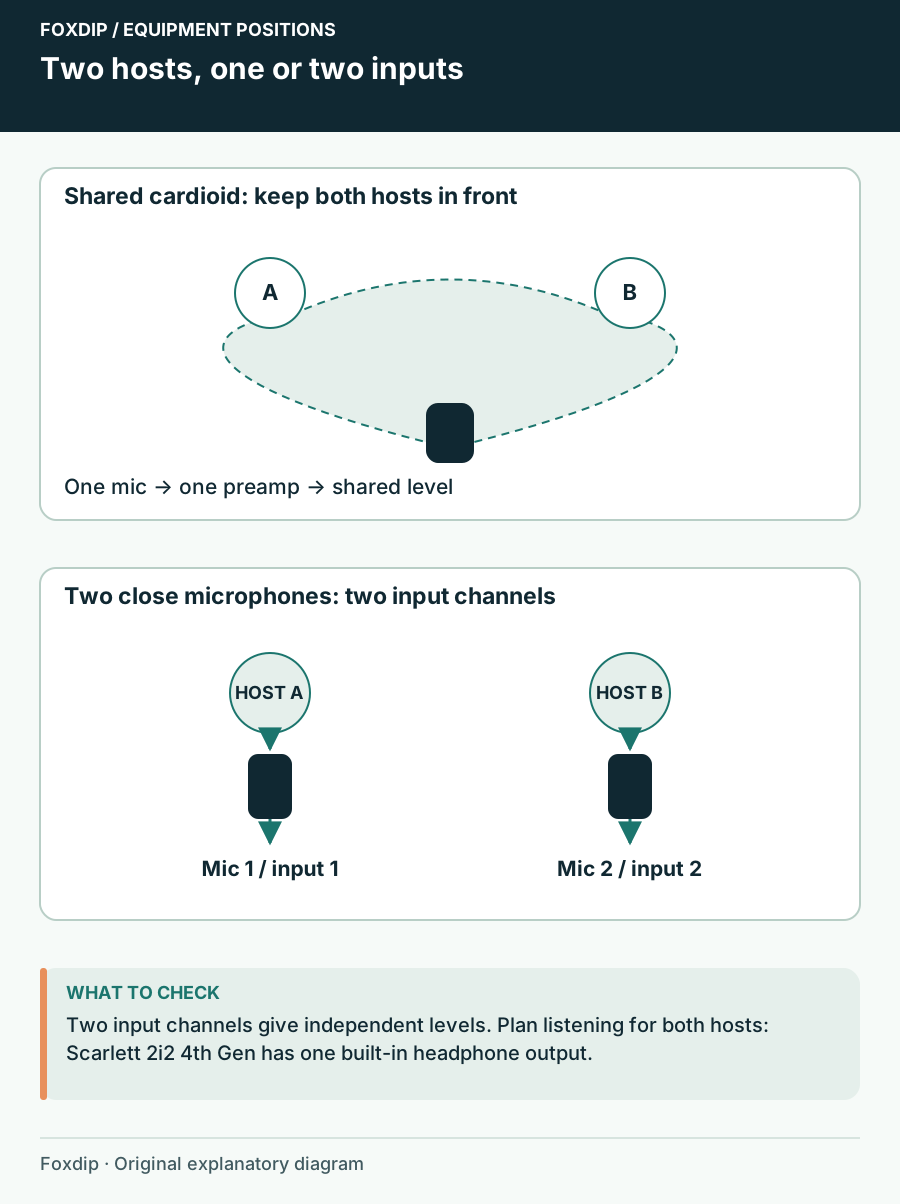
One Microphone or Two for a Two-Person Stream?
Plan a shared desk conversation, two separate microphones and the interface channels and headphone feeds that make each arrangement manageable.
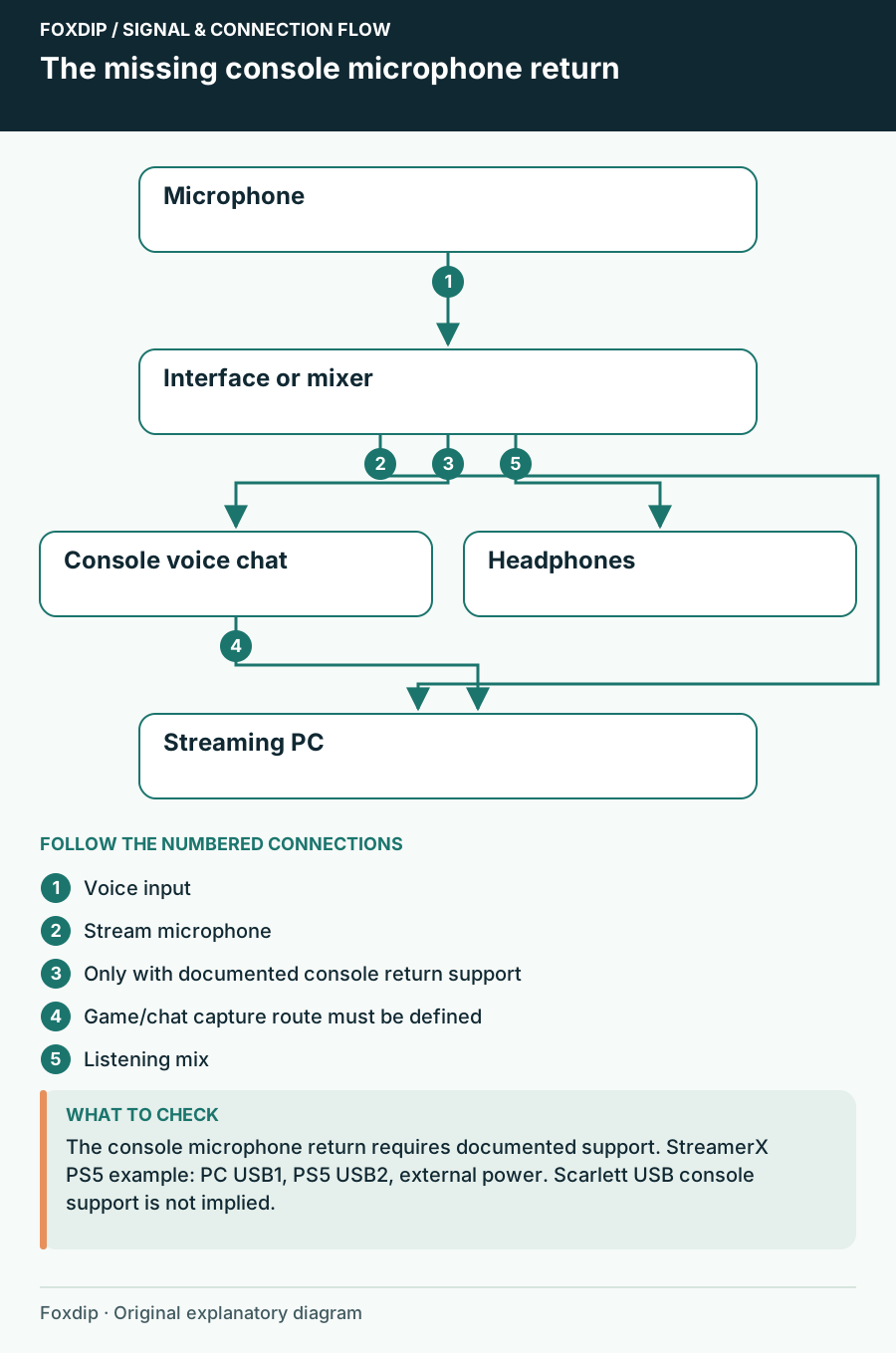
Choose an Audio Interface for Your PC and Console Connections
Compare a PC-only interface, extra analog line inputs and a documented PS5 USB route without assuming USB-C means console support.
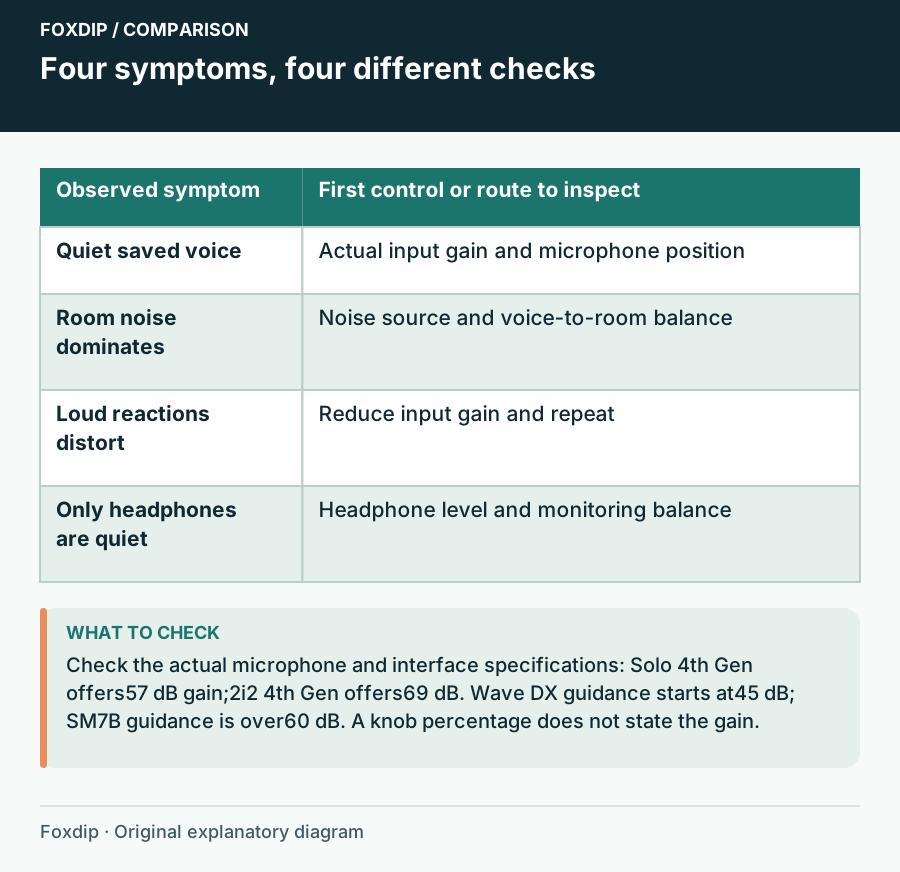
Does Your Interface Have Enough Gain for a Dynamic Microphone?
Read mic sensitivity and preamp gain together, compare Wave DX and SM7B guidance, then decide whether a booster would solve the actual problem.
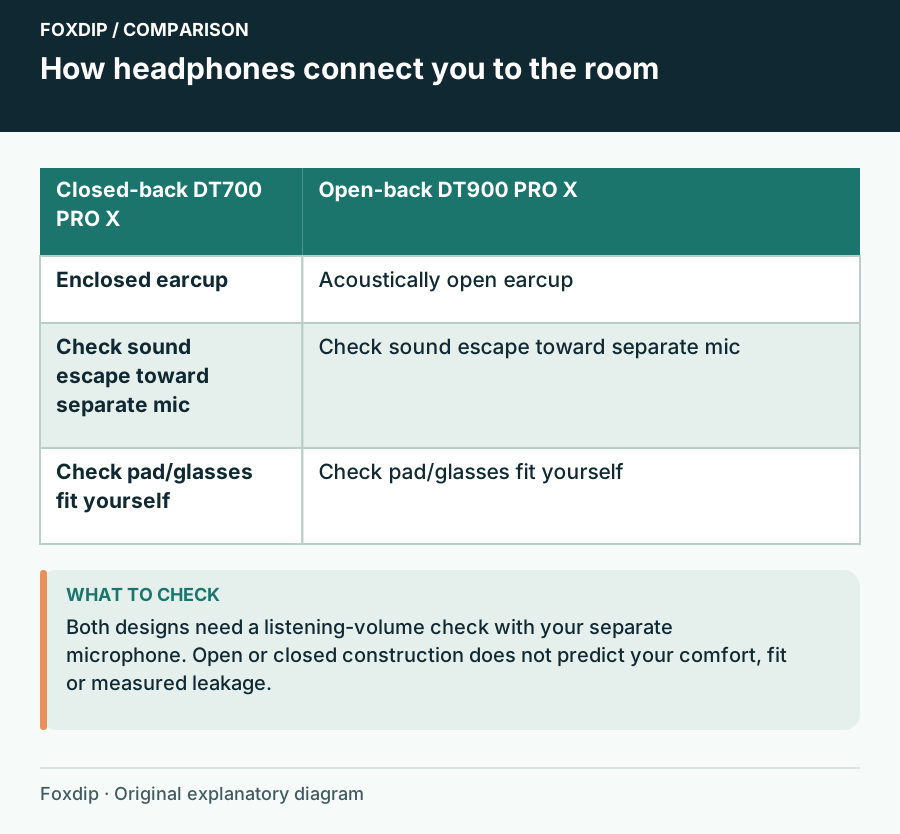
Open or Closed Headphones When You Stream with a Separate Mic?
Compare DT 700 PRO X and DT 900 PRO X around room noise, microphone pickup and your listening output rather than assuming open backs improve a stream.
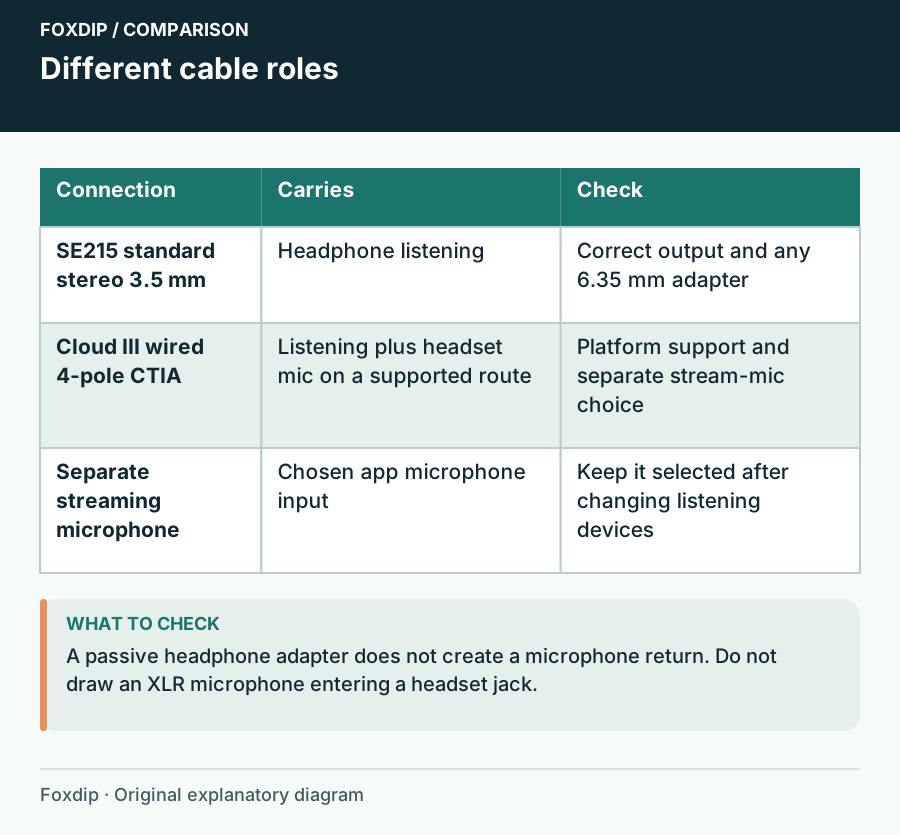
IEMs or a Headset for Streaming? Check Connections and Fit
Compare Shure SE215 wired earphones and HyperX Cloud III wired around the listening route, removable microphones, ear tips and the fit you can actually sustain.
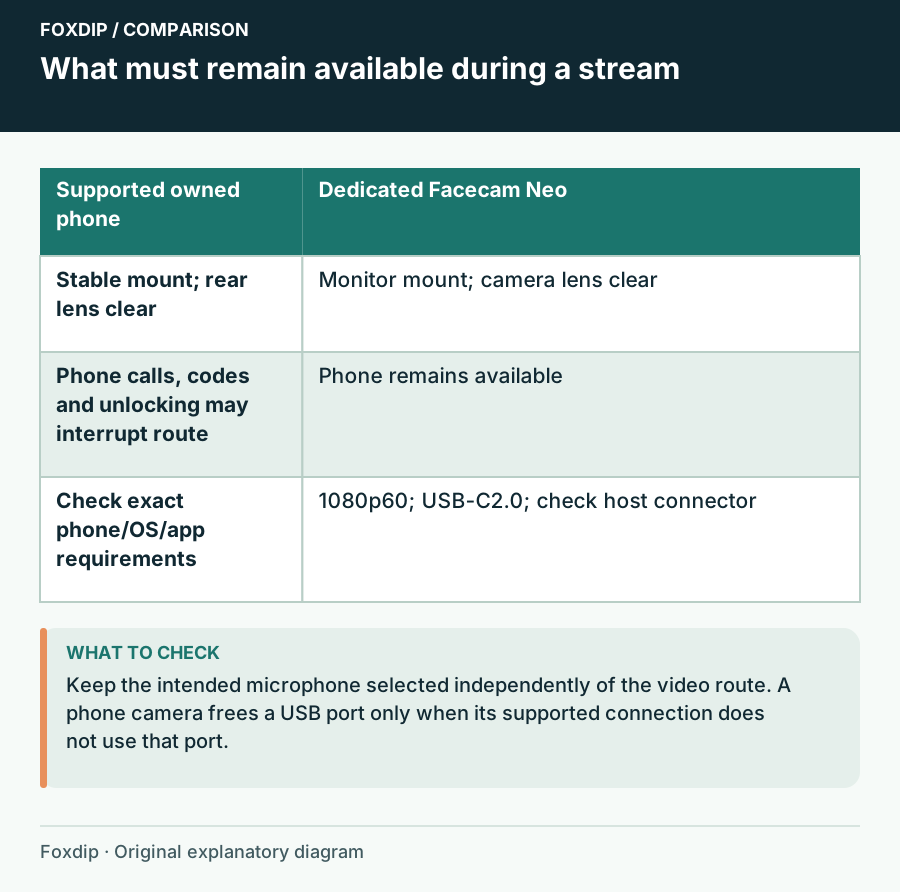
Phone Camera vs USB Webcam for Streaming at Your Desk
Try the phone you already own before buying a webcam. When a phone works well, when a USB webcam like Facecam Neo is worth it, and what each one needs.
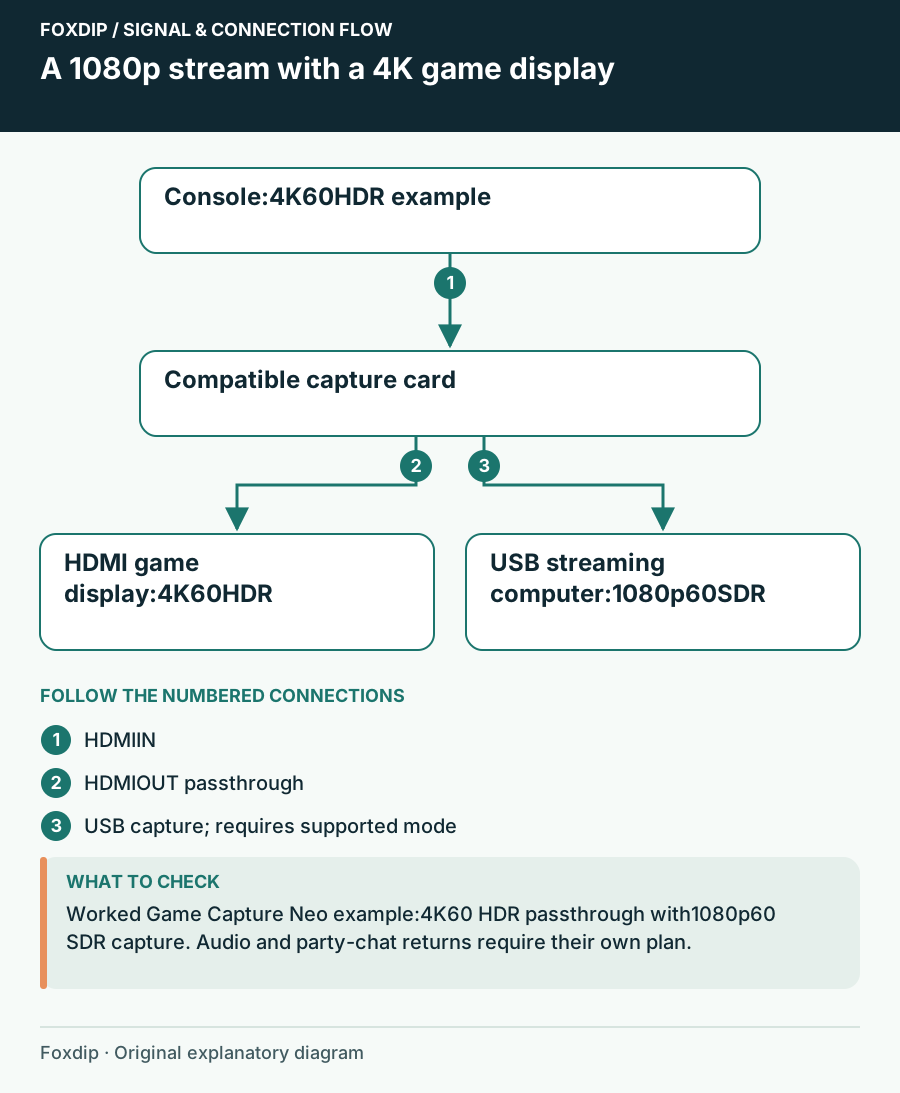
Choose a 1080p60 Capture Card for Your Console and USB Ports
Shortlist Game Capture Neo or 4K S by the game-screen mode, host USB connection and audio route you need, even when the stream itself is only 1080p60.
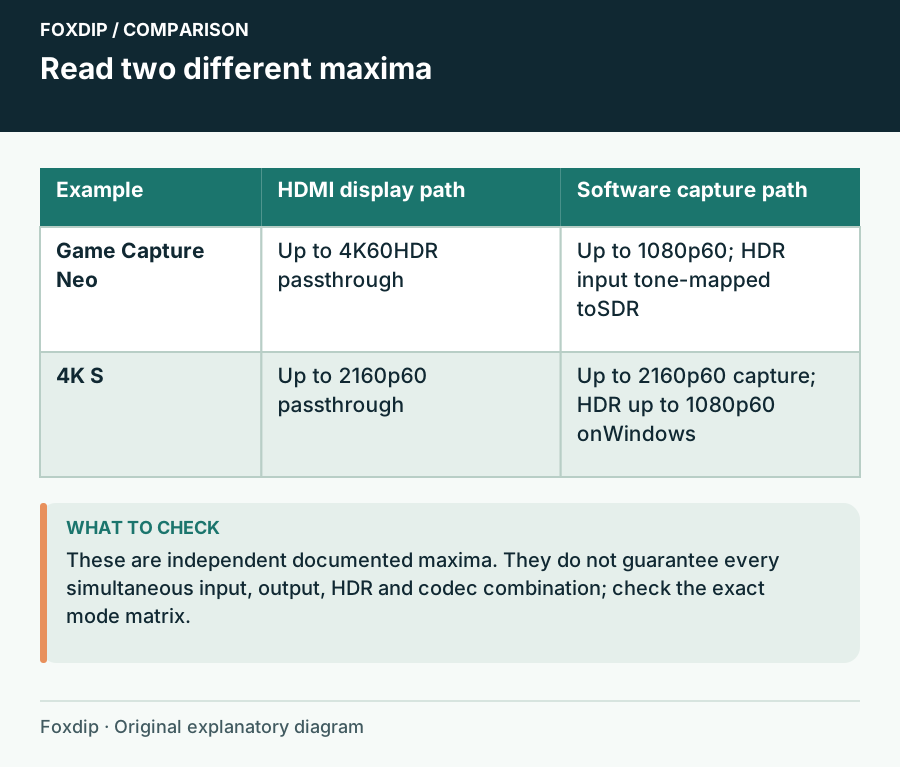
4K Passthrough or 4K Recording? Read the Capture Card Spec
Separate the HDMI display path from the USB recording path, then read resolution, frame rate, HDR and host bandwidth as one supported combination.
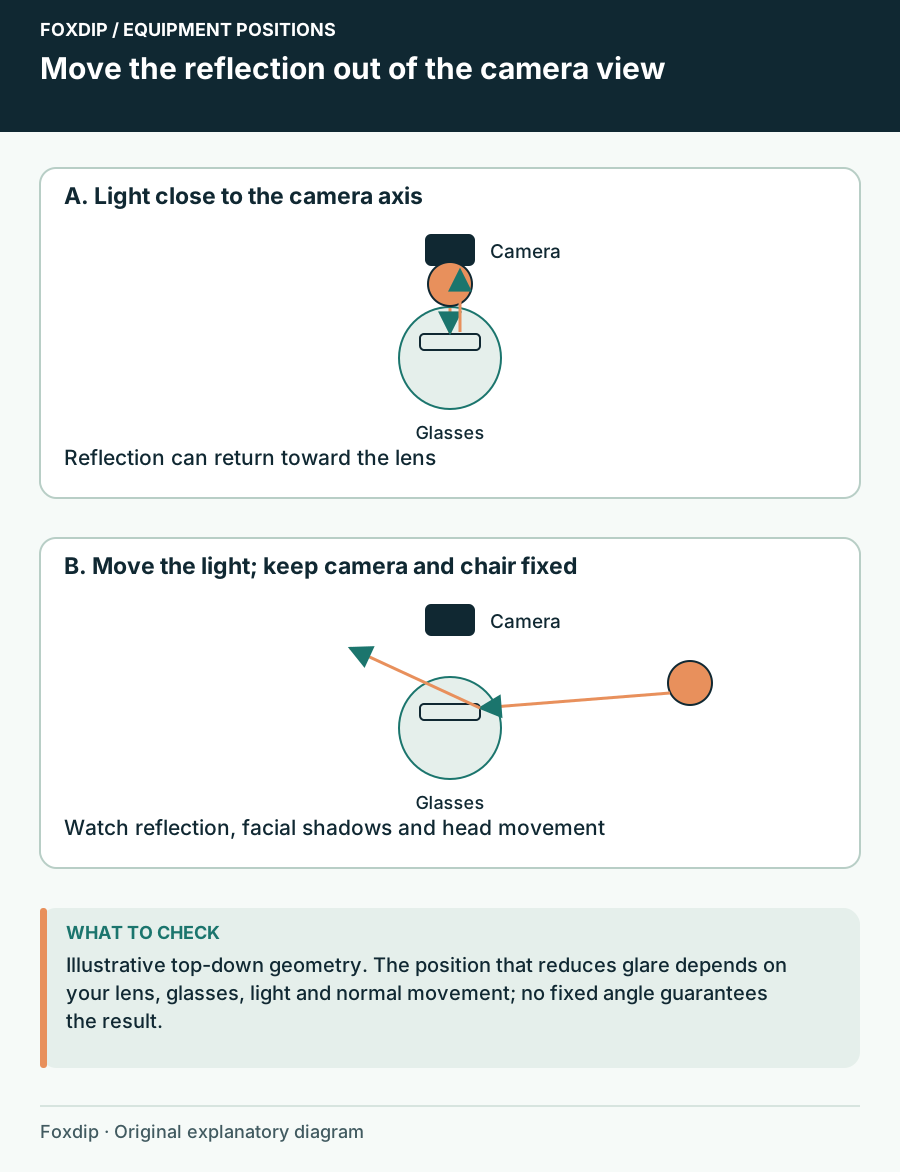
Ring Light or Key Light When You Wear Glasses?
Compare a current NEEWER ring-light kit with an Elgato panel, then choose the placement and mount that let viewers see your eyes as you move.
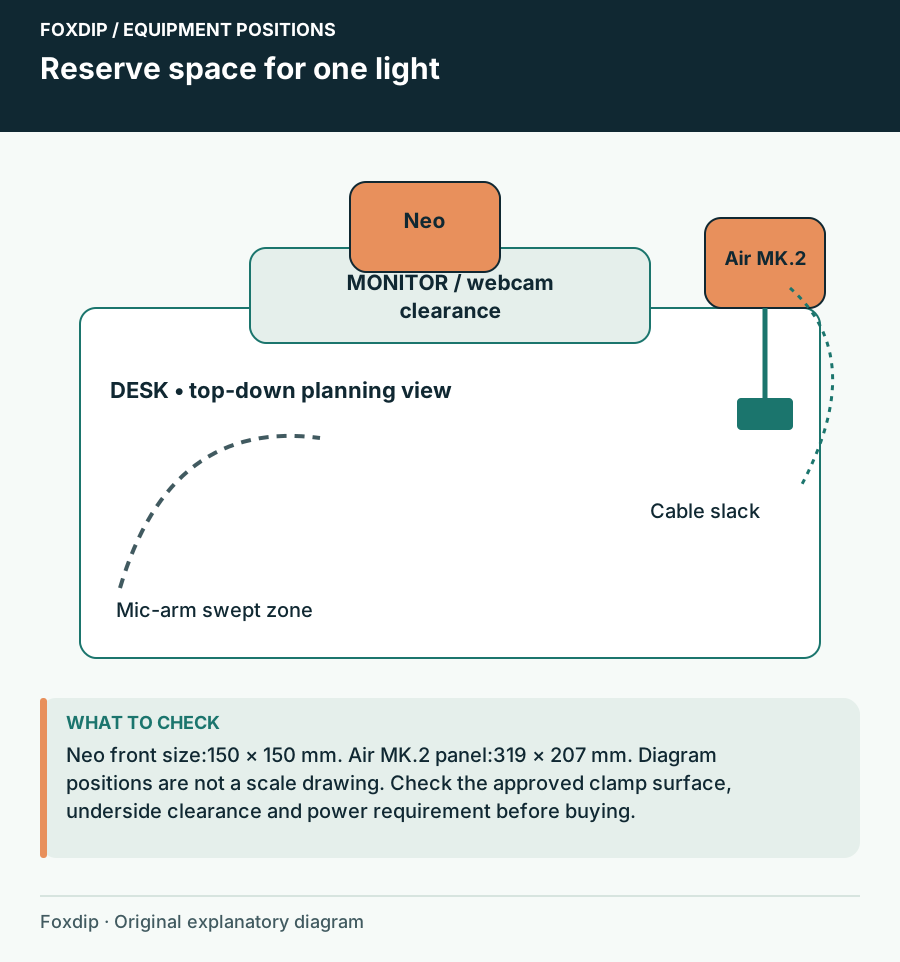
One Light for a Small Streaming Room: Choose the Position First
Compare Key Light Neo and Key Light Air MK.2 by mounting, power and the face-camera image you need before adding a second light.
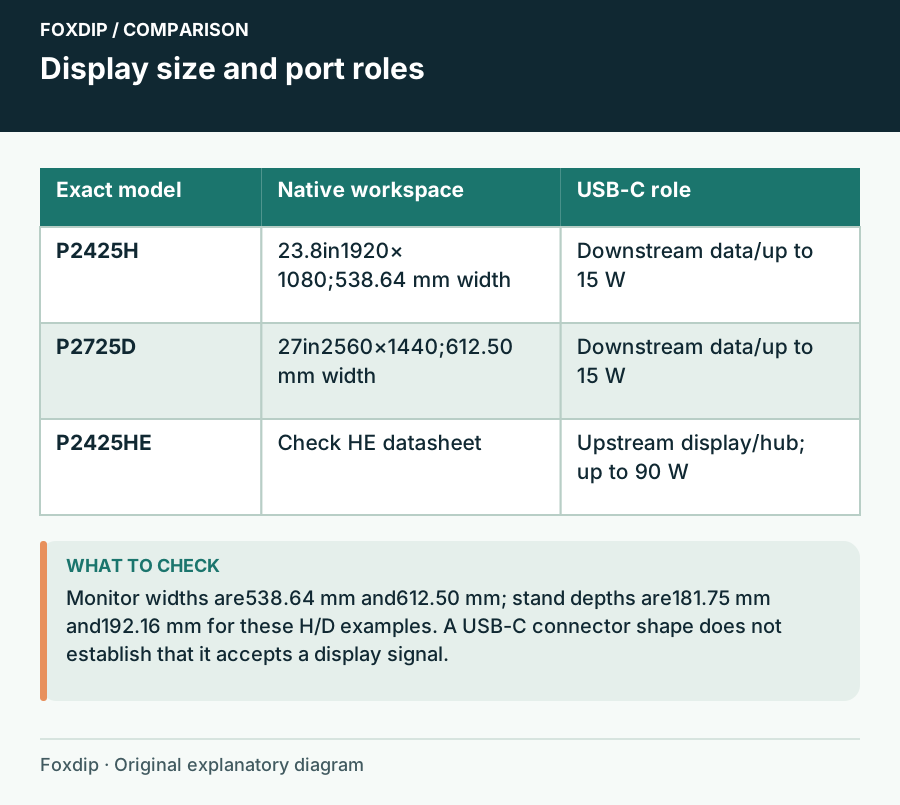
Choose a Second Monitor for Chat, OBS and Desk Work
Compare a 24-inch Full HD display, a 27-inch QHD screen and a USB-C hub model around readable text, actual video inputs and desk space.
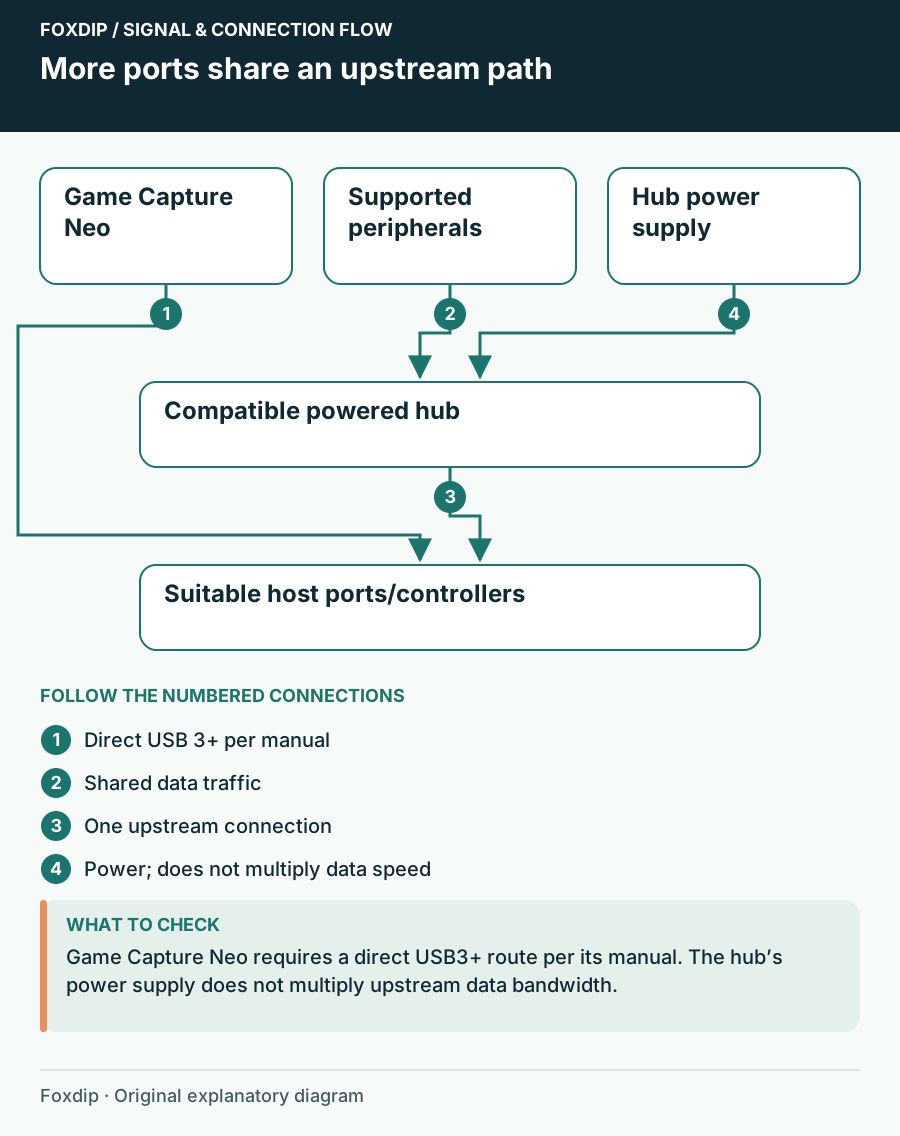
USB Hub for a Mic, Webcam and Capture Card: What Works
Plugging a mic, webcam and capture card into one hub? Check speed and power separately, keep direct ports for devices that need them, then pick a hub.
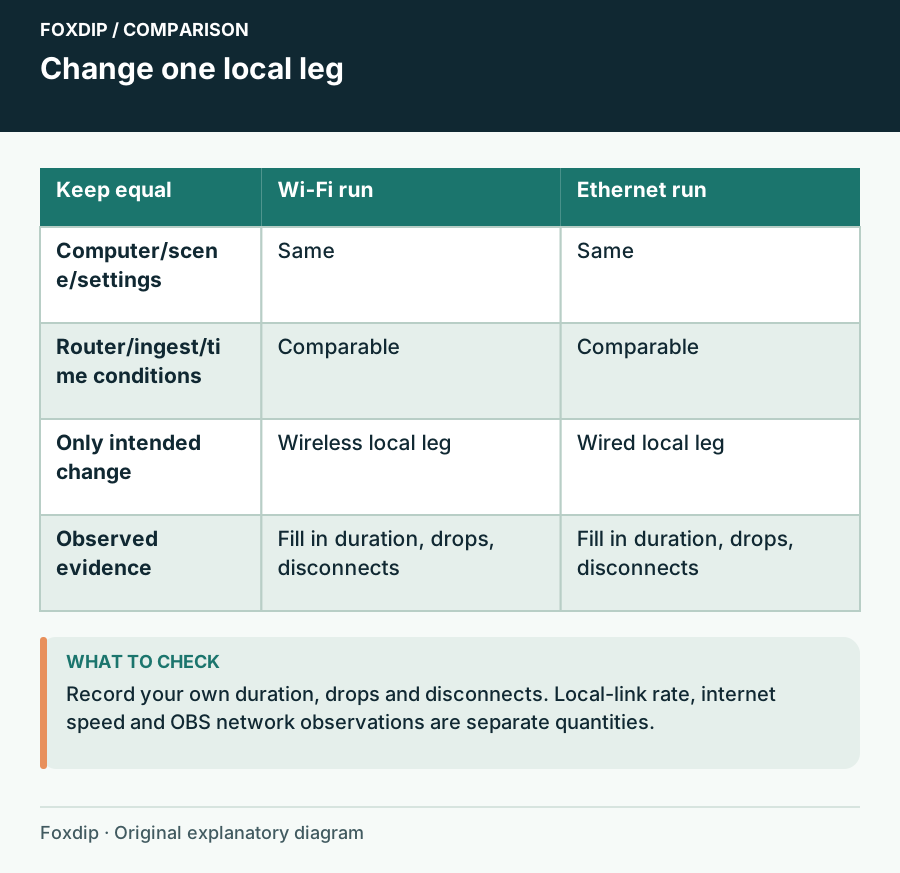
Ethernet or Wi-Fi for Streaming? Compare the Connection You Have
Use a controlled stream comparison to decide whether a cable or USB Ethernet adapter solves instability, without confusing a local link rating with internet upload speed.
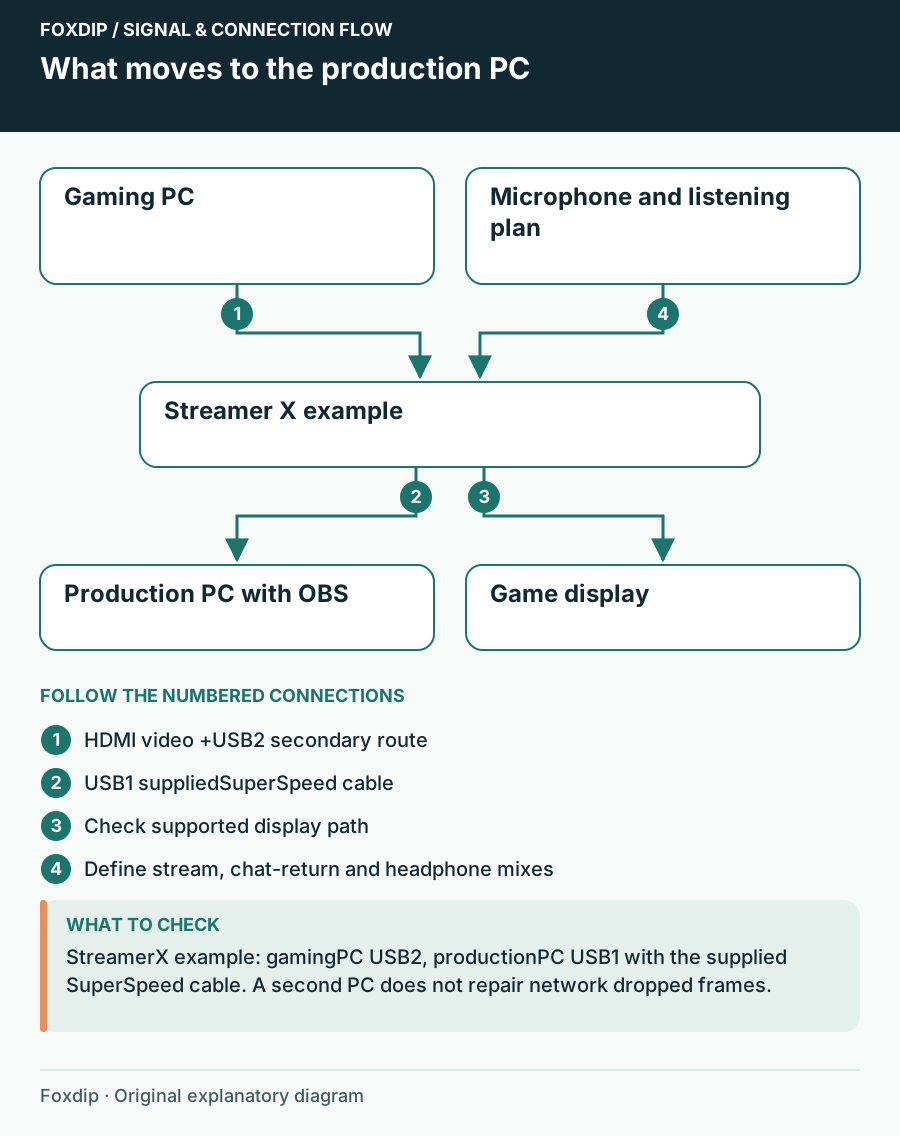
Single-PC or Dual-PC Streaming: Will Another PC Solve Your Problem?
Compare a documented single-PC hardware-encoding route with a second-computer capture setup, including the new audio, display and desk requirements.

Check a mirrorless camera for clean HDMI before buying capture gear
Test overlays, supported output, power and usable run time before choosing a camera-to-USB capture adapter.

Balanced TRS cables for a streaming desk: what they can fix
Check endpoint wiring before choosing balanced monitor cables, and separate electrical interference from microphone room noise.
USB-C cable speed versus power: label the right cable for capture
Read data and power capabilities separately when replacing USB-C cables for webcams, capture devices and audio interfaces.

Headphones are quiet on an interface: check more than impedance
Separate output routing, headphone connection, source level and model-specific drive capability before buying an amplifier.

Stream Deck +: use a Dial Stack or an Action Wheel?
Separate continuous adjustments from one-shot actions so a Stream Deck + dial remains predictable under pressure.