
Choose closed backs when isolation and reduced sound escape matter. Consider open backs in a quiet room when you accept the room connection and your microphone recording confirms acceptable leakage.
Choose closed backs when isolation and reduced sound escape matter. Consider open backs in a quiet room when you accept the room connection and your microphone recording confirms acceptable leakage.
In this guide
Before you start
- Your headphone-output device and connector.
- A quiet speech-pause recording to assess escaped playback.
The audience does not hear the headphone soundstage
With a separate microphone, choose headphones for what you need to hear and what may escape into that mic. The headphone's sound is for you. Viewers receive the sources captured by the streaming software, plus anything the microphone picks up acoustically. Changing headphones does not repair an unbalanced stream mix.
Open-back headphones keep their earcups acoustically open; closed-back designs enclose them. That construction changes the relationship with the room. Start with the room you have: a shared living space, a nearby fan and a quiet private office create different priorities even when the game and microphone are identical.
A like-for-like example from one product family
Beyerdynamic describes DT 700 PRO X as closed back and DT 900 PRO X as open back. Both use the company's 48-ohm STELLAR.45 platform and detachable cables. This makes them a concrete pair for comparing construction and connections without mixing a wireless gaming headset into an analog studio-headphone decision.
| Model | Documented construction | Consider it when |
|---|---|---|
| DT 700 PRO X | Closed-back, wired; 48 ohms | You want isolation from the room and need to manage sound escaping toward a nearby mic |
| DT 900 PRO X | Open-back, wired; 48 ohms | You have a quiet room and accept that the listening space stays connected to it |
Make microphone leakage an actual recording question
Use your normal game or music listening level, then record a pause in speech with the microphone in its real position. Listen for recognizable headphone playback in the file. Repeat while speaking quietly. Do not turn the volume up to manufacture a failure you would never create during a stream.
This is a check to perform, not a Foxdip measurement of either model. The result depends on playback volume, microphone distance and direction, room conditions and your fit. A gate can hide some quiet gaps but will not remove headphone audio that arrives while you are speaking. Choose the physical setup before relying on processing.
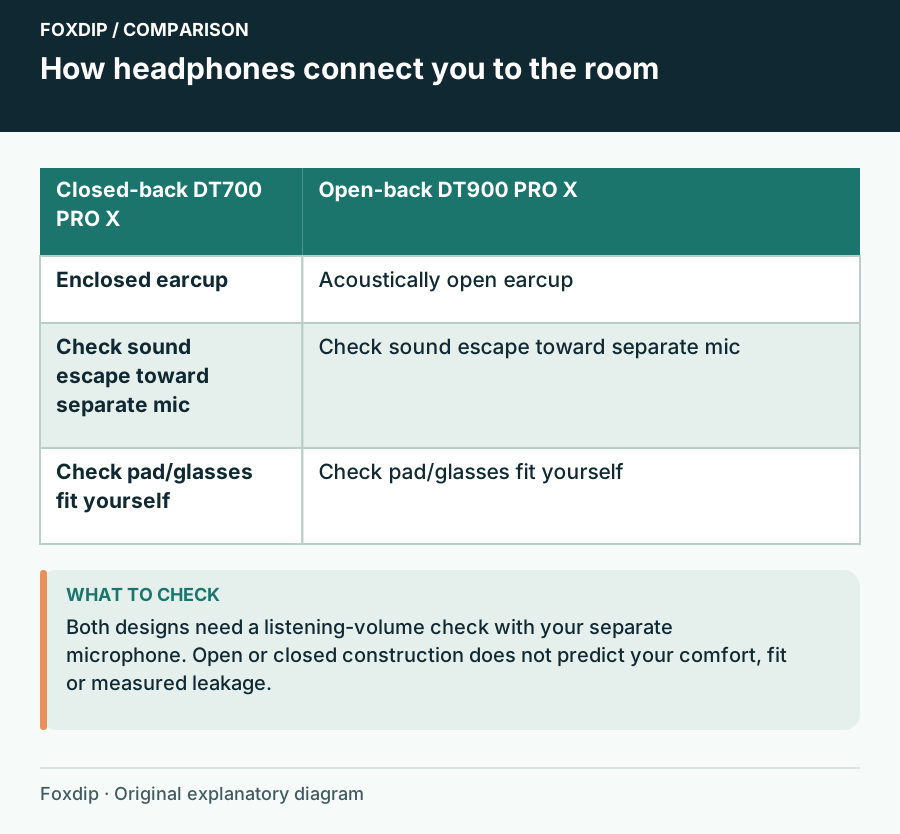
Original Foxdip schematic. Follow the labelled checks alongside the guide.
Isolation also changes what you notice
Closed backs can help you focus when other sounds are present, but wearing them does not make the room quieter for the microphone. You may stop noticing a fan that the stream still hears. Listen to a saved recording whenever you change the listening setup.
Open backs can make it easier to remain aware of the room, which may matter in a home setup. They can also let room sound compete with quiet game cues. Neither design establishes comfort from a specification sheet. Try pressure, pad heat, glasses and head movement during the seller's return period rather than relying on another person's description.
Check the socket before buying a headphone amp
Trace the listening cable to the device you intend to use: interface, USB microphone, computer or controller. Confirm plug size and adapter fit, then check that device's headphone specification. Nominal impedance is one part of the electrical picture; it is not a universal louder-or-quieter score across unrelated headphones.
These PRO X models' published 48-ohm rating is a reason to inspect your existing output before adding an amplifier. Keep it if it reaches a comfortable level with room for normal content changes and without an audible fault. A new amplifier is a separate decision and will not reduce headphone leakage at the same listening level.
Choose the compromise you can live with
Choose a closed model when a shared or noisy room makes isolation valuable, or when your mic check reveals troublesome playback escape. Consider an open model when the room is quiet and your recorded check supports that choice. Ask whether you can comfortably follow both game cues and your own voice through a typical session.
Keep a working headset with its boom removed or muted if it already handles listening well. A separate microphone does not oblige you to buy studio headphones. Spend on a different construction only when you can name the benefit you want, and confirm that the saved stream still contains the balance you intended.
Compare wired and wireless headsets if you want a built-in microphone as a backup. Streaming Headsets When You Already Have a Separate Microphone ↗
Locate leakage with a microphone-only recording
Use a short audio clip you may record, at your normal comfortable headphone level. Record only the microphone while you remain silent. Then mute that mic and repeat with the normal stream sources enabled. Keep the two files labelled: they answer different questions about acoustic pickup and software routing.
If the clip remains in the second file, changing open headphones for closed ones cannot remove that electronic copy. If it occurs only through the microphone, compare listening level, earcup fit and mic position before evaluating a different headphone construction. Do not use extreme volume to make leakage easier to detect.
| Observation | Next change | Expected result |
|---|---|---|
| Clip is audible through the mic-only source | Try normal-volume fit and placement changes | Reduce the acoustic sound reaching the capsule |
| Clip remains with microphone muted | Trace desktop, loopback and application capture | Remove an unintended electronic route |
| No leakage matters in the finished mix | Compare comfort and required listening features | Avoid a construction change without an audible need |
Isolate application capture if the unwanted copy is electronic. Capture Only Your Game Audio in OBS on Windows ↗
Sources & references
Manufacturer specifications and primary support documentation checked on 27 October 2026. Recommendations are editorial inferences from connections, placement and documented capabilities; no hands-on performance or comfort measurements are claimed. November 2026 addition: documentation-based diagnostic examples; no new hands-on hardware result or platform upload test is claimed.
- Beyerdynamic DT 700 PRO X official product page ↗Checked 2026-10-27
- Beyerdynamic DT 900 PRO X official product page ↗Checked 2026-10-27
- Beyerdynamic: DT 700 PRO X vs DT 900 PRO X ↗Checked 2026-10-27
- OBS — Application Audio Capture Guide ↗Checked 2026-11-04
Spotted something out of date? Let Alex know.
How we put our guides together ↗