
Streaming desk: USB, network and controls
Check USB data and power, PC connections, monitor choices and Stream Deck actions before adding more equipment.
Find your starting point.
Draw the route from each device to the computer, including hubs, adapters and power. A connector shape alone does not tell you which part of that route is suitable.
Keep a manual way to undo an action while you build a shortcut. Confirm what the active app and the recorded output actually do before combining controls.
- Pick the cable by its job. Separate data requirements from charging power.
- Check the streaming connection. Use a repeatable connection test.
- Build a reliable shortcut sequence. Confirm each action and return state first.
USB and signal routes
Follow both data and power through the complete connection.

USB-C cable speed versus power: label the right cable for capture
Read data and power capabilities separately when replacing USB-C cables for webcams, capture devices and audio interfaces.
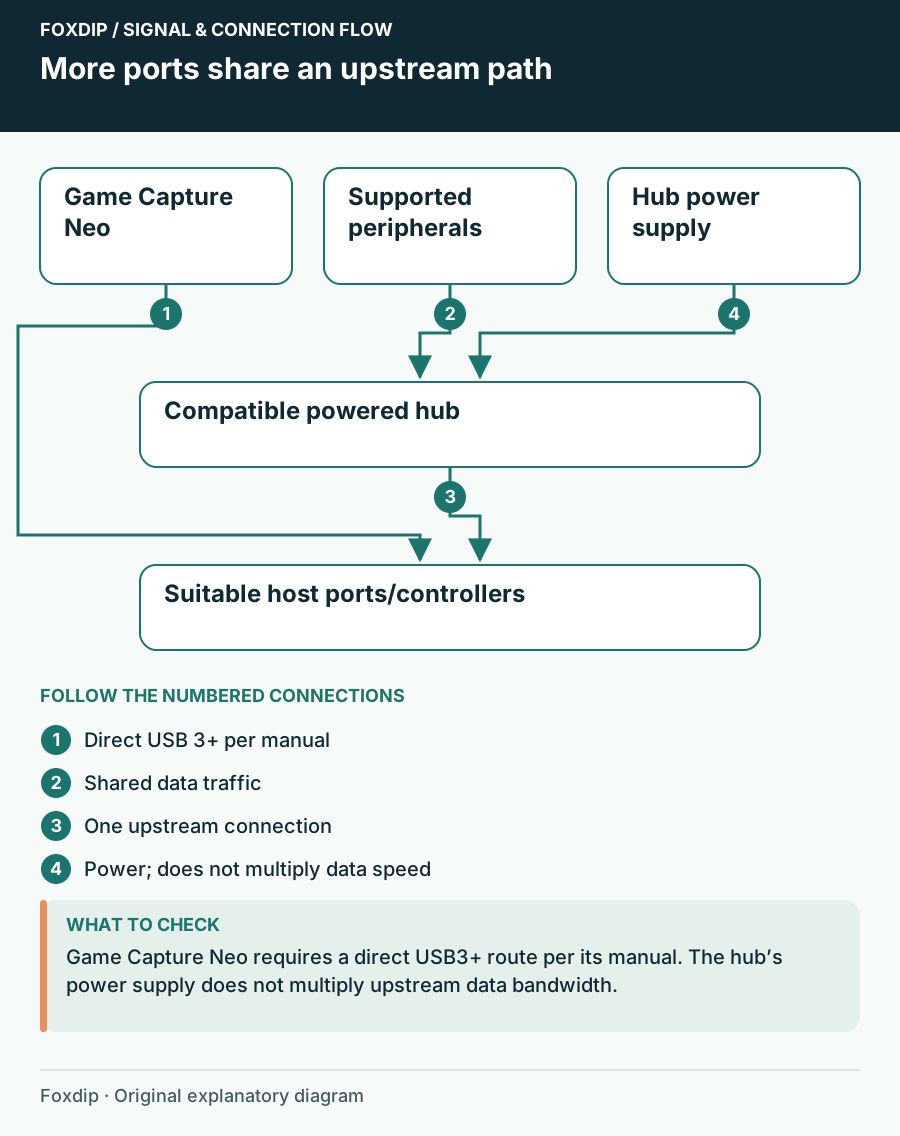
USB Hub for a Mic, Webcam and Capture Card: What Works
Plugging a mic, webcam and capture card into one hub? Check speed and power separately, keep direct ports for devices that need them, then pick a hub.

Scarlett on USB-C iPhone or iPad: separate power from data
Choose a supported Scarlett/mobile pairing and test the data port, separate supply or powered hub before troubleshooting app audio.
Balanced TRS cables for a streaming desk: what they can fix
Check endpoint wiring before choosing balanced monitor cables, and separate electrical interference from microphone room noise.
Computer and network choices
Choose the extra hardware only after identifying the task it must solve.
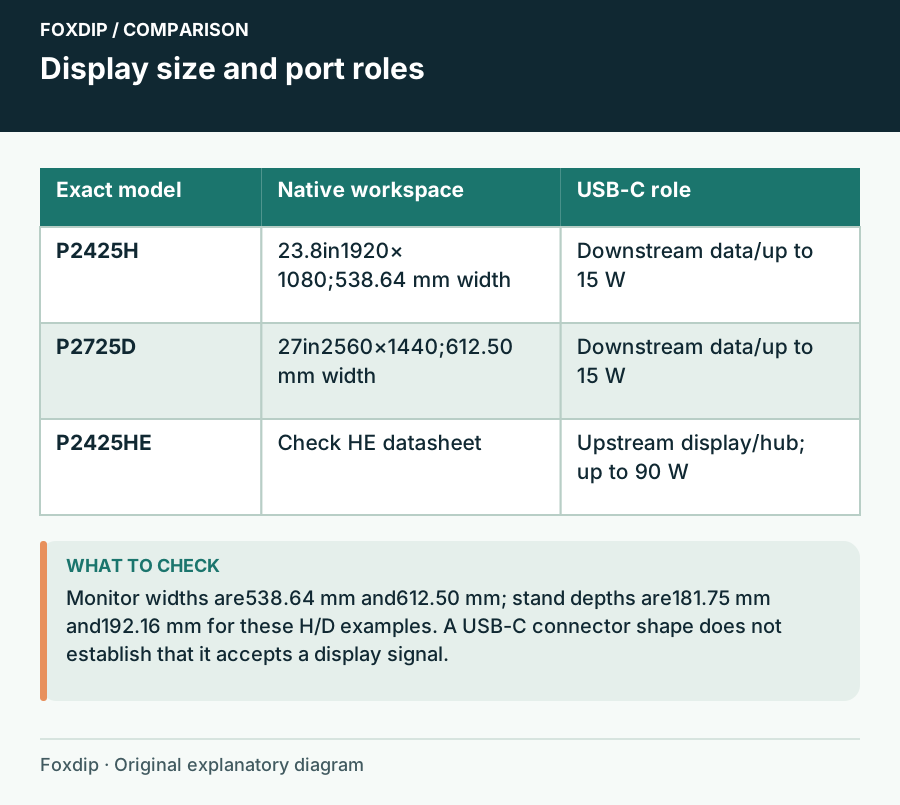
Choose a Second Monitor for Chat, OBS and Desk Work
Compare a 24-inch Full HD display, a 27-inch QHD screen and a USB-C hub model around readable text, actual video inputs and desk space.
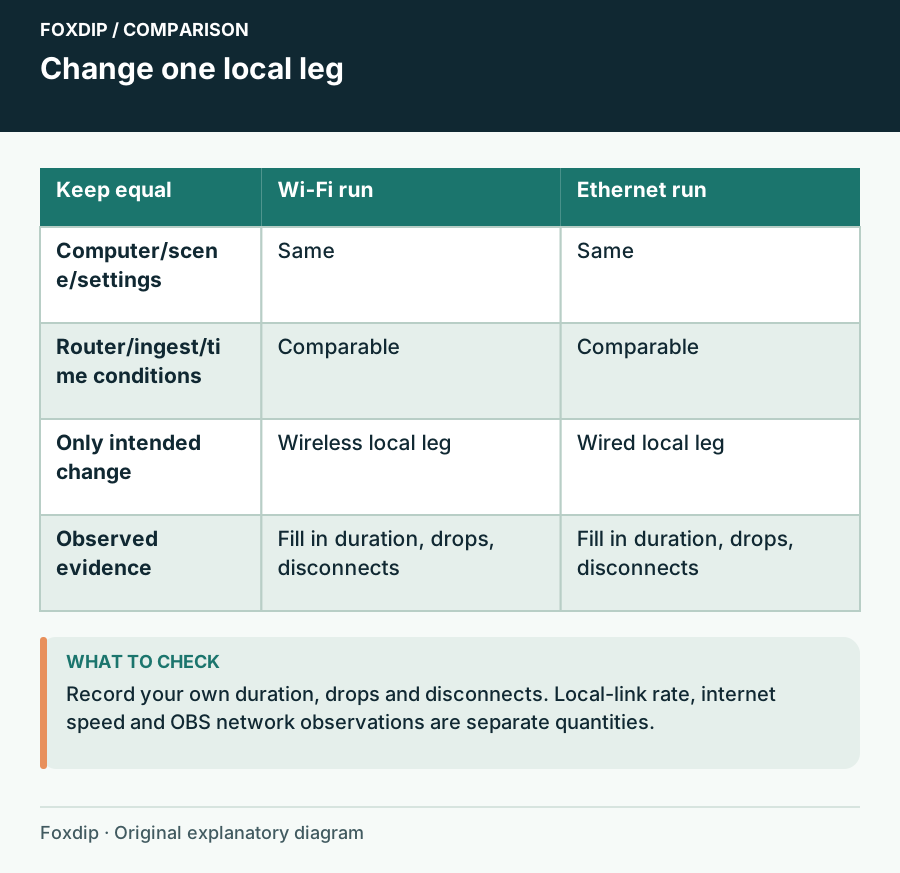
Ethernet or Wi-Fi for Streaming? Compare the Connection You Have
Use a controlled stream comparison to decide whether a cable or USB Ethernet adapter solves instability, without confusing a local link rating with internet upload speed.
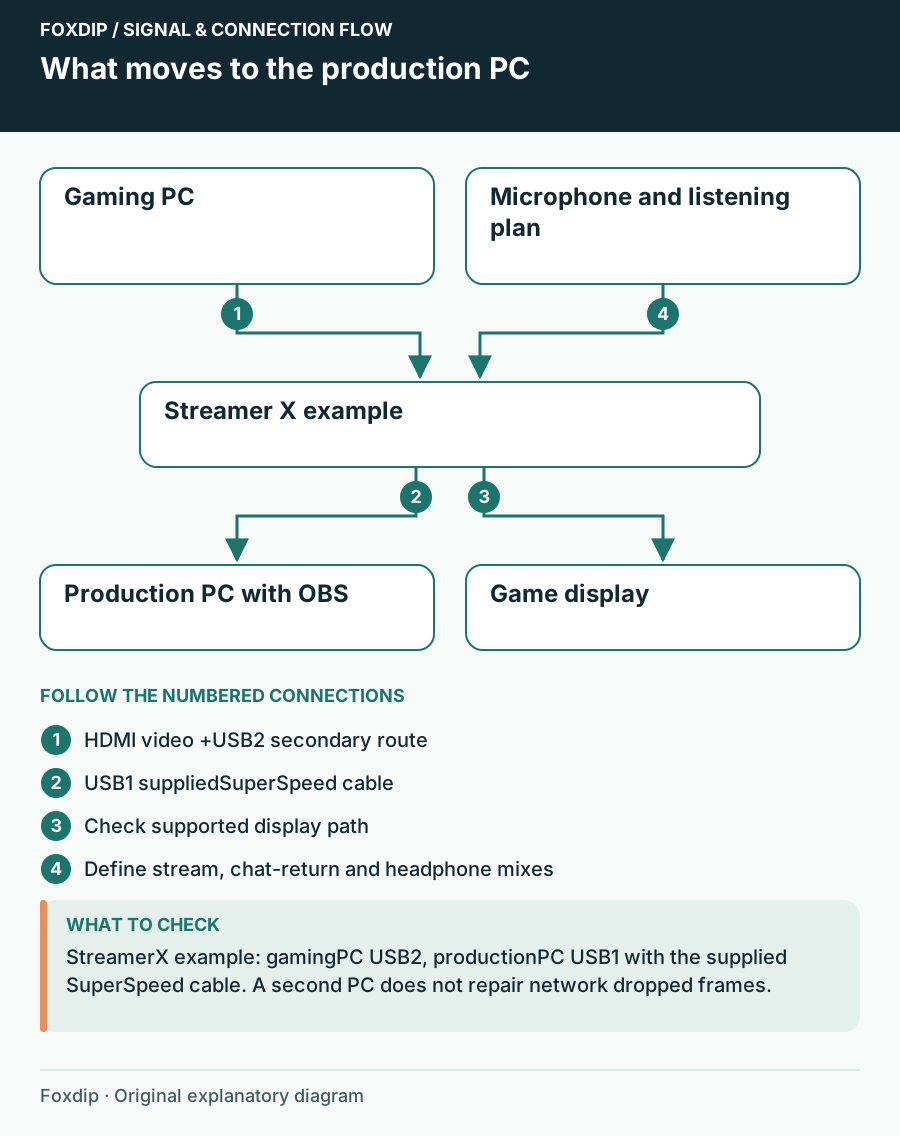
Single-PC or Dual-PC Streaming: Will Another PC Solve Your Problem?
Compare a documented single-PC hardware-encoding route with a second-computer capture setup, including the new audio, display and desk requirements.
Stream Deck controls
Check app focus, audio routing and state changes before chaining shortcuts.

Build a reliable Stream Deck Multi Action with deliberate delays
Test ordered Stream Deck actions, app readiness and toggle state before using a one-button preparation sequence.
Stream Deck hotkey controls the wrong app: check focus and action type
Choose between keyboard shortcuts, application actions and native plugins after testing where the command actually goes.
Stream Deck soundboard: route the sound and control repeated presses
Test who hears a soundboard clip and choose Play/Stop, Restart, Overlap or Loop behavior before using it live.
Set up Stream Deck Pedal for Discord push-to-talk without accidental presses
Authorize the native Discord action, verify press/release behavior and adjust the physical pedal arrangement for your seated position.
Stream Deck +: use a Dial Stack or an Action Wheel?
Separate continuous adjustments from one-shot actions so a Stream Deck + dial remains predictable under pressure.