
Does it read
at chat size?
Start with GG or choose your own PNG or GIF. Look at the smallest preview first, then play the animation and try the other background.
Meet your emote at chat size.
Play the GG sample, or bring a PNG or GIF of your own.
Dark chat Illustrative preview


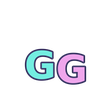
Light chat Illustrative preview
Your file stays in your browser. Choose a PNG or GIF up to 5 MB and 2048 × 2048 px. No account or email needed.
Set browser zoom to 100% to compare sizes. GG uses a separate export at each size; your own file is scaled to fit. The transparency message checks one frame, so play the full GIF and look for changes yourself.
Look for the expression.
At 28 px, check whether you can recognize the letters or reaction without leaning closer. At larger sizes, look for stray edges, a solid background and frames that obscure the design.
Happy with the result? Your platform’s dashboard has the upload requirements and available slots.
Keep the sample.
One GG, seven exports. Keep it for your channel under the included licence.
Download free GG Read the 28 px guide