
Get the stream working your way.
Get your sound into OBS, put a scene together and work out which graphics go where.
 LEARN SOMETHING.
MAKE IT YOURS.
Start with GG.
See how one emote changes at 28, 56 and 112 px, then keep it for your channel. No email or account needed.
Set up your digital pack.
Get the right reaction into the right slot.
Find your emote and badge exports, match them to your Twitch slots and check the small preview before moving to the next design.
Read the setup guidePut each graphic in the source it needs.
Add a static frame with Image, use Media Source for supplied video and check how the layout behaves when you switch scenes.
Read the setup guideMotion is a choice, not an automatic upgrade.
Compare PNG stills, GIF loops and the actual reactions in a pack, then choose a version your chat slot can use.
Read the setup guideGet all the ZIP parts, then open the artwork.
Find the download for your Etsy order, extract every part and sort out images, instructions and any files intended for editing.
Read the setup guideFor your next stream.
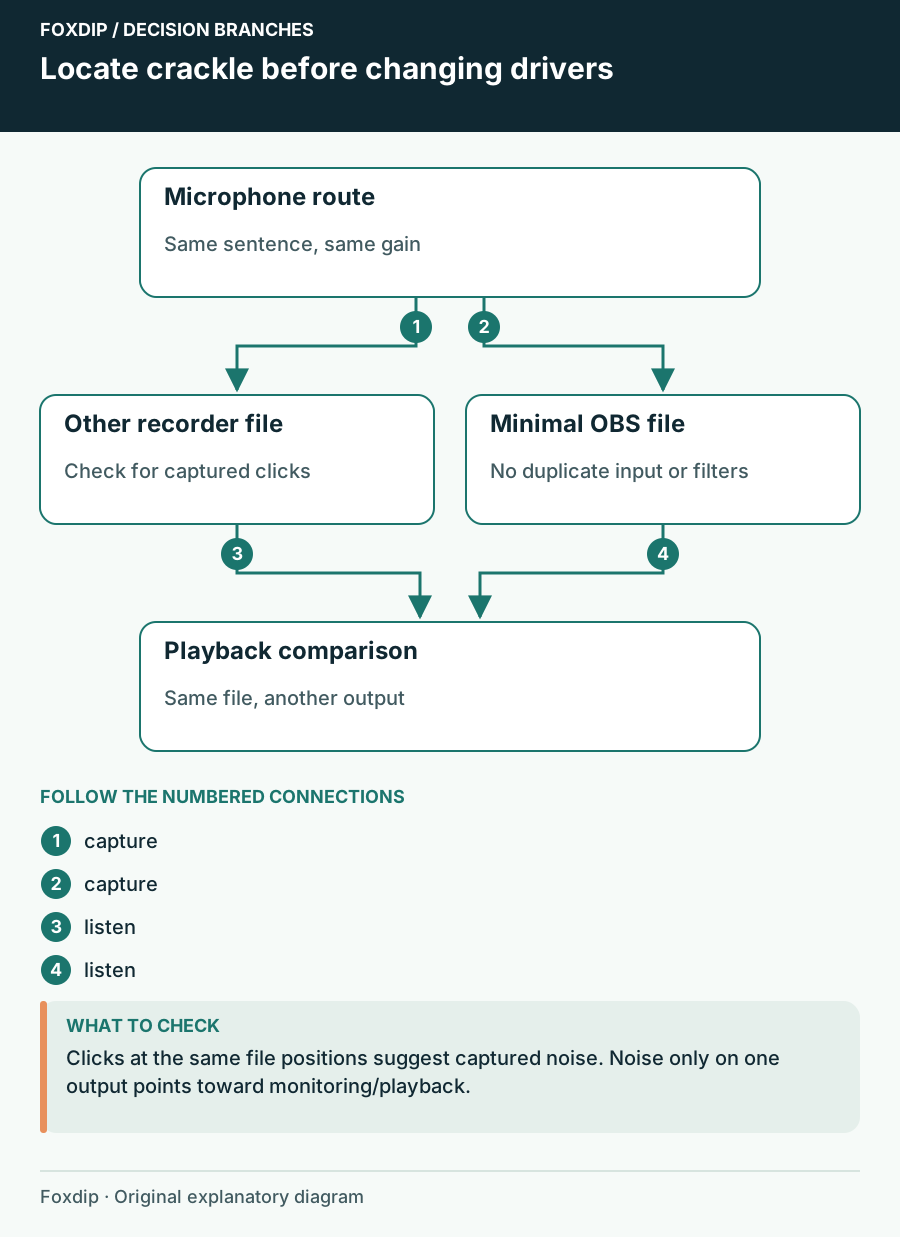
USB Microphone Crackles in OBS: Find Where the Noise Starts
Compare the saved input, USB route and headphone playback before changing drivers.
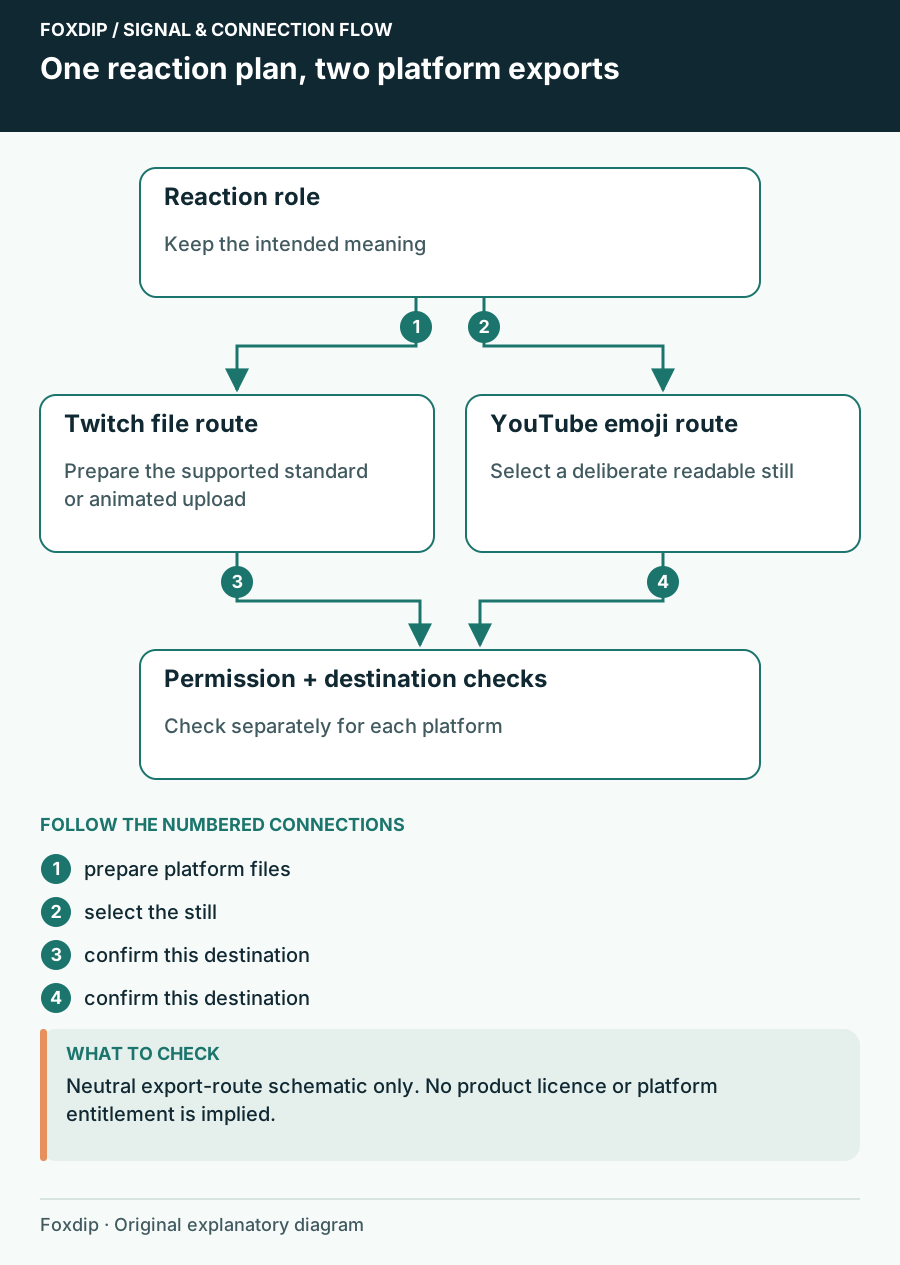
Use a Reaction Set on Twitch and YouTube: Check Each Destination
Plan separate Twitch emote and YouTube member-emoji exports, names and permission checks instead of reusing one upload folder blindly.
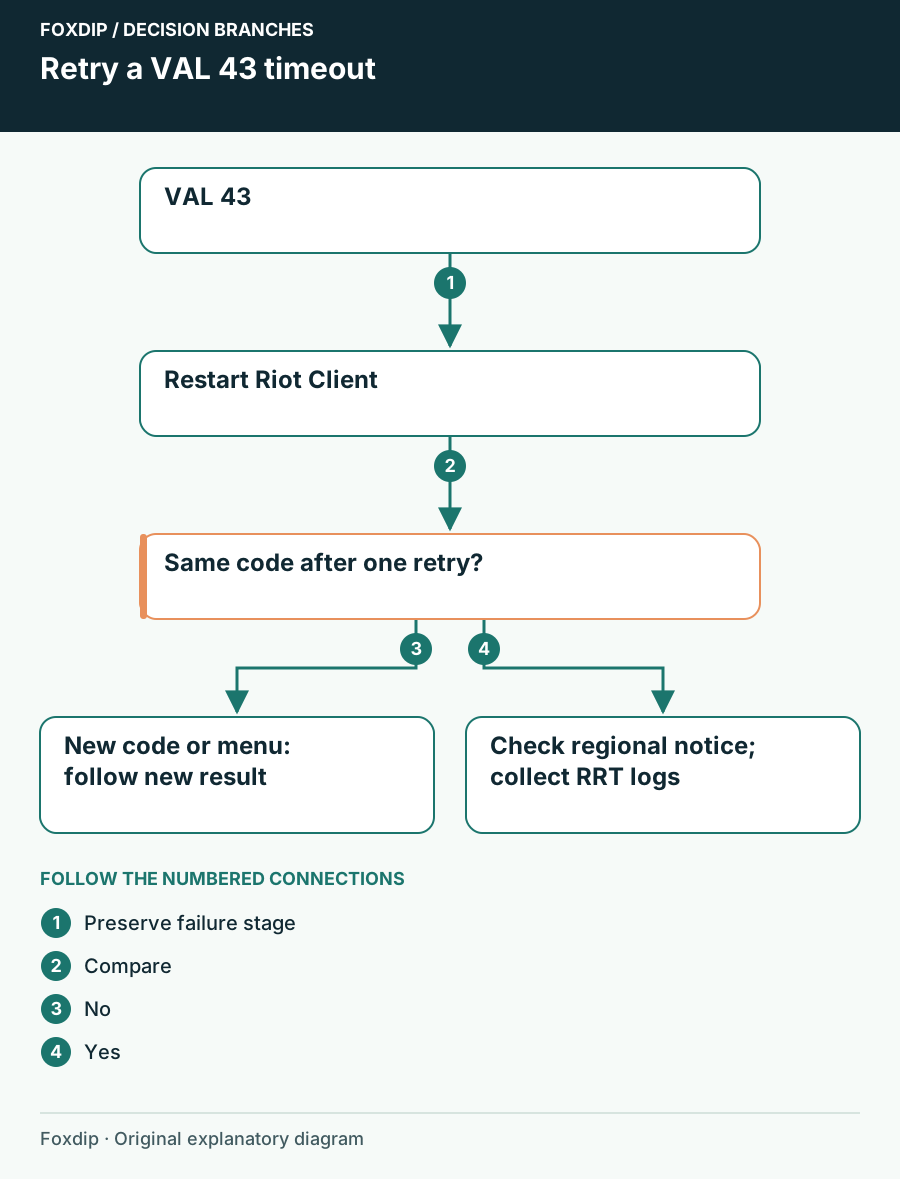
VALORANT VAL 43: Restart the Client and Check the Next Result
Work through Riot’s VAL 43 timeout guidance without treating it as proof that Vanguard, game files or your network need a full rebuild.
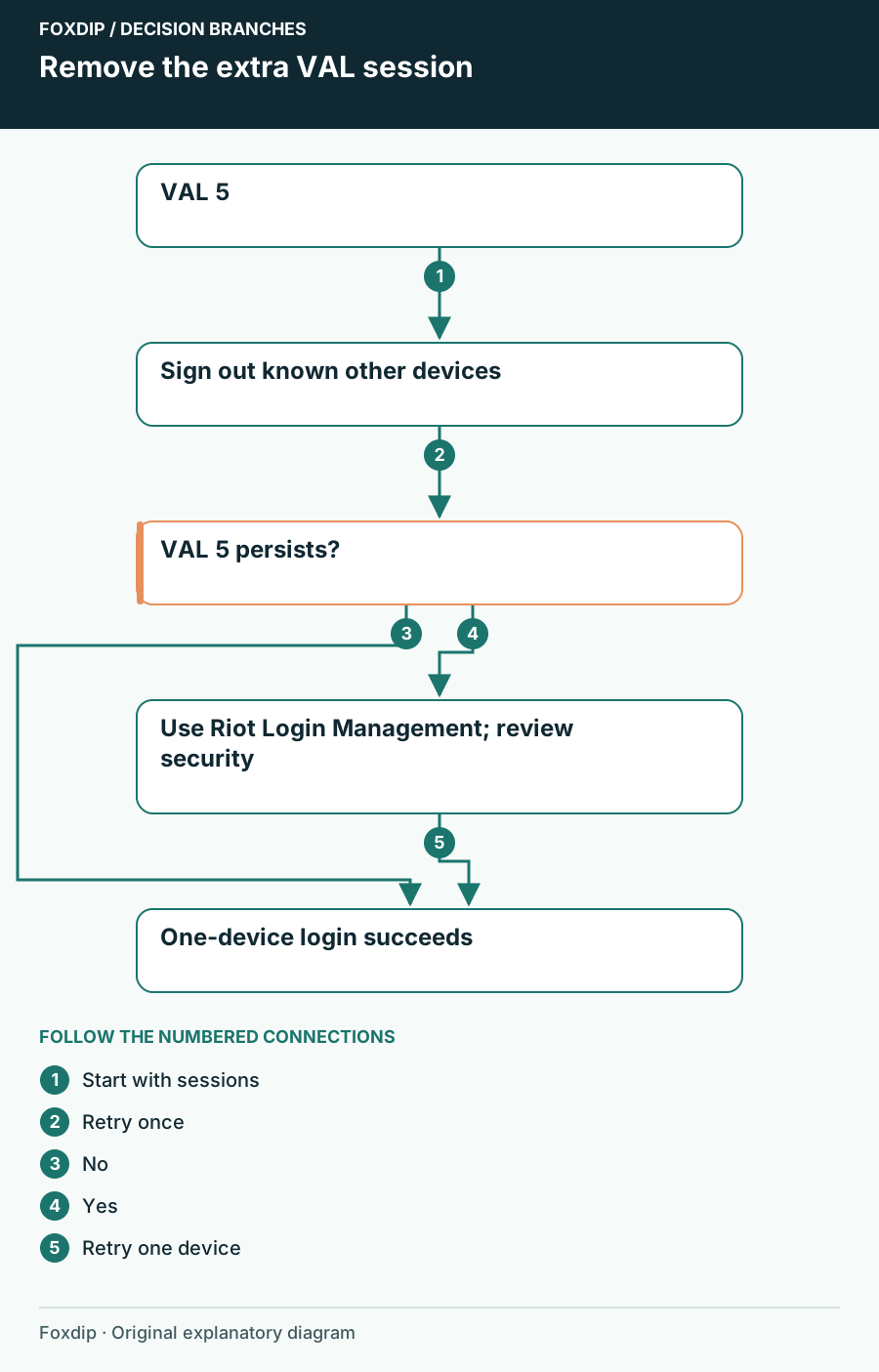
VALORANT VAL 5: Close the Other Account Session
Sign out other Riot devices for VAL 5, check current support notices and use account protection only when the extra session is unfamiliar.
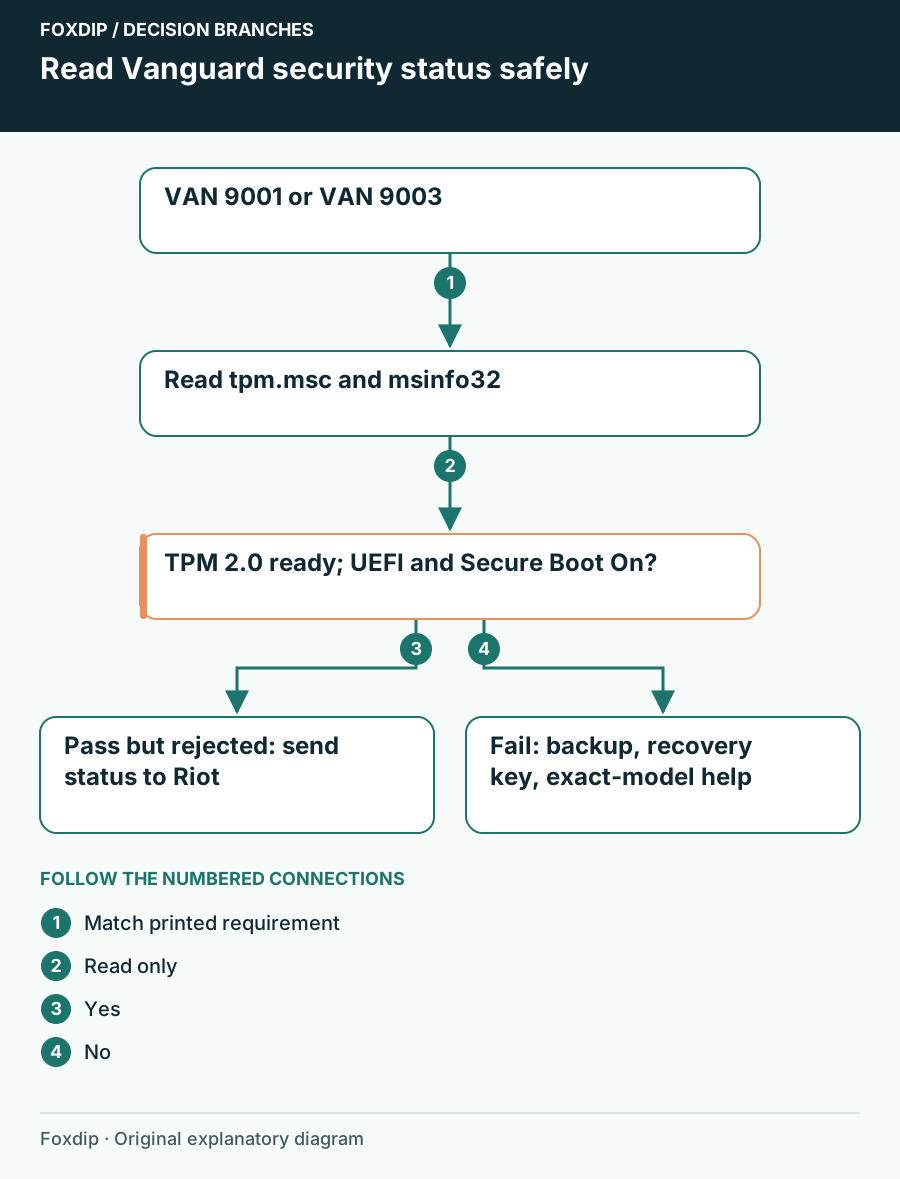
VAN 9001 or VAN 9003: Check TPM and Secure Boot Safely
Read Windows TPM and Secure Boot status before following model-specific firmware guidance for Vanguard VAN 9001 or VAN 9003.
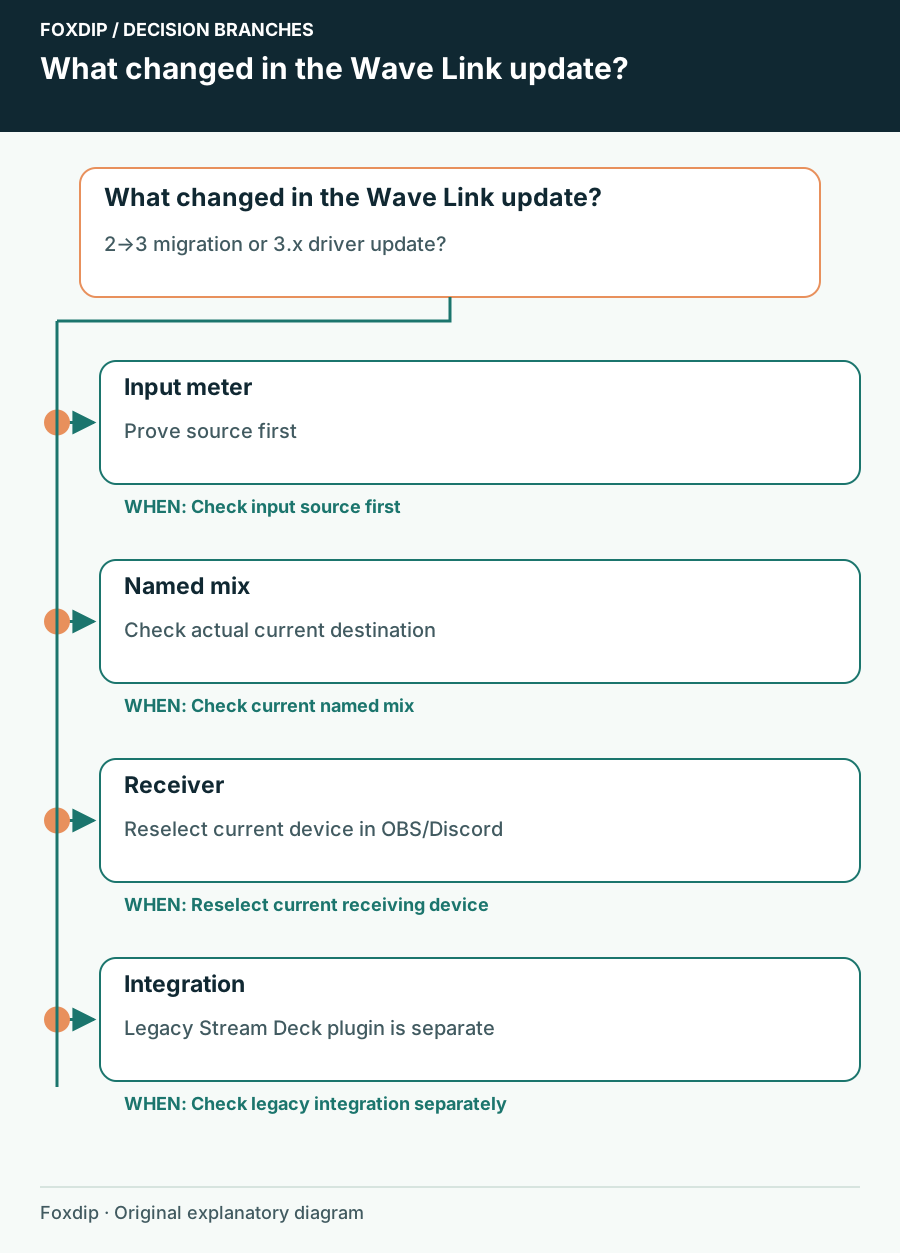
Wave Link 3 Audio Changed After an Update: Recheck the Route
Compare current virtual-device names, application assignments and the audience mix before assuming an update damaged your setup.
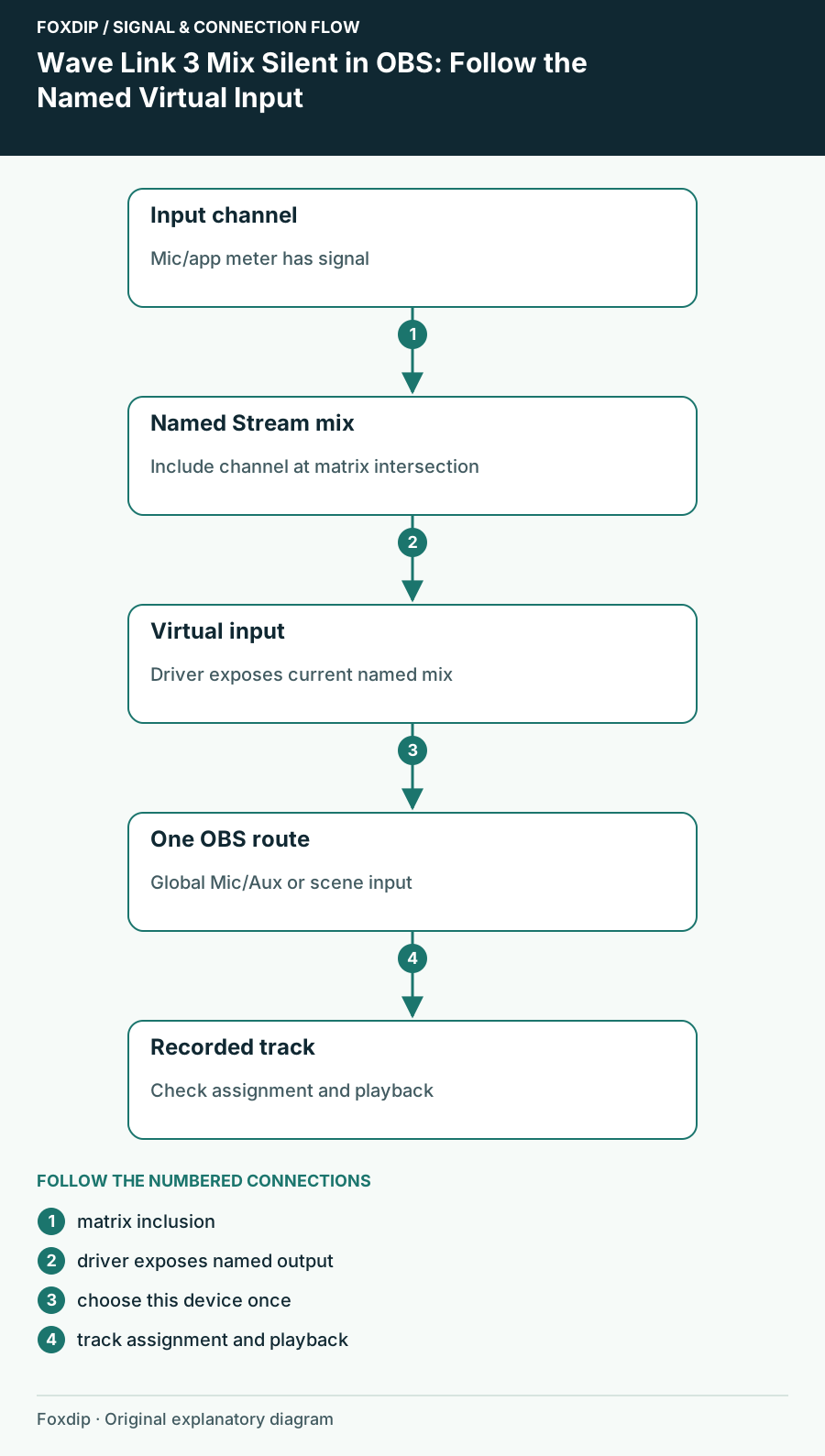
Wave Link 3 Mix Silent in OBS: Follow the Named Virtual Input
Find the mix you actually created in Wave Link 3 and trace it into one OBS input instead of relying on an old device label.
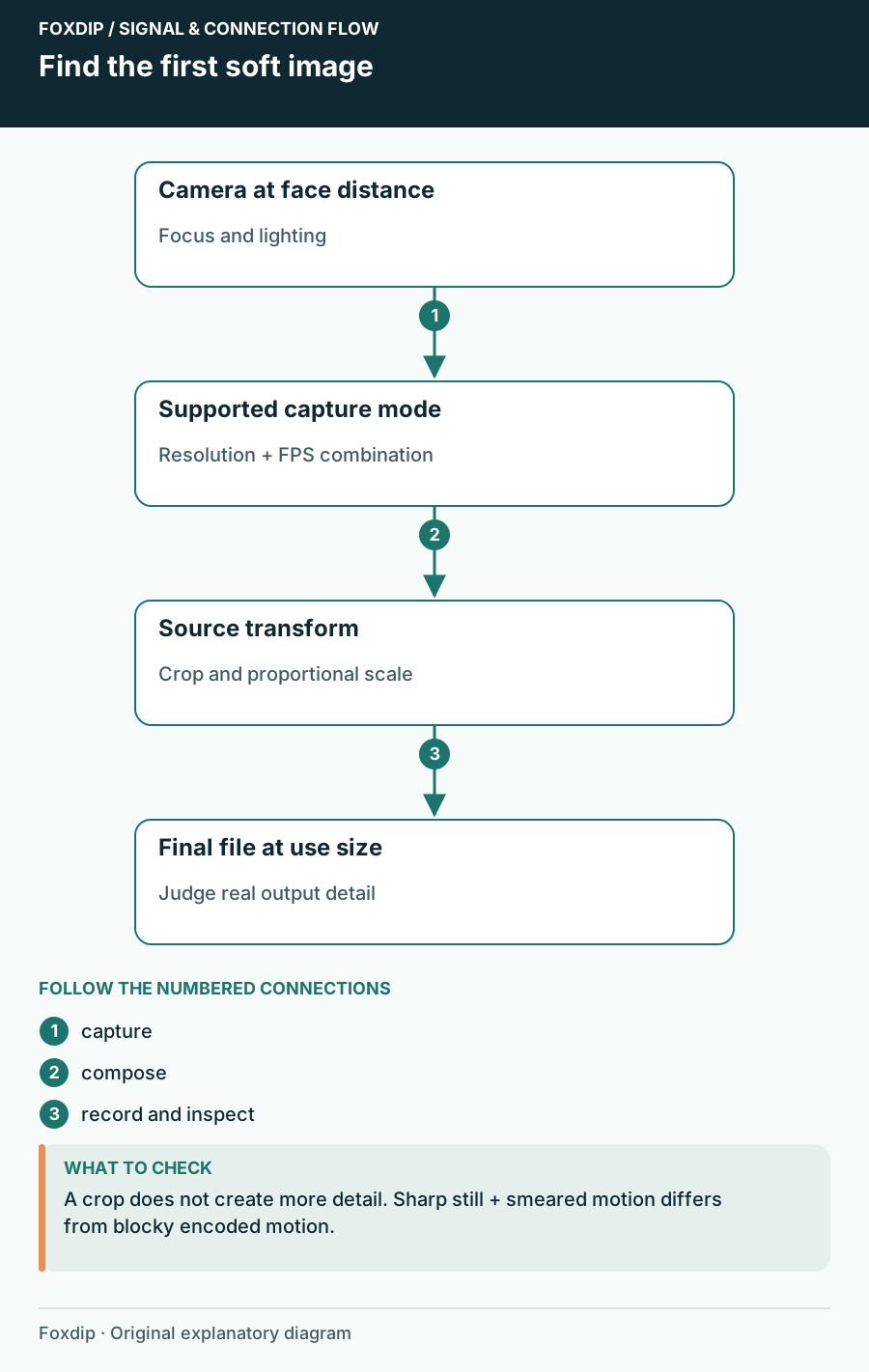
Webcam Blurry in OBS? 3 Checks That Find the Cause
Check the resolution and FPS your camera really sends, then its focus, then how the scene scales it. You'll see exactly where the detail gets lost.
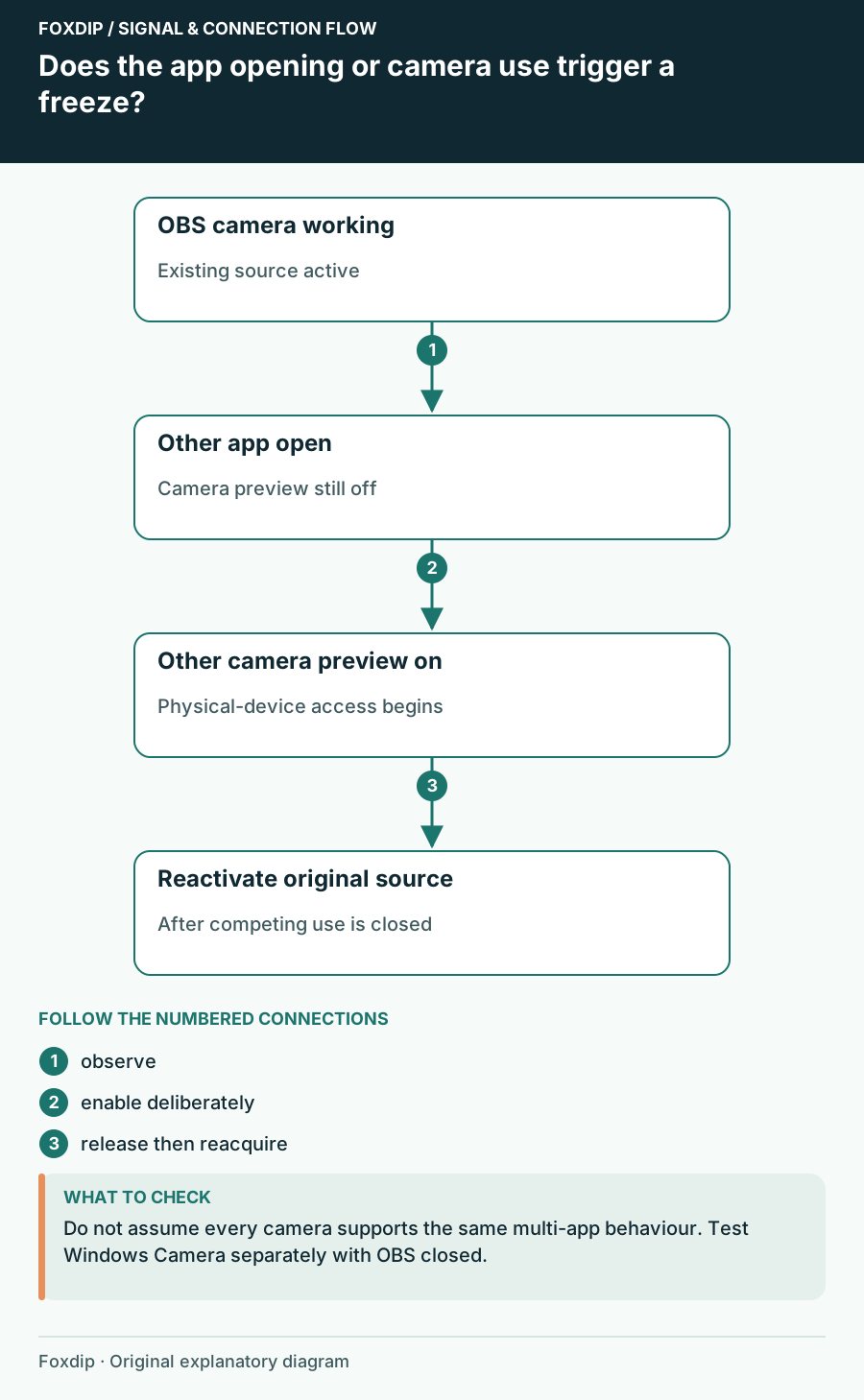
Webcam Freezes in OBS When Another App Opens
Check camera ownership and reconnect the existing source before rebuilding the scene.
Keep going
with your setup.
Need to install a pack? The download guides will help. Looking for a character instead? Browse the collections and see what catches your eye.