
Keep one reaction plan but prepare separate upload folders for Twitch and YouTube. The platforms have different requirements and behaviour, and a product licence must cover both intended uses before you reuse the artwork.
In this guide
Separate the reaction from its export
A greeting can keep the same meaning on two platforms even when its upload files differ. Start with a list of the designs you want to carry across: welcome, thanks, celebration and any channel-specific reaction. Then record each destination beside the design rather than assuming that a folder labelled Twitch is a universal upload package.
Keep the original artwork and supplied exports together in an archive. Create a working folder for each platform with only the chosen files. This reduces the chance of selecting a shop preview or the wrong size when the two dashboards ask for different inputs. It also makes later replacements easier to track.
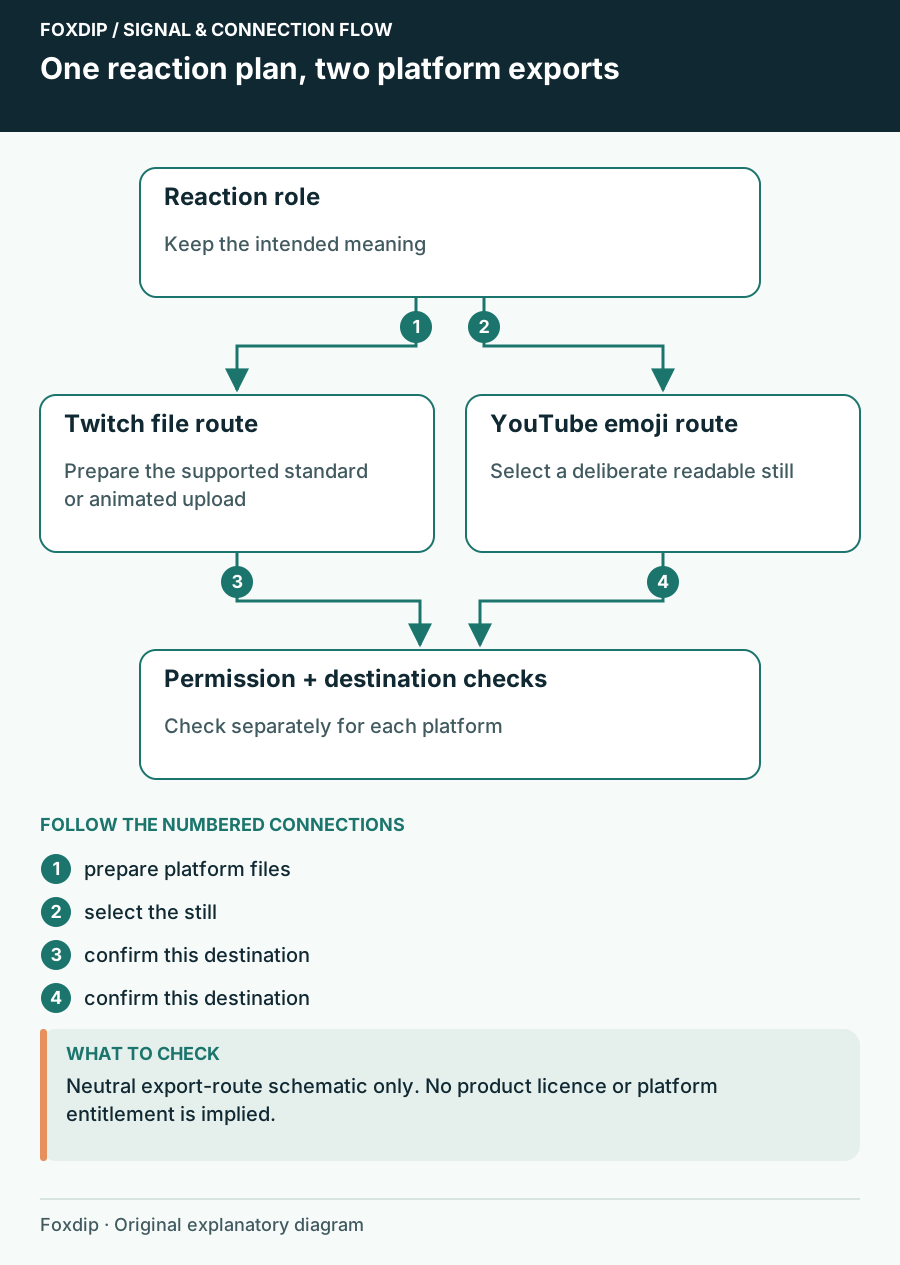
Original Foxdip schematic. Follow the labelled checks alongside the guide.
Check Twitch and YouTube separately
Twitch distinguishes standard PNG emotes from animated GIF emotes. YouTube’s membership guide accepts preferred JPEG, PNG or GIF uploads for custom emoji, but GIFs display as still images there. If movement is the reason you chose a reaction, select a deliberate still representation for YouTube rather than expecting the same loop.
YouTube currently specifies emoji files under 1 MB and dimensions from 48×48 to 480×480 pixels, with 48×48 preferred. Review the current Twitch requirements linked below for the upload mode you use. These are platform checks, not a claim that any particular shop pack supplies every required export.
| Decision | Twitch | YouTube memberships |
|---|---|---|
| Movement | Use an appropriate animated slot | GIF emoji display statically |
| Upload preparation | Follow the chosen upload mode | Prepare a deliberate still image |
| Availability | Check your channel dashboard | Check enabled membership features |
Name the same meaning for each platform
Create a small naming sheet with the reaction role, Twitch code and YouTube emoji name. The names need not be identical, but they should be memorable and point to the same meaning. Avoid changing a welcome reaction into an unrelated joke only because a shorter name is available.
YouTube uses a family name and individual emoji names with its own naming rules. Check those fields before creating labels in tutorials or launch graphics. If you print instructions for viewers, show the actual name available on that platform rather than copying the Twitch code into a YouTube description and hoping it works.
Confirm the licence covers the intended use
Read the product-specific terms for your creator identity and both destinations. Do not infer multi-platform permission from the file format or a phrase such as streamer pack. If you manage several unrelated channels or want to give the assets to a collaborator, resolve that scope before uploading.
Keep permission records with your download. A platform accepting a file does not establish that you have the rights to use it, and a shop preview showing a familiar character does not settle that question. When the wording is unclear, ask the seller for the specific use you need rather than assuming a broader licence.
Preview the set as two real vocabularies
Compare a short sample chat on each destination. Does the still version retain the same expression? Are two reactions now too similar because their distinction depended on motion? You may keep a smaller YouTube selection if that communicates better than copying every Twitch animation as a near-identical first frame.
Save the final destination map with the date and chosen filenames. When one design changes later, update both folders intentionally and confirm which slots remain assigned. A consistent channel identity comes from recognisable meanings and visual traits, not from forcing every platform to display precisely the same file.
Want graphics that already fit? See the complete stream packs ↗
Sources & references
Foxdip editorial design advice with platform behavior grounded in the linked official documentation. Layout dimensions and palettes are worked examples, not platform requirements.
- Twitch: Emote Formatting & Instant Emote Upload Requirements ↗Checked 2026-10-27
- YouTube: Create or manage memberships levels & perks ↗Checked 2026-10-27
Spotted something out of date? Let Alex know.
How we put our guides together ↗