
Get the stream working your way.
Get your sound into OBS, put a scene together and work out which graphics go where.
 LEARN SOMETHING.
MAKE IT YOURS.
Start with GG.
See how one emote changes at 28, 56 and 112 px, then keep it for your channel. No email or account needed.
Set up your digital pack.
Get the right reaction into the right slot.
Find your emote and badge exports, match them to your Twitch slots and check the small preview before moving to the next design.
Read the setup guidePut each graphic in the source it needs.
Add a static frame with Image, use Media Source for supplied video and check how the layout behaves when you switch scenes.
Read the setup guideMotion is a choice, not an automatic upgrade.
Compare PNG stills, GIF loops and the actual reactions in a pack, then choose a version your chat slot can use.
Read the setup guideGet all the ZIP parts, then open the artwork.
Find the download for your Etsy order, extract every part and sort out images, instructions and any files intended for editing.
Read the setup guideFor your next stream.
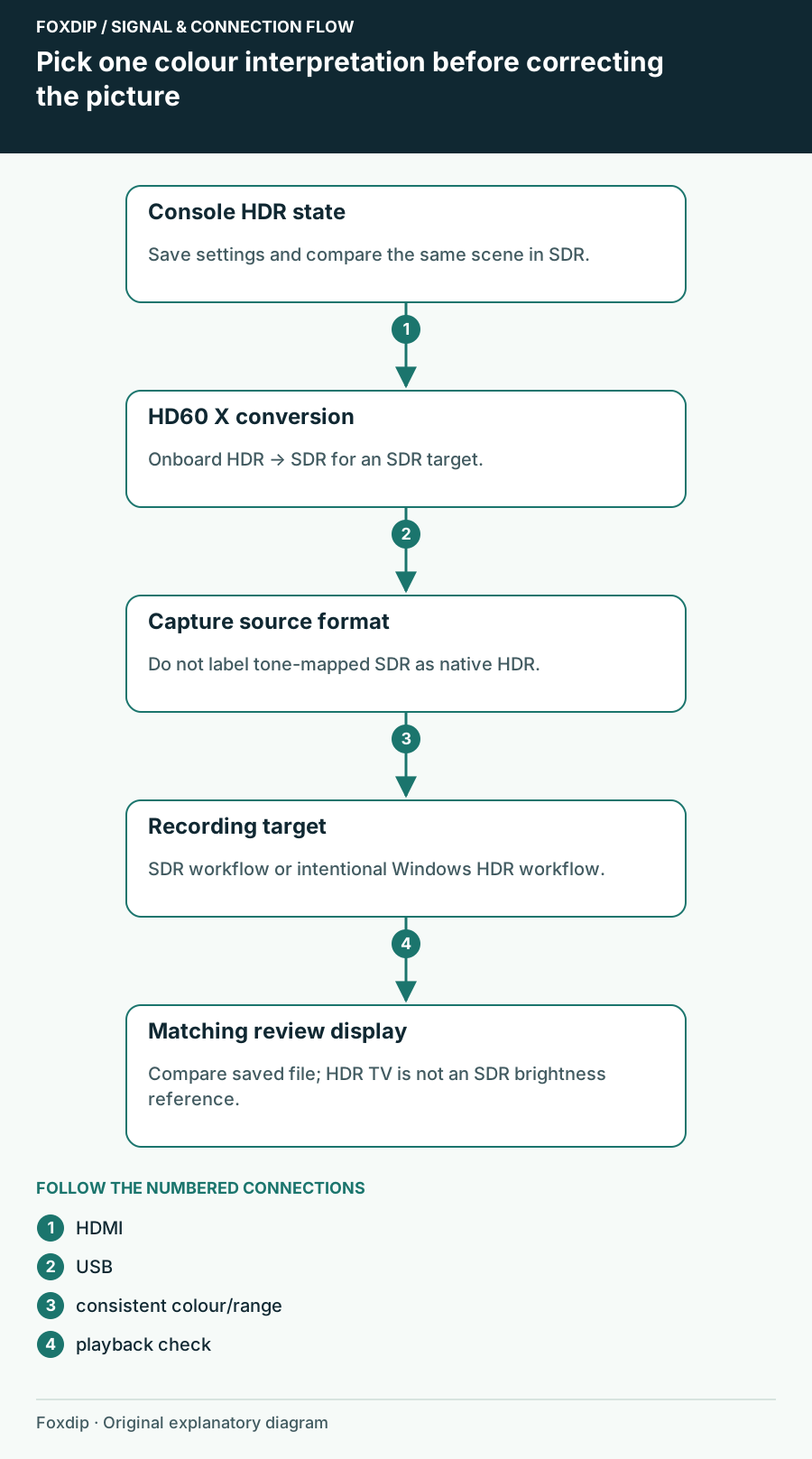
HD60 X Passthrough Looks Right but the Recording Colours Do Not
Separate HDR tone mapping from an HDMI range mismatch before adding colour filters to HD60 X footage.
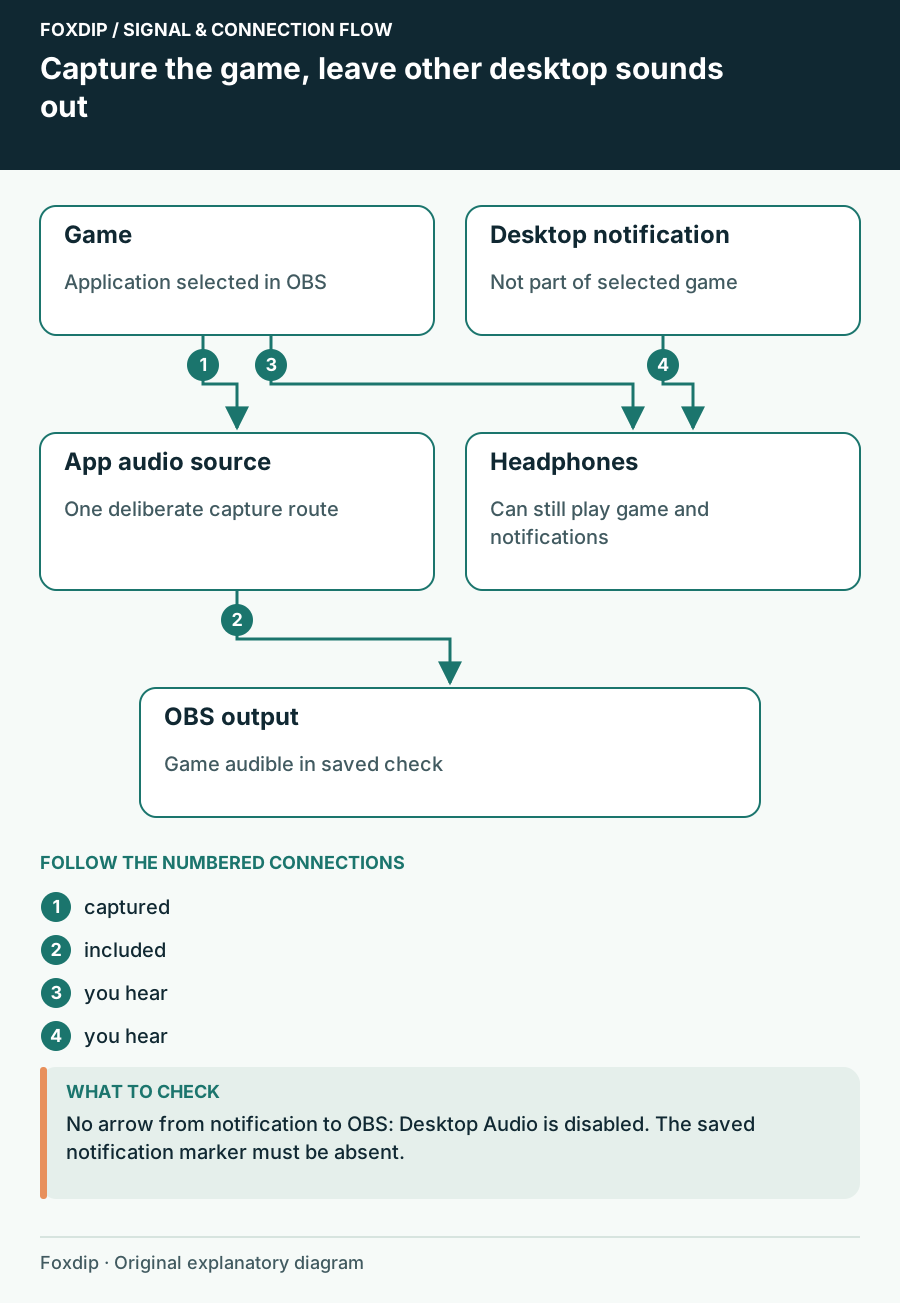
How to Capture Only Game Audio in OBS (No Discord or Music)
Send only your game's sound to the stream. No notifications, no Discord, no Spotify.
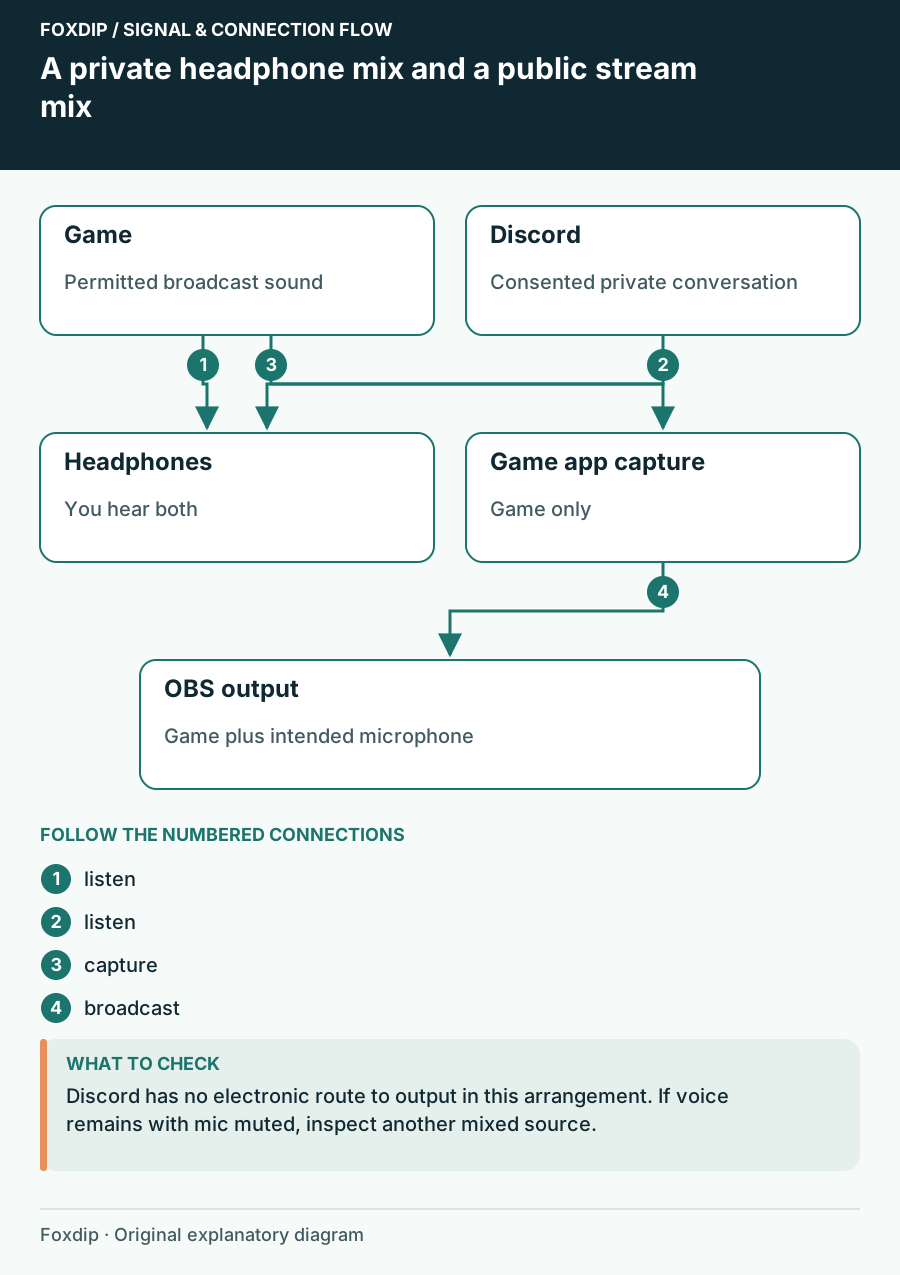
How to Keep Discord Out of Your OBS Stream (and Still Hear Friends)
Your viewers hear your Discord call? Here's how to stop it in OBS while you keep talking to your friends.
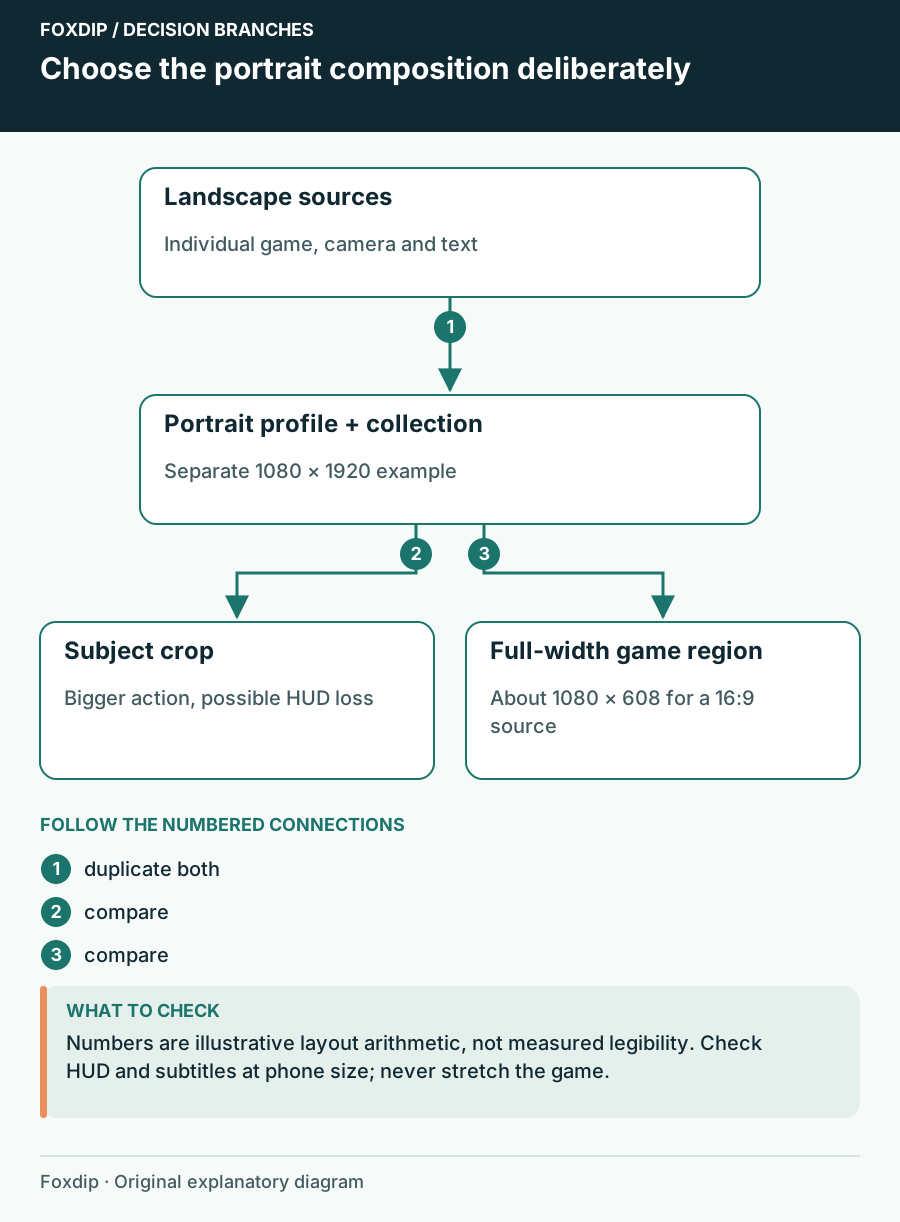
How to Make OBS Portrait: A Vertical Layout That Fits
Make OBS portrait the clean way: duplicate your setup, switch to a vertical canvas, then move your game, camera and text so nothing important gets cut.
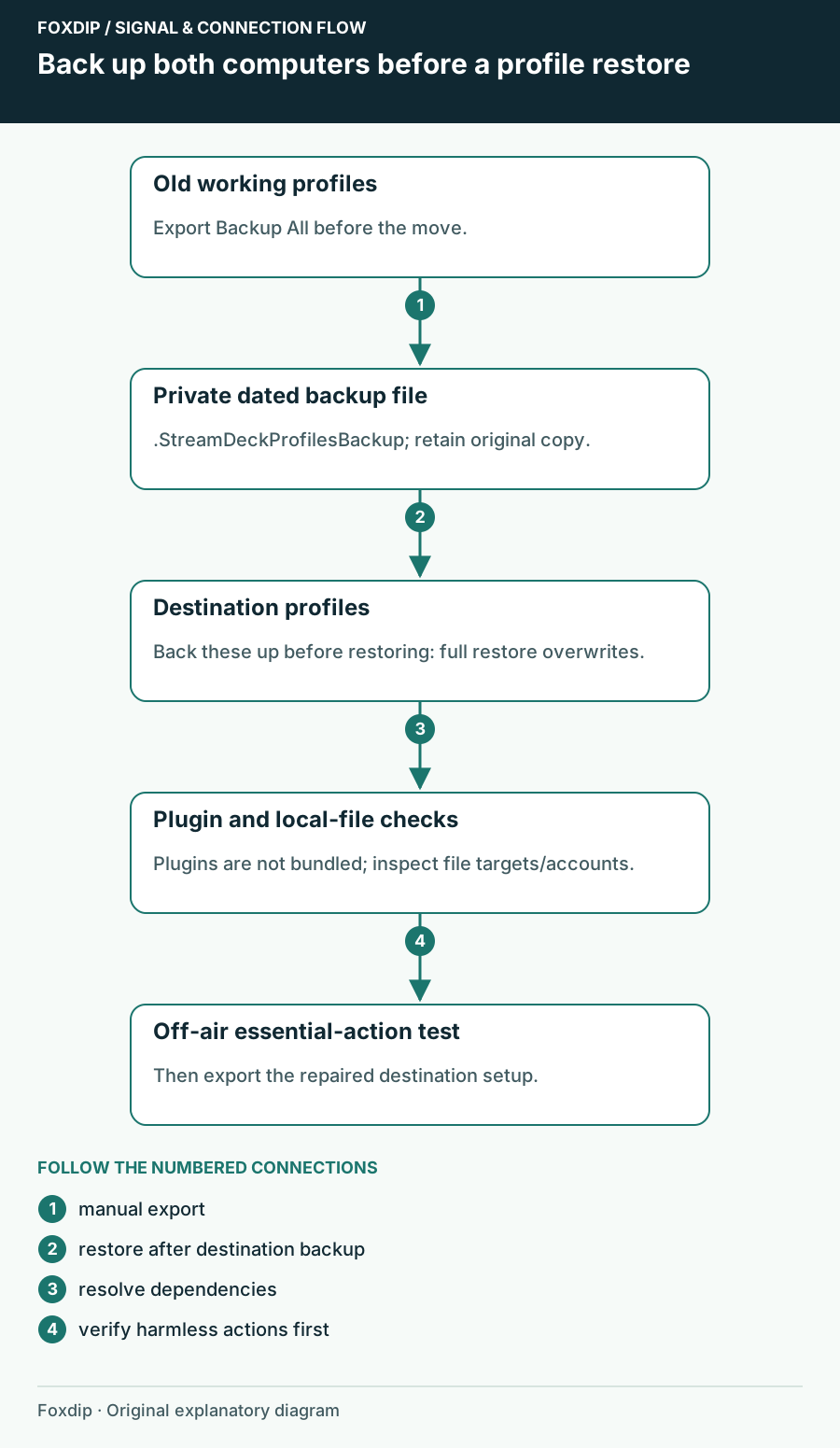
How to Move Your Stream Deck Profiles to a New PC
Back up your Stream Deck profiles, move them to another computer and fix the buttons that break after.
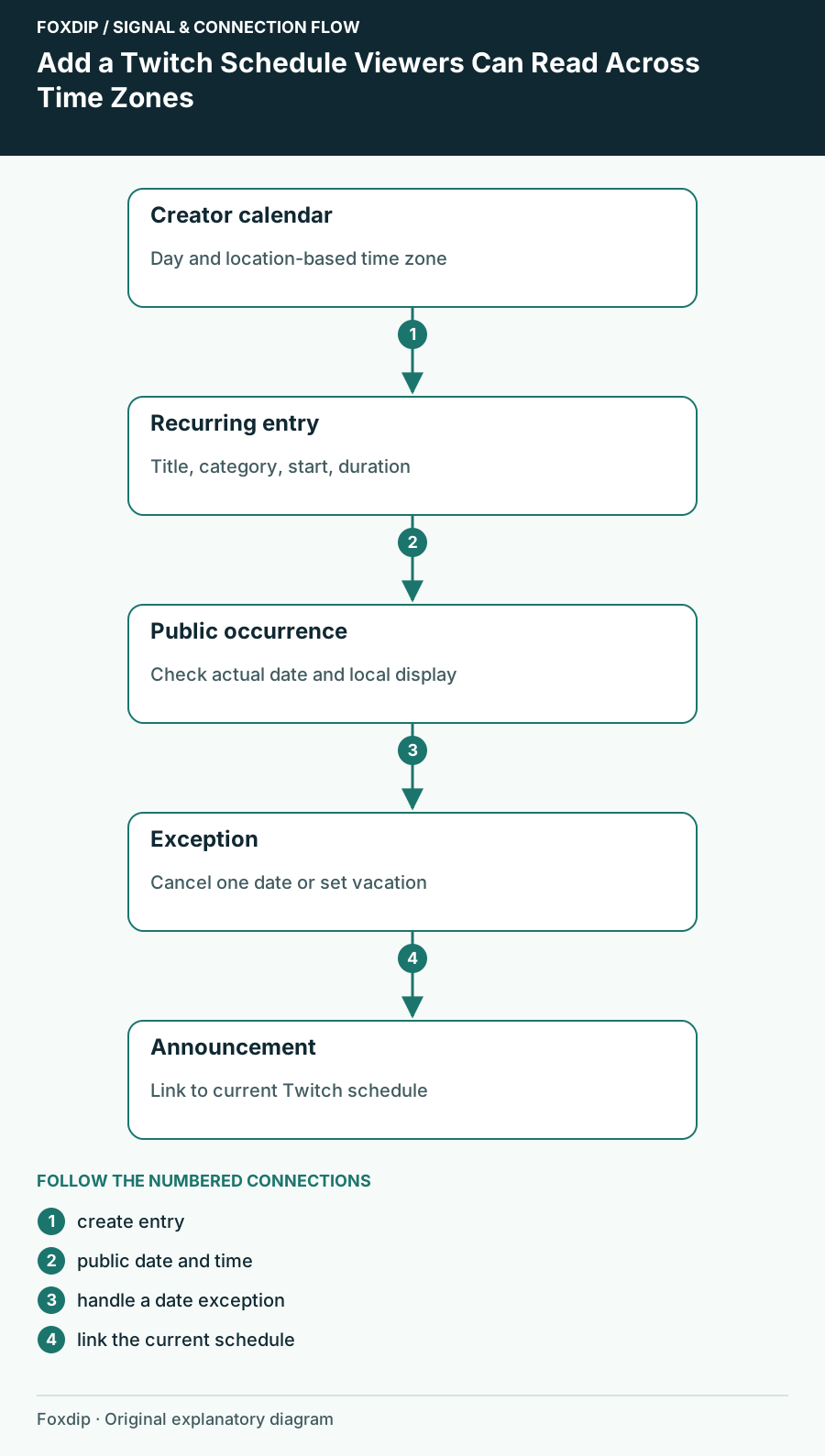
How to Set Up Your Twitch Schedule and Time Zone
Add a recurring Twitch schedule in Creator Dashboard, set the right time zone, check the public Schedule tab, and mark days off without stale dates.
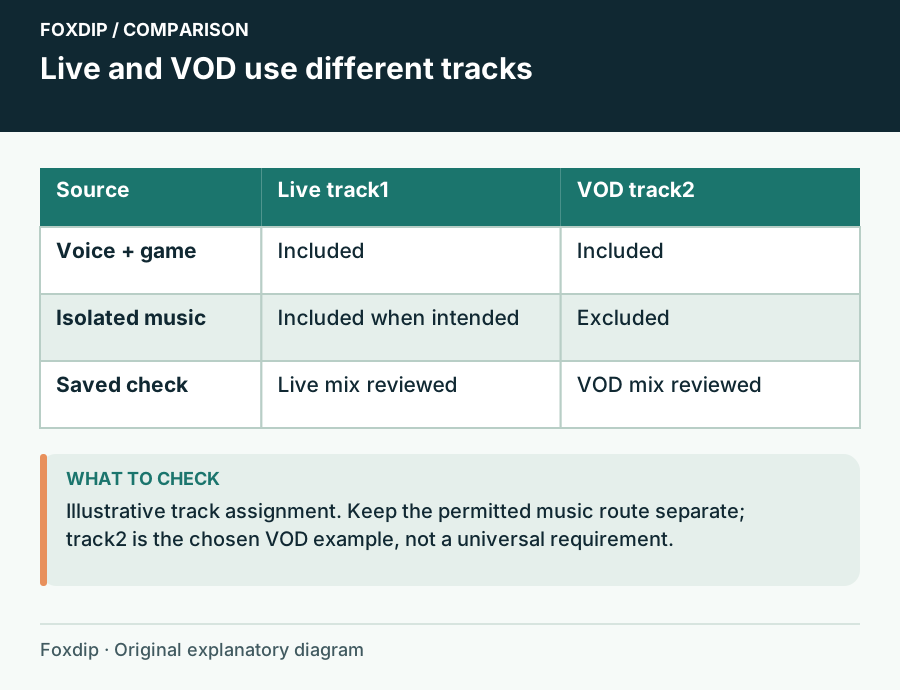
Keep Music Out of a Twitch VOD with OBS Audio Tracks
Send music to the live mix and exclude it from the VOD track while preserving voice and game audio.
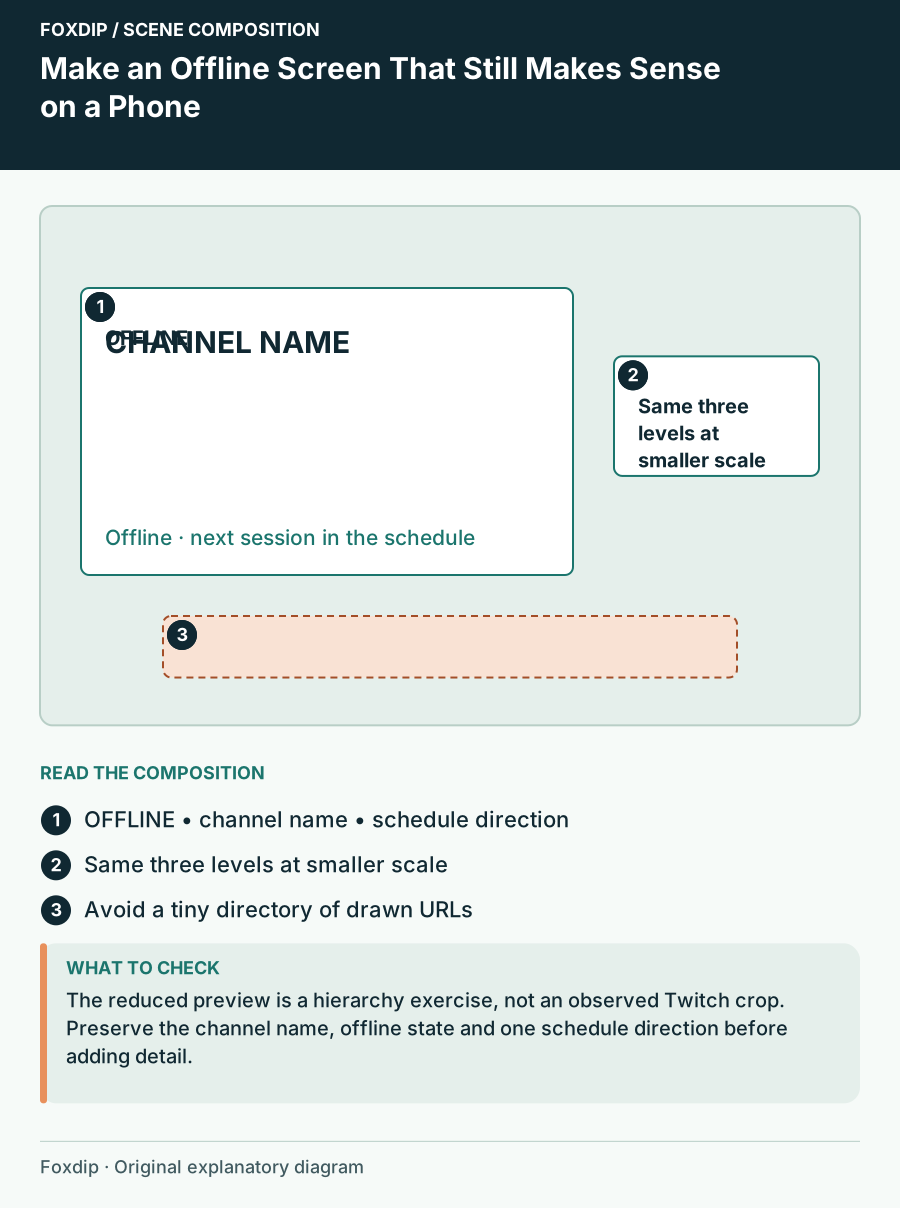
Make an Offline Screen That Still Makes Sense on a Phone
Design an offline channel image around one status, a recognisable channel identity and a reliable next step.
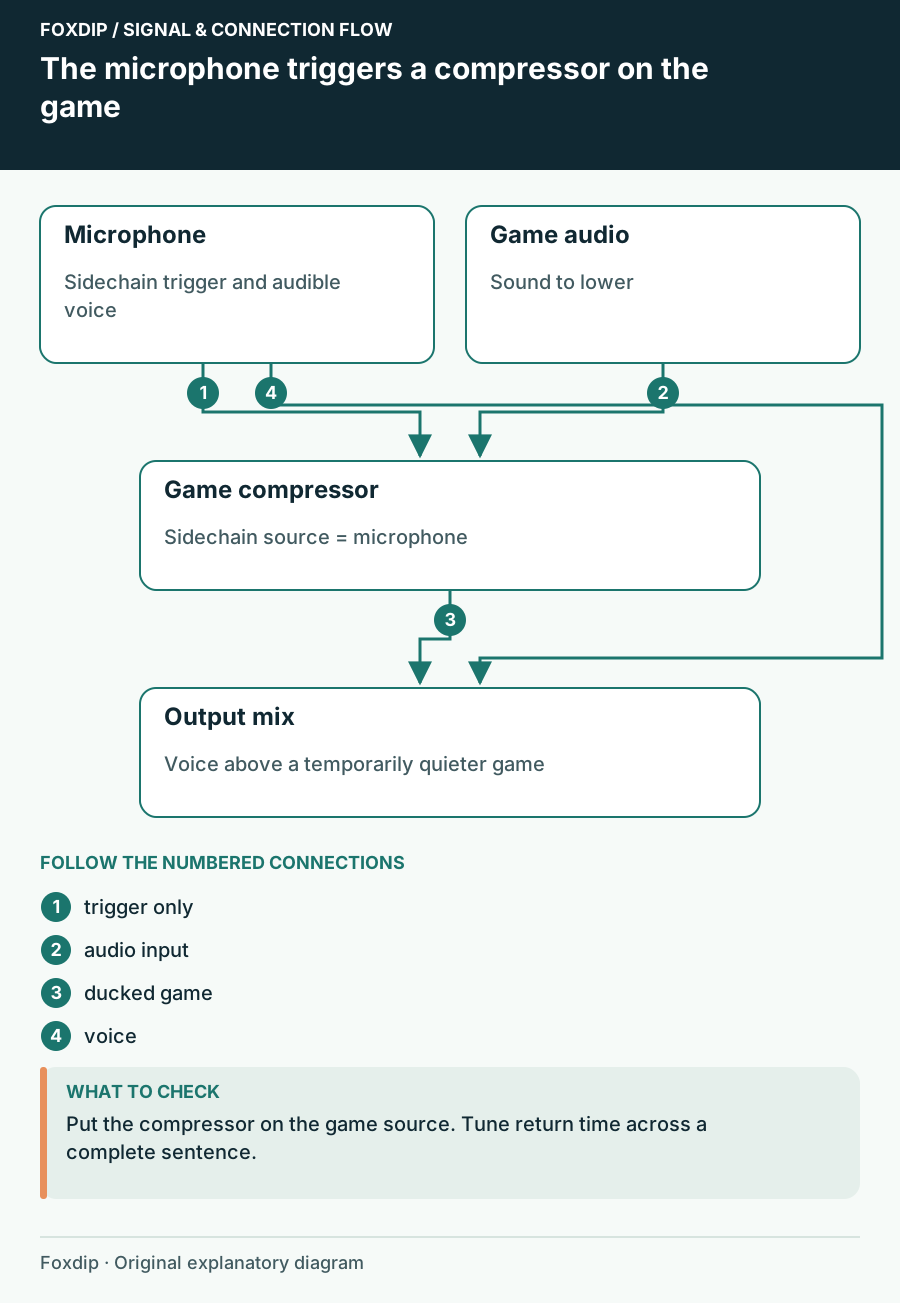
Make Game Audio Duck When You Speak in OBS
Use the microphone as a sidechain trigger and keep the game audible between phrases.
Keep going
with your setup.
Need to install a pack? The download guides will help. Looking for a character instead? Browse the collections and see what catches your eye.