
Get the stream working your way.
Get your sound into OBS, put a scene together and work out which graphics go where.
 LEARN SOMETHING.
MAKE IT YOURS.
Start with GG.
See how one emote changes at 28, 56 and 112 px, then keep it for your channel. No email or account needed.
Set up your digital pack.
Get the right reaction into the right slot.
Find your emote and badge exports, match them to your Twitch slots and check the small preview before moving to the next design.
Read the setup guidePut each graphic in the source it needs.
Add a static frame with Image, use Media Source for supplied video and check how the layout behaves when you switch scenes.
Read the setup guideMotion is a choice, not an automatic upgrade.
Compare PNG stills, GIF loops and the actual reactions in a pack, then choose a version your chat slot can use.
Read the setup guideGet all the ZIP parts, then open the artwork.
Find the download for your Etsy order, extract every part and sort out images, instructions and any files intended for editing.
Read the setup guideFor your next stream.
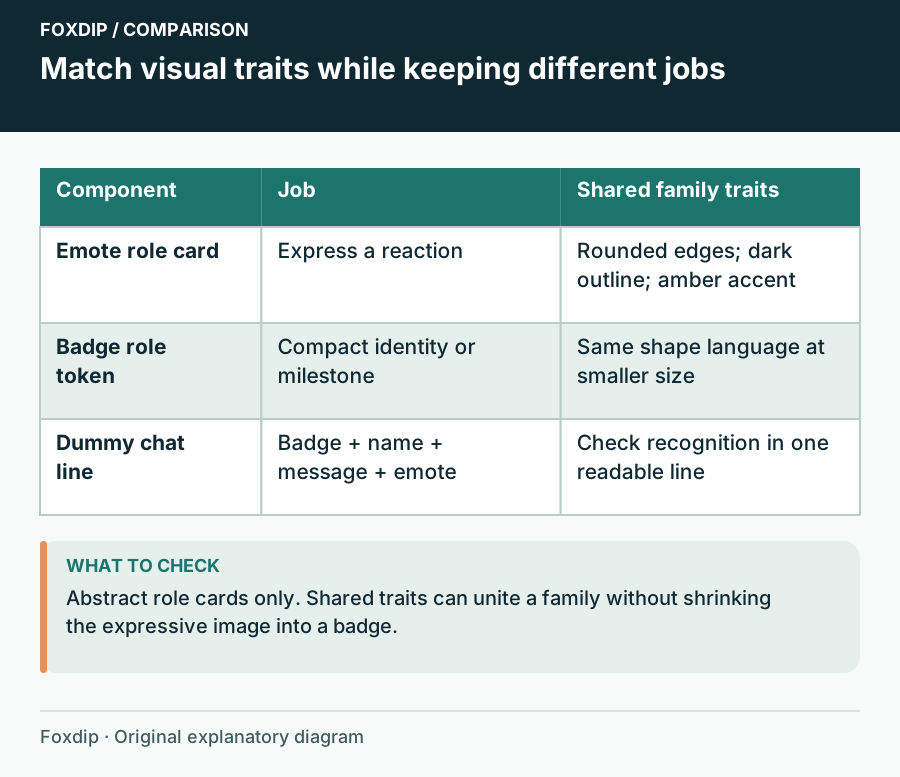
Match Emotes and Badges Without Repeating the Same Drawing
Connect expressive emotes and tiny loyalty badges with shared colour, material and shapes while giving each a separate role.
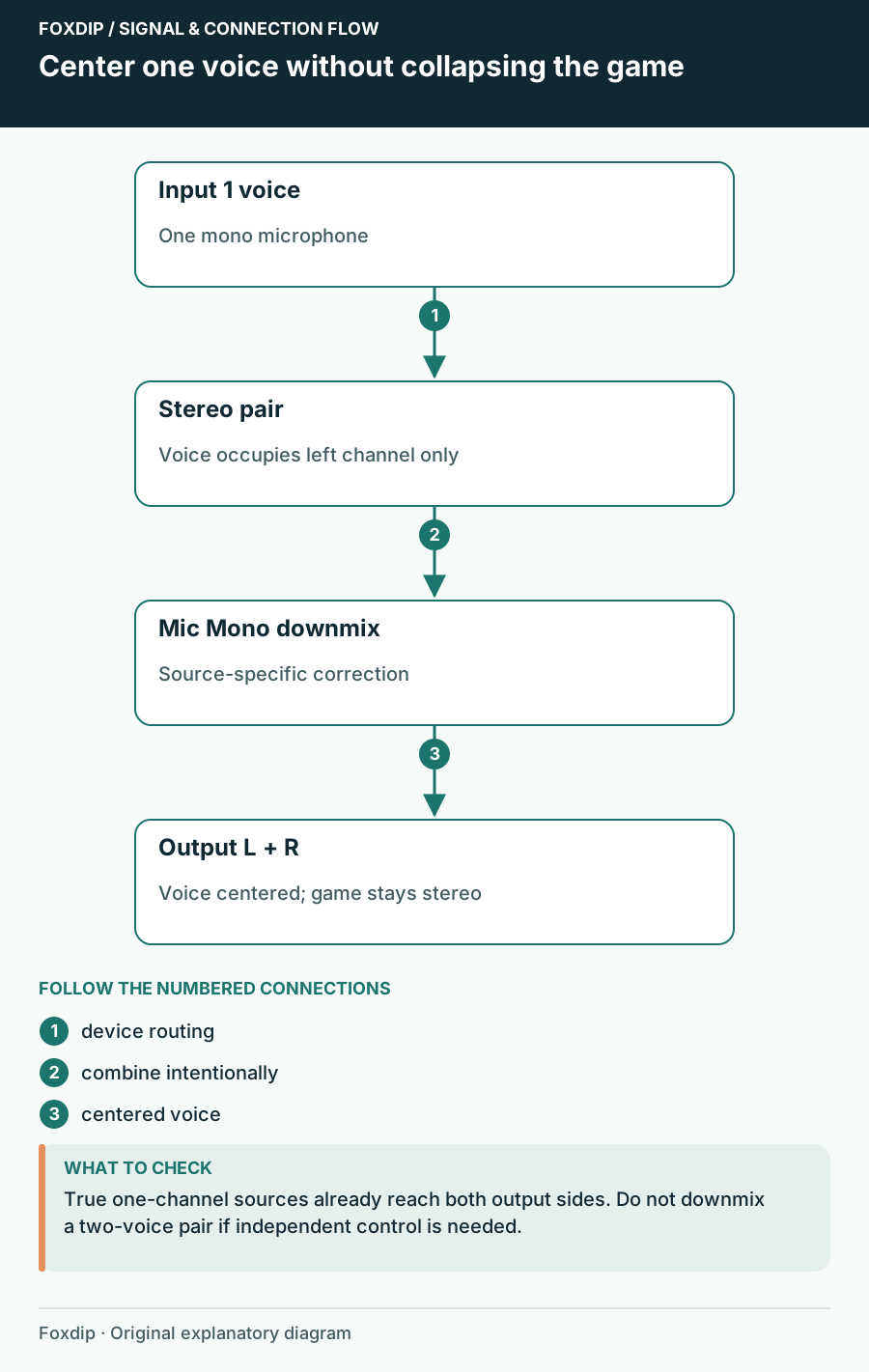
Mic Only in One Ear in OBS? Here's the Fix
If your voice only comes out of the left side, one checkbox in OBS fixes it. Your game sound stays stereo.
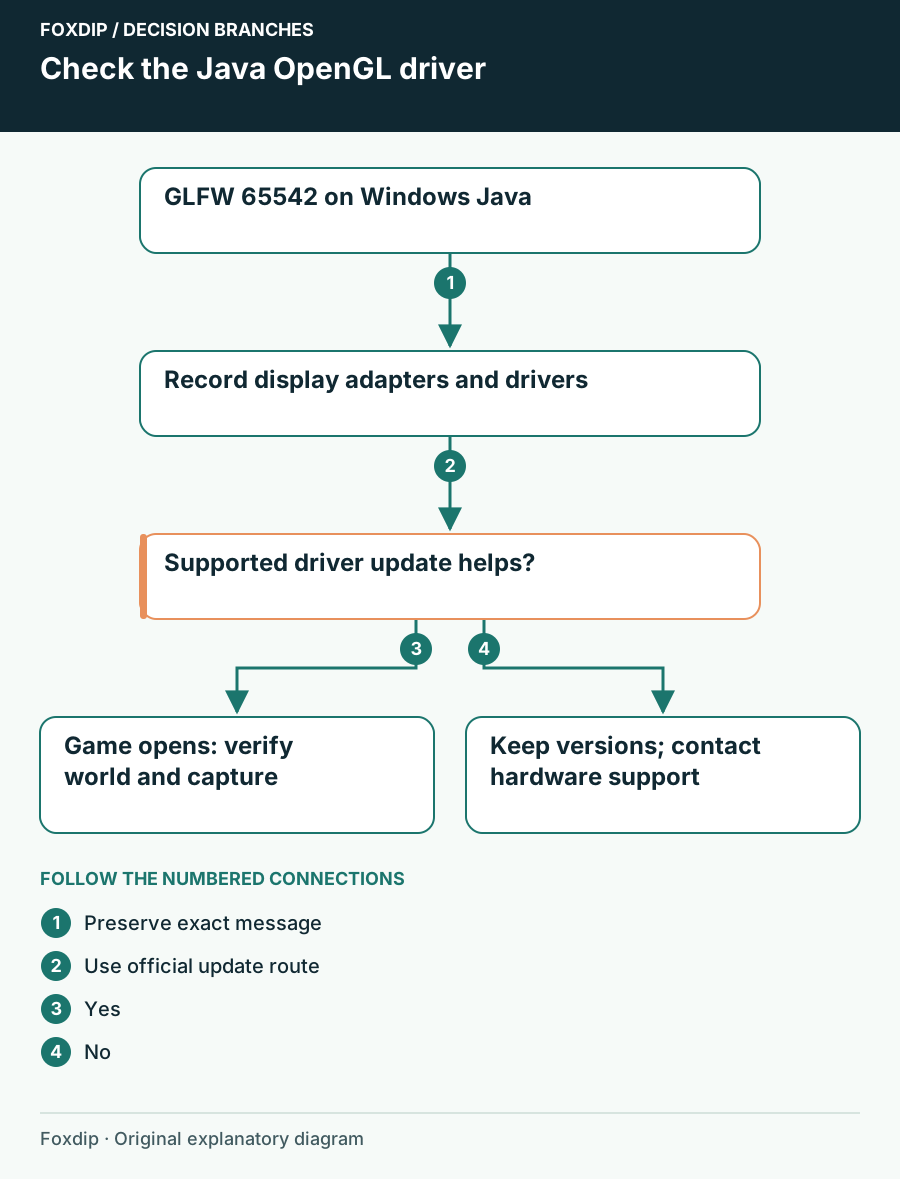
Minecraft GLFW 65542: Check the Windows Graphics Driver
Match GLFW 65542 to Minecraft Java Edition’s OpenGL message, identify the display adapter and use the supported Windows or manufacturer driver route.
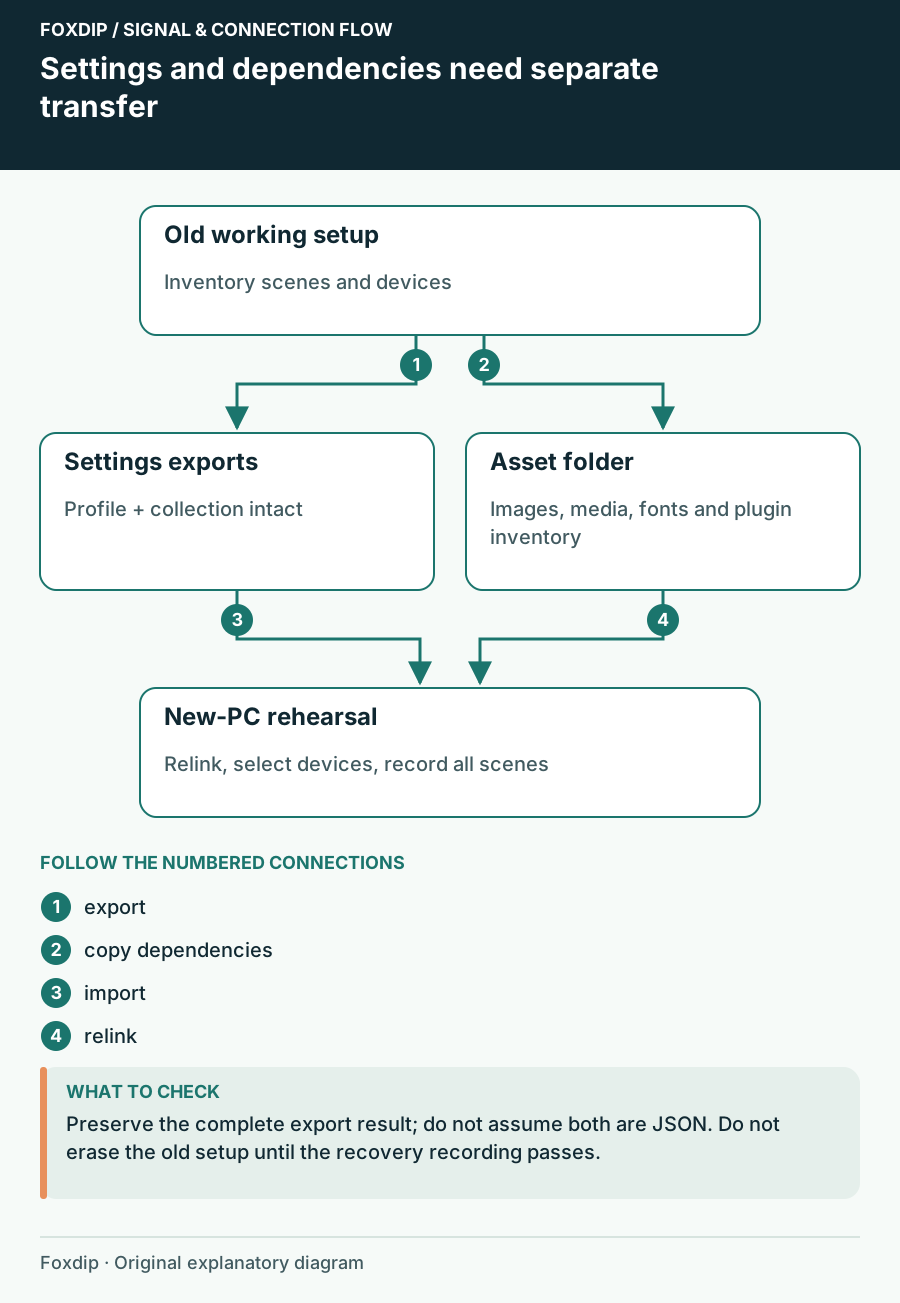
Move OBS to a New PC or Drive Without Losing Anything
Export your OBS profile and scene collection, copy the images and videos they use, then relink them on the new PC so no source shows up missing.
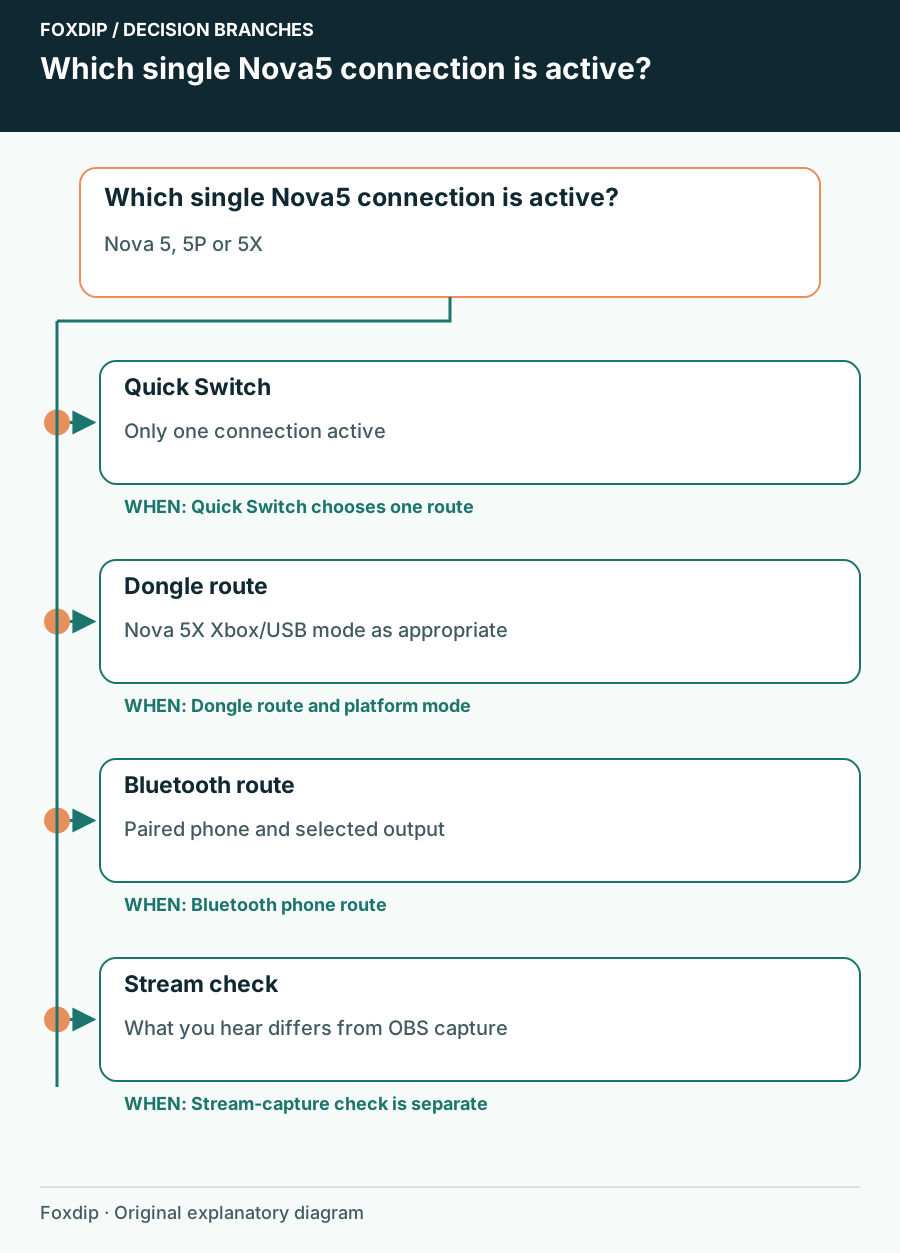
Nova 5 Bluetooth or Dongle: Check Which Connection Is Active
Identify the active Nova 5 connection before repairing a headset that may simply be listening to the other device.
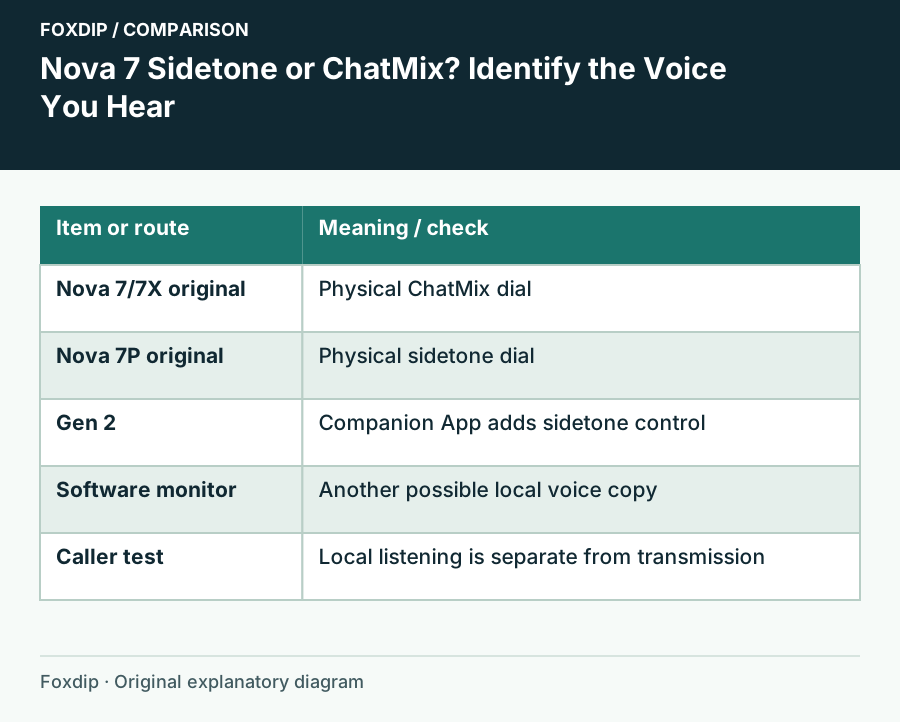
Nova 7 Sidetone or ChatMix? Identify the Voice You Hear
Separate local mic monitoring from game/chat balance and remove only the unwanted copy of your voice.
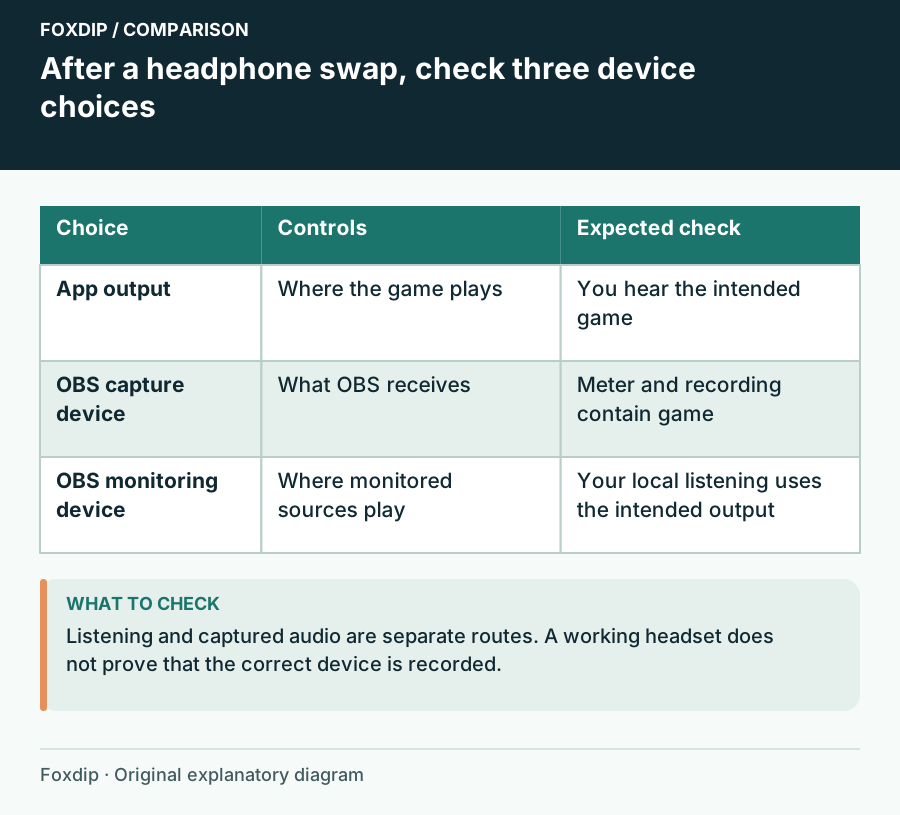
OBS Audio Disappears After You Change Headphones
Follow Windows playback, device capture and OBS monitoring as three separate choices.
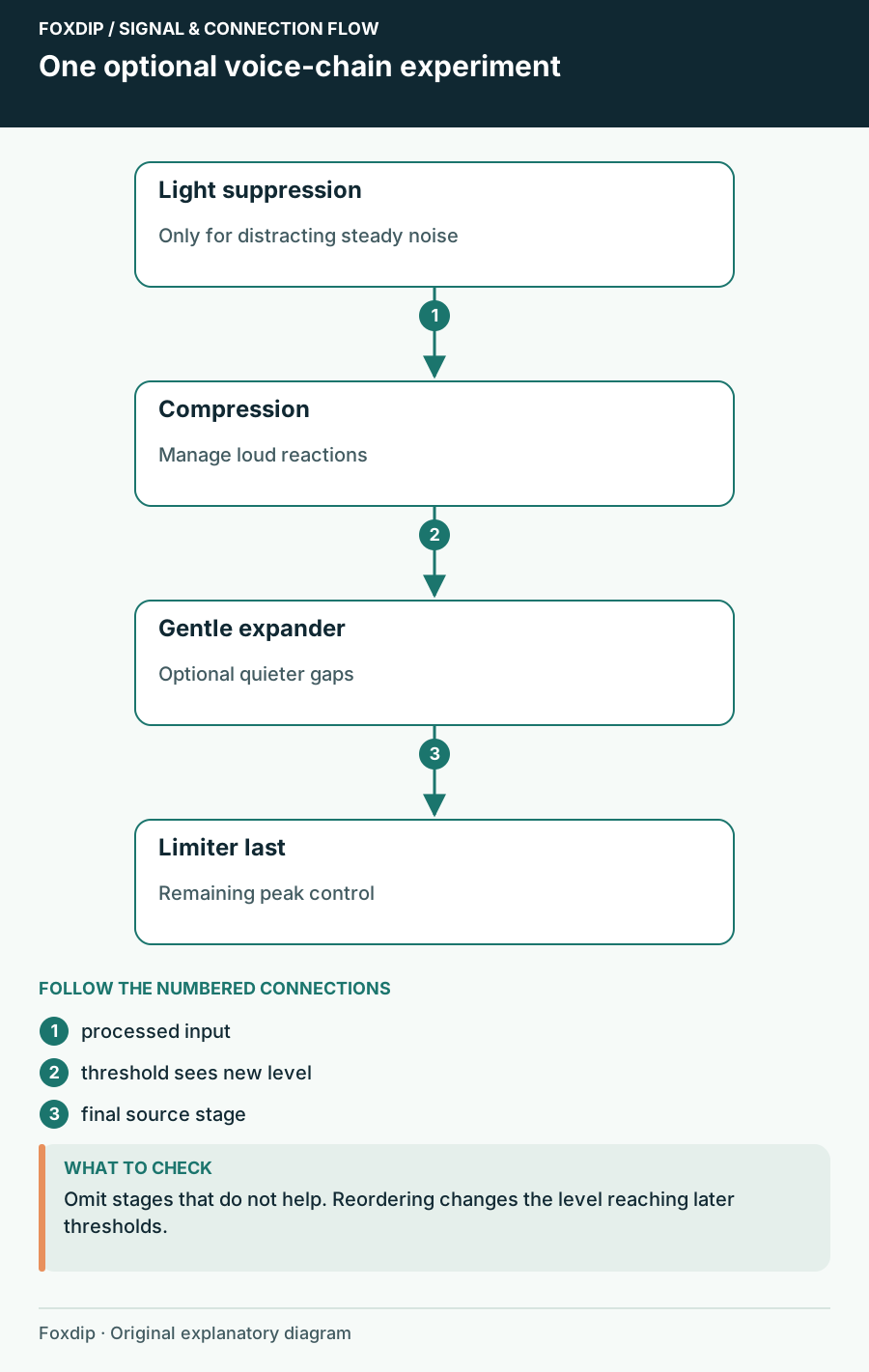
OBS Audio Filter Order: Hear What Each Stage Changes
Build a microphone chain around specific problems and retune thresholds after moving filters.
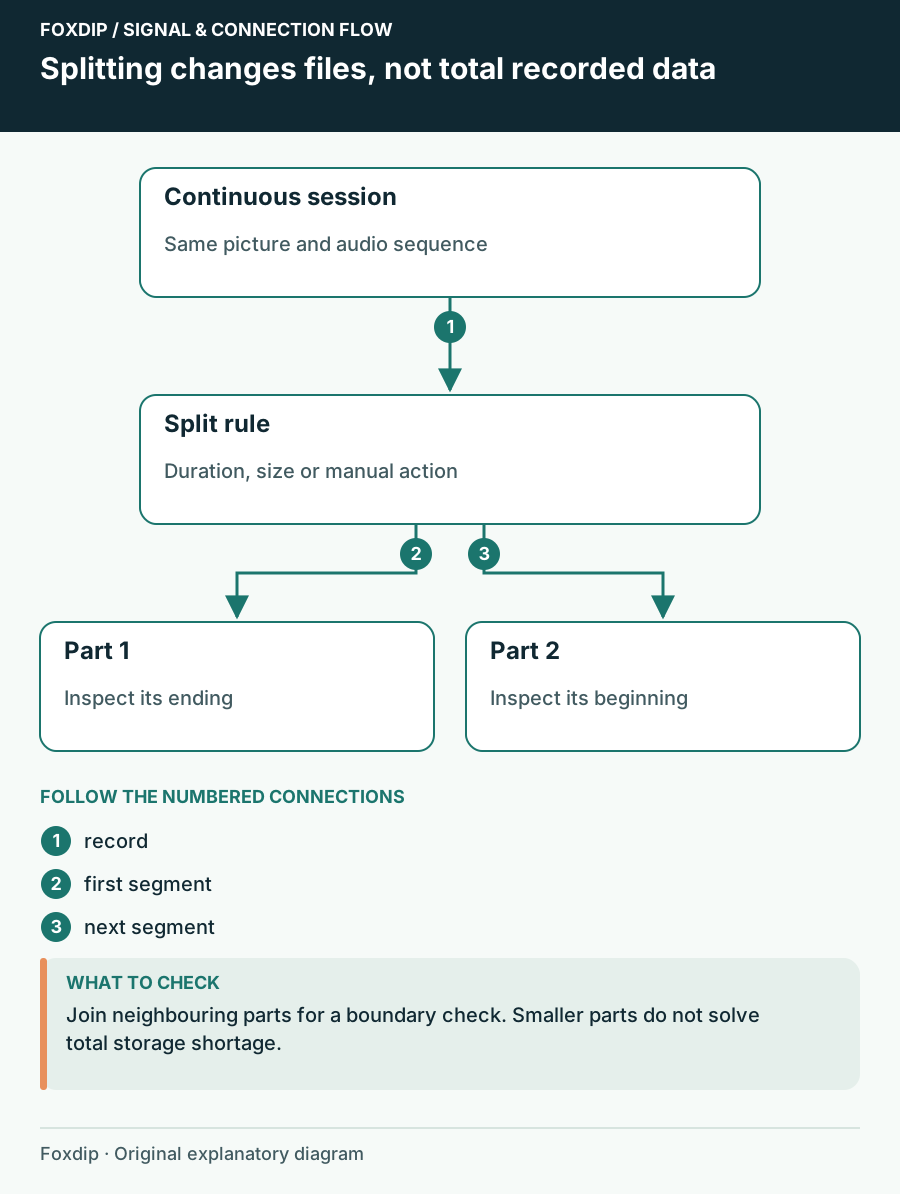
OBS Automatic File Splitting: Cut Long Recordings Safely
Turn on Automatic File Splitting in OBS advanced output, split by time or by size, then check two files side by side so nothing goes missing at the cut.
Keep going
with your setup.
Need to install a pack? The download guides will help. Looking for a character instead? Browse the collections and see what catches your eye.