
Get the stream working your way.
Get your sound into OBS, put a scene together and work out which graphics go where.
 LEARN SOMETHING.
MAKE IT YOURS.
Start with GG.
See how one emote changes at 28, 56 and 112 px, then keep it for your channel. No email or account needed.
Set up your digital pack.
Get the right reaction into the right slot.
Find your emote and badge exports, match them to your Twitch slots and check the small preview before moving to the next design.
Read the setup guidePut each graphic in the source it needs.
Add a static frame with Image, use Media Source for supplied video and check how the layout behaves when you switch scenes.
Read the setup guideMotion is a choice, not an automatic upgrade.
Compare PNG stills, GIF loops and the actual reactions in a pack, then choose a version your chat slot can use.
Read the setup guideGet all the ZIP parts, then open the artwork.
Find the download for your Etsy order, extract every part and sort out images, instructions and any files intended for editing.
Read the setup guideFor your next stream.
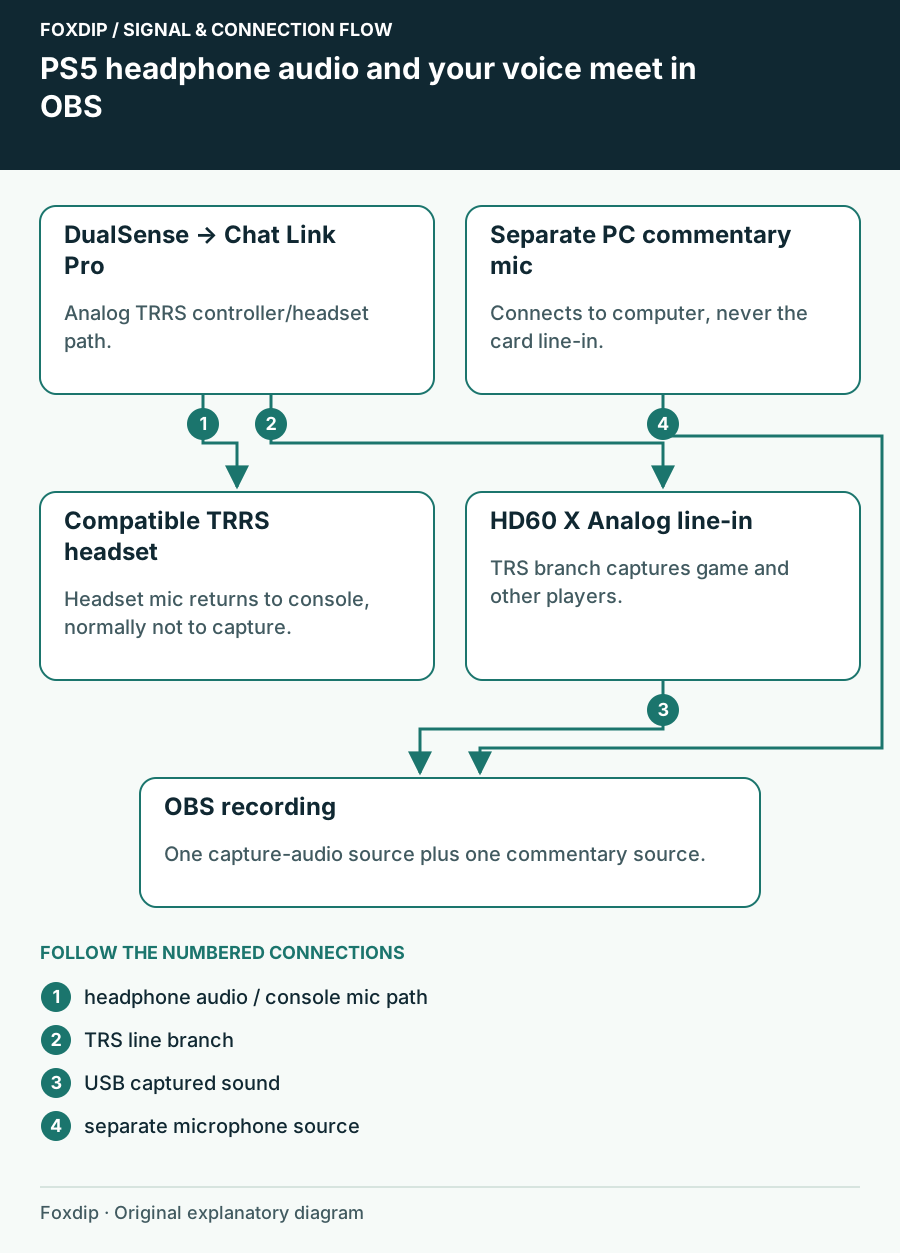
Record PS5 Party Chat: Map the Audio Paths First
Work out whether your PS5 headset, Chat Link Pro and capture card can carry the party audio—and where your own voice is recorded.
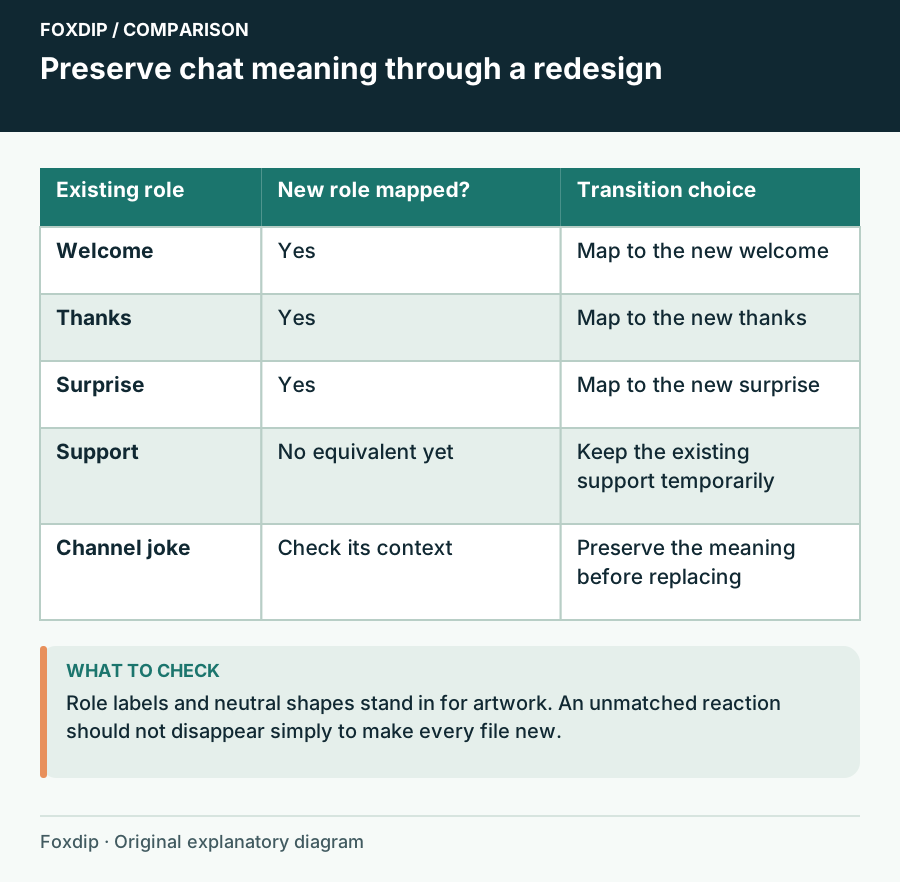
Replace an Emote Set While Keeping Familiar Chat Meanings
Plan an emote redesign around existing reaction roles, names and a gradual transition that viewers can follow.
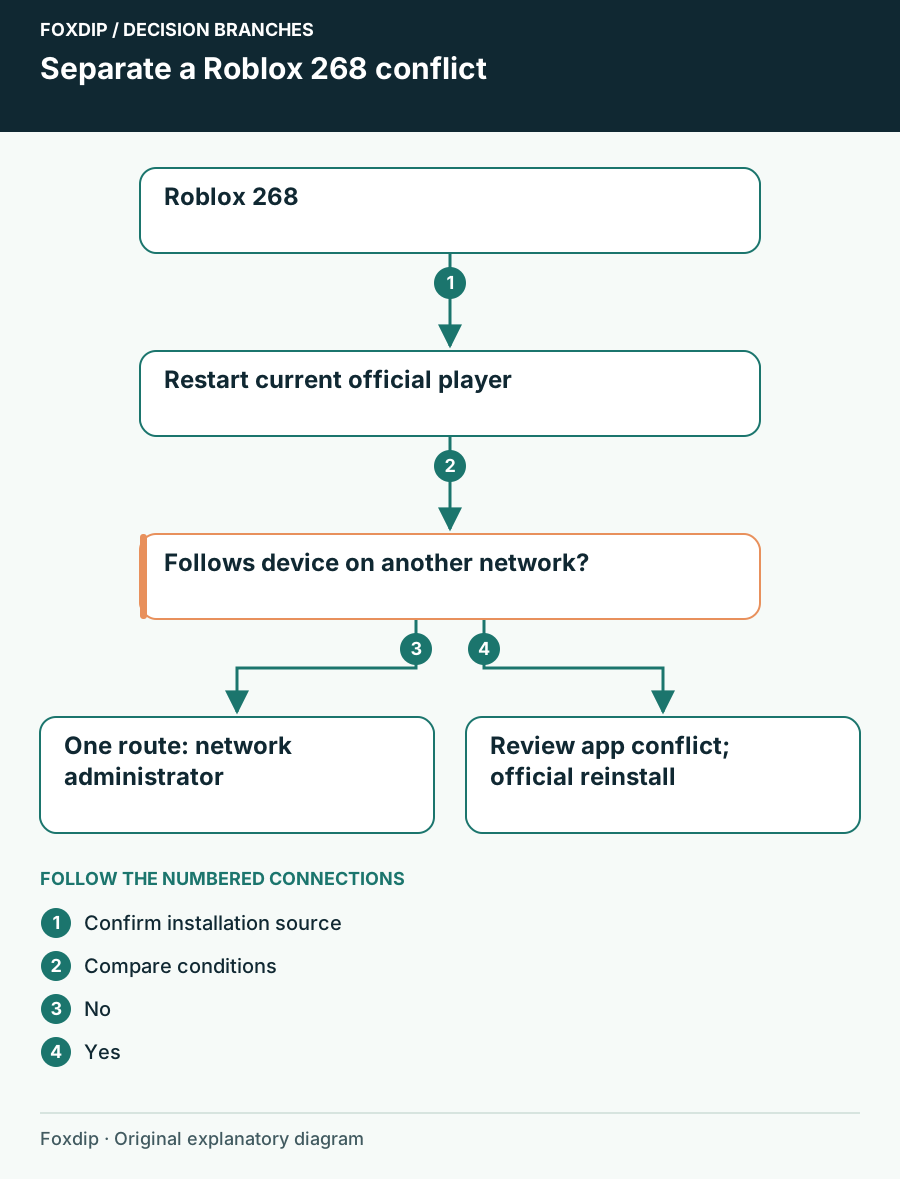
Roblox 268: Check the Official Client and App Conflicts
Work through Roblox 268 without assuming it proves cheating or a ban. Check the current client, connection and permission conflicts.
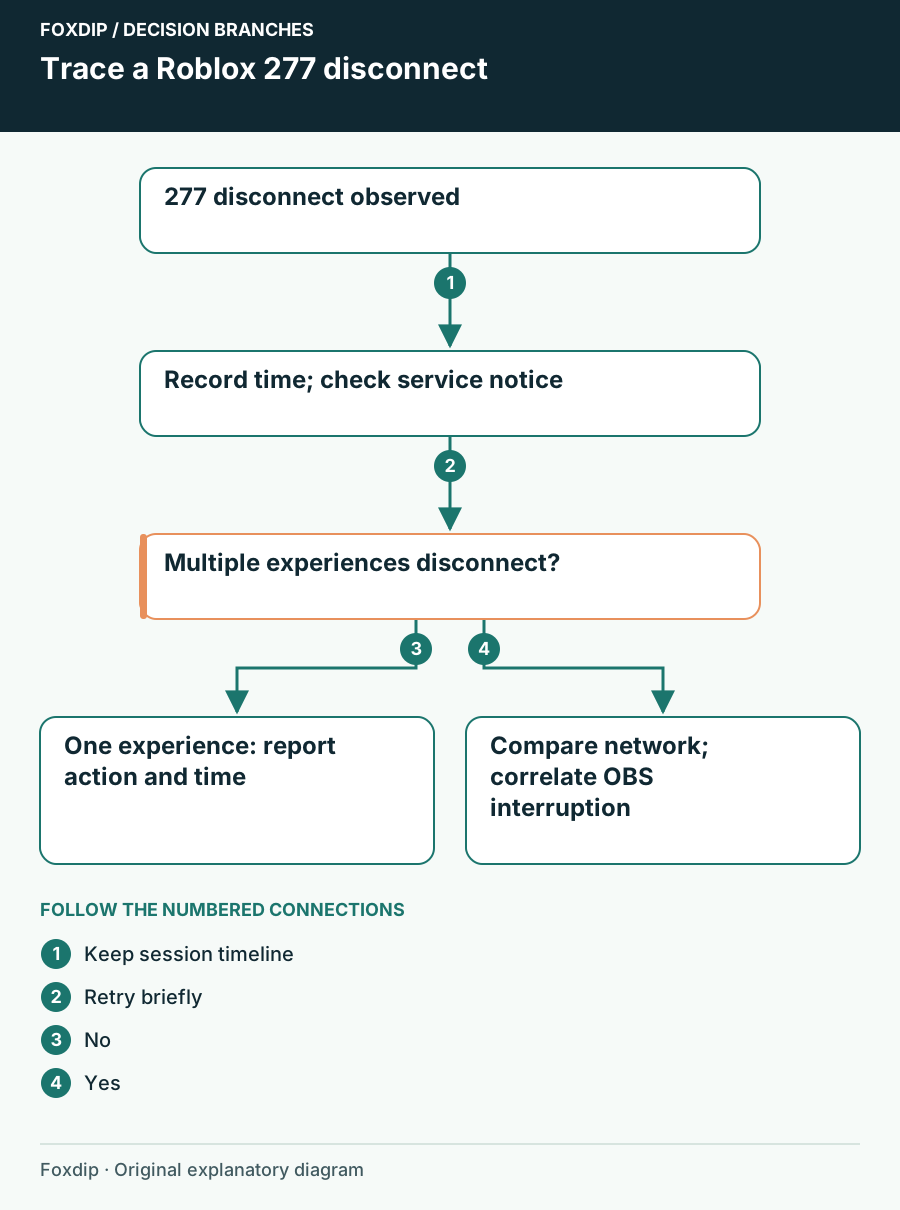
Roblox 277: Trace a Disconnected Session Before Rejoining
Use the time and scope of a Roblox 277 disconnect to separate an experience issue from a device or network interruption.
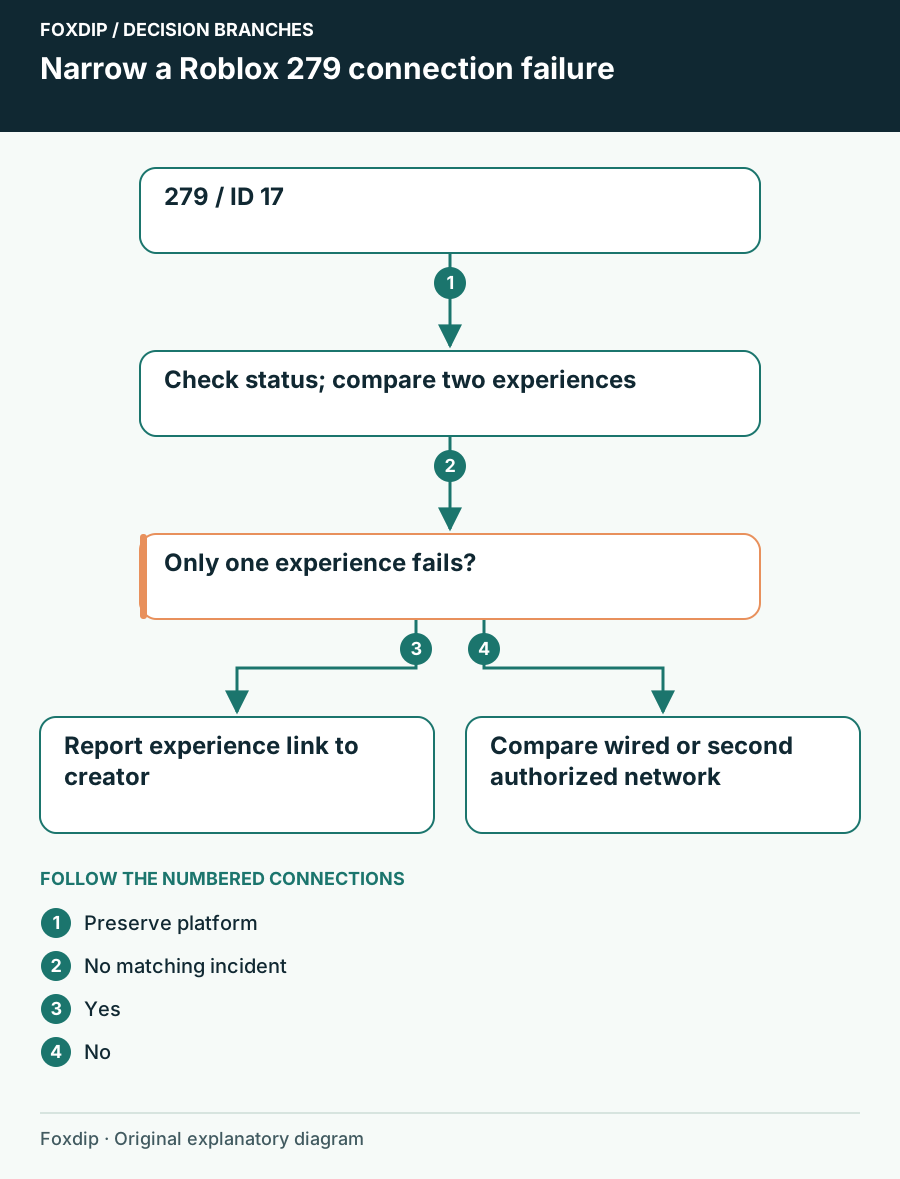
Roblox 279 / ID 17: Find Where the Connection Fails
Separate one experience failing to join from a device or network problem when Roblox shows279 or ID 17.
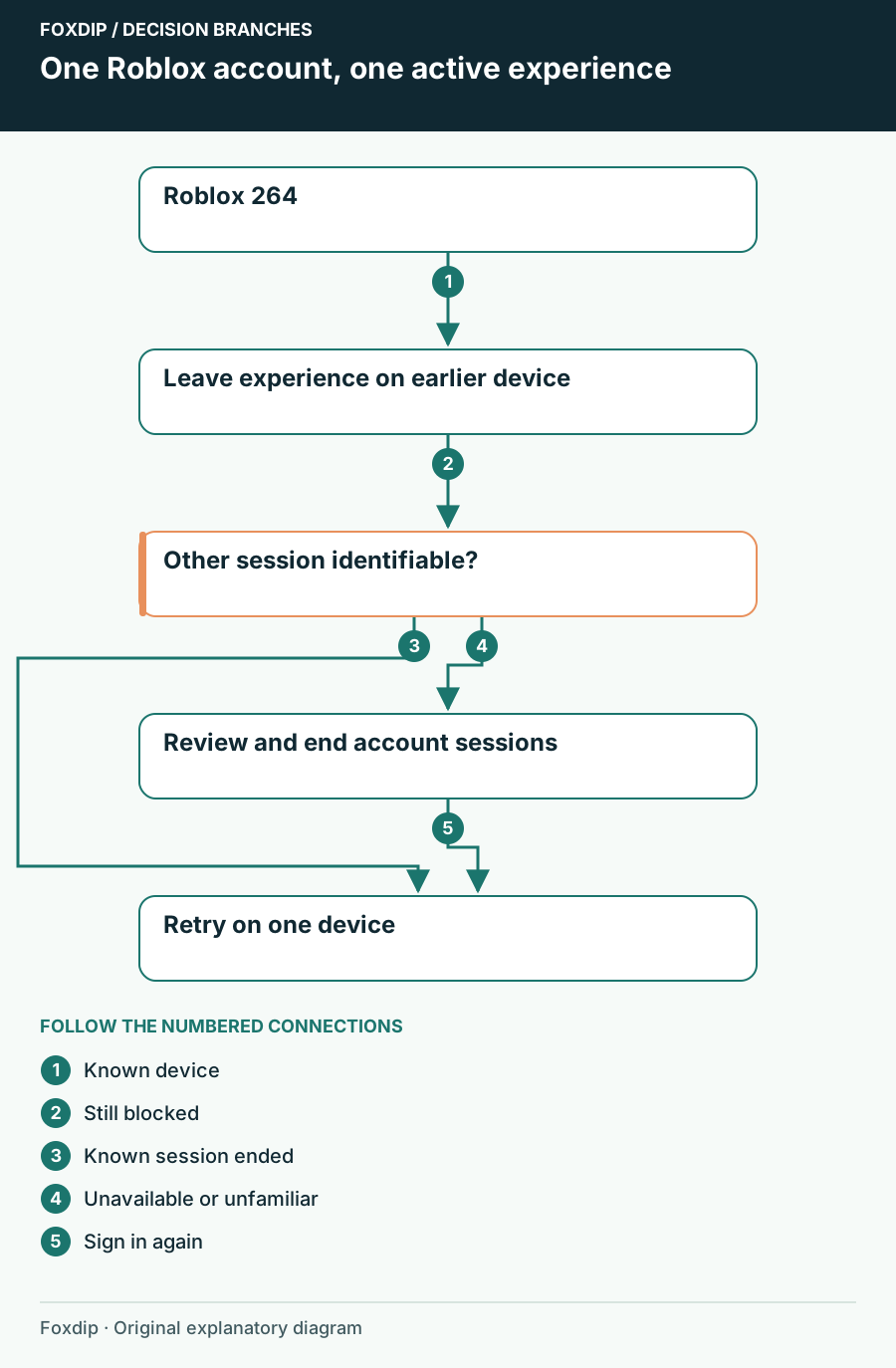
Roblox Error 264: End the Other Device Session First
Resolve Roblox 264 by checking concurrent devices and account sessions before reinstalling the player.
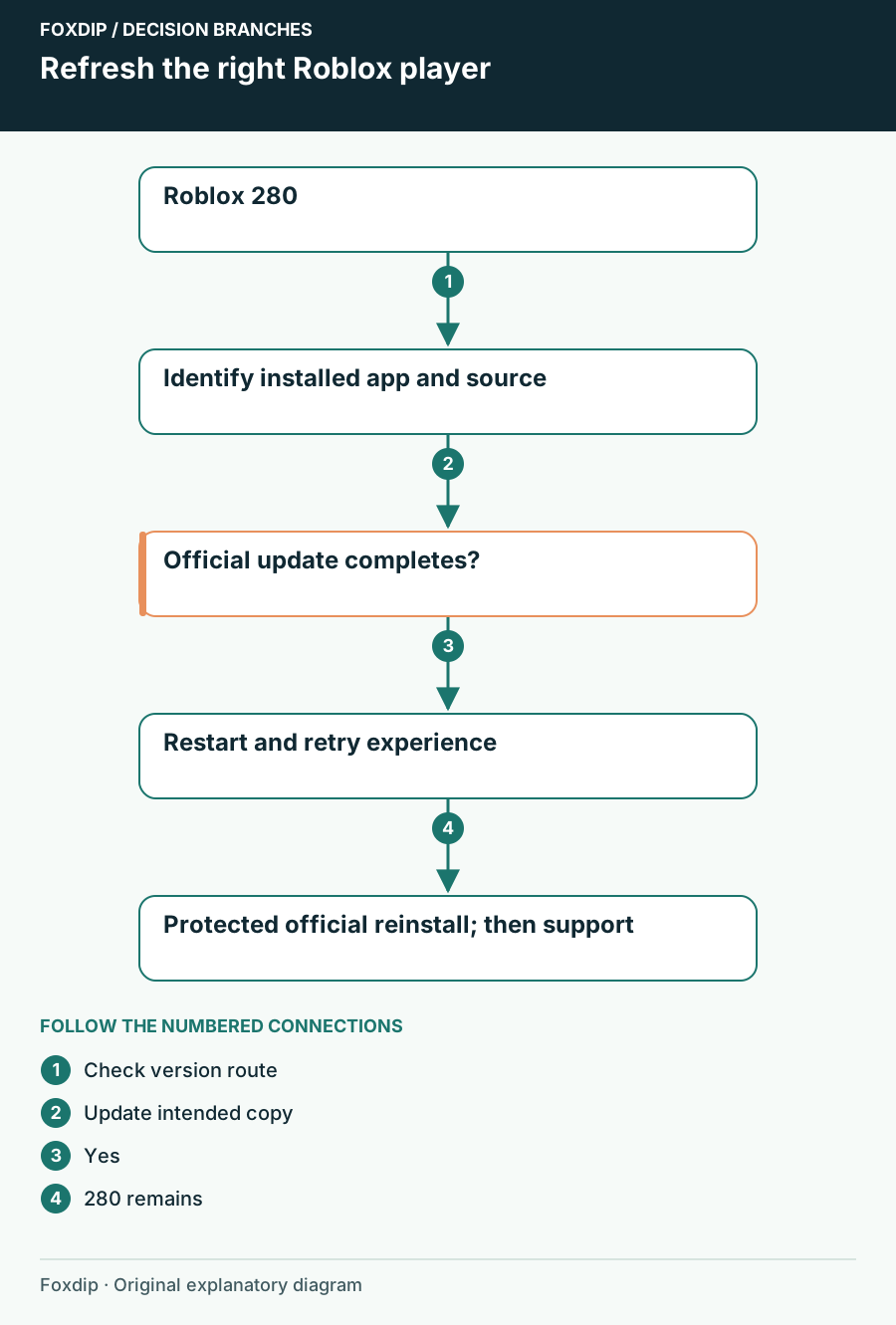
Roblox Error 280: Refresh the Client You Actually Launch
Check the installed Roblox copy and its official update route when error 280 reports a client-version problem.
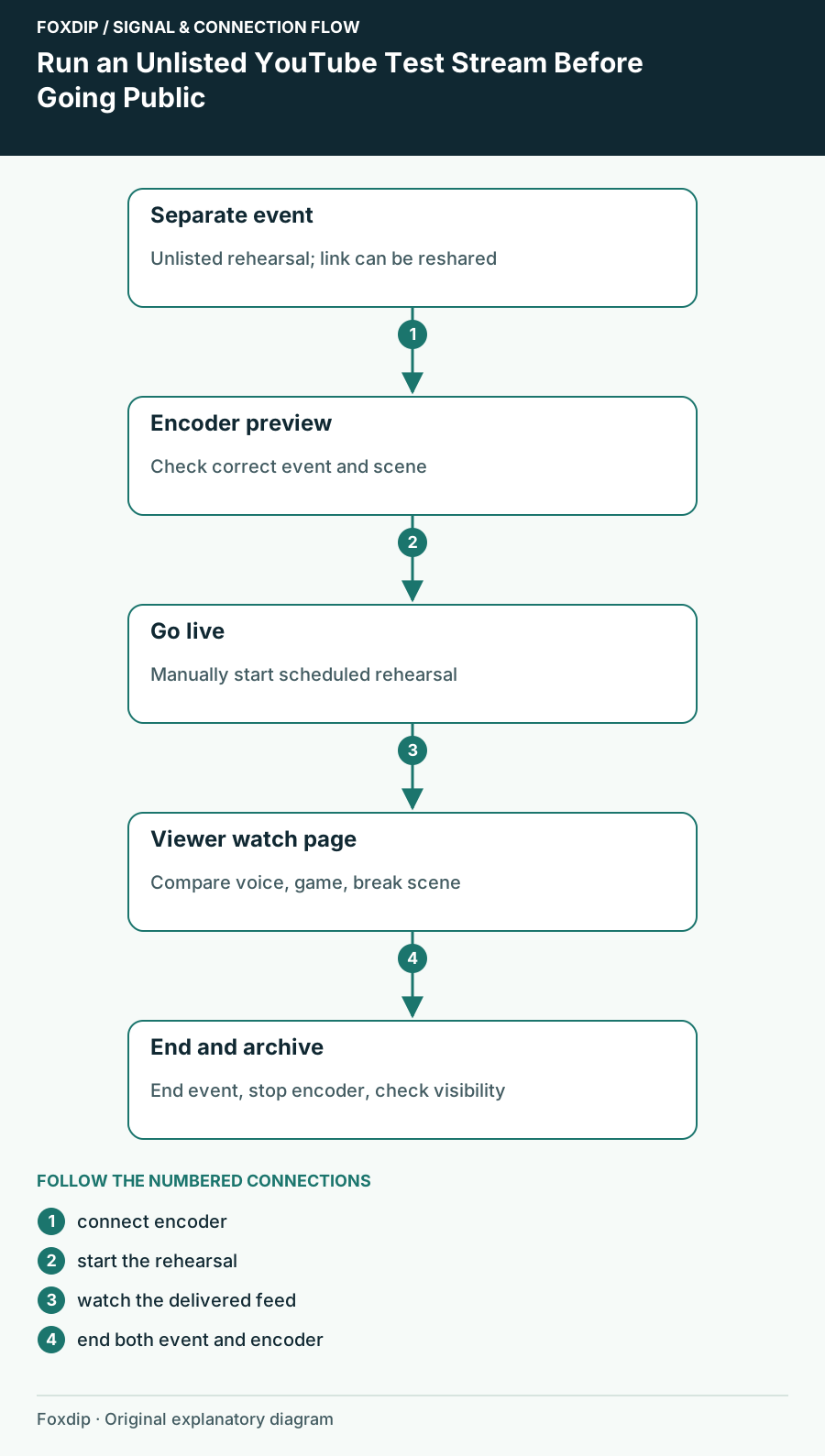
Run an Unlisted YouTube Test Stream Before Going Public
Create a separate unlisted rehearsal and check your real watch page, audio, scenes and ending procedure.
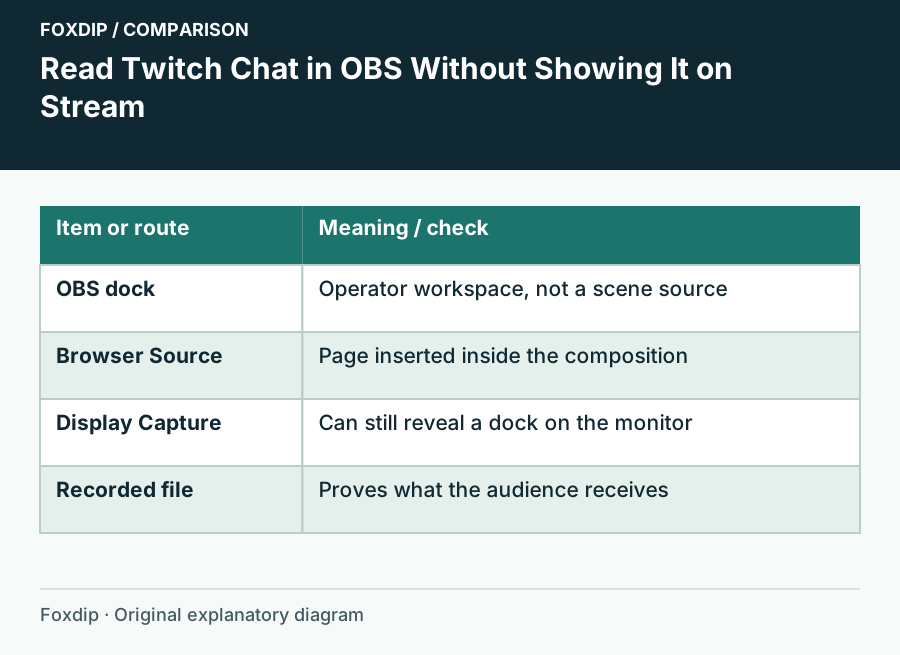
See Twitch Chat in OBS Without Showing It on Stream
Add Twitch chat as an OBS dock so only you see it while you stream, plus the quick check that keeps chat from slipping into your capture by mistake.
Keep going
with your setup.
Need to install a pack? The download guides will help. Looking for a character instead? Browse the collections and see what catches your eye.