
Close VALORANT, restart the Riot Client and try again. Riot labels VAL 43 as a system timeout; it does not identify a single faulty component.
Clear a temporary client timeout or send Riot a report that identifies the failing stage.
- Code / message
VAL 43- Platform
- Windows
- App / launcher
- Riot Client
- Scope
- Current official support guidance reviewed on 27 October 2026; no specific affected client build is listed.
In this guide
Before you start
- The full error, its VAL prefix and when it appears.
- Your account region and access to your usual sign-in verification.
Keep the meaning narrow
Riot describes VAL 43 as a system timing out and recommends restarting the Riot Client. The code does not, by itself, prove your game files are damaged, your account is banned or TPM is disabled. Start with that narrow client step before choosing a repair for a different error family.
Record what you were doing when the message appeared: opening the client, signing in, reaching the menu or returning from a session. If you can photograph the message safely, keep it with the time and region. A report that preserves the failing stage is easier to act on than a list of unrelated fixes.
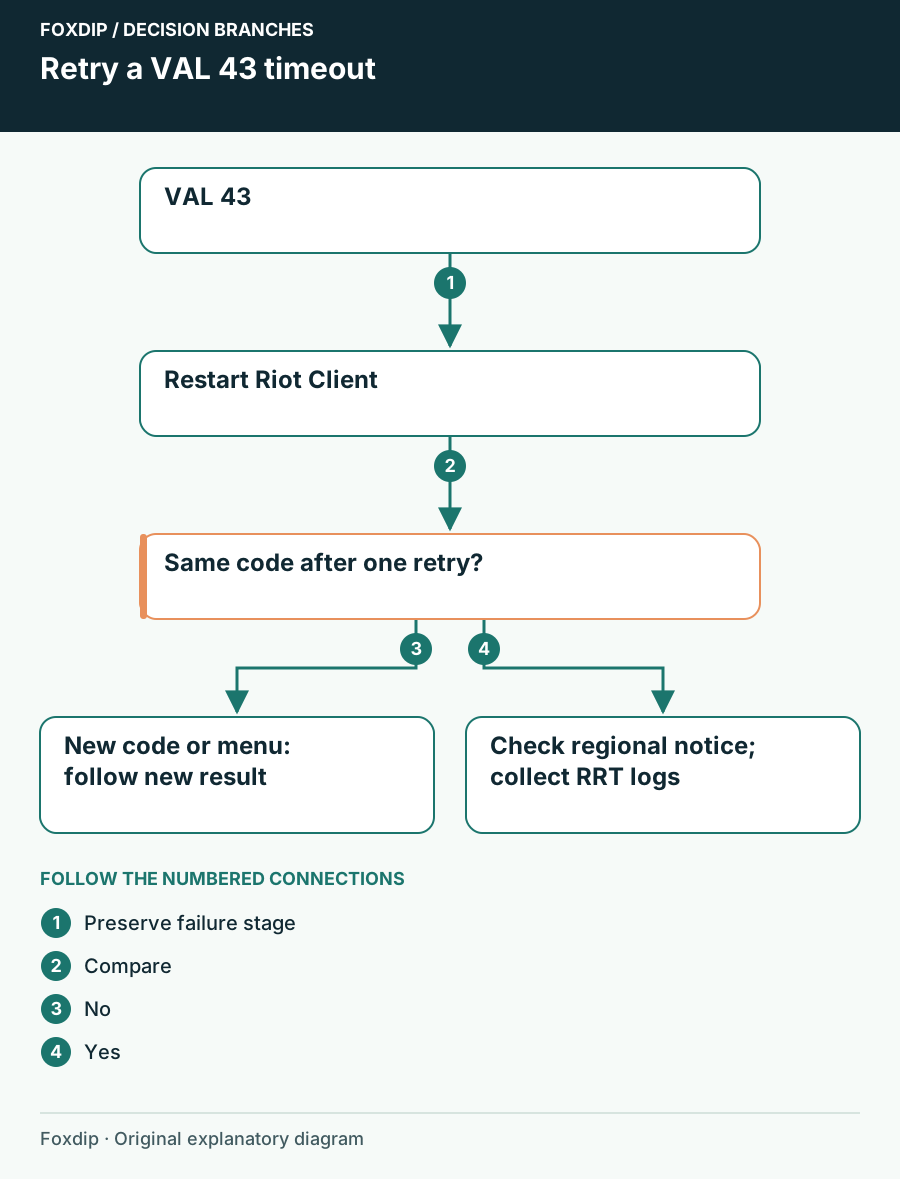
Original Foxdip schematic. Follow the labelled checks alongside the guide.
Restart the application that timed out
Leave any active game normally. Close VALORANT and exit the Riot Client, then reopen the client and launch the game once. Use the same account and ordinary launch route so the comparison stays meaningful. If the client is visibly unresponsive, save other work and restart the PC before trying again.
Compare one clean retry
Launch VALORANT from the reopened Riot Client and note the first visible result.
Look for: The game reaches its normal menu without VAL 43.
If VAL 43 returns, retain the exact stage and check support notices; if the code changes, follow the new code’s guidance.
Check whether Riot has a current notice
Read the current support-site banner for VALORANT and your region. If a notice describes the same login or client problem, follow its instructions and any stated update time. Do not assume a social post from another region or an old patch thread describes today’s failure.
Riot tells players to keep an eye on support notices because some errors are service-side. This guide makes no claim that VAL 43 is part of an active outage. If there is no matching notice, that is a reason to continue with your own evidence, not proof that the network or computer must be at fault.
Collect logs when the timeout persists
Before repeating a download, prepare a short timeline: first failure, client restart, PC restart if used and first result afterward. Add the Windows version, account region and whether the client could reach sign-in. Avoid reproducing the error during a live match or changing multiple settings just to generate a longer test list.
For logs, use Riot’s official Riot Repair Tool page. Download the tool only from Riot, select VALORANT and attach its generated ZIP to a private support ticket. Follow the page’s Windows elevation instruction for that tool specifically; it is not a reason to run every game and streaming application as administrator.
Use a different code as new information
If VAL 5 replaces VAL 43, investigate account sessions. If a VAN security message appears, match that requirement separately. The changed result tells you where the next attempt reached; it does not mean every previous action was pointless. Keep both codes in the ticket with their order.
Once VALORANT reaches the menu reliably, open your stream scene and record a short test with the game running. Confirm the captured window and voice track, then start your normal session. A timeout recovery should leave your scene collection and local recordings intact.
Use this if the next message begins VAN. Route a Vanguard error by its prefix ↗
Verify a short recording before broadcasting. Check audio once the game opens ↗
Still stuck?
VAL 43 becomes another exact code
Keep the sequence and follow the new code rather than repeating the timeout fix.
The client restart leaves the same timeout
Check the current regional support notice and collect RRT logs for a private ticket.
Sources & references
Guidance follows the linked publisher and operating-system support resources.
- Riot Support: VALORANT client error meanings ↗Checked 2026-10-27
- Riot Support: Collect logs with Riot Repair Tool ↗Checked 2026-10-27
Spotted something out of date? Let Alex know.
How we put our guides together ↗