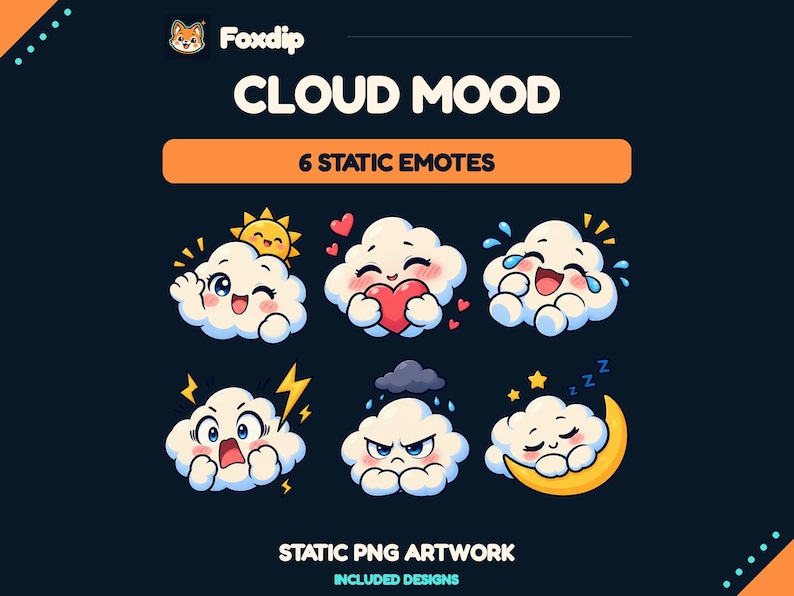
Preserve the meanings people already use, then choose which artwork and codes need to change. A redesign is easier to follow when a familiar greeting remains a greeting and a celebration remains a celebration.
In this guide
Audit meaning before removing artwork
Make a small inventory with the current code, the reaction it expresses and an example of when chat sends it. You do not need message exports or personal viewer data. Your own notes can identify the greeting, thank-you, surprise, support and channel-joke roles that make up the current vocabulary.
Mark any emote with more than one meaning. A crying face might mean sadness, laughter or relief depending on your community. Replacing it with a narrowly sad illustration could accidentally erase two other uses. Decide whether the replacement should preserve that range or whether you need separate reactions to make the meanings easier to distinguish.
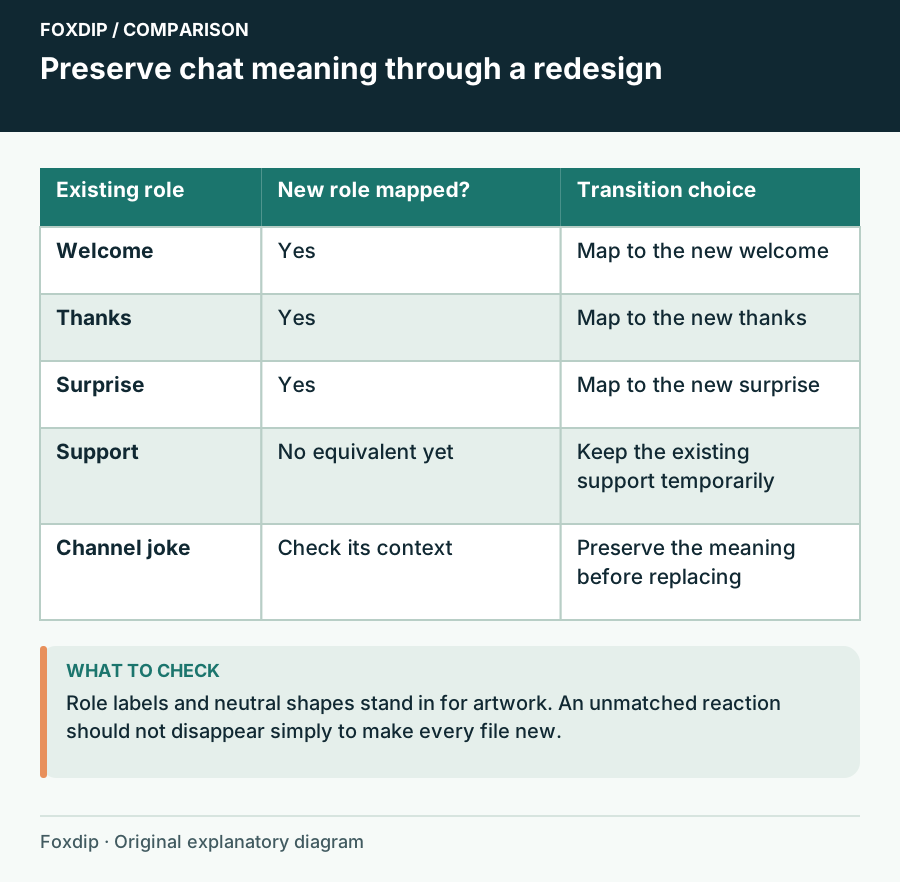
Original Foxdip schematic. Follow the labelled checks alongside the guide.
Build a meaning map for the new set
Put each proposed design beside the role it will inherit. Start with the reactions you want to preserve, then add new ideas only where they fill a gap. This protects the vocabulary from a visually attractive pack that happens to omit the reaction your chat uses most.
For example, map the old waving character to the new wave, the old heart to a grateful gesture and the old shocked face to a wide-eyed reaction. If no new design handles support, keep the old support emote for now. A temporary mixed set is a reasonable editorial choice when it helps the conversation survive a broader rebrand.
| Old role | Replacement rule | When to keep the old design |
|---|---|---|
| Welcome | Keep an obvious greeting | New set has no greeting |
| Thanks | Preserve warmth | New heart feels romantic or sarcastic |
| Channel joke | Preserve the reference | New art changes its meaning |
Decide what happens to familiar names
List the codes viewers already remember and decide which should remain stable if the platform permits the assignment you want. Keep a familiar code when the meaning is genuinely unchanged. Do not reuse a trusted encouragement name for an angry reaction merely because it is convenient.
Twitch manages channel emotes through the Creator Dashboard. Review the available controls and the effect of your planned changes before removing items. Save the old artwork and mapping first; a local backup is valuable even if the platform stores some assets. Approval timing and account controls can vary, so avoid promising that a whole replacement will appear at a particular minute.
Introduce one recognisable bridge
Keep a signature colour, shape or familiar reaction during the transition. You might retain the old welcome emote for a few streams while introducing the new mascot, or choose a new welcome design with the same gesture. The bridge gives viewers something to recognise while the rest of the style changes.
Use a short before-and-after sheet to explain the main replacements. Show role names rather than a wall of filenames. During a normal stream, send the new thank-you when thanking someone and the new celebration when celebrating. This is easier to follow than announcing ten new codes without showing their context.
Check the vocabulary after the redesign
After using the set, look for confusion rather than judging every reaction by raw frequency. Did people ask for a missing meaning? Did a code become difficult to remember? Did two new designs turn out to express the same mood? Adjust the one weak role instead of assuming the entire redesign needs replacing.
Keep a dated reference sheet of the final set, its roles and the downloaded source folders. If you later add seasonal reactions, the sheet helps you avoid removing a core greeting or support choice by accident. A successful redesign can change the artwork dramatically while leaving chat able to say the things it already knows how to say.
Sources & references
Foxdip editorial design advice with platform behavior grounded in the linked official documentation. Layout dimensions and palettes are worked examples, not platform requirements.
- Twitch: Subscriber Emote Guide ↗Checked 2026-10-27
Spotted something out of date? Let Alex know.
How we put our guides together ↗