
OBS recording: files, quality and performance
Find the recording, compare output quality and isolate OBS performance problems with a repeatable local test.
Find your starting point.
Begin with what you can observe: a missing file, a rough recording, an output error or a failure to launch. A smooth preview alone does not establish that the saved file is usable.
Keep the same short scene and movement for comparisons. Save the failing log and original recording before changing settings, plugins or file formats.
- The recording is missing. Check its destination and write access.
- An NVENC output fails. Keep the exact error and affected output.
- The cause is unclear. Capture the session that actually failed.
Files and recording quality
Choose a useful file test before committing to a long recording.

Where Did OBS Save the Recording? Check the Path and Write Access
Locate a finished recording, verify the active recording folder, and test a new destination before trusting it with a long session.
OBS Recording Filenames: Build a Pattern You Can Find Later
Choose a useful recording filename pattern, keep timestamps unique, and verify the resulting names with consecutive test recordings.
OBS CQP and CRF Recording Quality: Compare Files Before Choosing
Choose an encoder-appropriate quality control, compare the same difficult footage, and balance recording detail against file size.
Stream and Record in OBS at the Same Time: Check Both Outputs
Decide whether the local recording should share stream settings or use independent quality, then verify the combined workload and saved file.
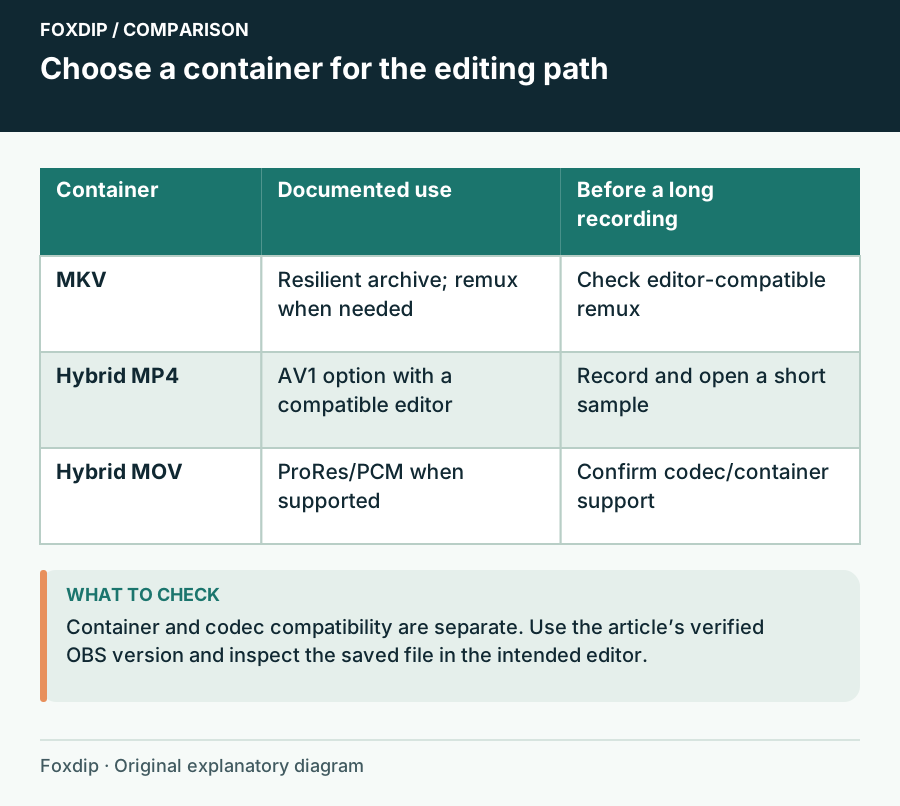
OBS Hybrid MP4 vs MKV: Which Recording Format to Pick
Hybrid MP4 survives a crash like MKV and opens in more editors. See when to keep MKV, when to switch, and the short test to run before a long recording.
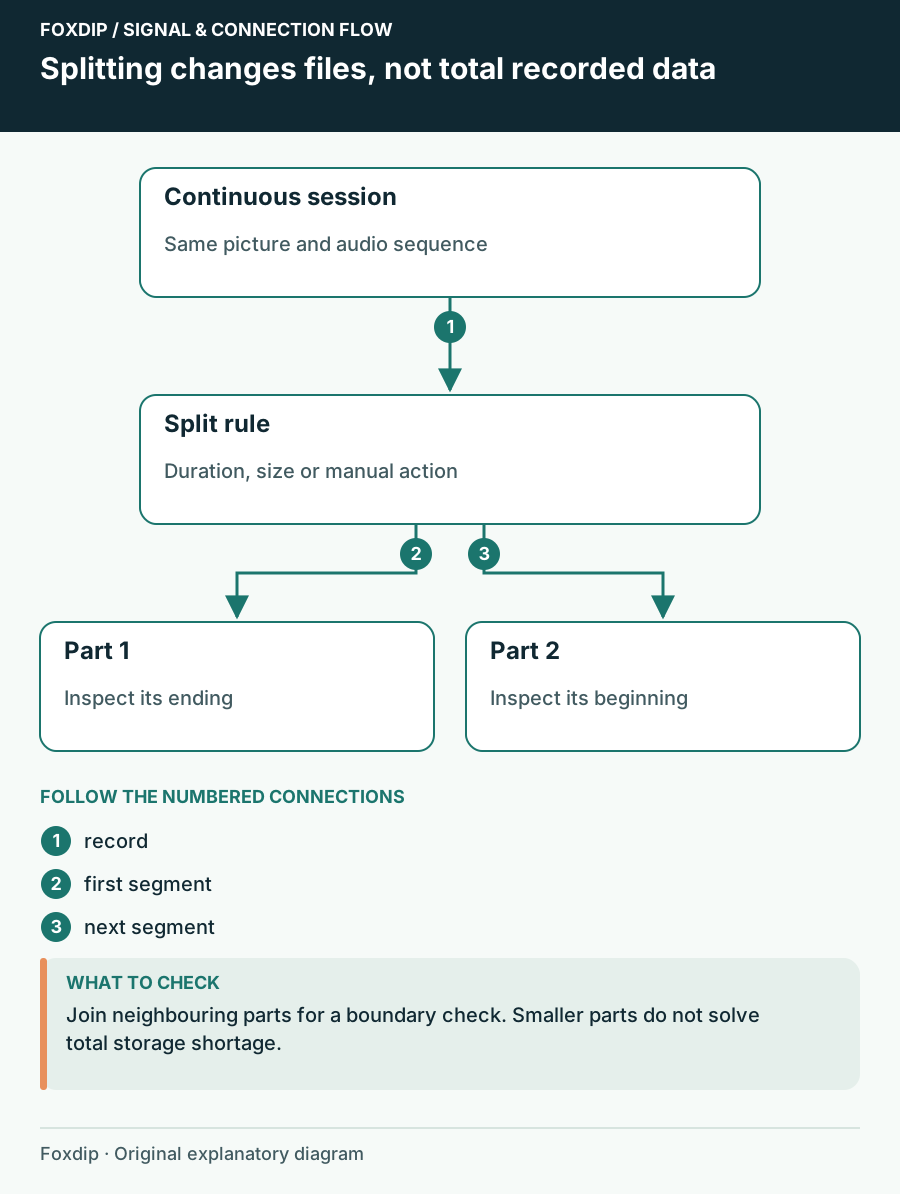
OBS Automatic File Splitting: Cut Long Recordings Safely
Turn on Automatic File Splitting in OBS advanced output, split by time or by size, then check two files side by side so nothing goes missing at the cut.
Resolution and workload
Compare motion, load and the actual output before keeping a higher setting.
OBS Canvas vs Output Resolution: Change the Right Setting
Keep layout dimensions separate from delivery dimensions, test small text after scaling, and avoid moving every source for an output-only change.
OBS 30 vs 60 FPS: Choose from a Motion and Workload Test
Compare the same passage at two output frame rates and decide whether the extra motion detail is worth the system workload.
Use the OBS Auto-Configuration Wizard as a Starting Baseline
Run the wizard for the job you actually need, preserve your current settings, and test its recommendations with a realistic scene.
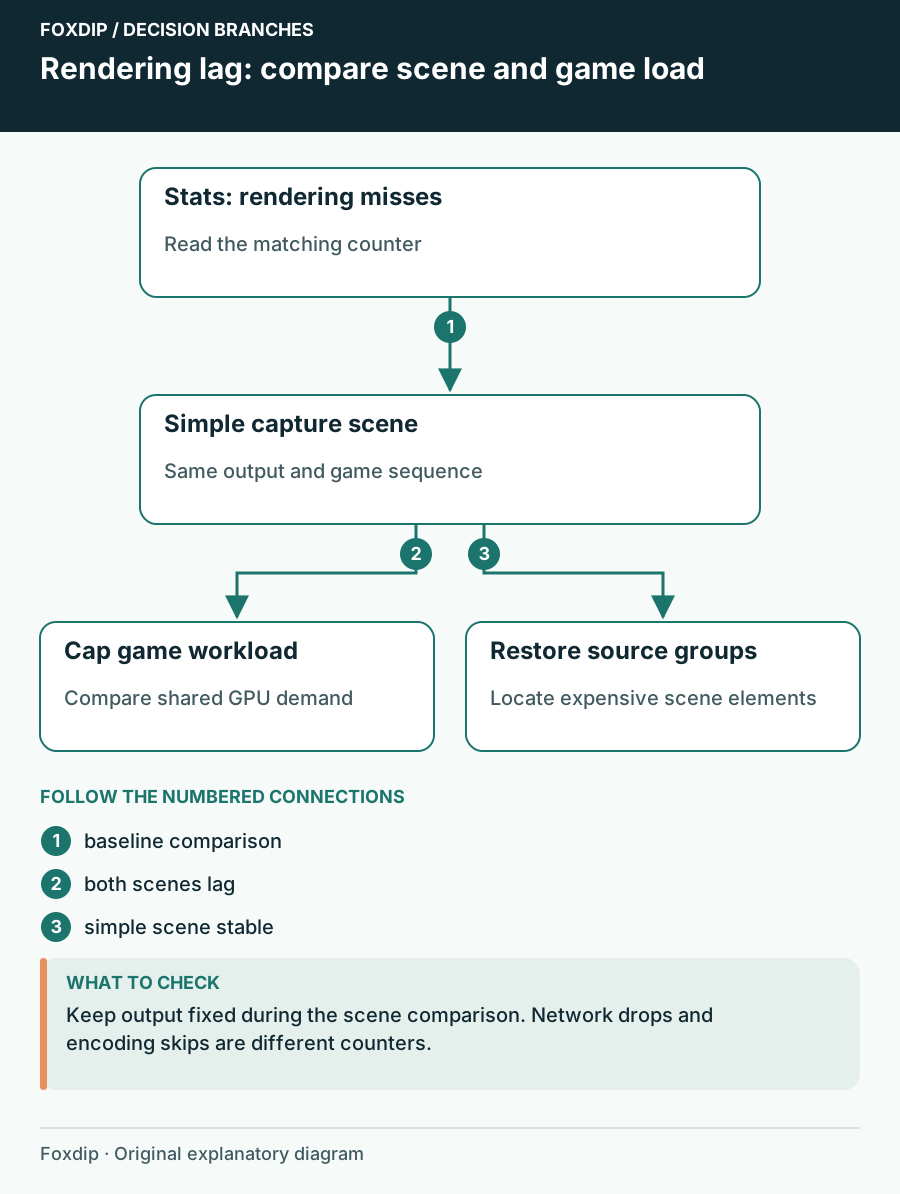
OBS Rendering Lag: Find the Scene That Uses Too Much GPU Time
Compare scenes and game workload while watching rendering lag instead of changing bitrate blindly.
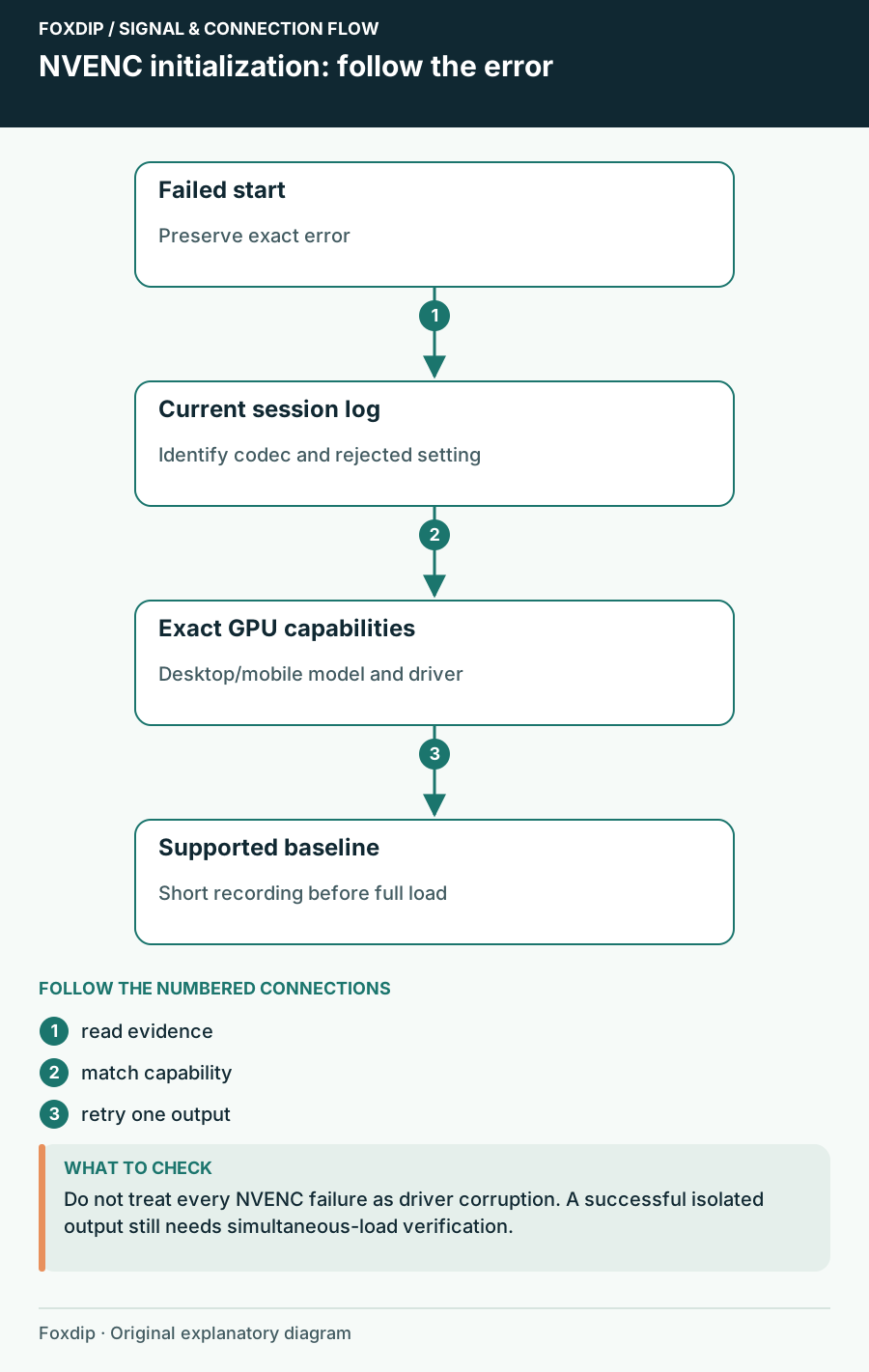
OBS NVENC Fails to Start Recording: Read the Specific Error
Match the failed codec and GPU capability before reinstalling software.
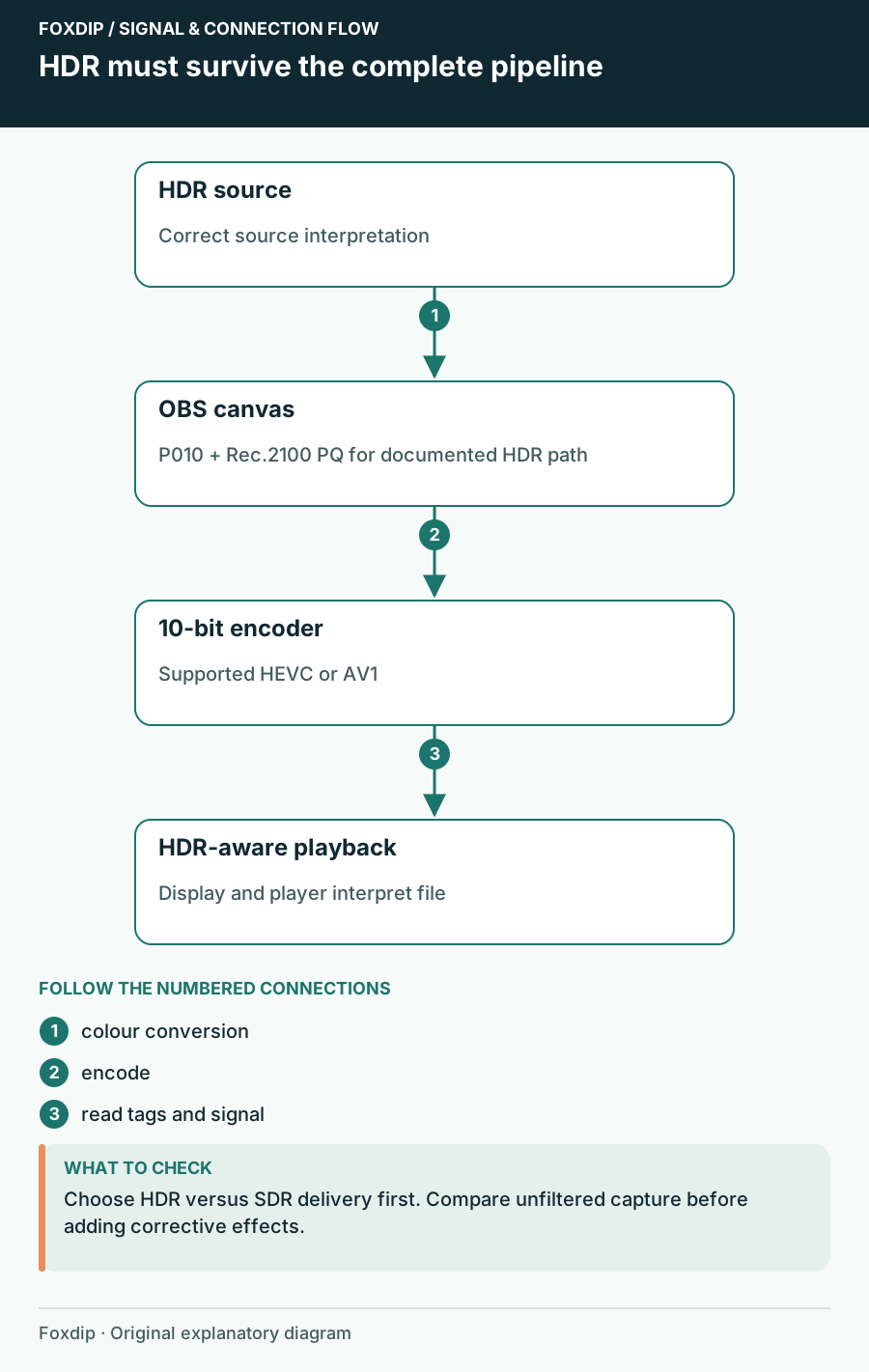
OBS HDR Recording Looks Washed Out? Here's Why
Grey, faded colours in your OBS recording usually mean HDR and SDR got mixed up. Here's how to fix it.
Reproduce and recover
Keep a known setup while isolating the smallest reproducible failure.
OBS Opens Only in Safe Mode: Isolate a Plugin Crash
Compare normal and safe-mode launches, preserve your setup, and narrow a startup failure to a reproducible extension or scene.
OBS Log Analyzer: Capture the Session That Actually Failed
Produce a useful OBS log by reproducing the fault, choosing the right session, and turning analyzer findings into one controlled next check.
OBS Portable Mode on Windows: Make an Isolated Test Setup
Use a separate Windows ZIP installation to compare a clean OBS configuration without overwriting the setup used for your stream.
Launch OBS with the Right Profile, Collection and Scene
Create a clearly named OBS launcher that selects a known profile, scene collection and opening scene without starting an output unexpectedly.
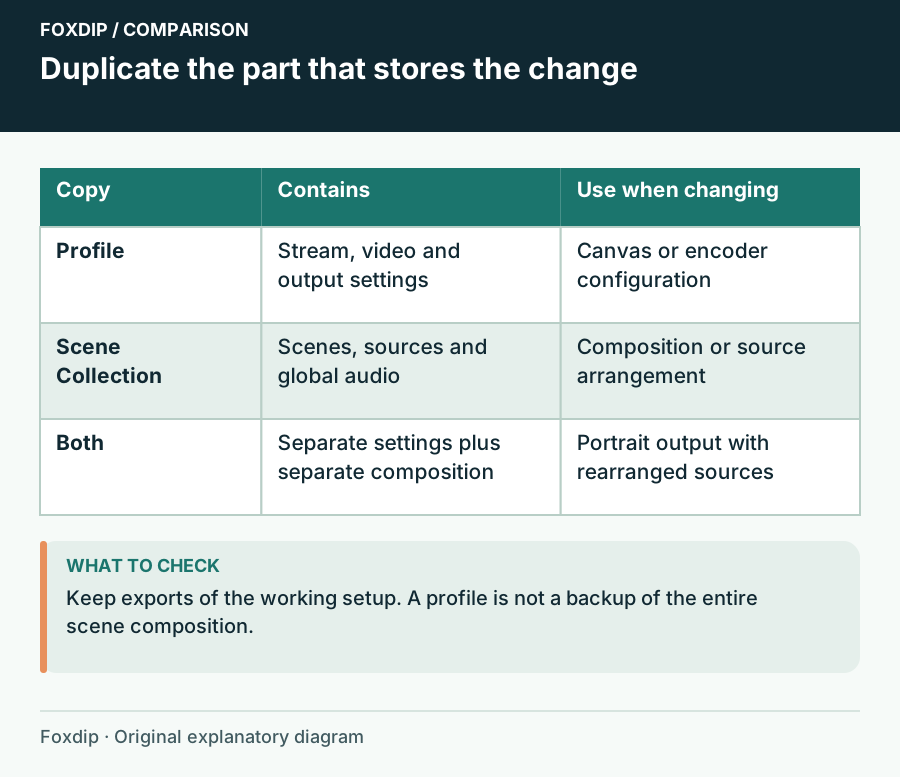
OBS Profile vs Scene Collection: What's the Difference?
Profiles hold your stream and recording settings, scene collections hold your scenes and sources. Know which one to duplicate before you test something.
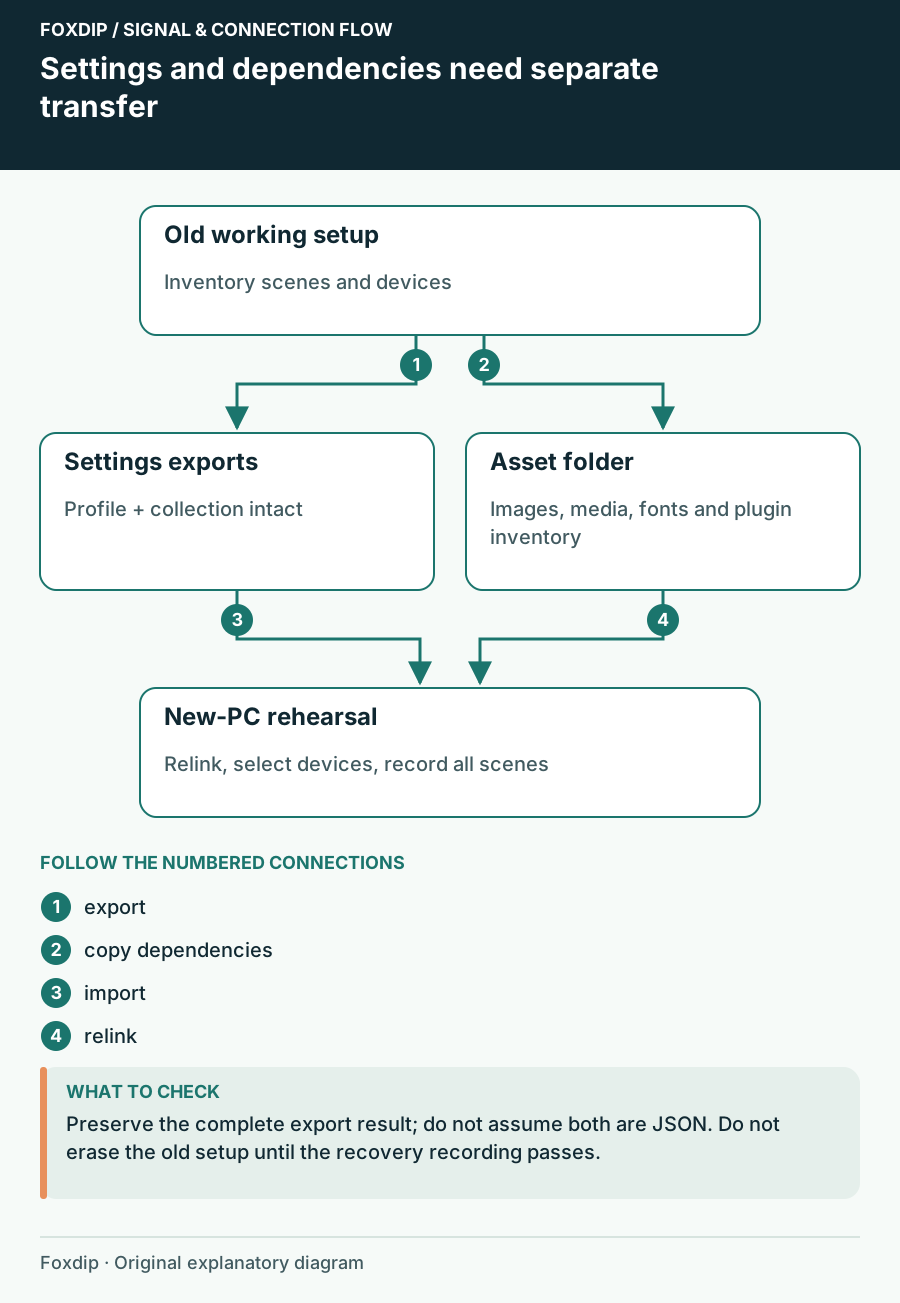
Move OBS to a New PC or Drive Without Losing Anything
Export your OBS profile and scene collection, copy the images and videos they use, then relink them on the new PC so no source shows up missing.
More in this collection.
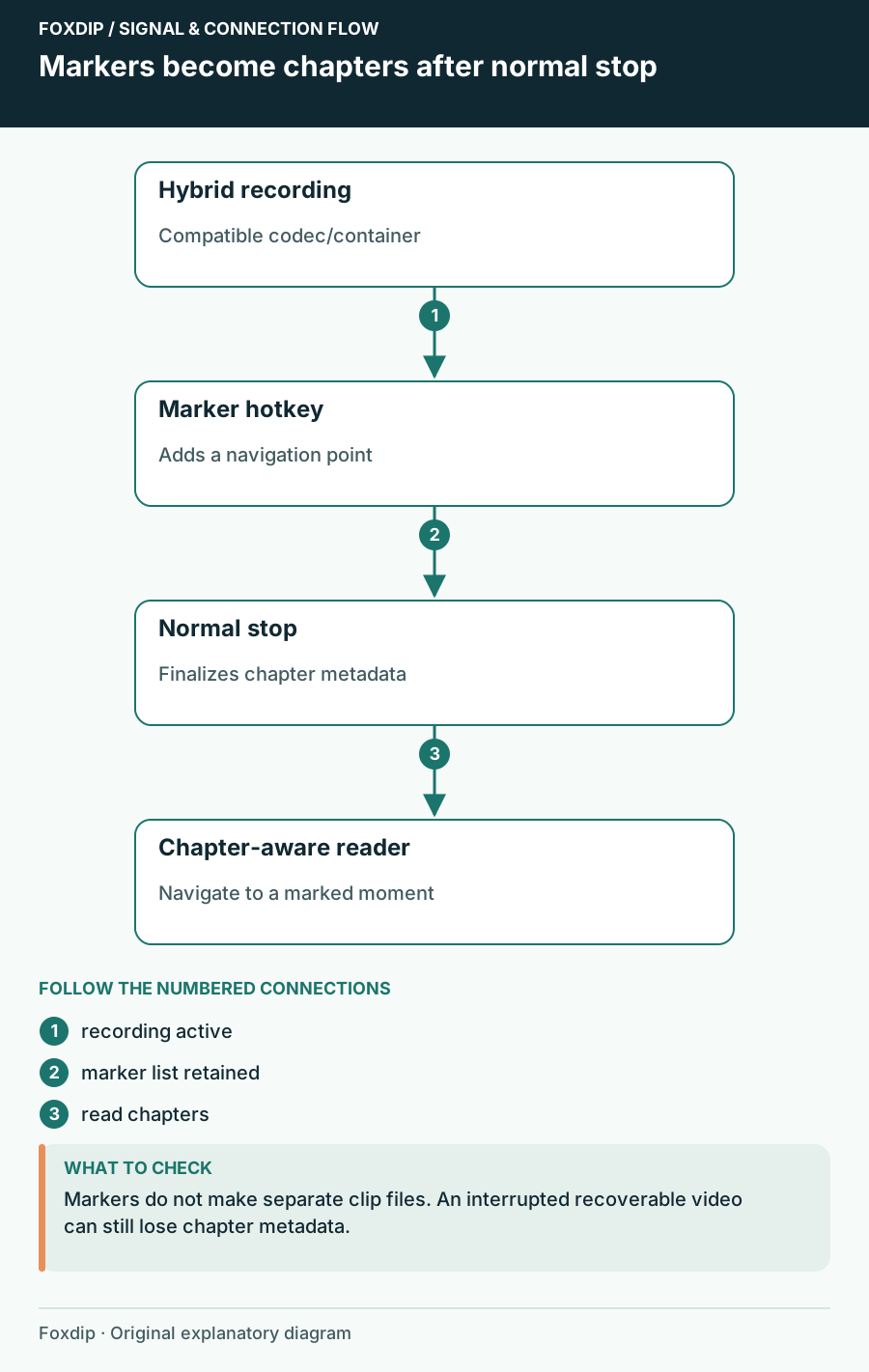
OBS Chapter Markers: Find Your Best Moments Later
Add a chapter marker hotkey in OBS, record in Hybrid MP4 or MOV and stop normally. Then jump straight to your highlights in your player or editor.
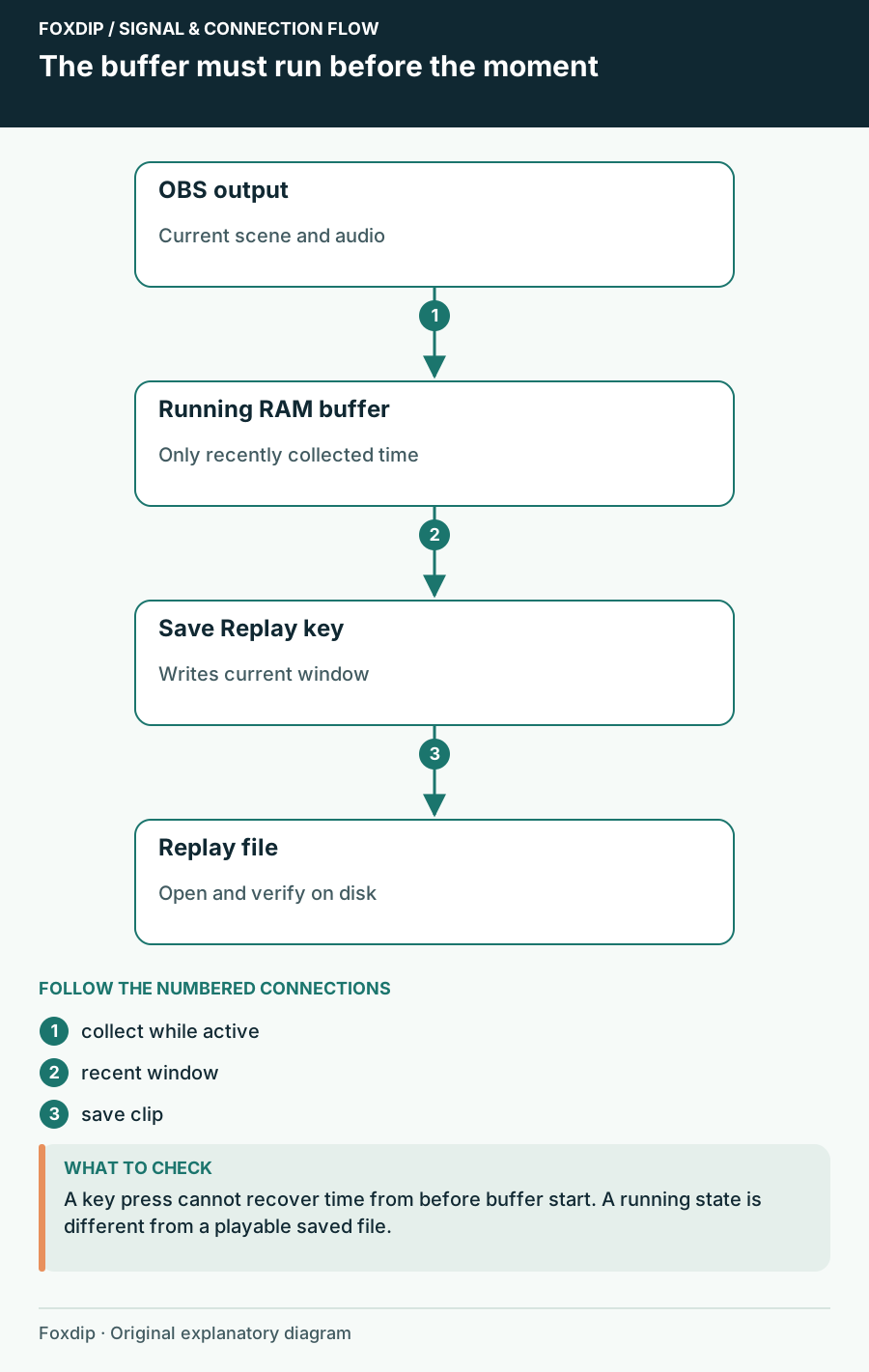
OBS Replay Buffer: Save Your Best Moments with One Key
Set up the OBS Replay Buffer, give it a hotkey and save the last 30 seconds whenever something good happens.
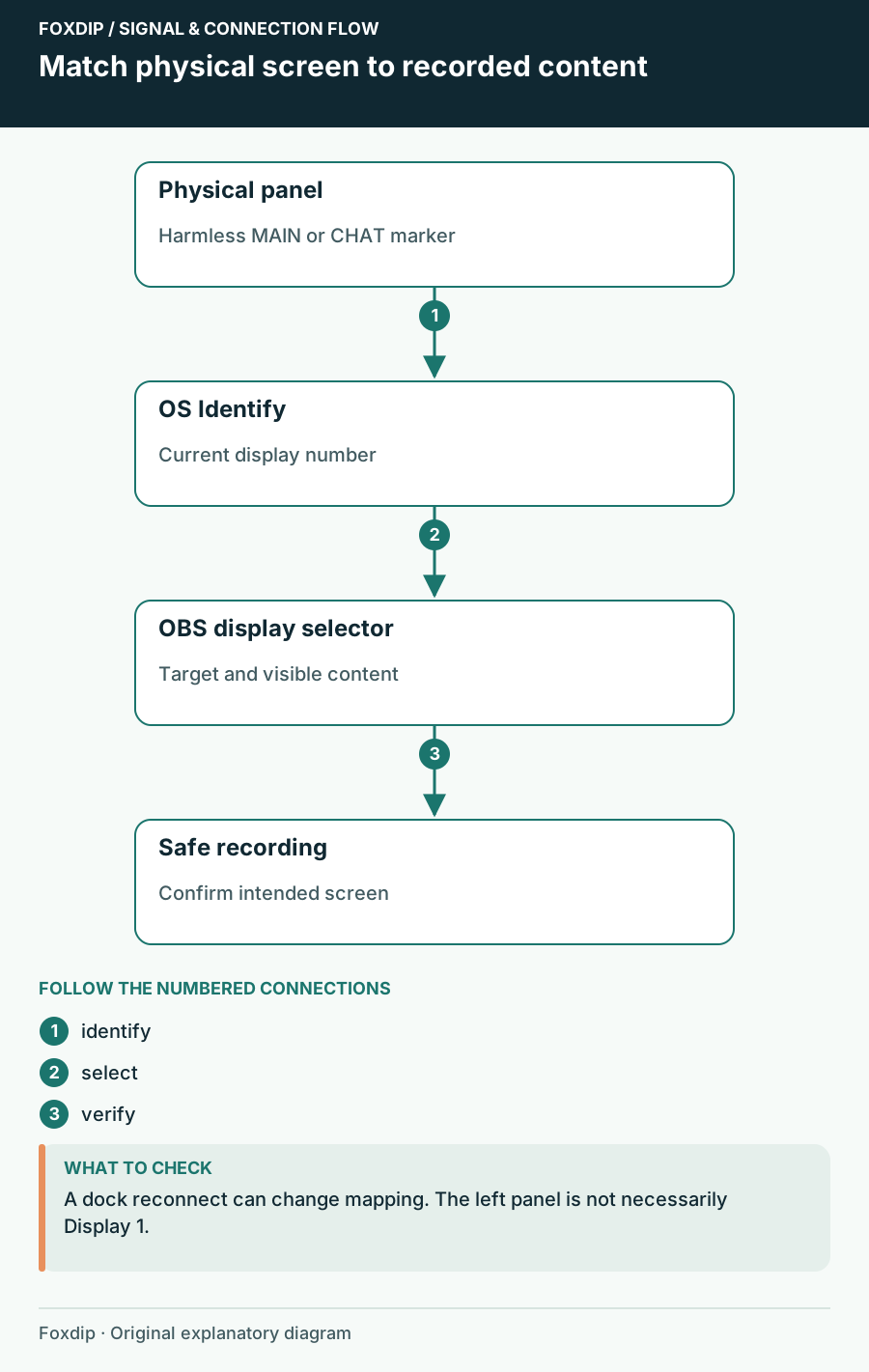
OBS Capturing the Wrong Monitor? Pick the Right Screen
Use your system's Identify displays to match each number to a screen, then pick that display in your OBS capture source. Check again after a cable change.
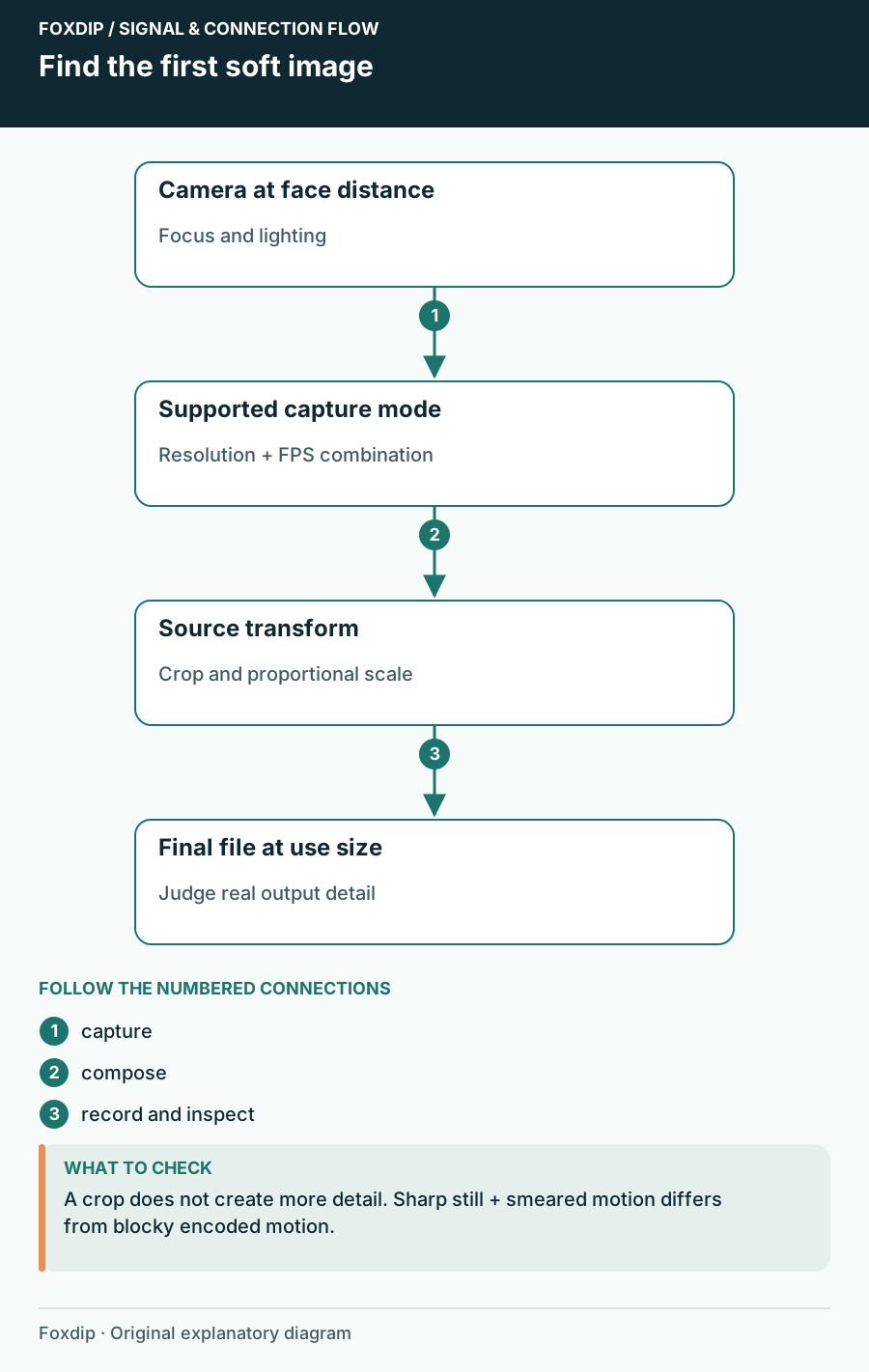
Webcam Blurry in OBS? 3 Checks That Find the Cause
Check the resolution and FPS your camera really sends, then its focus, then how the scene scales it. You'll see exactly where the detail gets lost.
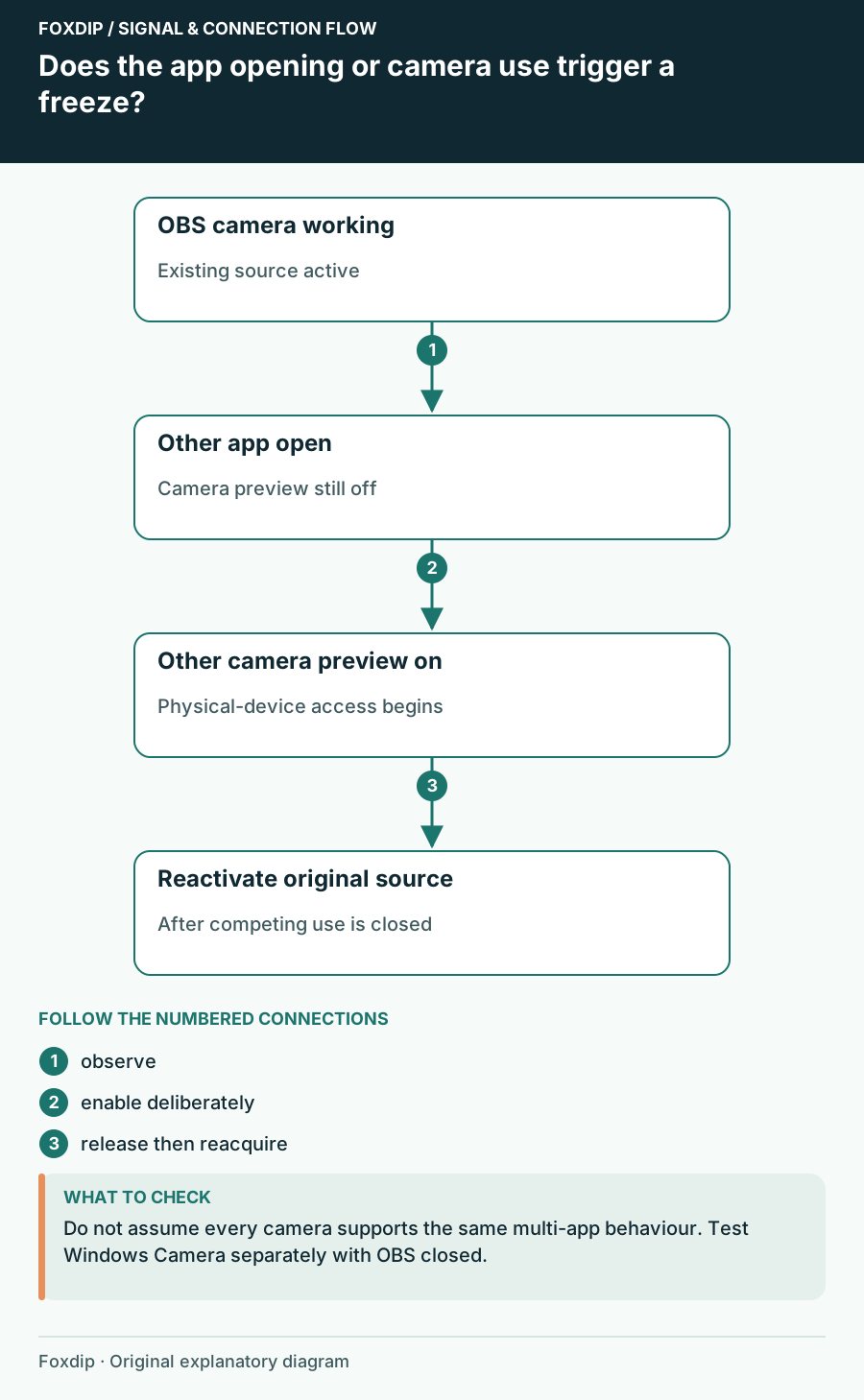
Webcam Freezes in OBS When Another App Opens
Check camera ownership and reconnect the existing source before rebuilding the scene.
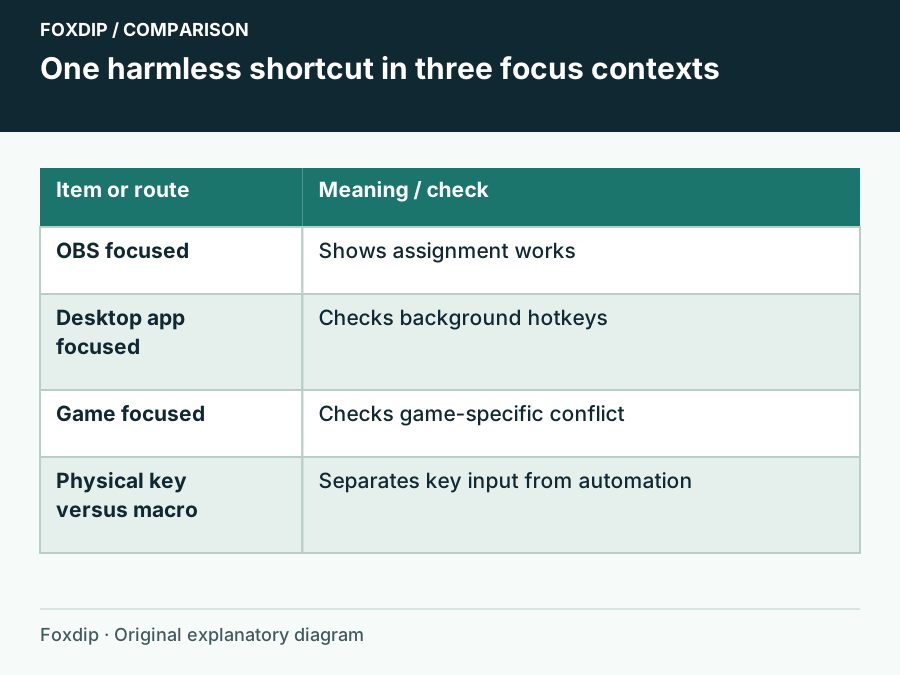
OBS Hotkeys Stop Working in Games: Check Focus and Conflicts
Compare the same shortcut in OBS, on the desktop and in the game before changing permissions.
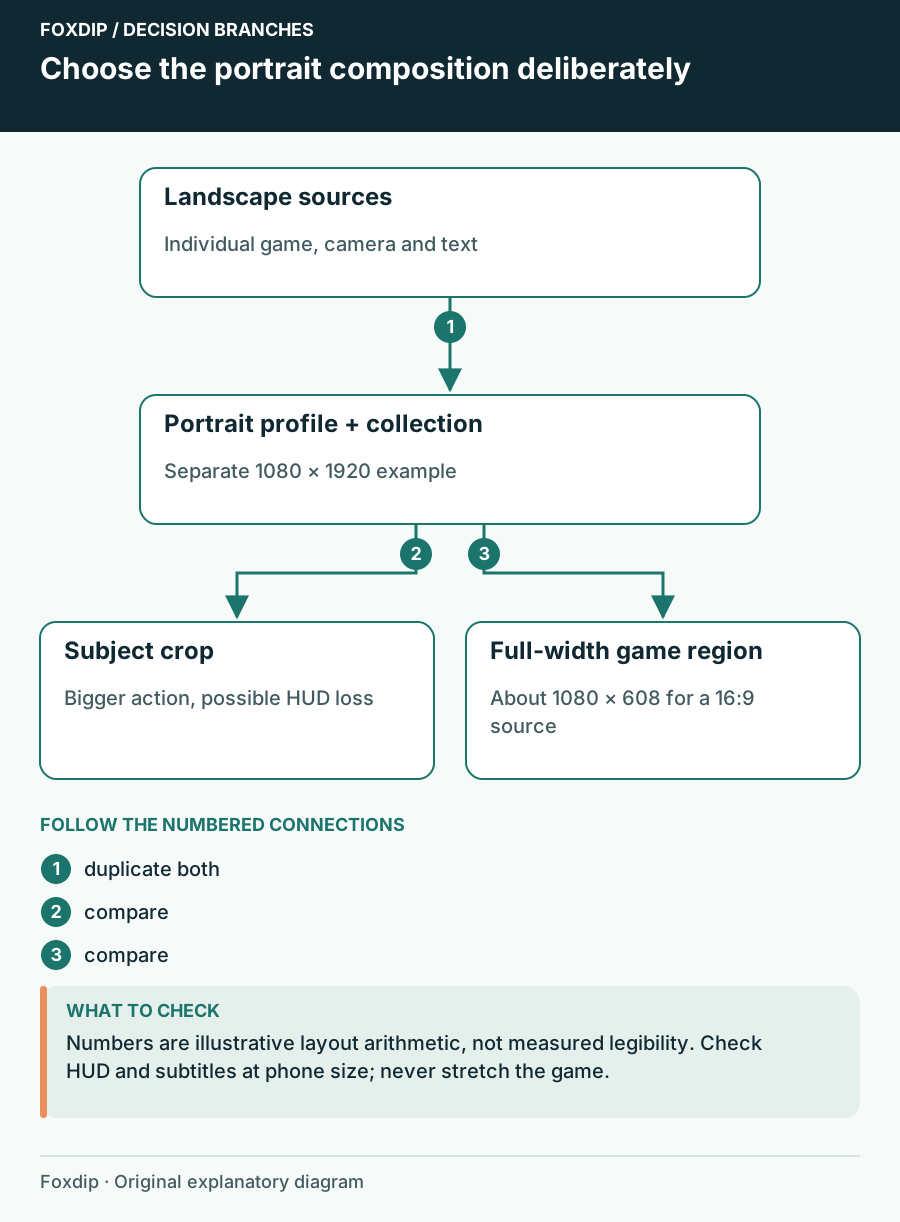
How to Make OBS Portrait: A Vertical Layout That Fits
Make OBS portrait the clean way: duplicate your setup, switch to a vertical canvas, then move your game, camera and text so nothing important gets cut.
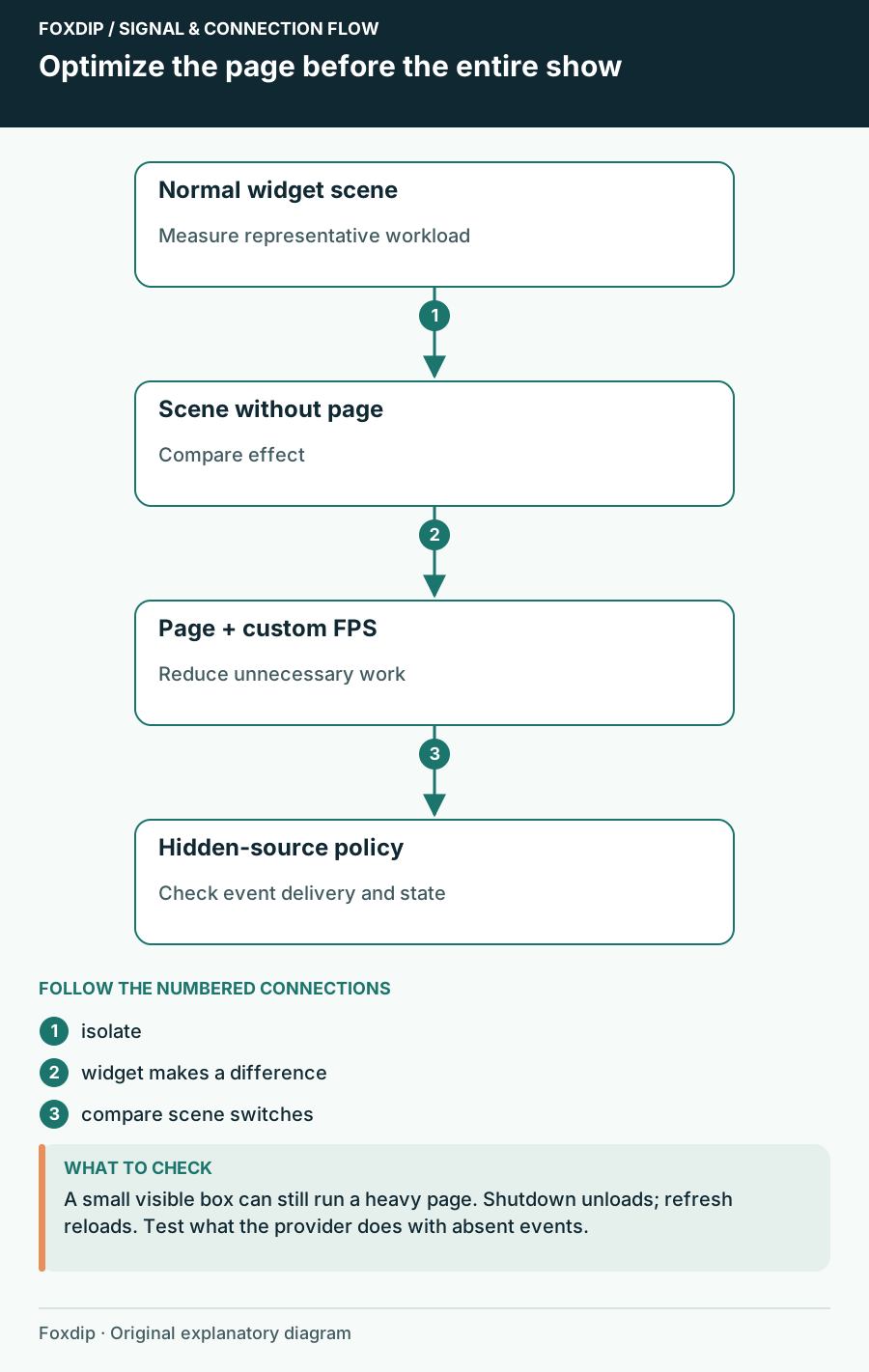
OBS Browser Source Uses Too Much CPU: Isolate the Widget
Compare the page, browser frame rate and hidden-source behaviour without losing alerts unexpectedly.