
Good questions.
Better next streams.
Audio gremlins, crowded desks, chat reactions and the occasional platform update. Find something that helps with the stream you’re building.
 LEARN SOMETHING.
MAKE IT YOURS.
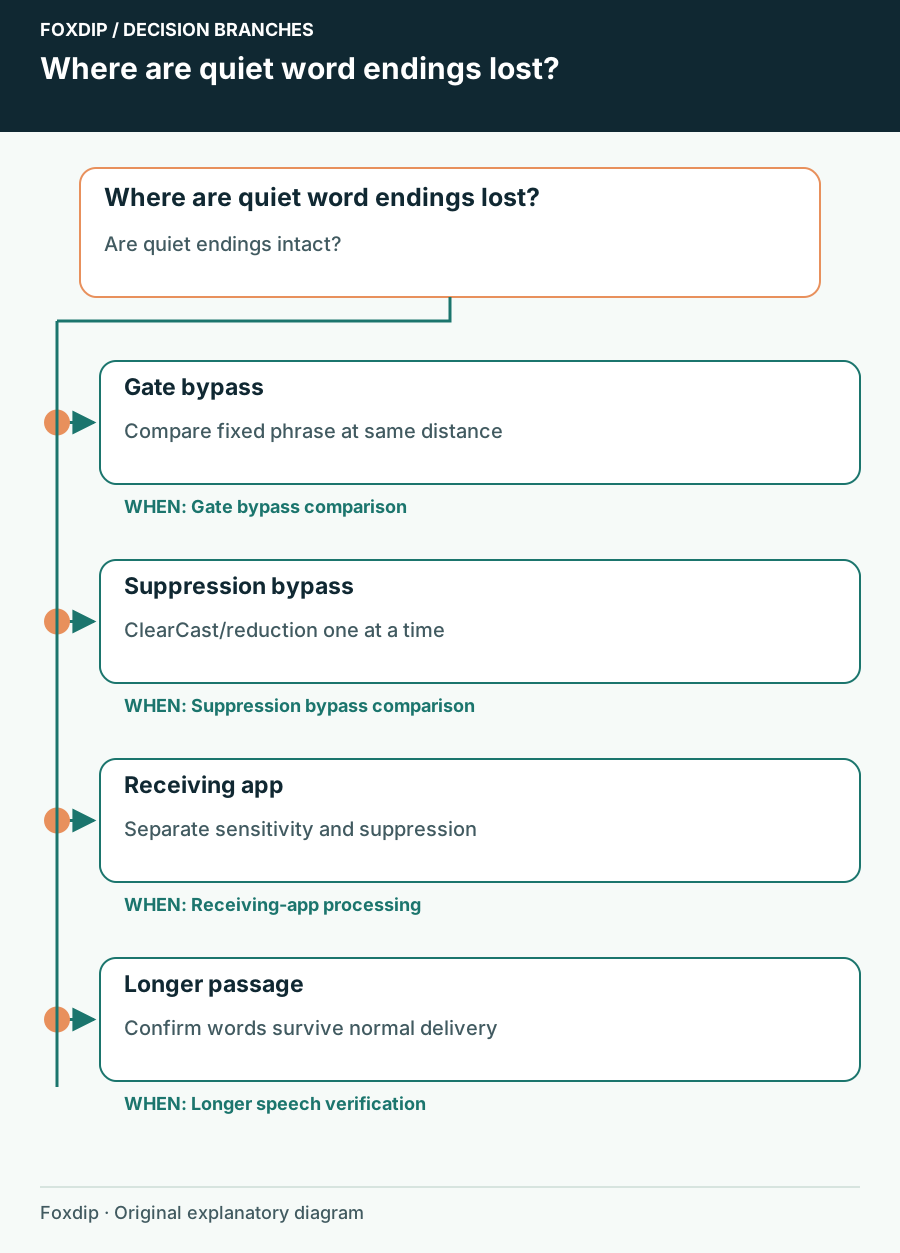
Sonar Cuts Off Quiet Speech: Find the Processing Stage
Compare raw and processed speech, then adjust the gate or suppression stage that removes words.
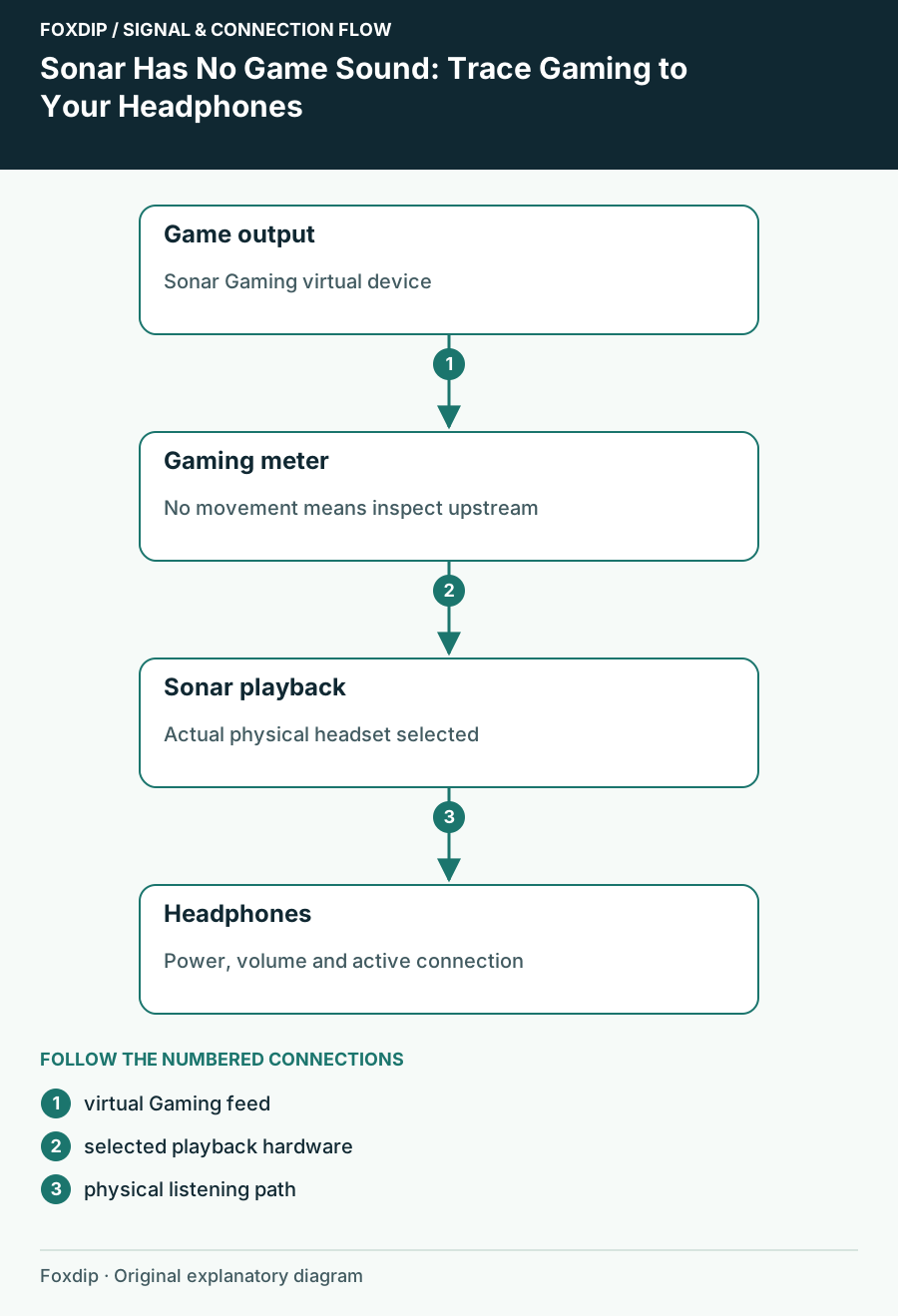
Sonar Has No Game Sound: Trace Gaming to Your Headphones
Follow the game output, Sonar channel and physical playback device in order before changing effects.
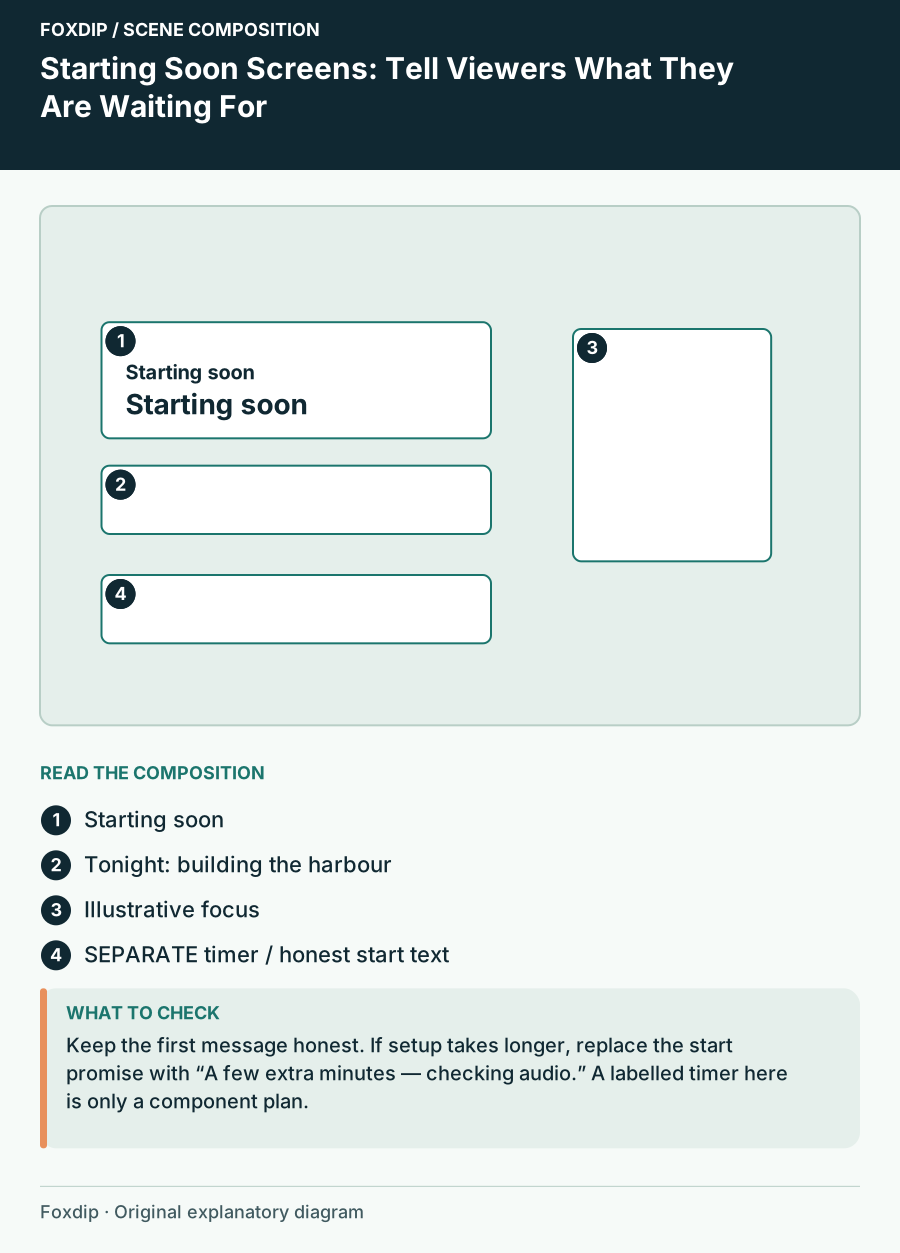
Starting Soon Screens: Tell Viewers What They Are Waiting For
Plan a waiting scene with a show topic, honest start message, readable hierarchy and a fallback when the start time slips.
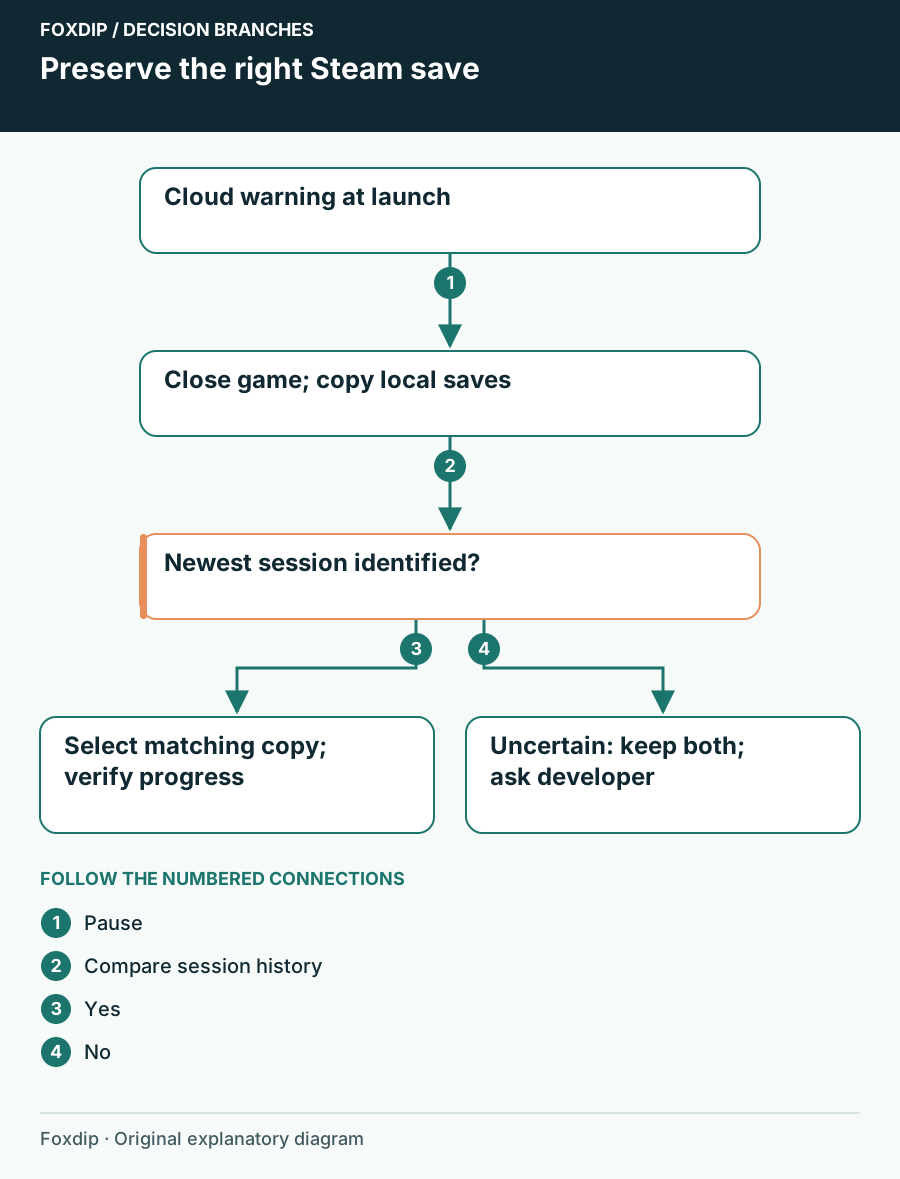
Steam Cloud Out of Sync: Protect Your Save Before Choosing a Copy
Pause before picking a Steam Cloud copy. Identify the last good session, back up the actual saves and separate a conflict from a failed upload.
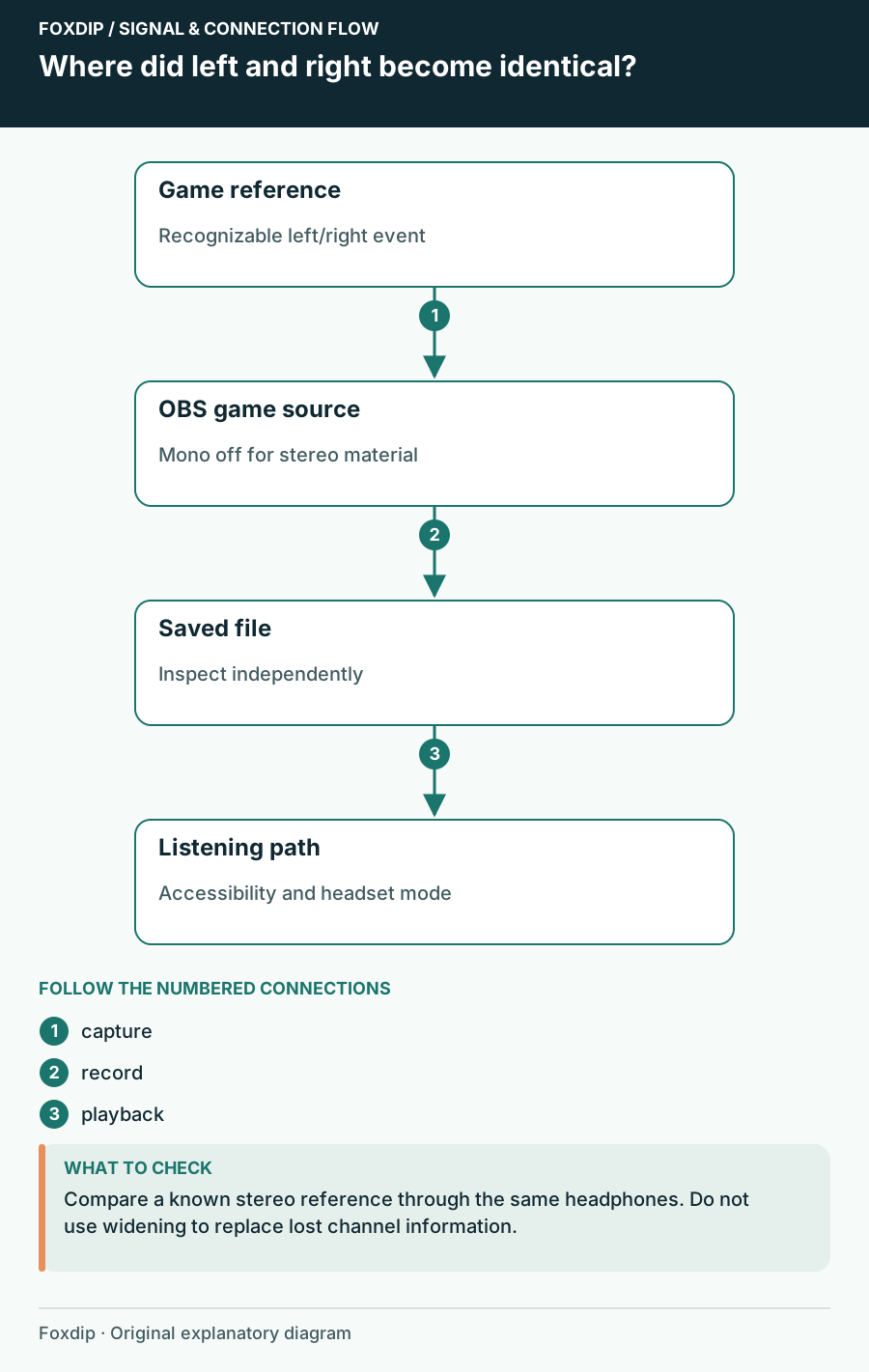
Stereo Game Audio Sounds Narrow in OBS: Trace the Channels
Find the point where left and right become identical before trying a widening effect.
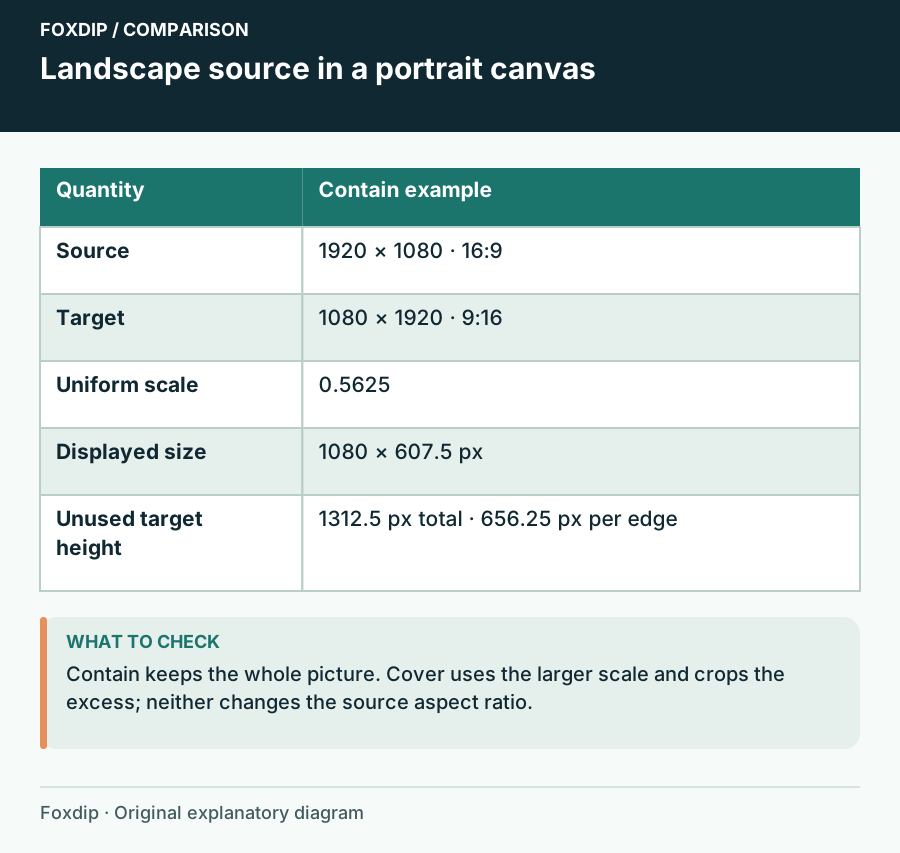
Stream Aspect Ratio Planner: Fit the Source Without Stretching It
Compare proportional fit and fill for landscape, portrait or ultrawide sources before cropping an OBS scene.
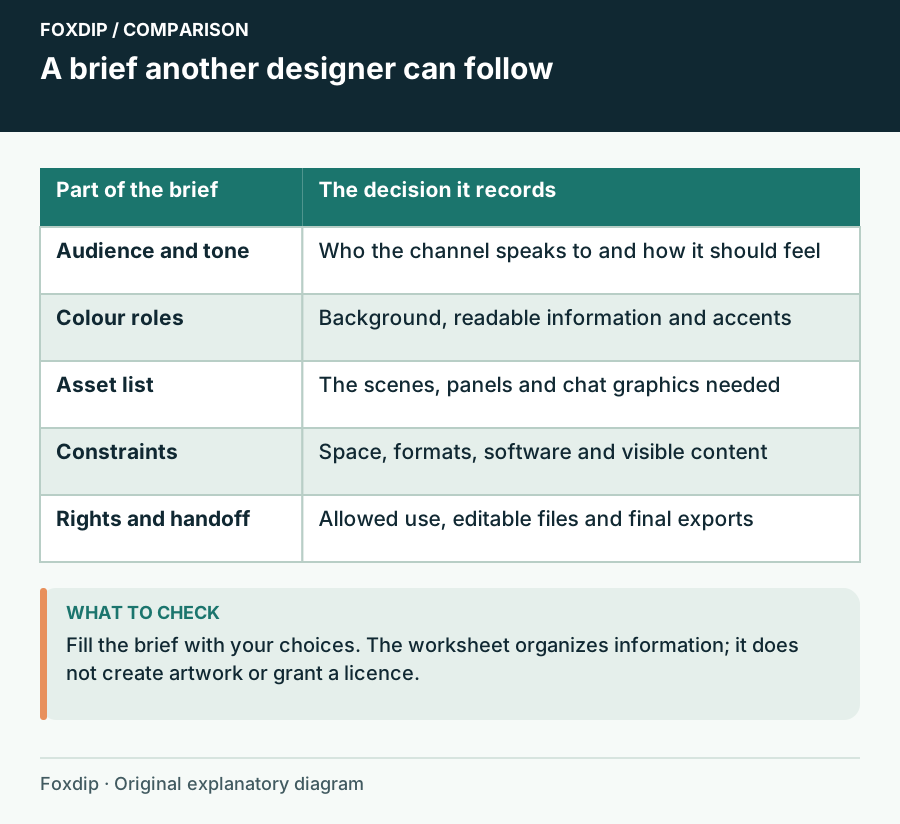
Stream Branding Brief Builder: Keep the Decisions Together
Export a brief with audience, tone, colour roles, required assets and layout constraints before an artist or future-you starts work.
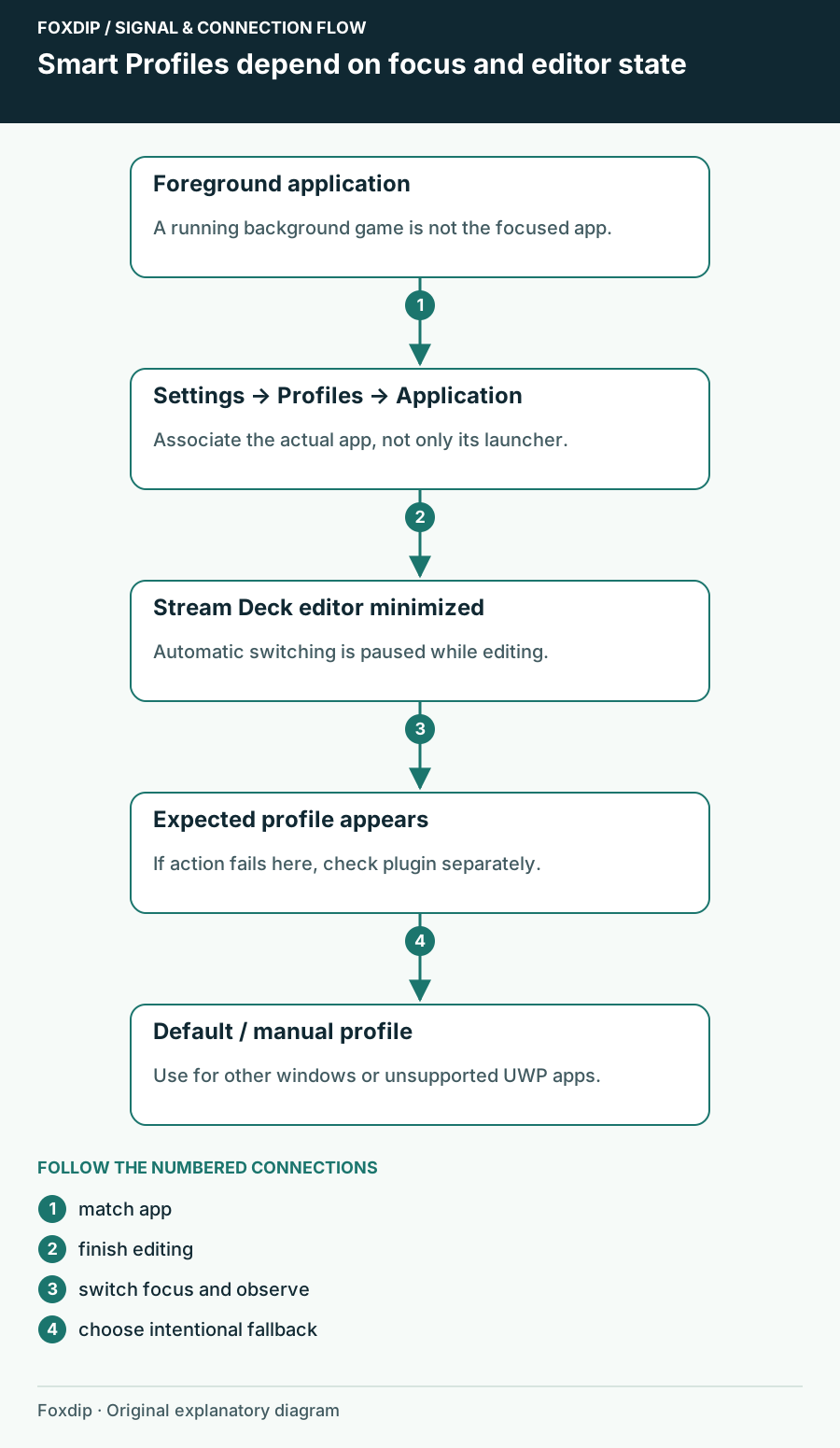
Stream Deck Opens the Wrong Profile When You Switch Apps
Check the focused application, Smart Profile association and editor state before rebuilding Stream Deck buttons.
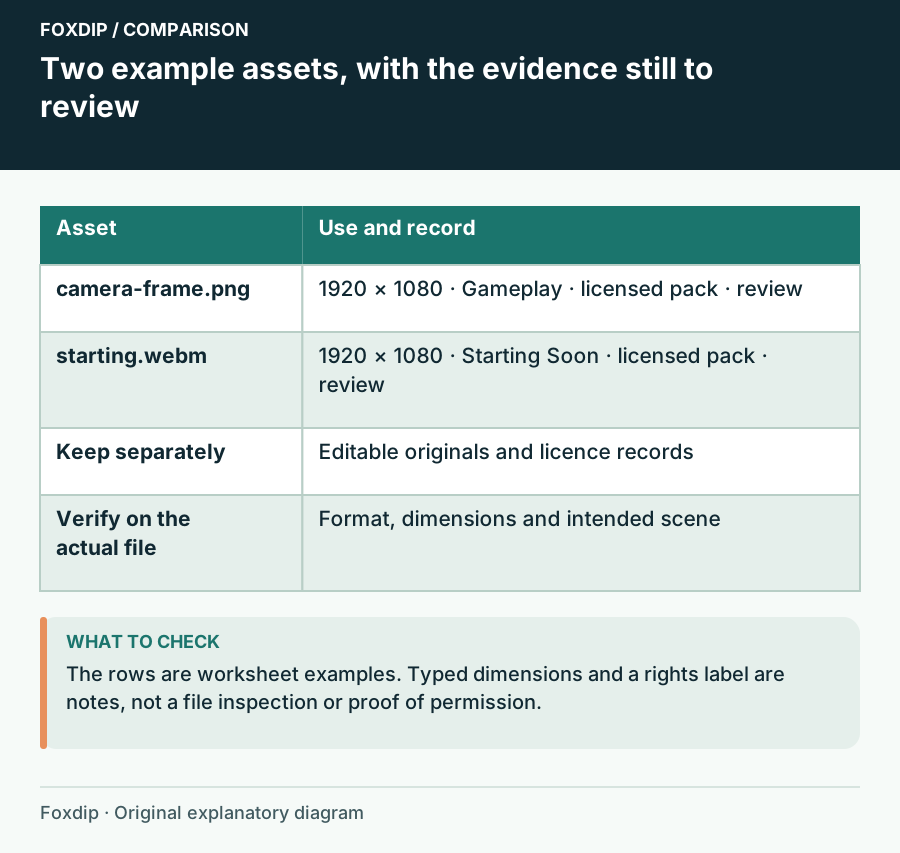
Stream Graphics Inventory Worksheet: Know Which File Goes Where
List your stream assets with formats, dimensions, scene assignments, rights records and review status before a redesign or PC move.
Keep going
with your setup.
Need to install a pack? The download guides will help. Looking for a character instead? Browse the collections and see what catches your eye.