
Good questions.
Better next streams.
Audio gremlins, crowded desks, chat reactions and the occasional platform update. Find something that helps with the stream you’re building.
 LEARN SOMETHING.
MAKE IT YOURS.
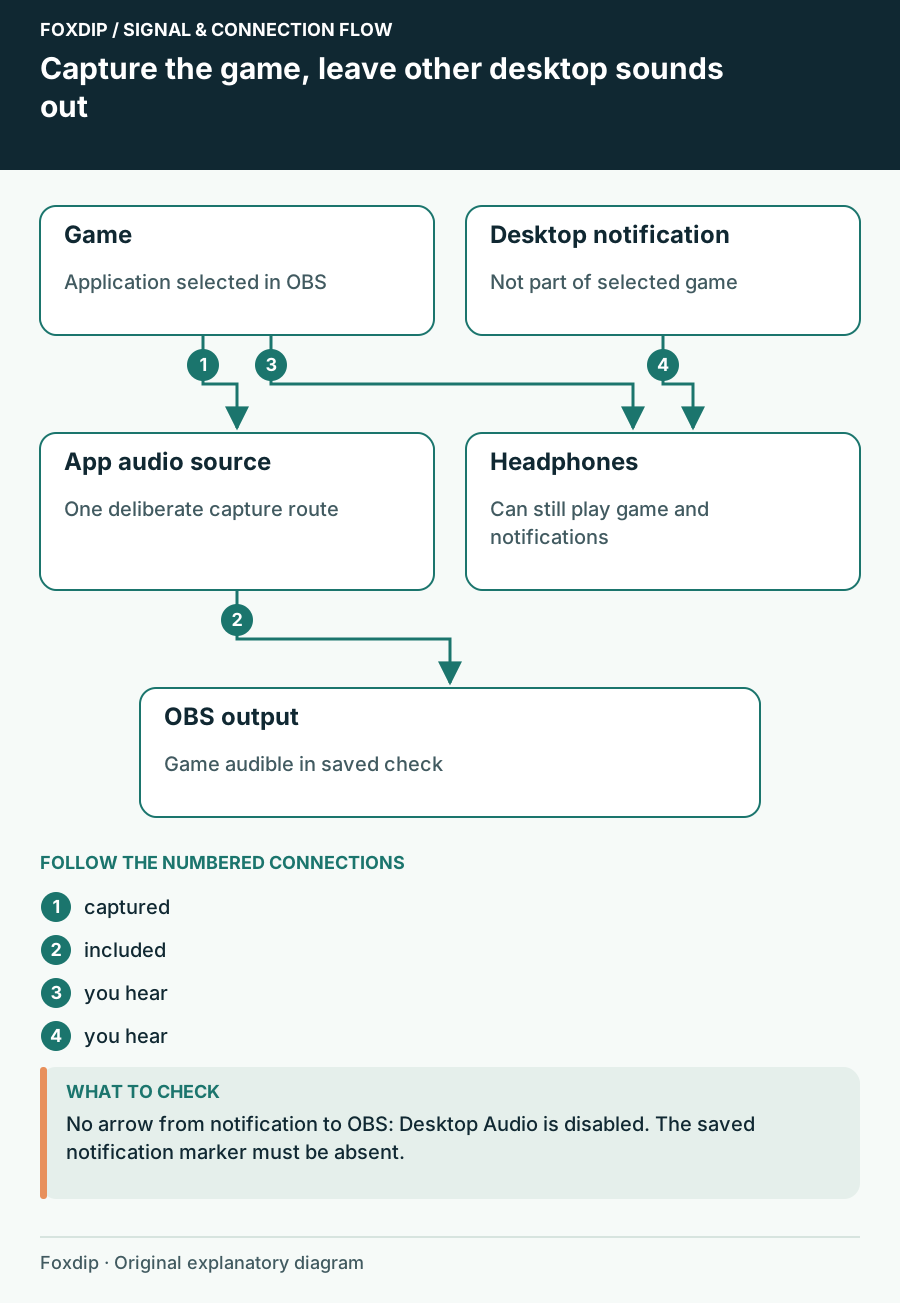
How to Capture Only Game Audio in OBS (No Discord or Music)
Send only your game's sound to the stream. No notifications, no Discord, no Spotify.
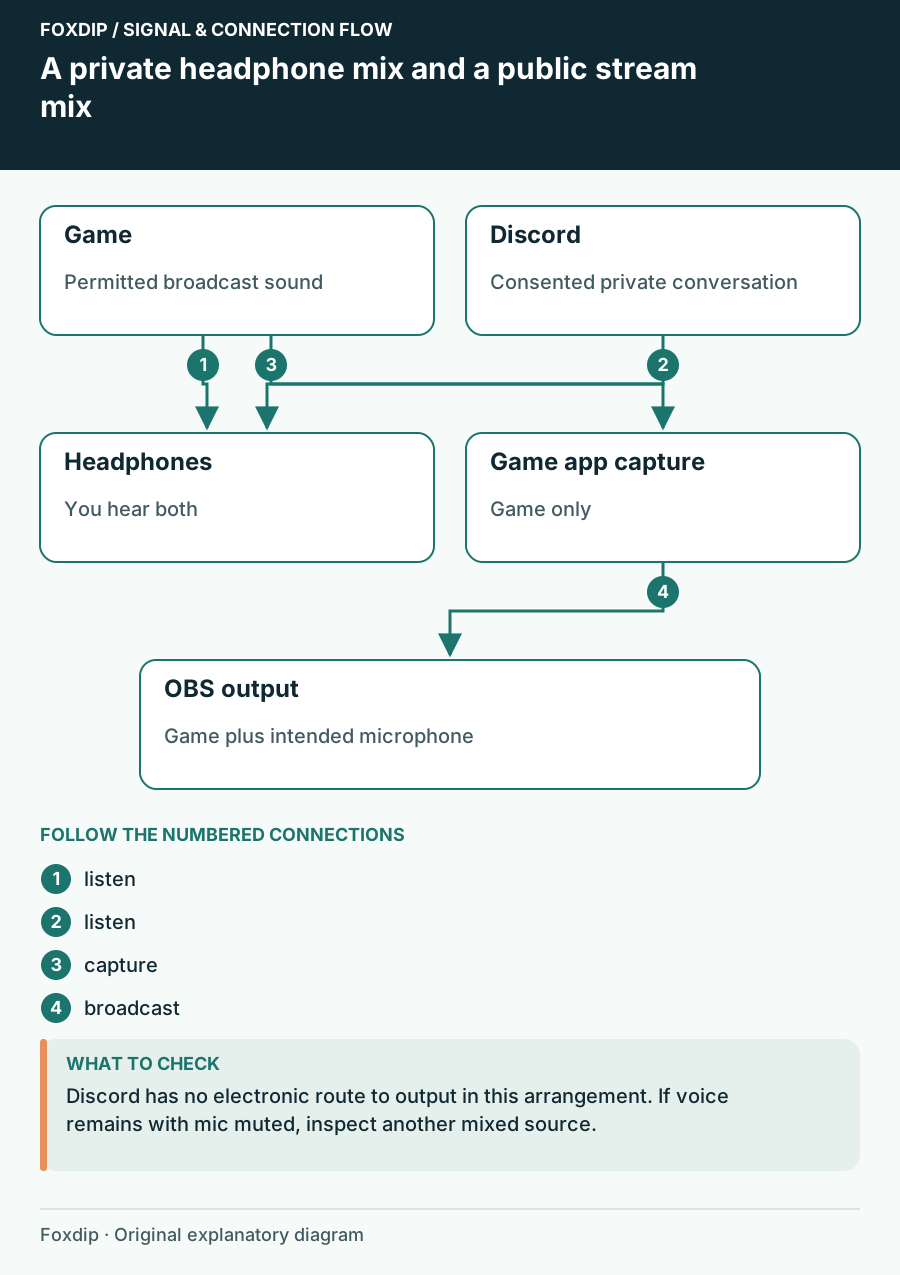
How to Keep Discord Out of Your OBS Stream (and Still Hear Friends)
Your viewers hear your Discord call? Here's how to stop it in OBS while you keep talking to your friends.
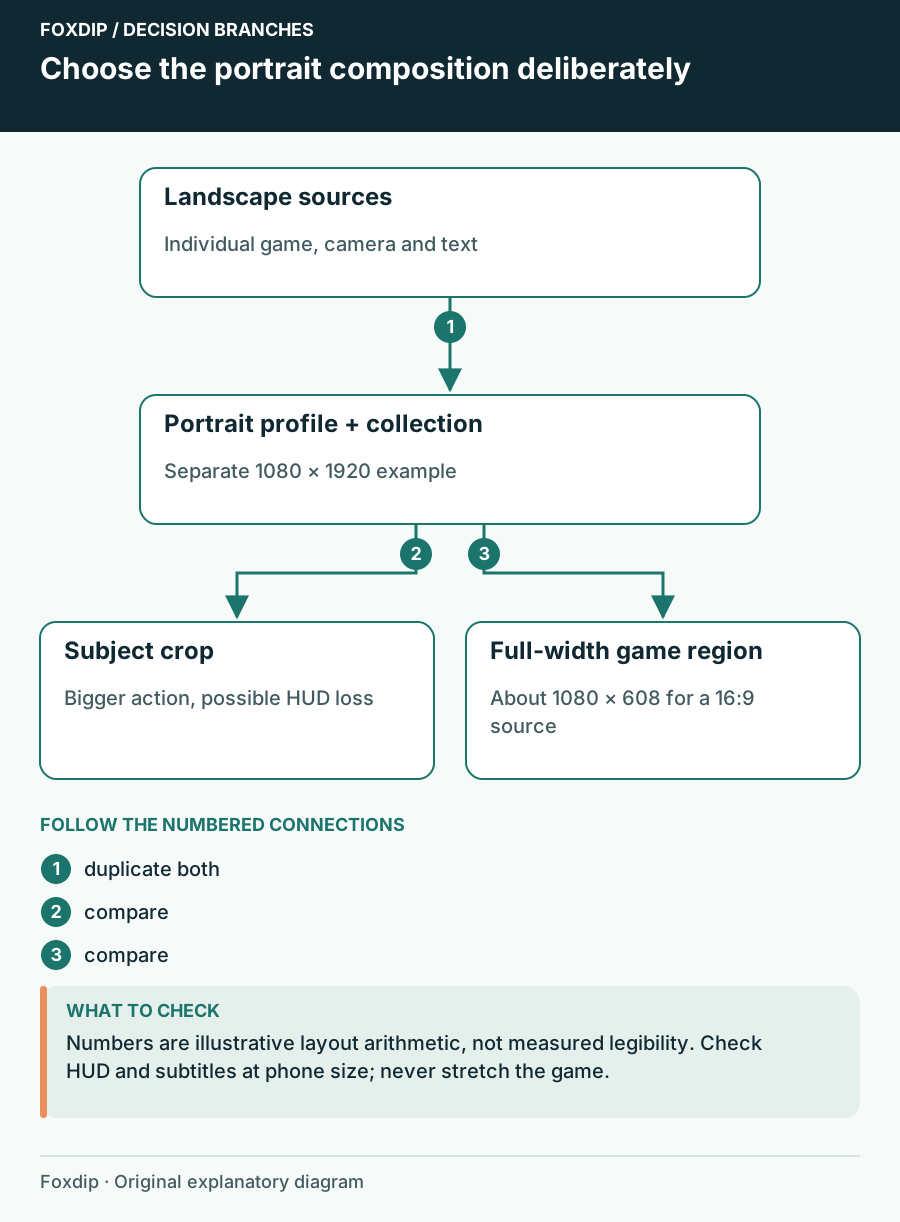
How to Make OBS Portrait: A Vertical Layout That Fits
Make OBS portrait the clean way: duplicate your setup, switch to a vertical canvas, then move your game, camera and text so nothing important gets cut.
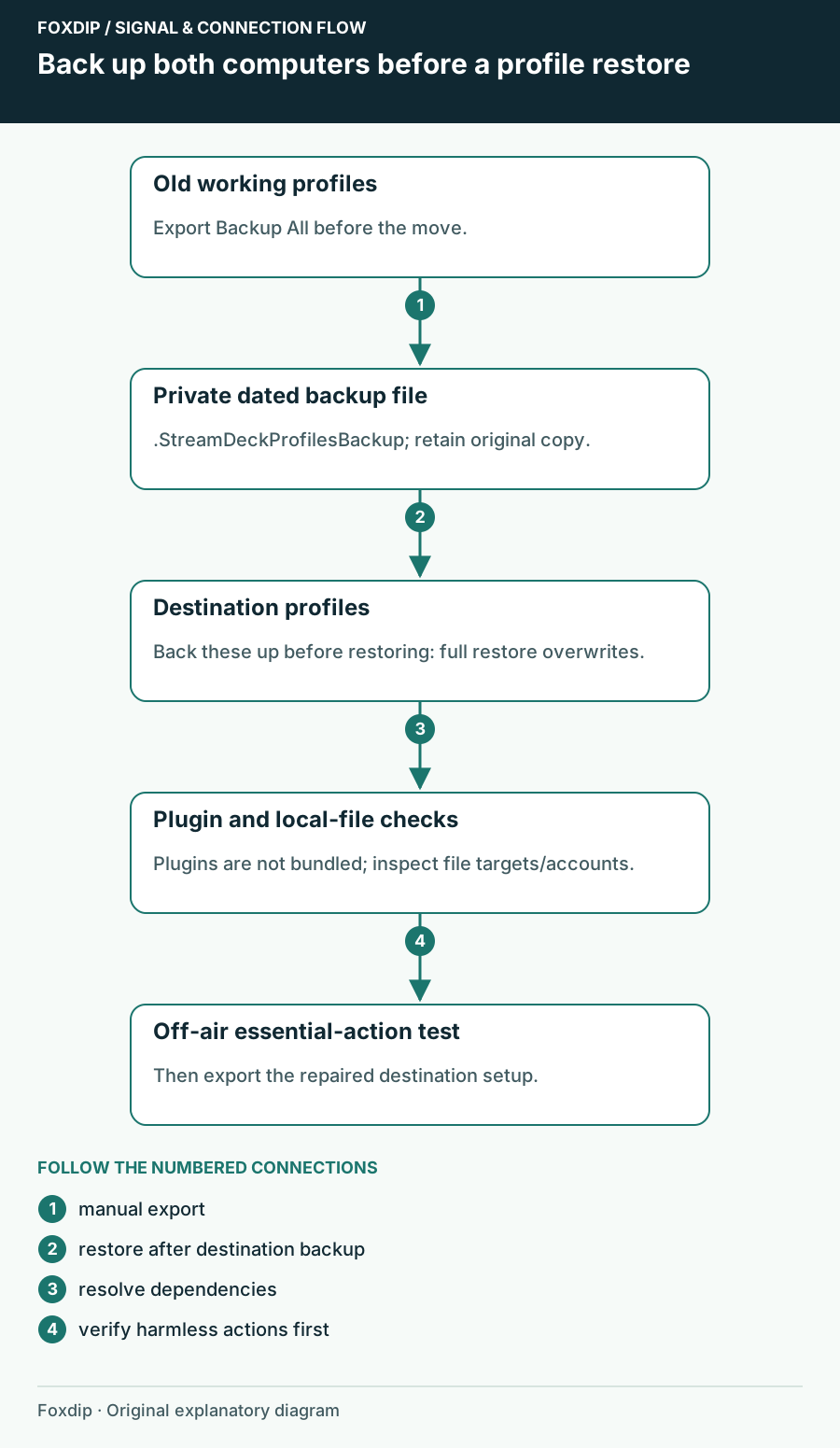
How to Move Your Stream Deck Profiles to a New PC
Back up your Stream Deck profiles, move them to another computer and fix the buttons that break after.
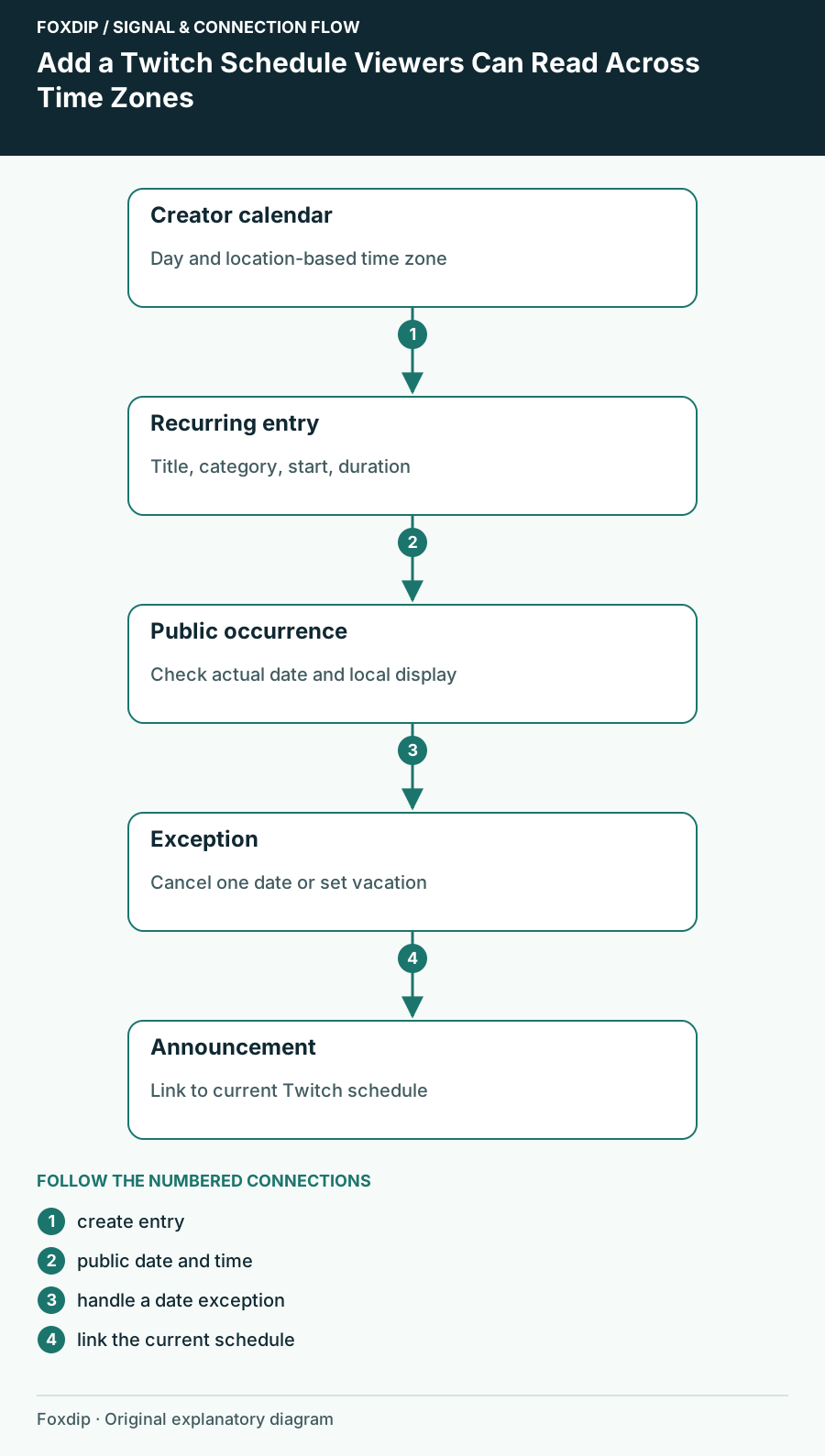
How to Set Up Your Twitch Schedule and Time Zone
Add a recurring Twitch schedule in Creator Dashboard, set the right time zone, check the public Schedule tab, and mark days off without stale dates.
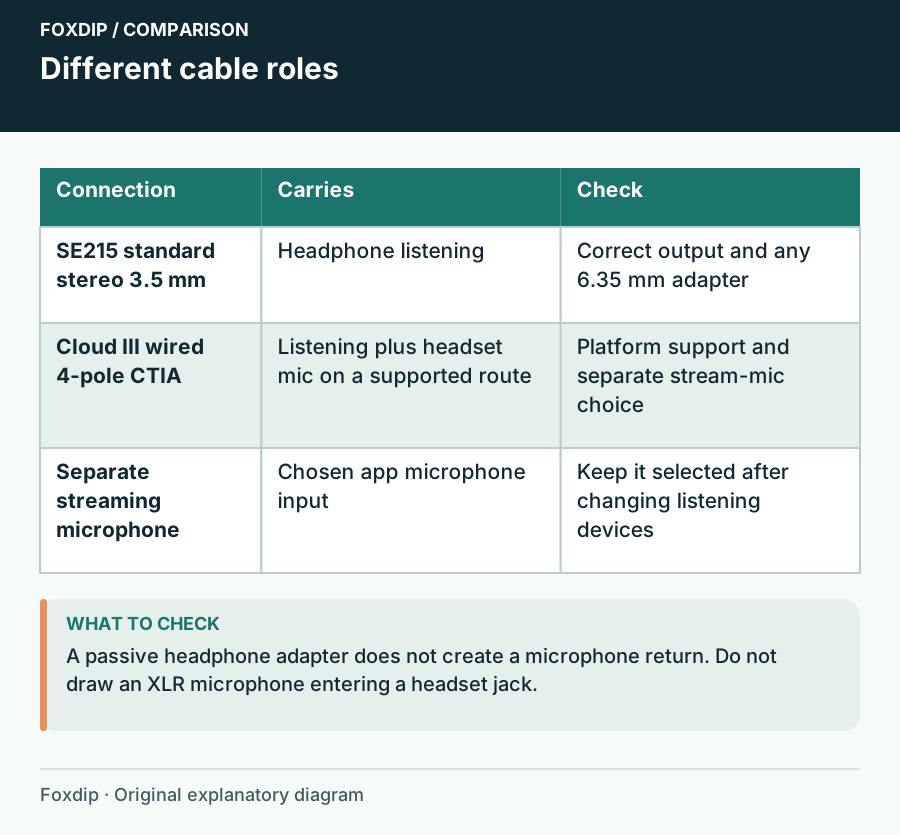
IEMs or a Headset for Streaming? Check Connections and Fit
Compare Shure SE215 wired earphones and HyperX Cloud III wired around the listening route, removable microphones, ear tips and the fit you can actually sustain.
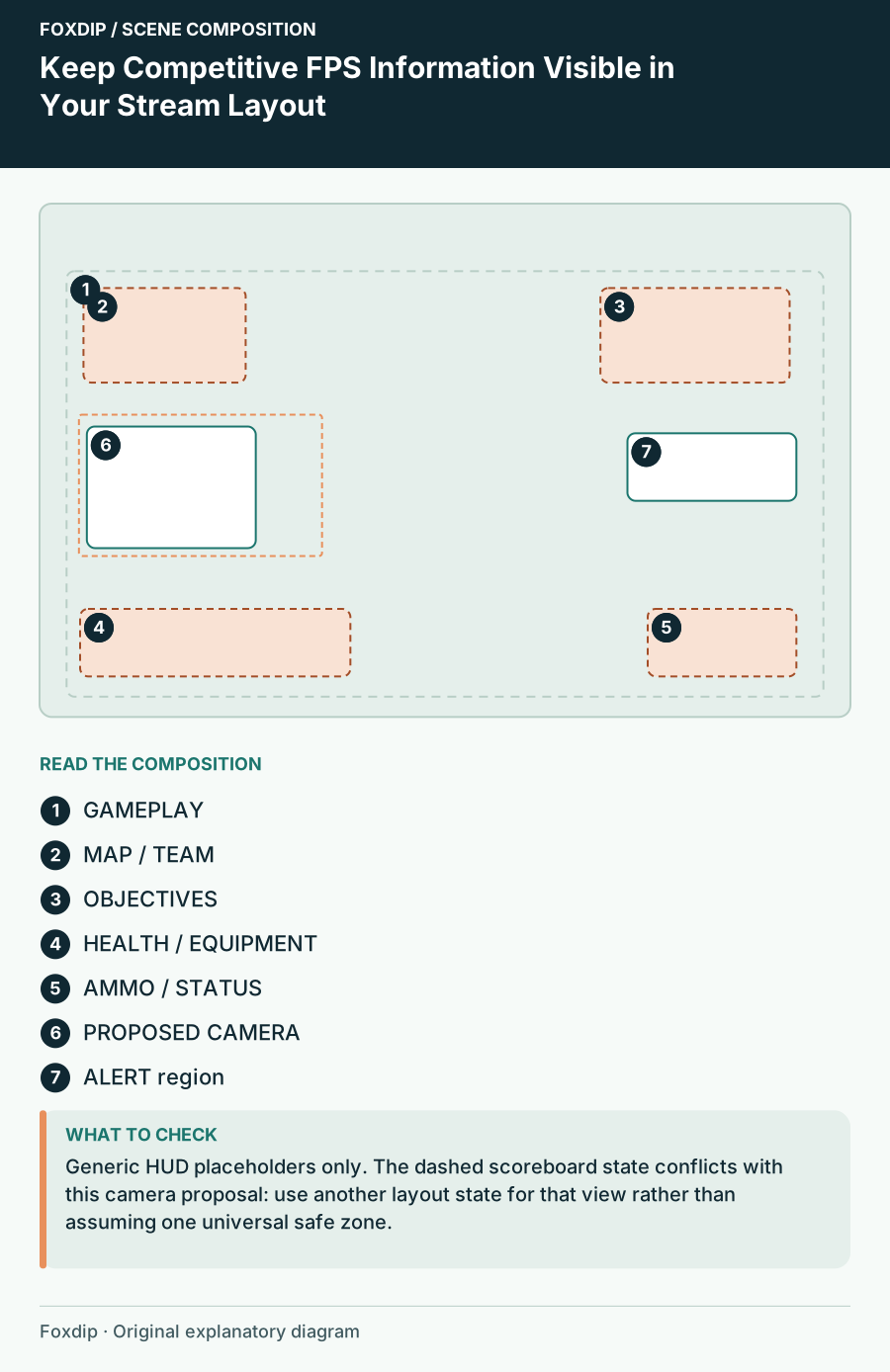
Keep Competitive FPS Information Visible in Your Stream Layout
Build a game-specific HUD map before placing camera, alerts and labels over competitive gameplay.
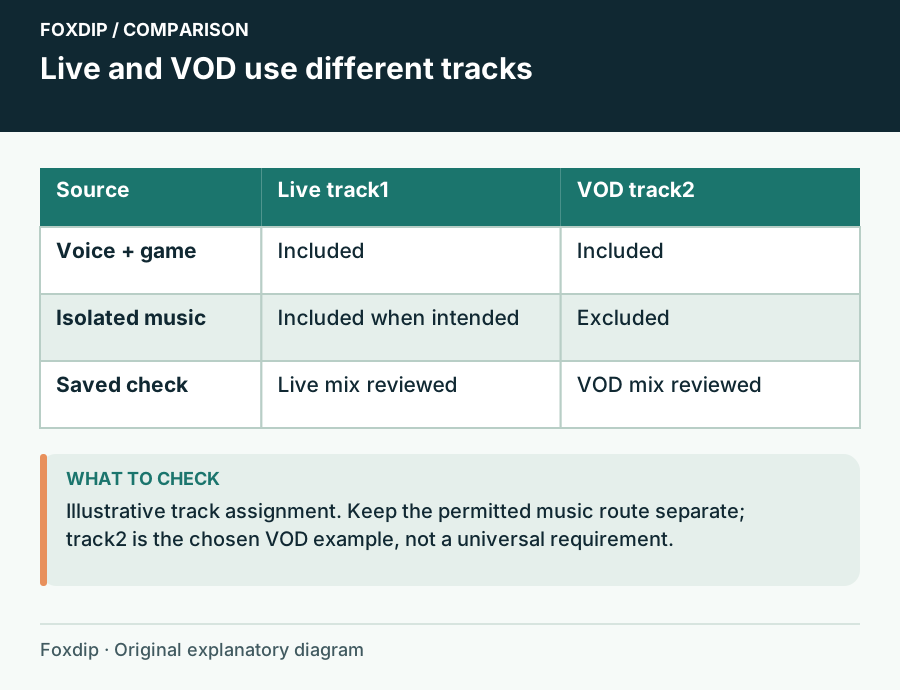
Keep Music Out of a Twitch VOD with OBS Audio Tracks
Send music to the live mix and exclude it from the VOD track while preserving voice and game audio.
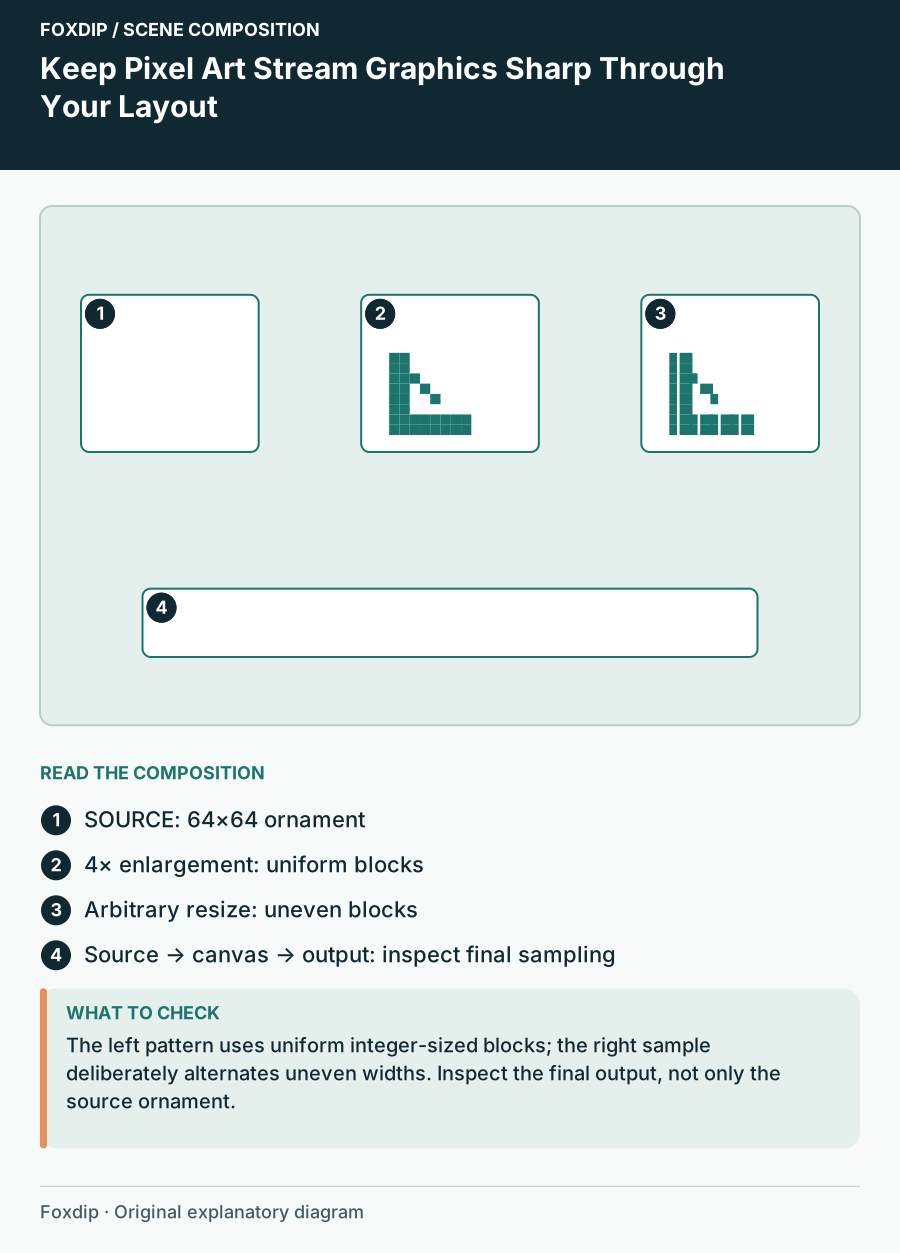
Keep Pixel Art Stream Graphics Sharp Through Your Layout
Plan pixel-art source scale, border dimensions and final output so uneven resizing does not change the style.
Keep going
with your setup.
Need to install a pack? The download guides will help. Looking for a character instead? Browse the collections and see what catches your eye.