
Good questions.
Better next streams.
Audio gremlins, crowded desks, chat reactions and the occasional platform update. Find something that helps with the stream you’re building.
 LEARN SOMETHING.
MAKE IT YOURS.
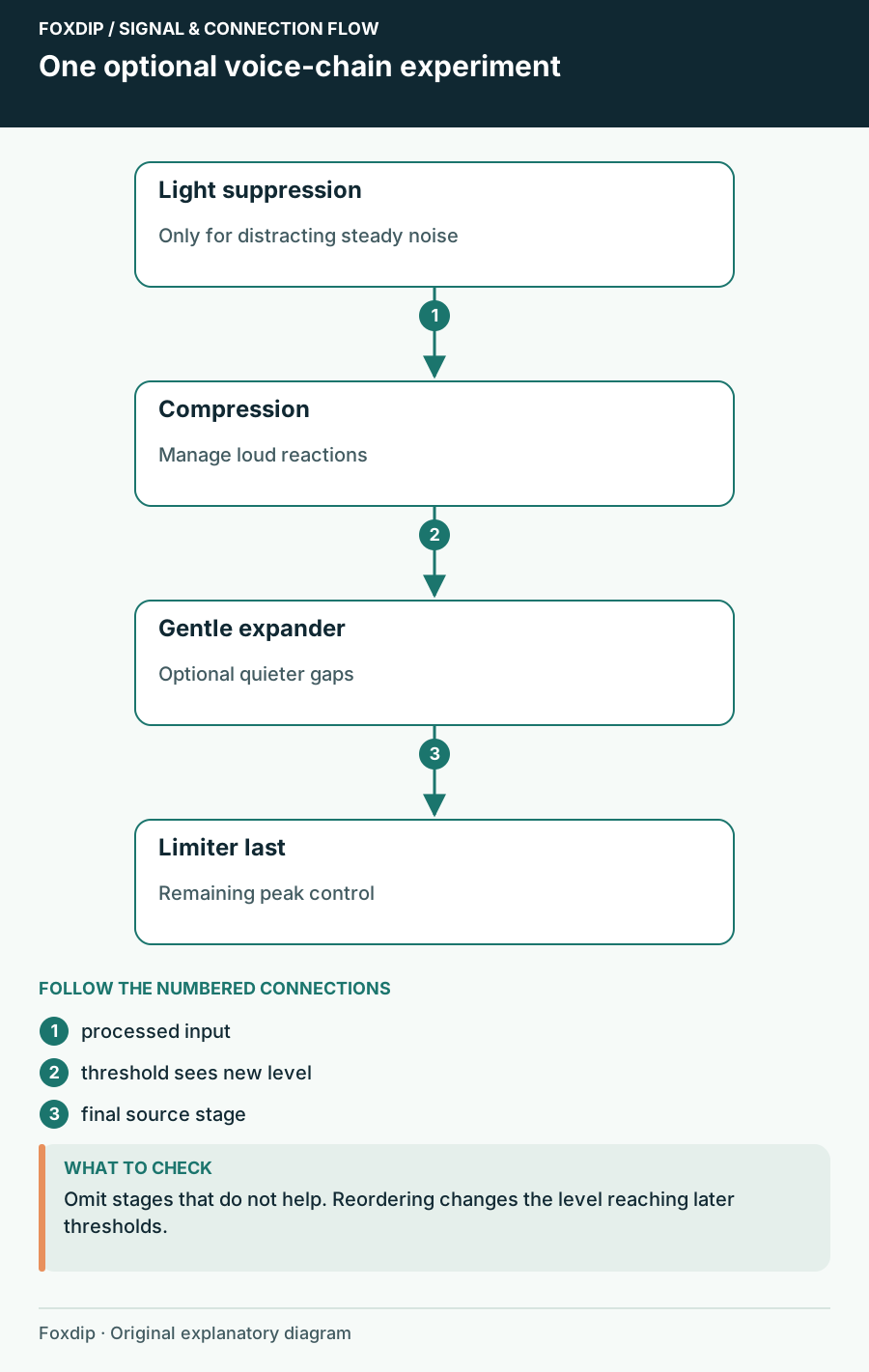
OBS Audio Filter Order: Hear What Each Stage Changes
Build a microphone chain around specific problems and retune thresholds after moving filters.
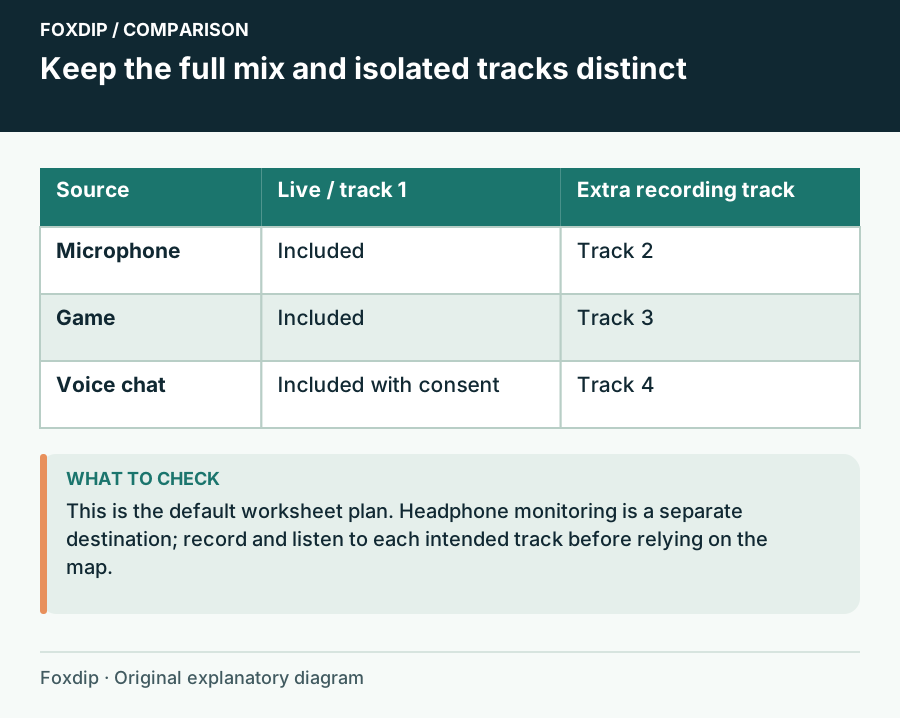
OBS Audio Routing Worksheet: Map Stream, Recording and Monitoring
Write each source’s destinations before changing OBS, then verify the stream mix, isolated tracks and monitoring in a local recording.
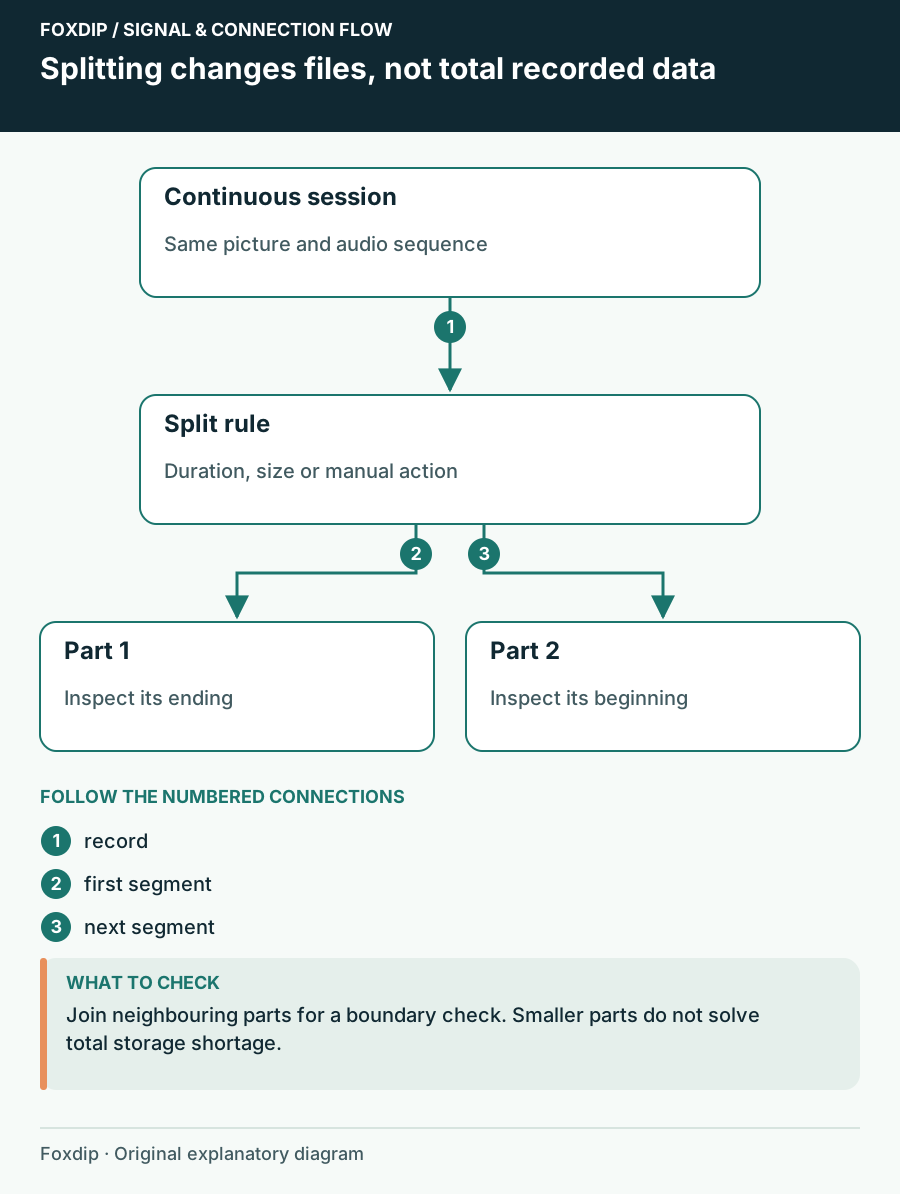
OBS Automatic File Splitting: Cut Long Recordings Safely
Turn on Automatic File Splitting in OBS advanced output, split by time or by size, then check two files side by side so nothing goes missing at the cut.
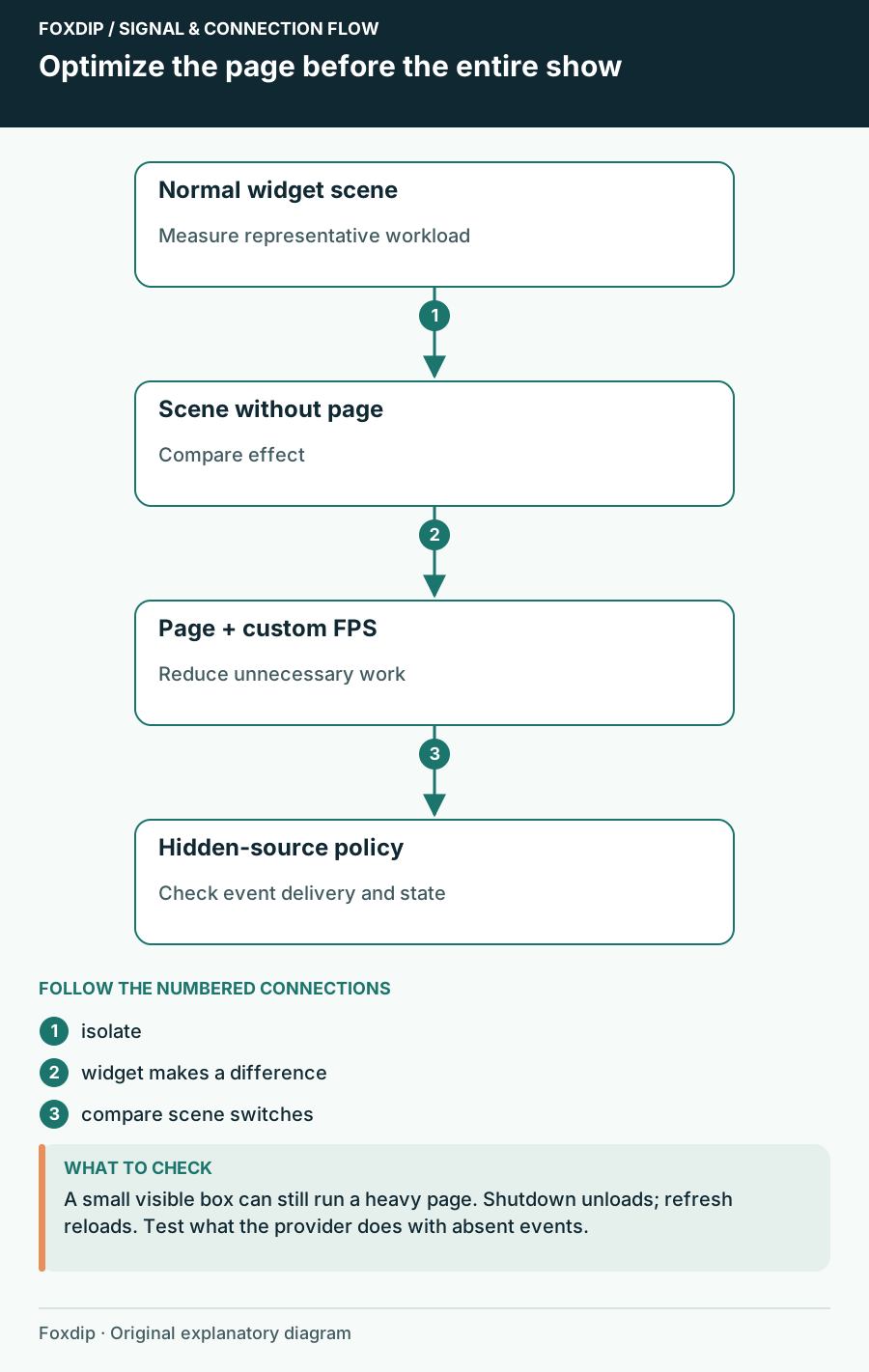
OBS Browser Source Uses Too Much CPU: Isolate the Widget
Compare the page, browser frame rate and hidden-source behaviour without losing alerts unexpectedly.
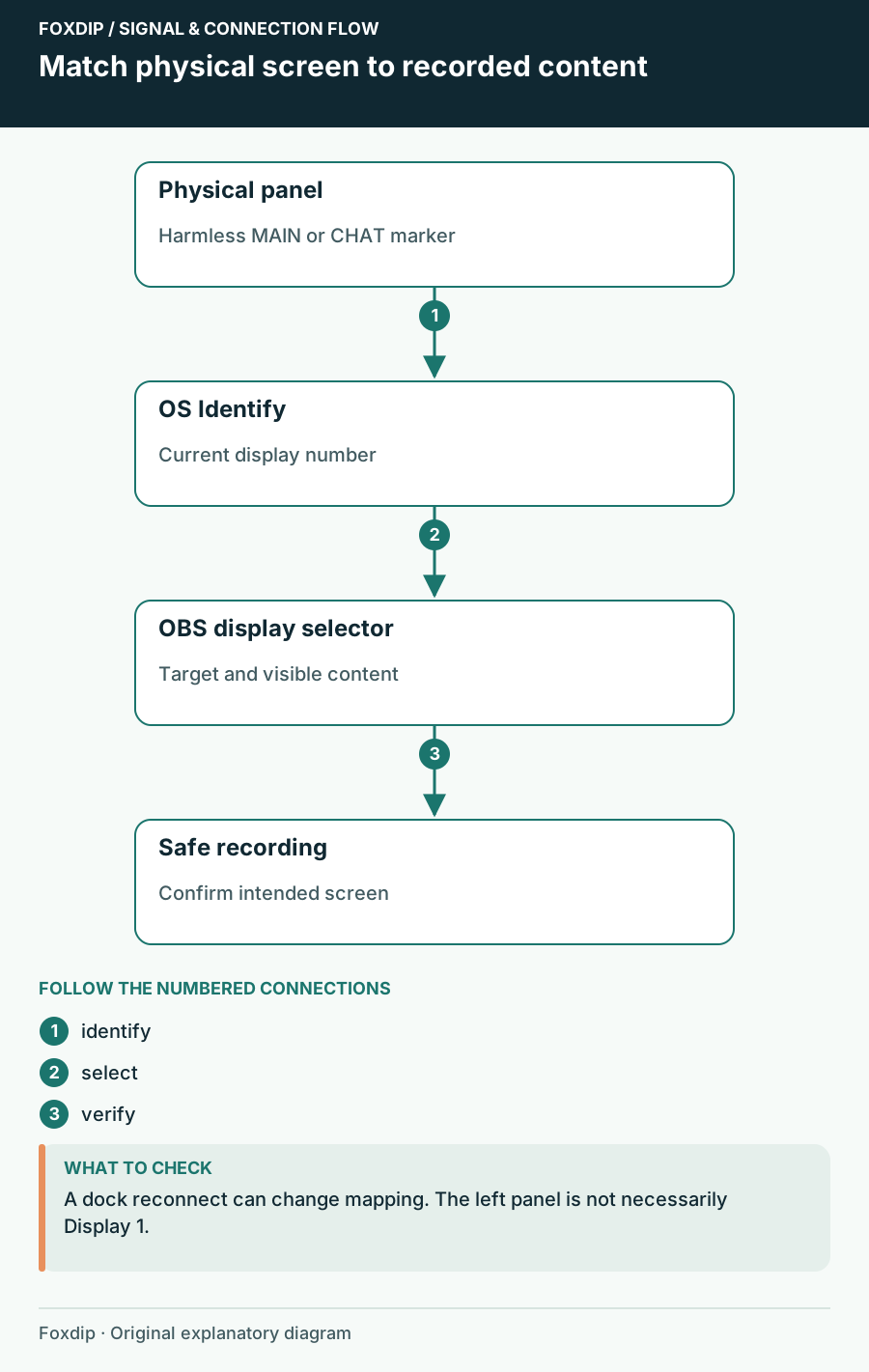
OBS Capturing the Wrong Monitor? Pick the Right Screen
Use your system's Identify displays to match each number to a screen, then pick that display in your OBS capture source. Check again after a cable change.
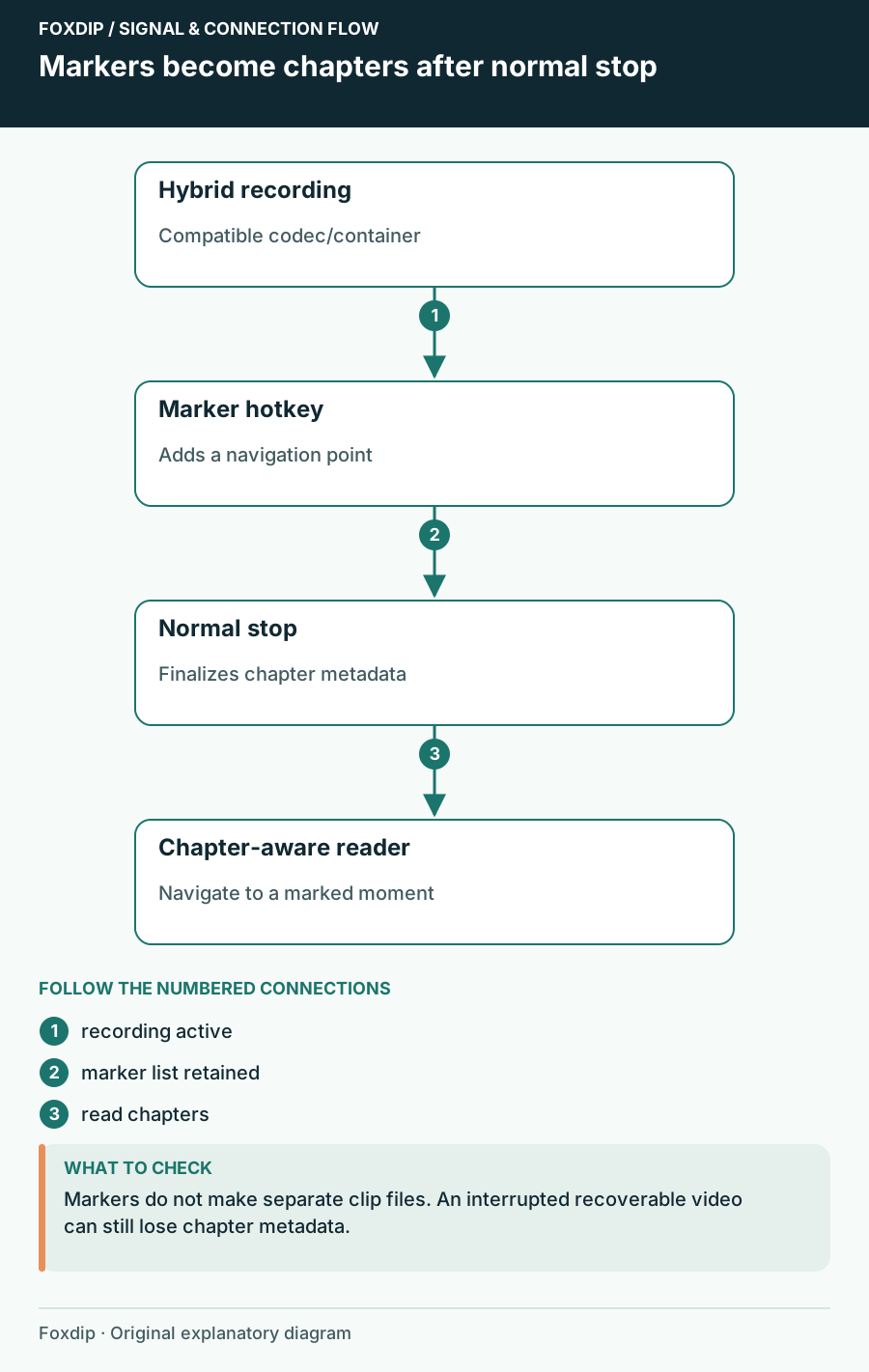
OBS Chapter Markers: Find Your Best Moments Later
Add a chapter marker hotkey in OBS, record in Hybrid MP4 or MOV and stop normally. Then jump straight to your highlights in your player or editor.
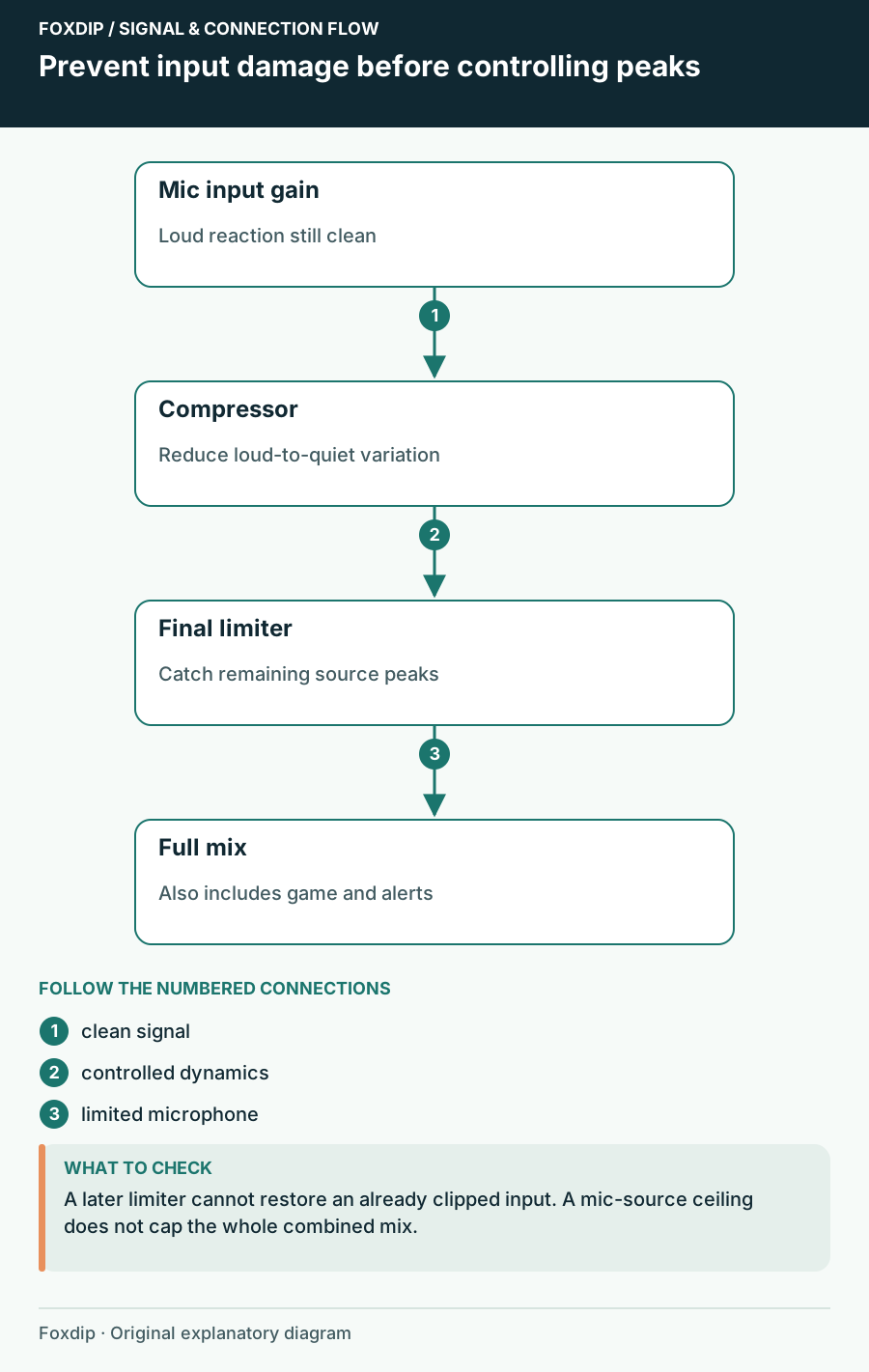
OBS Compressor Settings: Keep Loud Reactions From Clipping
Set your mic gain first, then add a compressor and a limiter in OBS, in that order. A quick shout test shows if loud moments stay clean on stream.
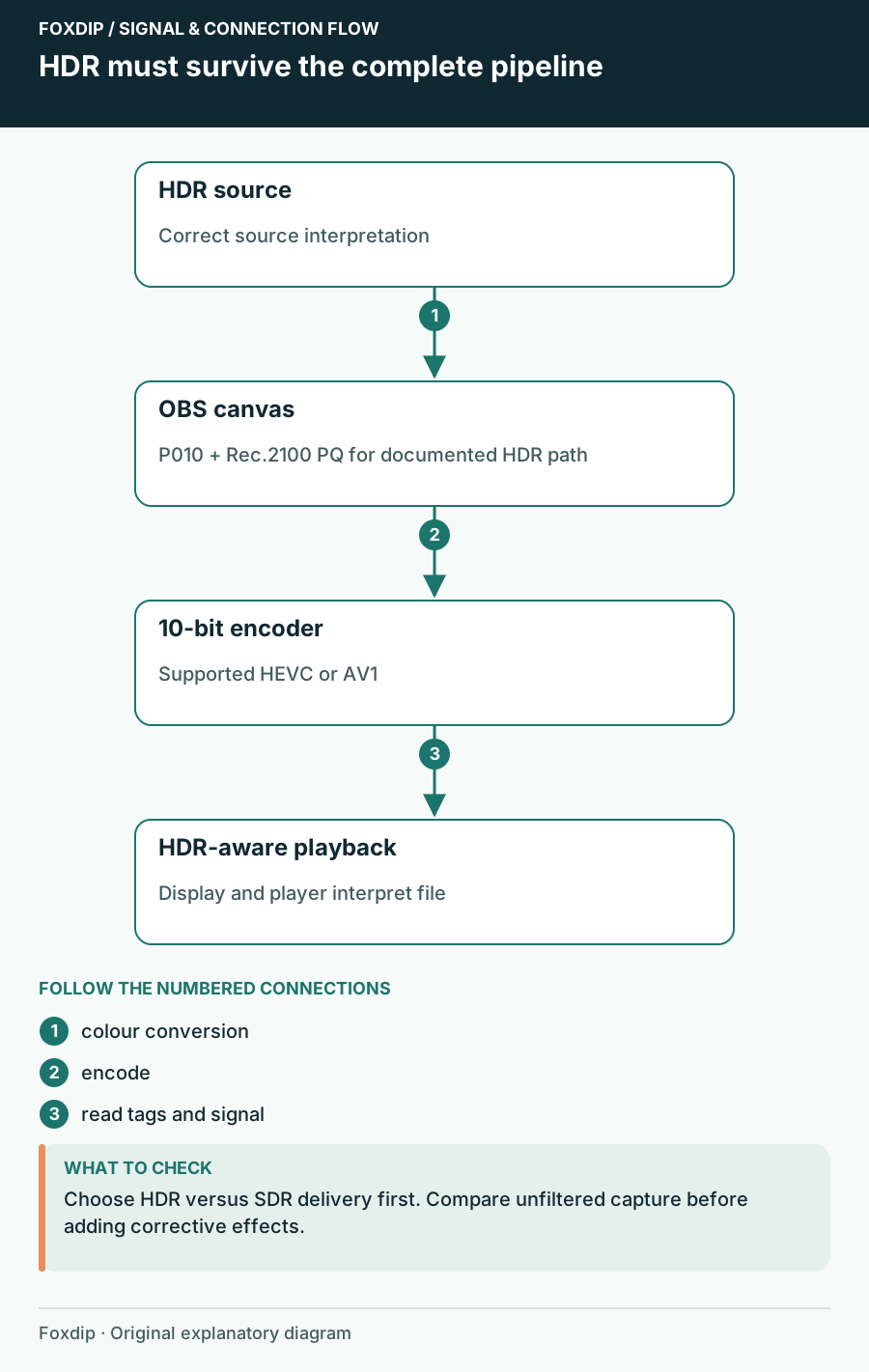
OBS HDR Recording Looks Washed Out? Here's Why
Grey, faded colours in your OBS recording usually mean HDR and SDR got mixed up. Here's how to fix it.
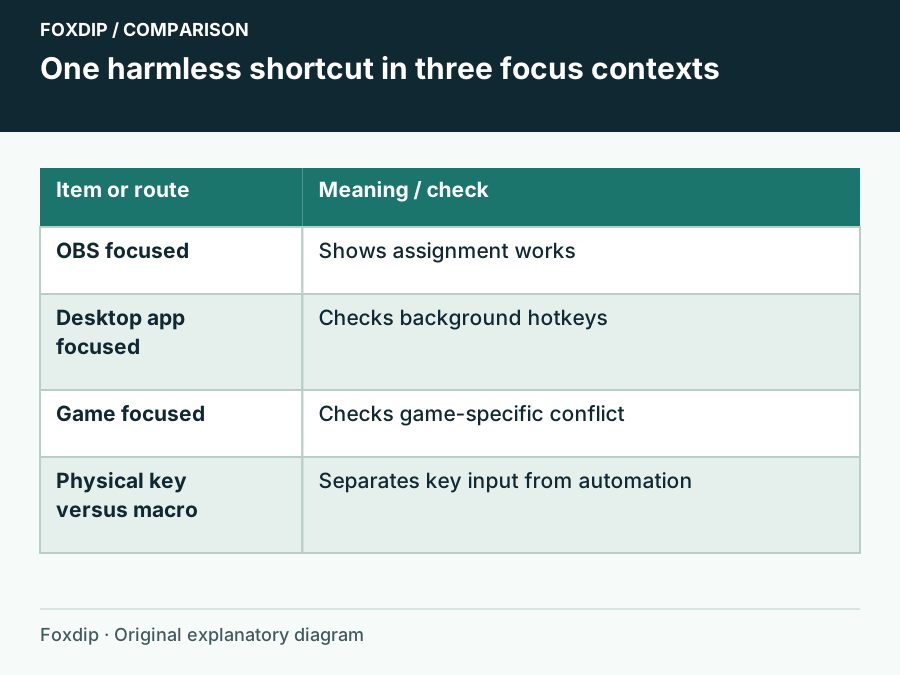
OBS Hotkeys Stop Working in Games: Check Focus and Conflicts
Compare the same shortcut in OBS, on the desktop and in the game before changing permissions.
Keep going
with your setup.
Need to install a pack? The download guides will help. Looking for a character instead? Browse the collections and see what catches your eye.