
Good questions.
Better next streams.
Audio gremlins, crowded desks, chat reactions and the occasional platform update. Find something that helps with the stream you’re building.
 LEARN SOMETHING.
MAKE IT YOURS.
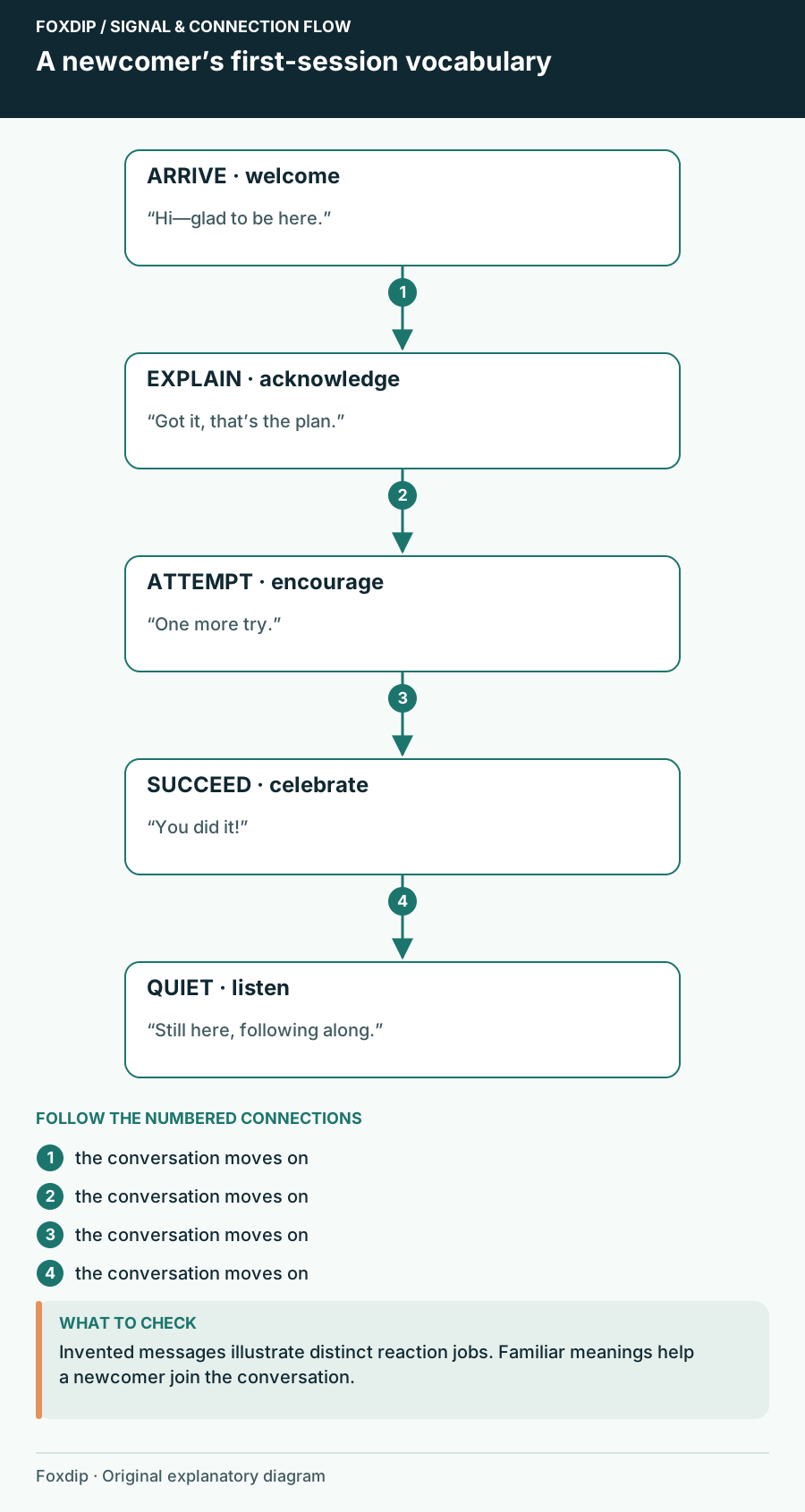
Choose Follower Emotes That Welcome People into the Conversation
Choose free follower reactions that make sense to a first-time viewer, with a worked five-role welcome vocabulary.
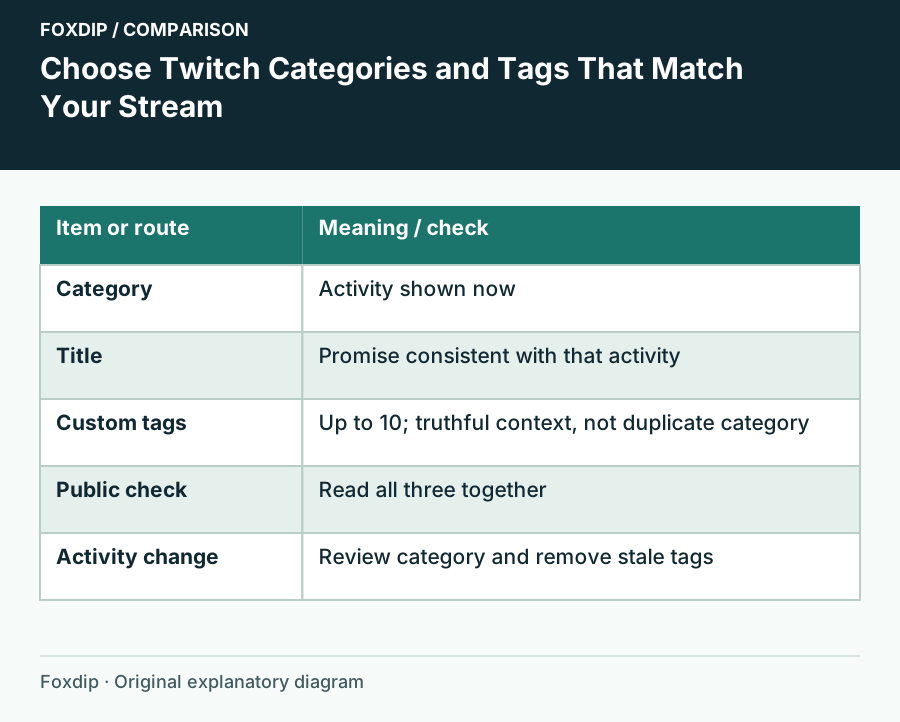
Choose Twitch Categories and Tags That Match Your Stream
Set an accurate activity category and a few informative tags, then update them when the broadcast changes.
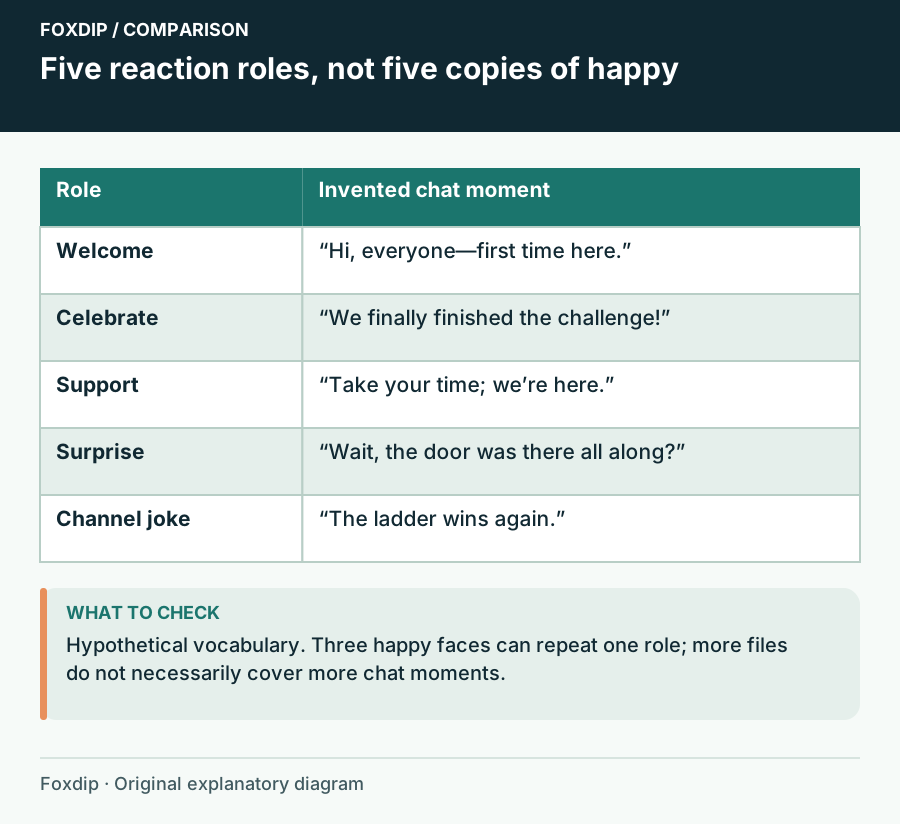
Choose Your First Emote Set Around What Your Chat Says
Build a first emote set with distinct jobs: greeting, celebration, support, surprise and a channel-specific joke.
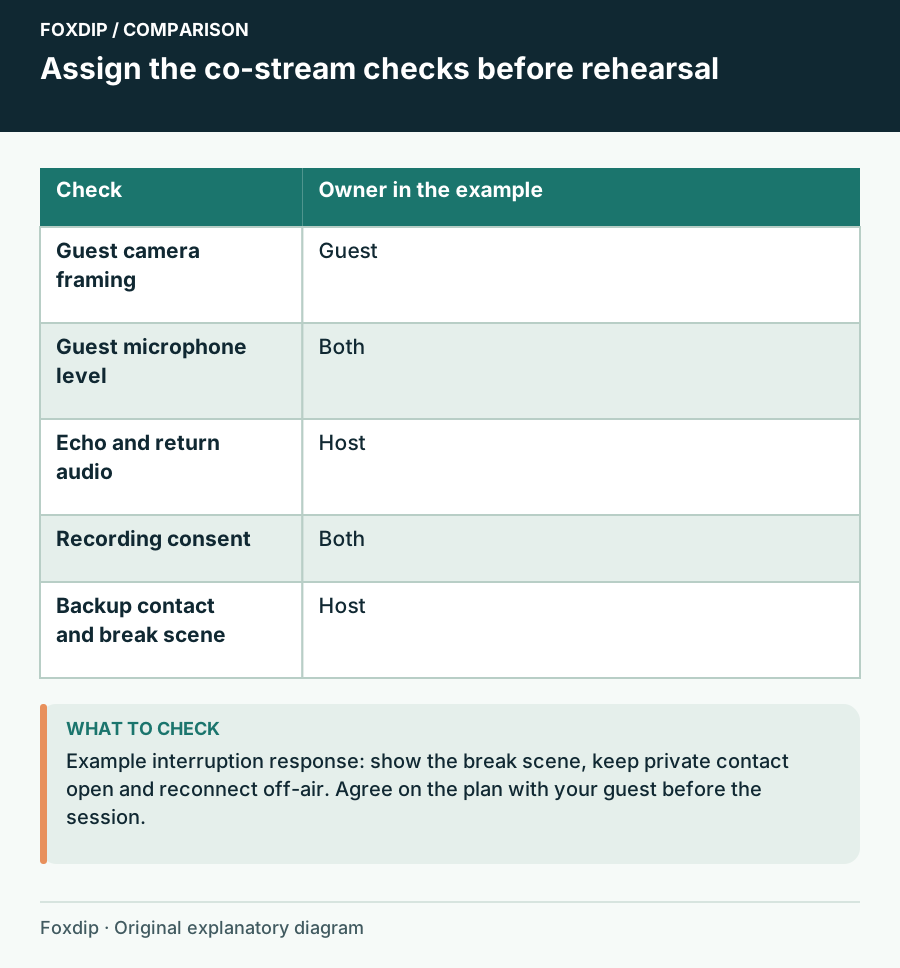
Co-stream Technical Checklist: Rehearse the Guest and the Backup Plan
Prepare a two-host rehearsal with camera, voice, return audio, consent and a written response to a dropped guest feed.
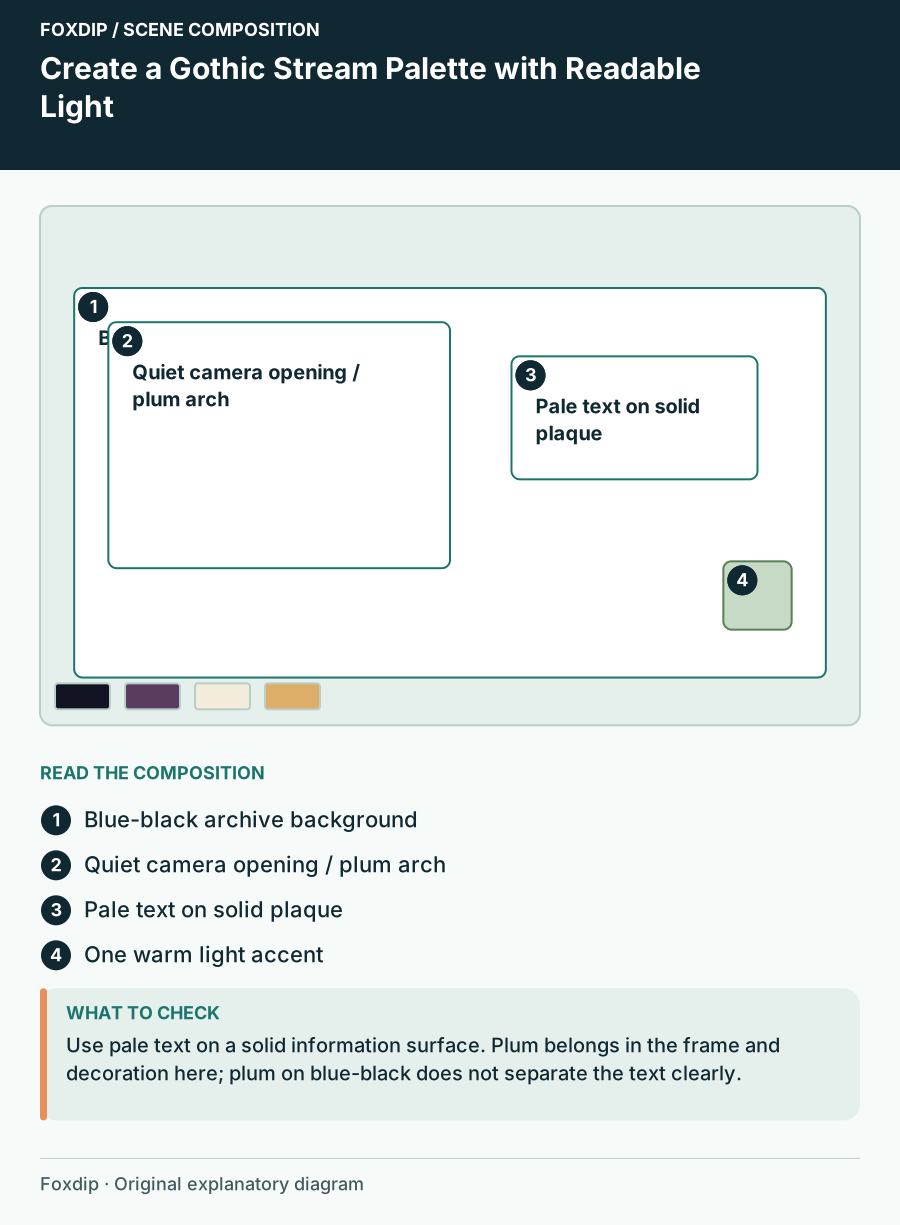
Create a Gothic Stream Palette with Readable Light
Compose a mystical or gothic scene with dark framing, a controlled light source and text that stays distinct from illustrated texture.
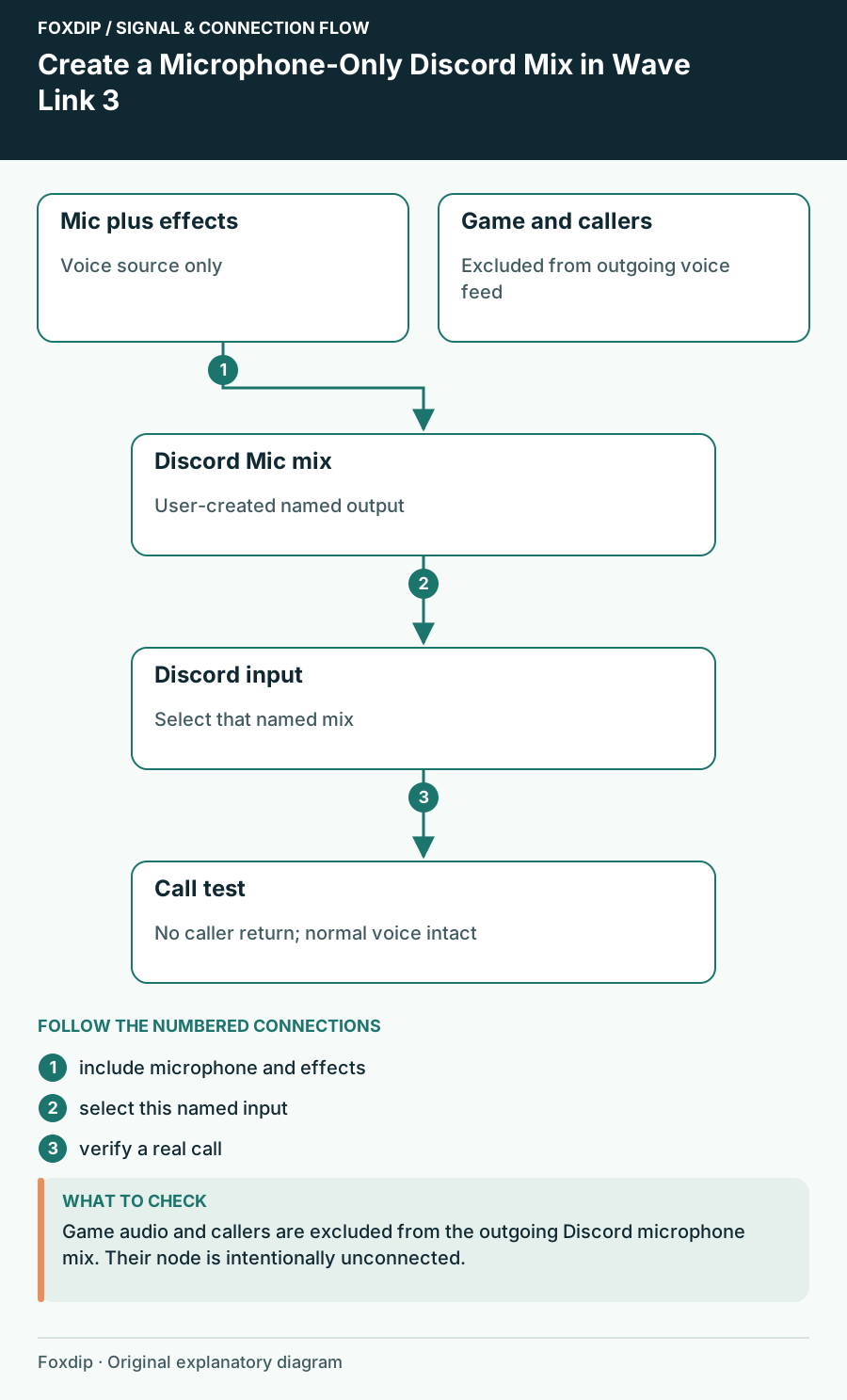
Create a Microphone-Only Discord Mix in Wave Link 3
Send your processed voice to Discord while keeping callers, game sound and the audience mix out of its microphone input.
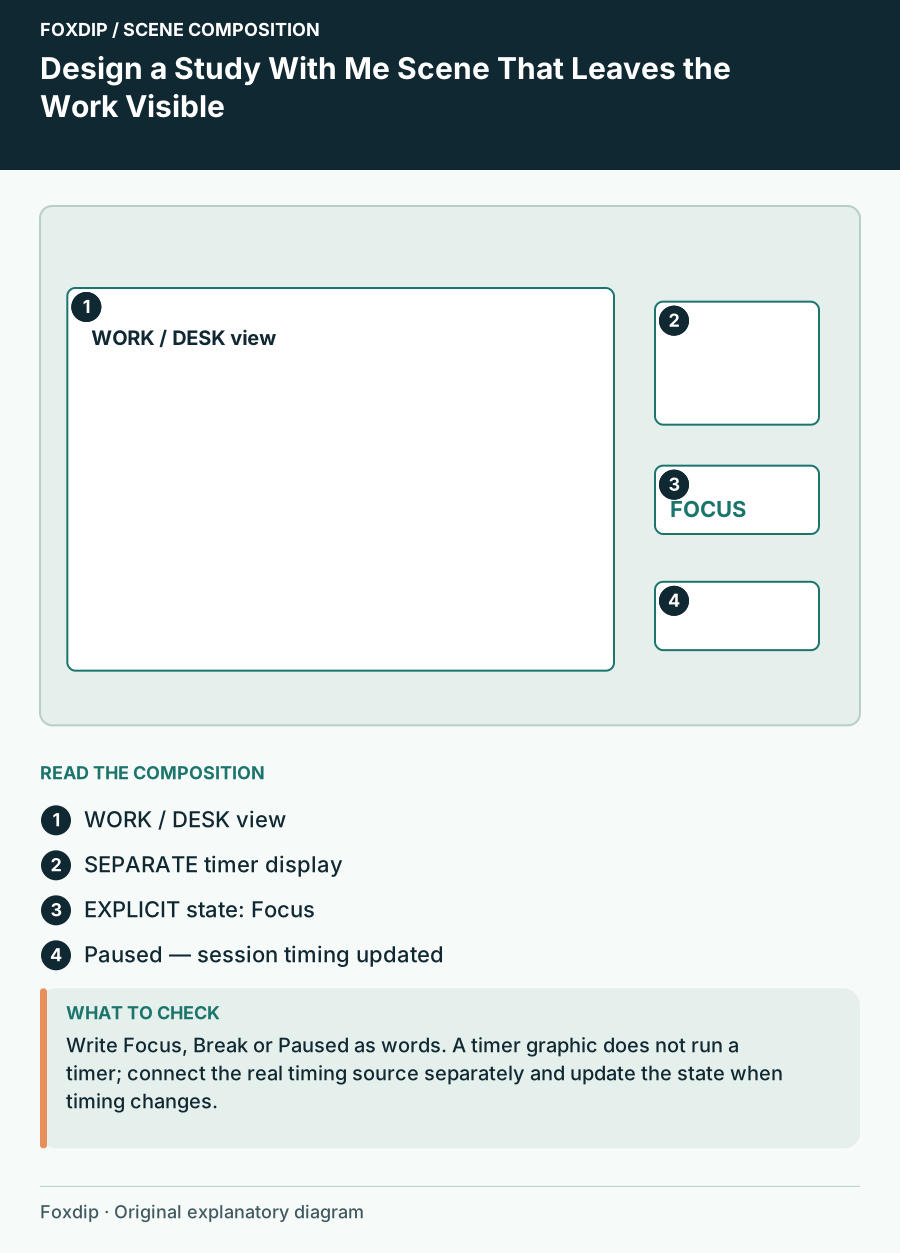
Design a Study With Me Scene That Leaves the Work Visible
Arrange a focus stream with a visible work area, understandable timer states and a quiet information hierarchy.
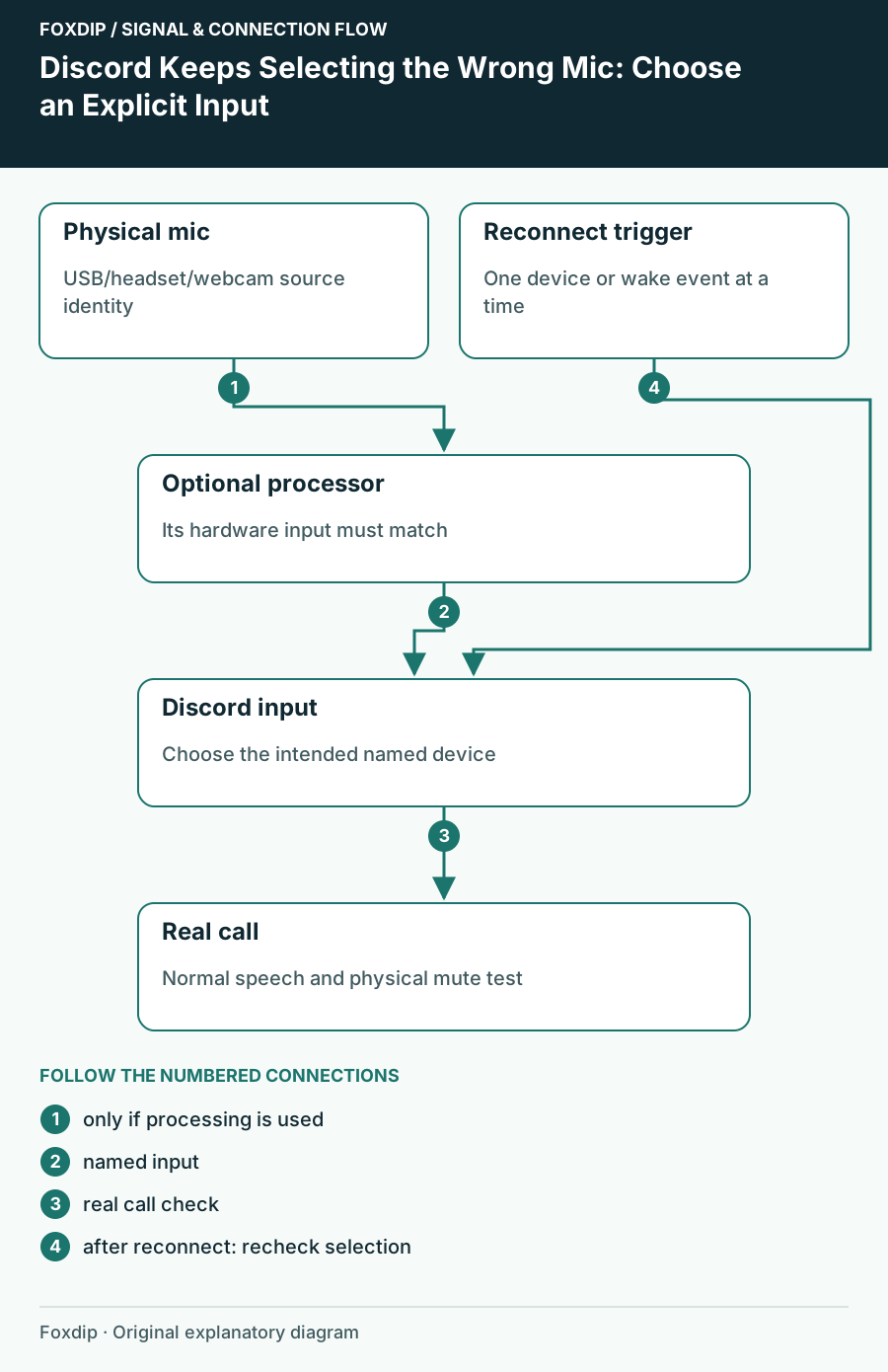
Discord Keeps Selecting the Wrong Mic: Choose an Explicit Input
Stop relying on an ambiguous default and trace whether the device changed in Discord, Windows or an audio mixer.
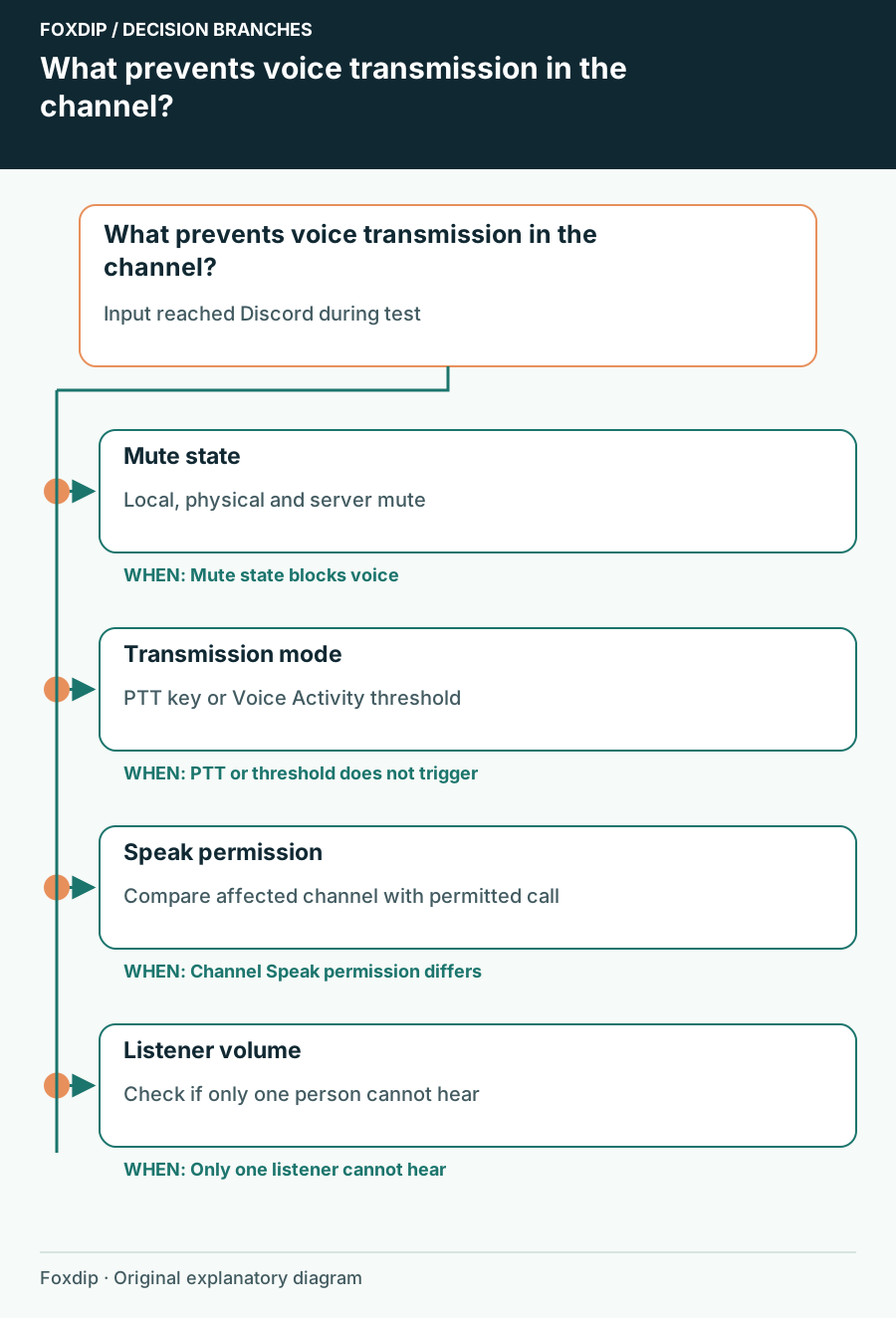
Discord Mic Test Works but Nobody Hears You in a Channel
Check transmission mode, mute state and channel permission after proving that Discord can receive your microphone.
Keep going
with your setup.
Need to install a pack? The download guides will help. Looking for a character instead? Browse the collections and see what catches your eye.