Give follower emotes everyday jobs: say hello, react, encourage and thank someone. Save the jokes that require channel history for optional extras, so a new follower has something comfortable to send immediately.
In this guide
Design for the first ten minutes
Imagine arriving while the stream is already underway. You do not know the recurring characters, the names of past challenges or why everyone sends a particular object. A wave or a friendly acknowledgement gives you a way into the conversation without passing that knowledge test.
Start by listing the messages a new viewer could reasonably want to send: hello, that was impressive, good luck, thanks and I am listening. These are roles rather than mandatory drawings. A sleepy animal can represent listening on a quiet channel; a small nod might suit a discussion stream better. Choose reactions that fit your actual tone.
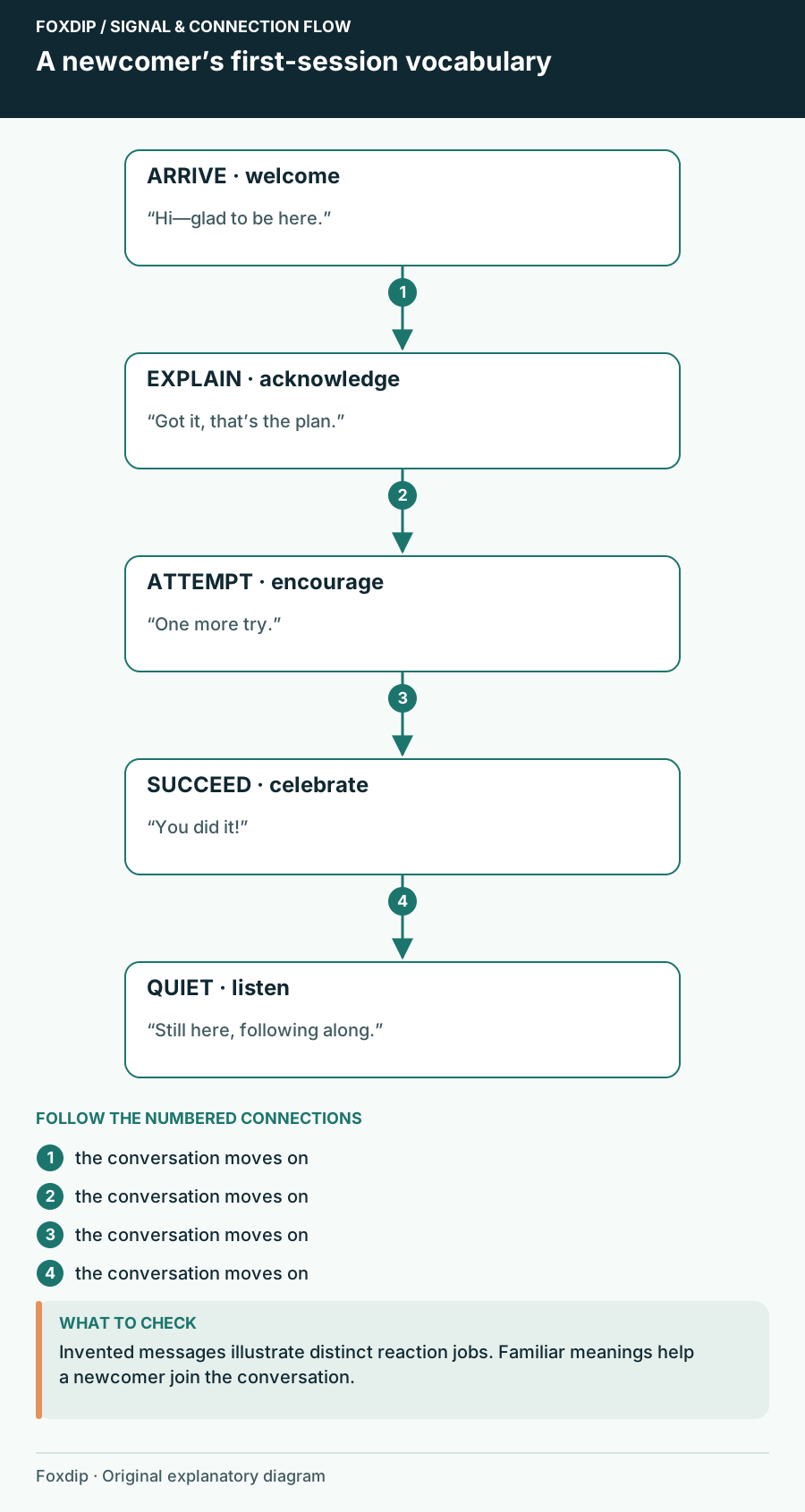
Original Foxdip schematic. Follow the labelled checks alongside the guide.
Keep the free vocabulary useful on its own
A follower set should feel complete enough for ordinary conversation. Avoid making every useful reaction a subscriber-only choice while leaving followers with five obscure jokes. You can still give subscriber emotes additional personalities, intensity or channel references. Difference does not require making the entry set confusing.
For example, the follower greeting might be a calm wave, while a subscriber greeting is an exuberant entrance. Both mean welcome, but they have different energy. Alternatively, put shared basic roles in follower slots and use subscription slots for niche reactions. Decide based on the vocabulary you want available, rather than treating one set as deliberately inferior.
Use a five-role draft as a conversation test
Try the sample roles below against a short imaginary session. A viewer arrives, you explain the task, a difficult moment begins, someone succeeds and the stream moves into quiet work. Can the follower choices answer those moments without requiring a new person to ask what each one means?
The five-role plan is a design exercise. Confirm the slots your channel currently offers before assigning the final artwork. Twitch’s follower-emote documentation distinguishes use within your channel by non-subscribing followers from subscribers’ ability to use those emotes elsewhere. That makes local context useful, but it does not remove the value of an understandable expression.
| Role | Possible visual | When it appears |
|---|---|---|
| Greeting | Small wave | A viewer arrives |
| Acknowledgement | Nod | A plan is explained |
| Encouragement | Raised hands | A hard attempt begins |
| Celebration | Open cheerful pose | The attempt succeeds |
| Quiet presence | Listening face | Conversation slows |
Give the names the same welcoming tone
Choose names that describe the reaction or use a short, familiar channel phrase. An everyday greeting hidden behind an unrelated lore reference is harder to discover. Keep any explanation close to the moment: send the welcome emote as you greet someone, then let the chat see how it works.
Use an emote legend only when it helps, such as a short panel explaining a few channel-specific reactions. It should not be homework for participation. Avoid asking every newcomer to repeat an emote to prove they followed; a useful vocabulary should support conversation rather than create another task for arriving viewers.
Adjust after real conversations
Note where people reach for a reaction you do not have. If viewers often type thanks, a gratitude option may matter more than a second surprise. If the channel is mostly quiet study sessions, a calm acknowledgement may earn its slot more often than a loud celebration. These are observations about your own channel, not a promise of increased activity.
Review the follower and subscriber sets side by side whenever you add art. Make sure a role did not disappear during a swap and that the two collections still sound like the same community. You can change the illustrations over time while keeping the welcome vocabulary easy to recognise.
Sources & references
Foxdip editorial design advice with platform behavior grounded in the linked official documentation. Layout dimensions and palettes are worked examples, not platform requirements.
- Twitch: Follower Emotes ↗Checked 2026-10-27
Spotted something out of date? Let Alex know.
How we put our guides together ↗