
Plan stream graphics viewers can recognise
Plan useful reactions, badges, panels and screens; check recognition, readability and which assets your channel actually needs.
Find your starting point.
List the job of each graphic before choosing its style: a reaction, a milestone, a useful link or a screen message. Repeated artwork is useful when it helps viewers recognise the same job.
Check the smallest and most constrained version first. Preserve meaning when colour, animation, language or a platform crop changes the presentation.
- Plan the reactions people will use. Start with distinct roles rather than a larger pack.
- Make badge progress visible. Compare shapes before relying on colour.
- Explain a pause clearly. Plan the message without exposing private details.
Choose. Prepare. Try. Then buy.
Choose the job
List the reactions your chat uses and the screens your stream actually needs.
Plan your first reactions ↗Check the files
An image, an editable project and a working widget do different things. Start with your app and the file list.
Understand editable files ↗Try a small version
Check chat size, contrast and source order before rebuilding your whole channel.
Try the free starter kit ↗Fill the gaps
Compare the packs against your list. You may only need a few reactions or one screen.
Compare pack types ↗
Five names you’ll keep seeing.
Frame around the edge
- Frame
- An edge around a camera or another source. The centre needs to leave the picture visible. Place graphics in OBS ↗
- Panel
- A heading image below your Twitch player, usually paired with profile text. Set up panels ↗
- Stinger
- A transition clip that covers the cut between scenes. Its timing and transparency both matter.
- Scene
- A composition of sources: game, camera, text and graphics. Explore scene layouts ↗
- Widget
- A small application, often loaded as a Browser Source. An alert graphic alone does not trigger an event. File or widget? ↗
Reactions and badges
Keep the meaning recognisable when the display or badge choice changes.
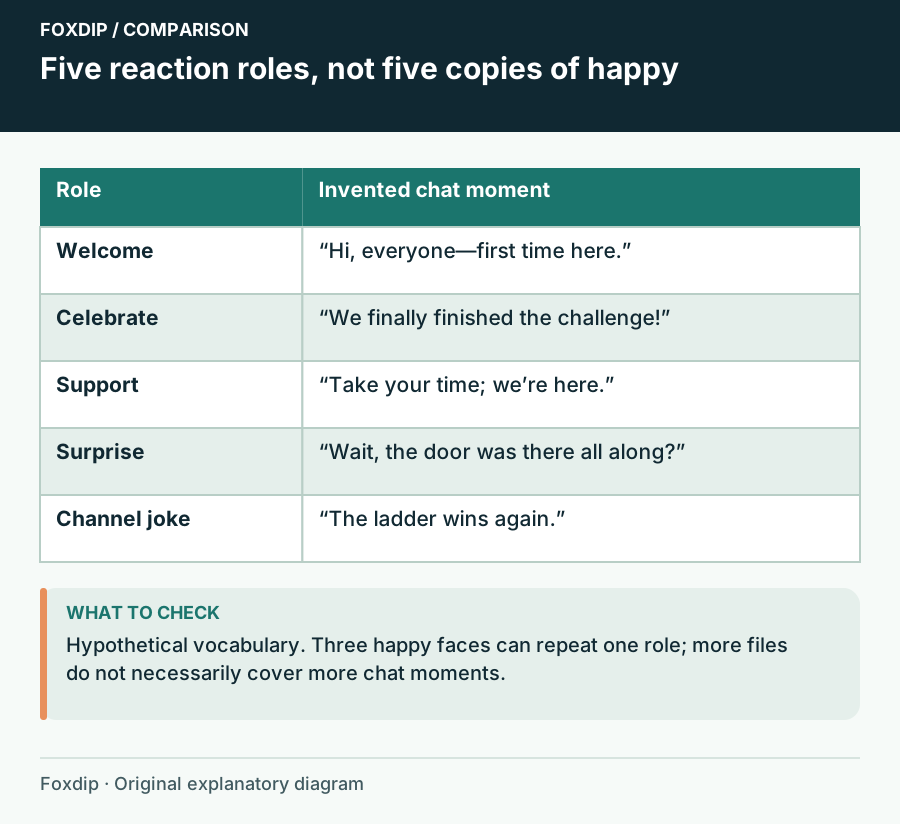
Choose Your First Emote Set Around What Your Chat Says
Build a first emote set with distinct jobs: greeting, celebration, support, surprise and a channel-specific joke.
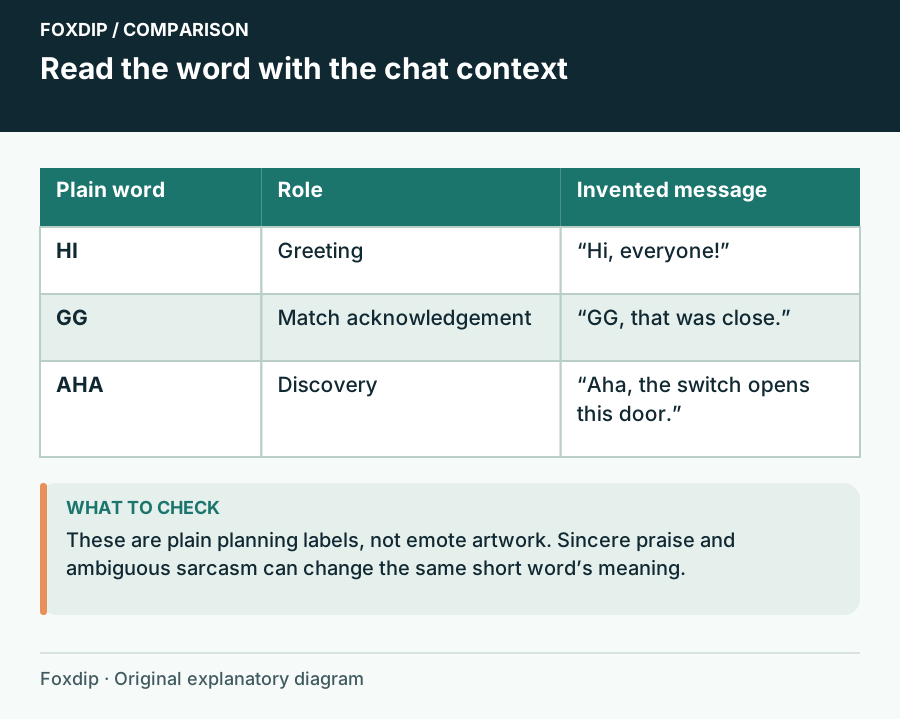
Text Emotes: Choose Words Your Chat Can Actually Use
Choose short text reactions by meaning, language and social context before comparing lettering styles.
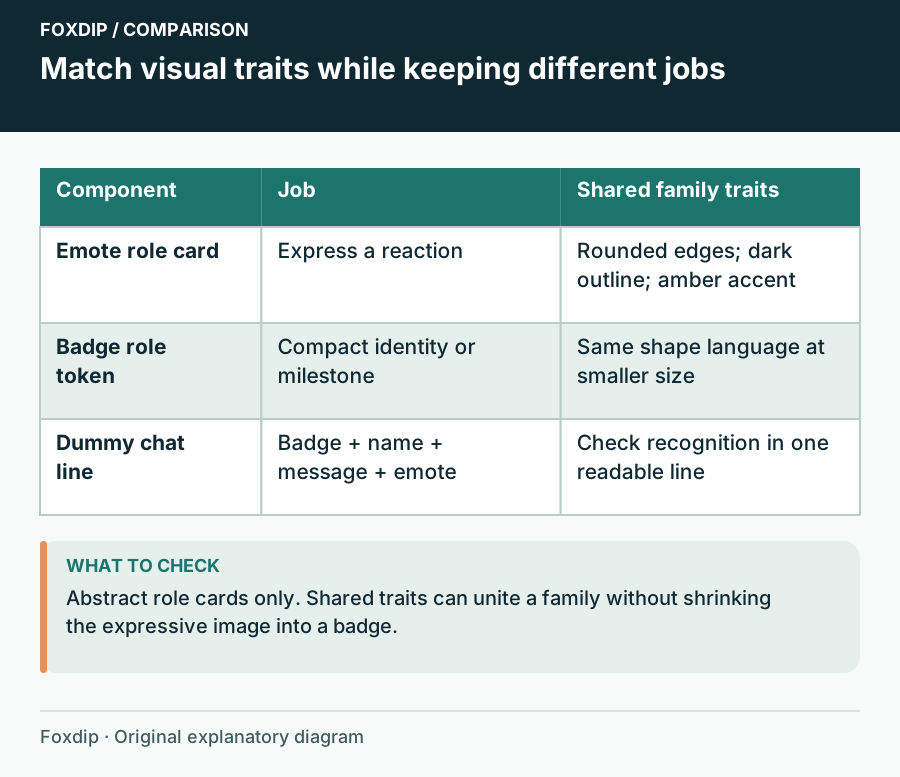
Match Emotes and Badges Without Repeating the Same Drawing
Connect expressive emotes and tiny loyalty badges with shared colour, material and shapes while giving each a separate role.

Choose an Animated Emote’s First Frame as Carefully as Its Loop
Make the still pose meaningful, preserve the reaction without motion and review the transition into the animation.
Check a Badge Progression by Shape Before Choosing Its Colors
Use silhouette, structure and labeled proof sheets to distinguish badge stages without relying on hue alone.
Design Twitch Badge Flair Around the Base Badge It Overlays
Keep Tier 2 and Tier 3 badge flair legible by designing the base badge and the overlaid accent as one composition.
Custom Twitch Badge Missing for a Founder? Check the Badge Choice
Separate a founder’s display preference from a broken custom subscriber badge upload, and explain the choice without changing the whole badge set.
Panels and screen messages
Give each surface one useful job and a readable order.
Fit Two Languages into Stream Panels Without Shrinking Both into Tiny Text
Build separate text blocks, preserve reading order and check character coverage when localizing a panel or event graphic.
Design a BRB Screen That Explains the Pause Without Showing Private Information
Write a clear temporary-away message, avoid misleading return promises and review every visible detail before using the scene.
Make Stream Alert Graphics Understandable Without Color Alone
Pair alert colors with distinct words, shapes and hierarchy so the event remains clear when color differences are difficult to perceive.
Give Twitch Channel Points and Individual Rewards Different Visual Jobs
Design a recognizable channel-points currency and reward icons that tell viewers what each redemption does.
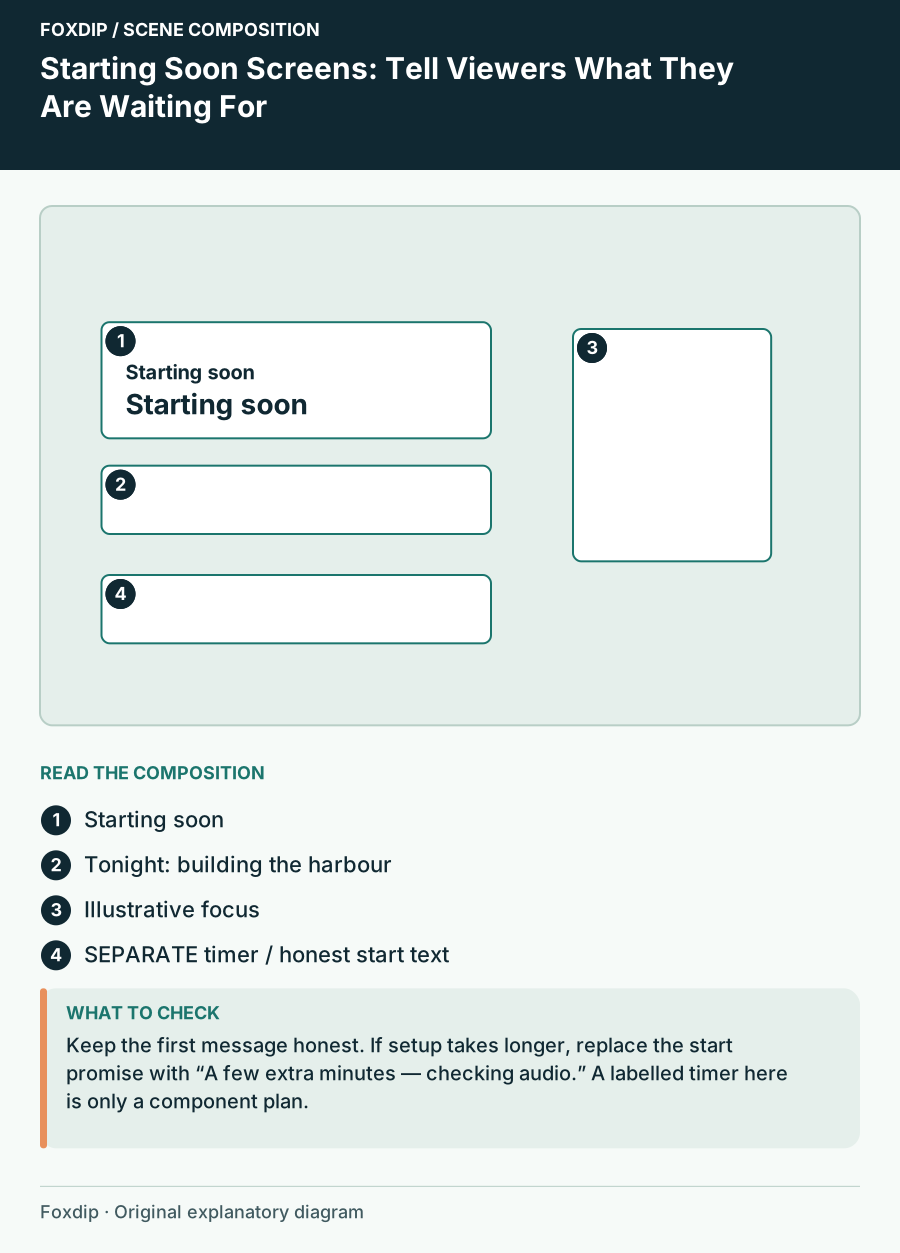
Starting Soon Screens: Tell Viewers What They Are Waiting For
Plan a waiting scene with a show topic, honest start message, readable hierarchy and a fallback when the start time slips.
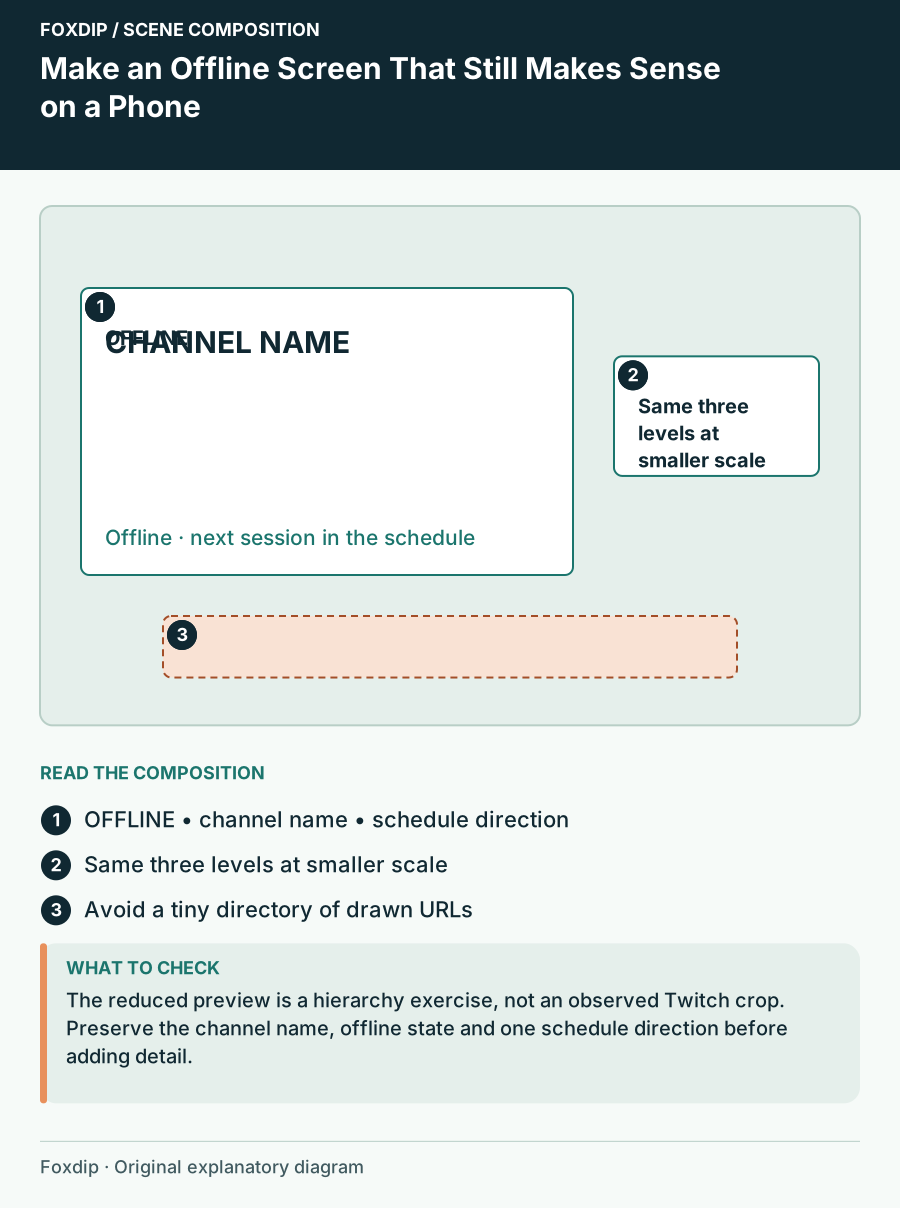
Make an Offline Screen That Still Makes Sense on a Phone
Design an offline channel image around one status, a recognisable channel identity and a reliable next step.
Platform artwork
Check the target platform before adapting the same design.
Plan YouTube Membership Badges Around Tenure, Not Price Tiers
Map loyalty badge artwork to membership duration, review small-size readability and document the timeline before uploading.
Name YouTube Membership Emoji So Viewers Can Find the Right Reaction
Plan a custom emoji family and individual names before upload, and check the static image that YouTube will display.
Fix a Cropped YouTube Banner by Separating the Message from the Background
Build a channel banner with a central message and expendable outer artwork, then check the crop shown on different devices.
Design a YouTube Video Watermark That Works as a Small Mark
Choose a simple watermark image, inspect it against varied backgrounds and understand where YouTube’s channel watermark appears.
Prepare Kick Emotes and Choose the Correct Upload Section
Export a Kick-ready emote, separate channel and subscriber uses, and verify names and chat readability before expanding the set.
Map Kick Subscription Badges to Milestones Before Uploading
Organize a Kick badge sequence, preserve transparent edges and verify the milestone mapping instead of guessing file requirements.
Build Kick Panels Around Useful Links and a Clear Reading Order
Plan panel destinations, prepare readable graphics and verify the About page after adding or rearranging panels on Kick.
Seasonal changes
Keep the channel identity while giving a dated event clear information.

Design an Original Christmas Window Scene with a Clear Place for the Stream
Use a window, warm interior and restrained holiday details to build a Christmas scene around readable content zones.
Turn a Christmas Graphics Kit into a Winter Set Without Rebuilding the Identity
Separate holiday-specific artwork from reusable winter atmosphere and make a controlled seasonal changeover.
Make a Holiday Stream Event Card with an Unambiguous Date and Time
Give the event, date, time zone and destination a clear hierarchy and provide the same information as readable text.
More in this collection.
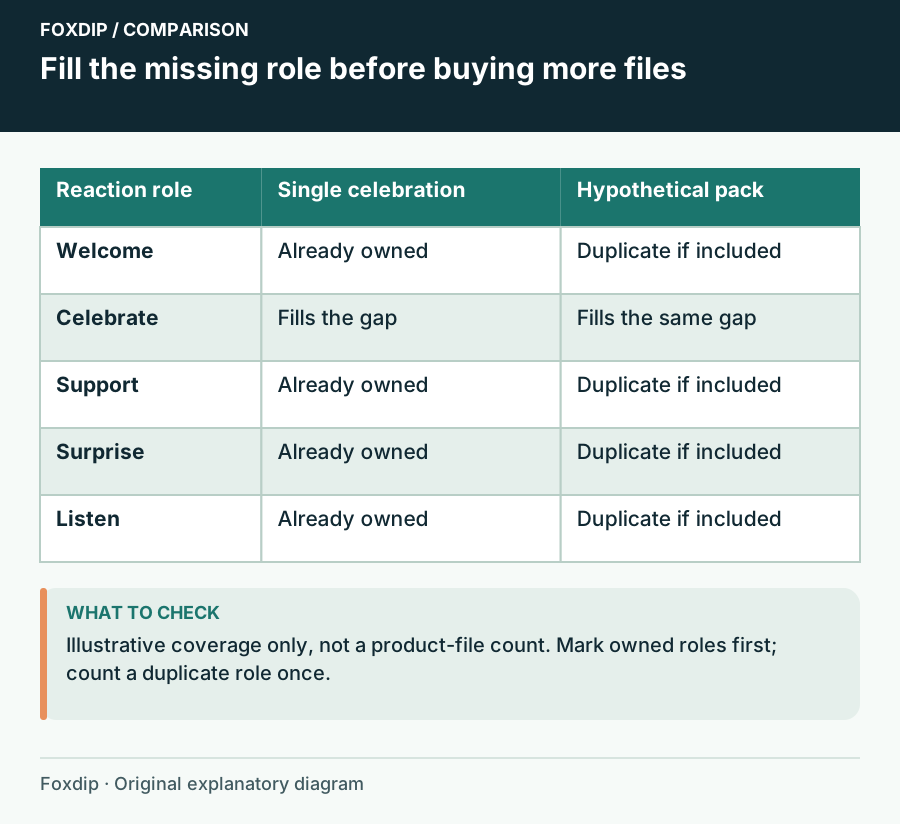
One Animated Emote or a Full Pack: Count Useful Reactions
Compare a single animated reaction with a coordinated pack by slots, missing meanings, still versions and your existing set.
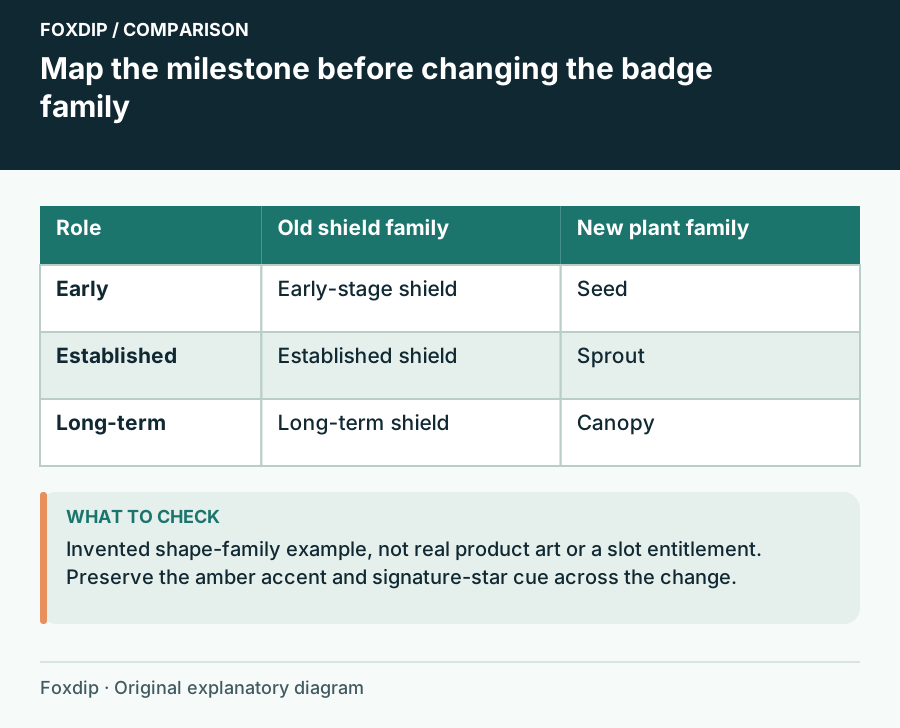
Change Subscriber Badges Without Erasing Familiar Milestones
Plan a badge redesign with an old-to-new mapping, a continuity rule and a preview of what returning subscribers will see.
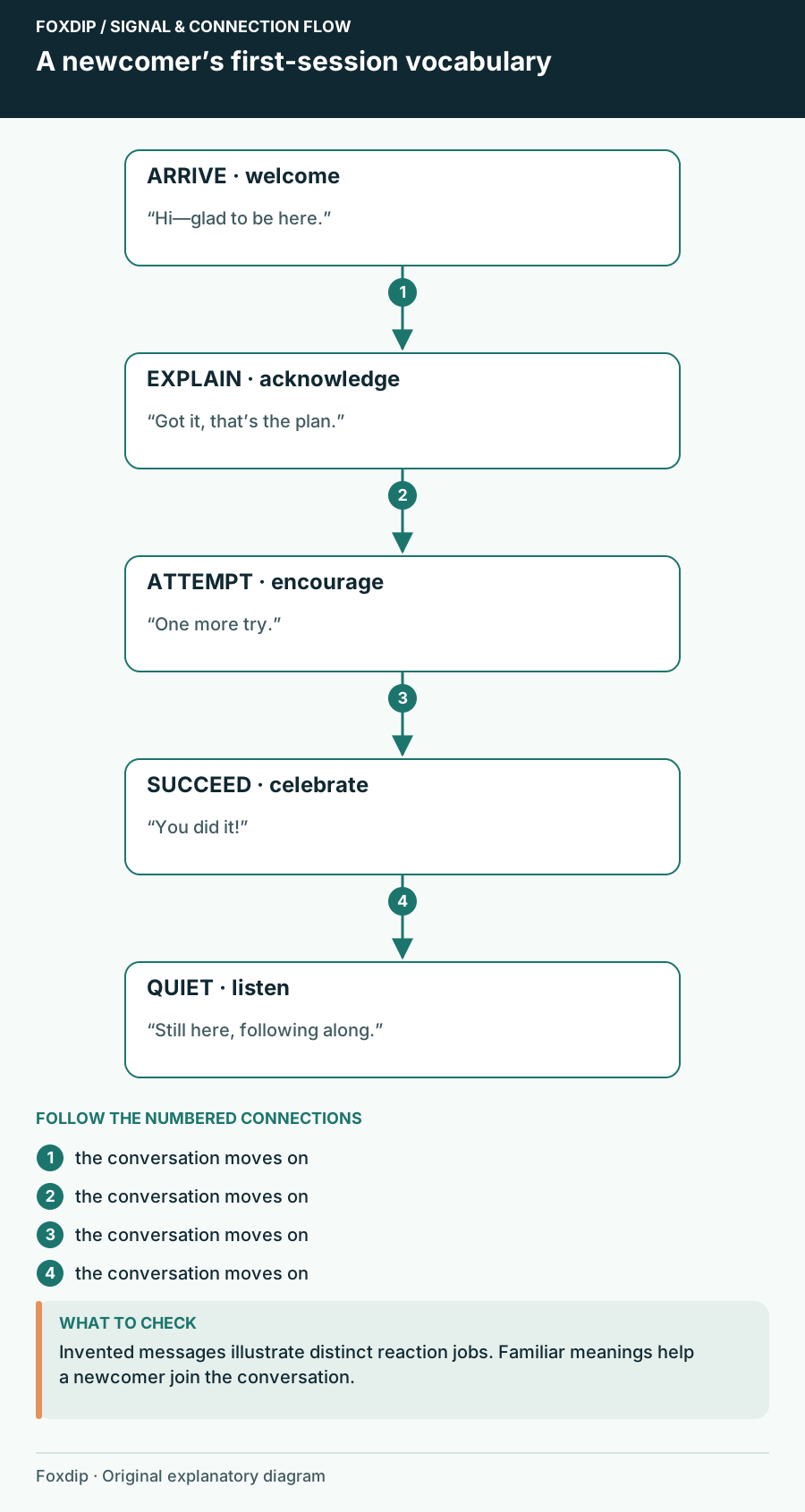
Choose Follower Emotes That Welcome People into the Conversation
Choose free follower reactions that make sense to a first-time viewer, with a worked five-role welcome vocabulary.
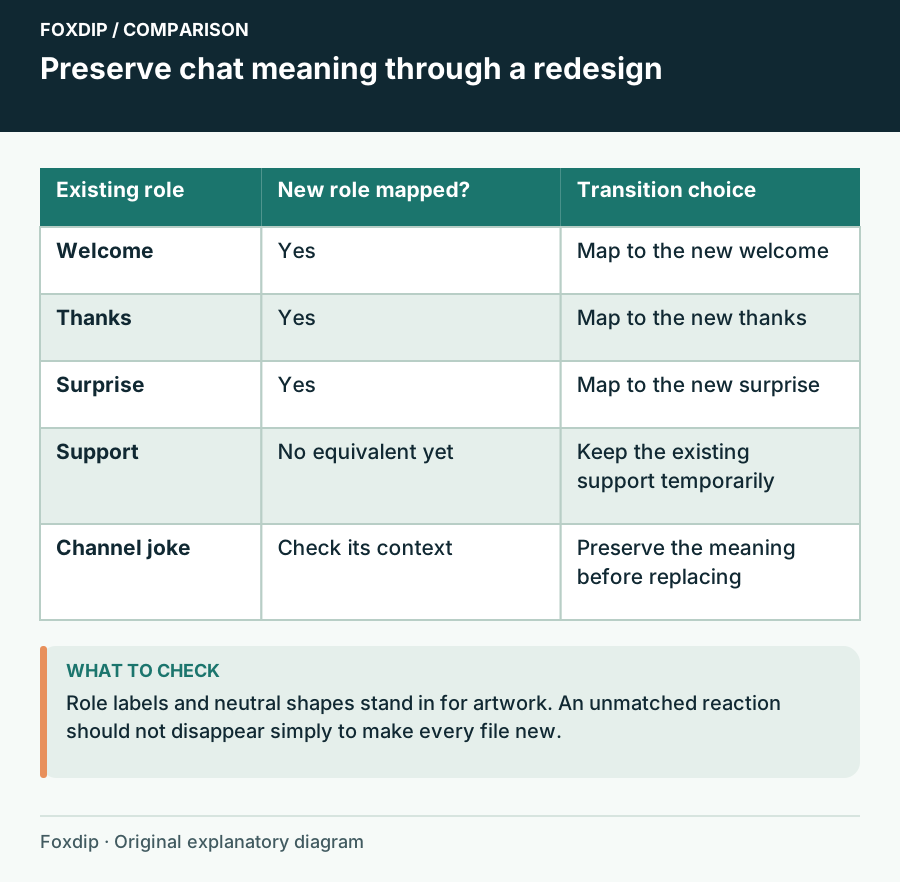
Replace an Emote Set While Keeping Familiar Chat Meanings
Plan an emote redesign around existing reaction roles, names and a gradual transition that viewers can follow.
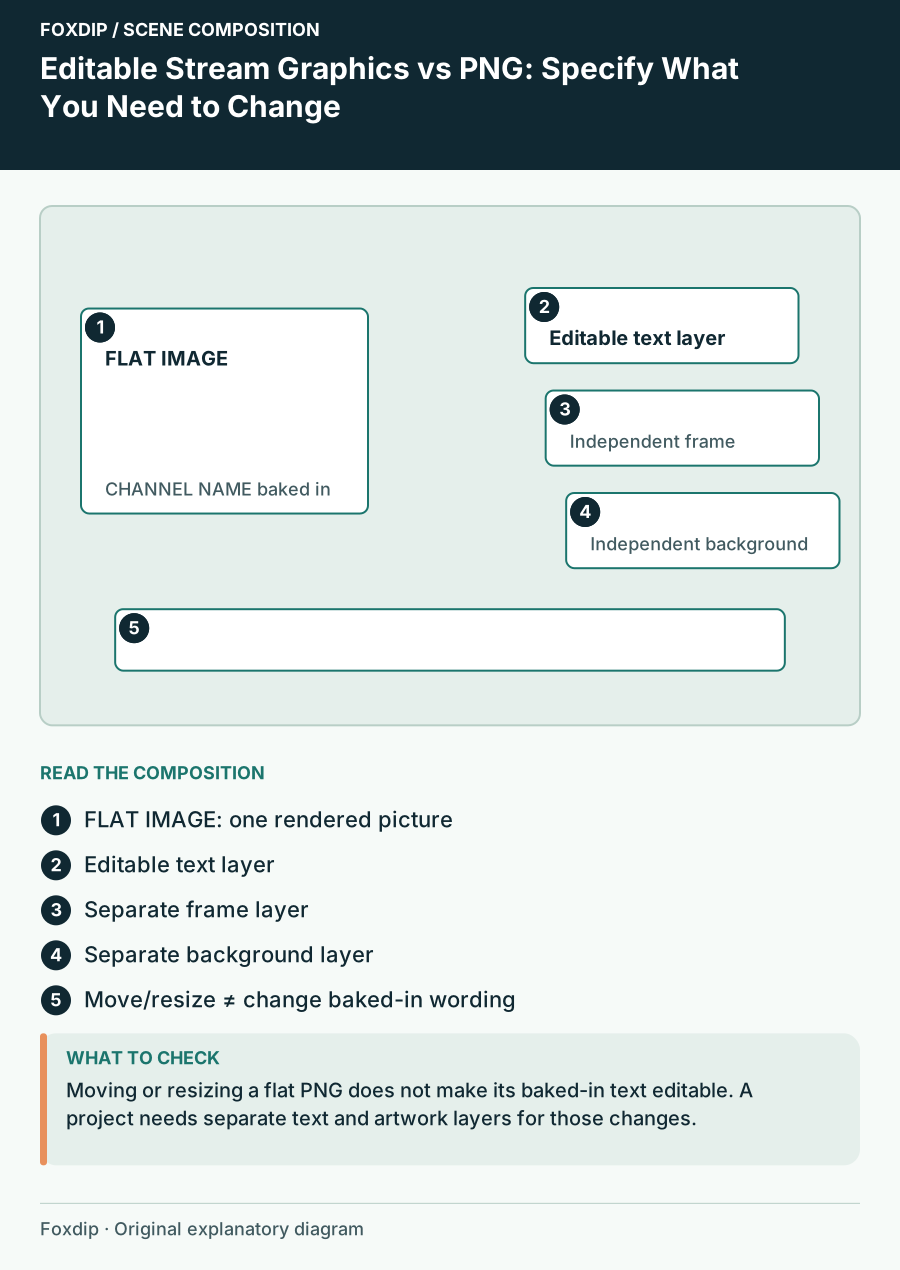
Editable Stream Graphics vs PNG: Specify What You Need to Change
Compare source templates and finished images by the exact edits you need: name, wording, colour, layout and animation.
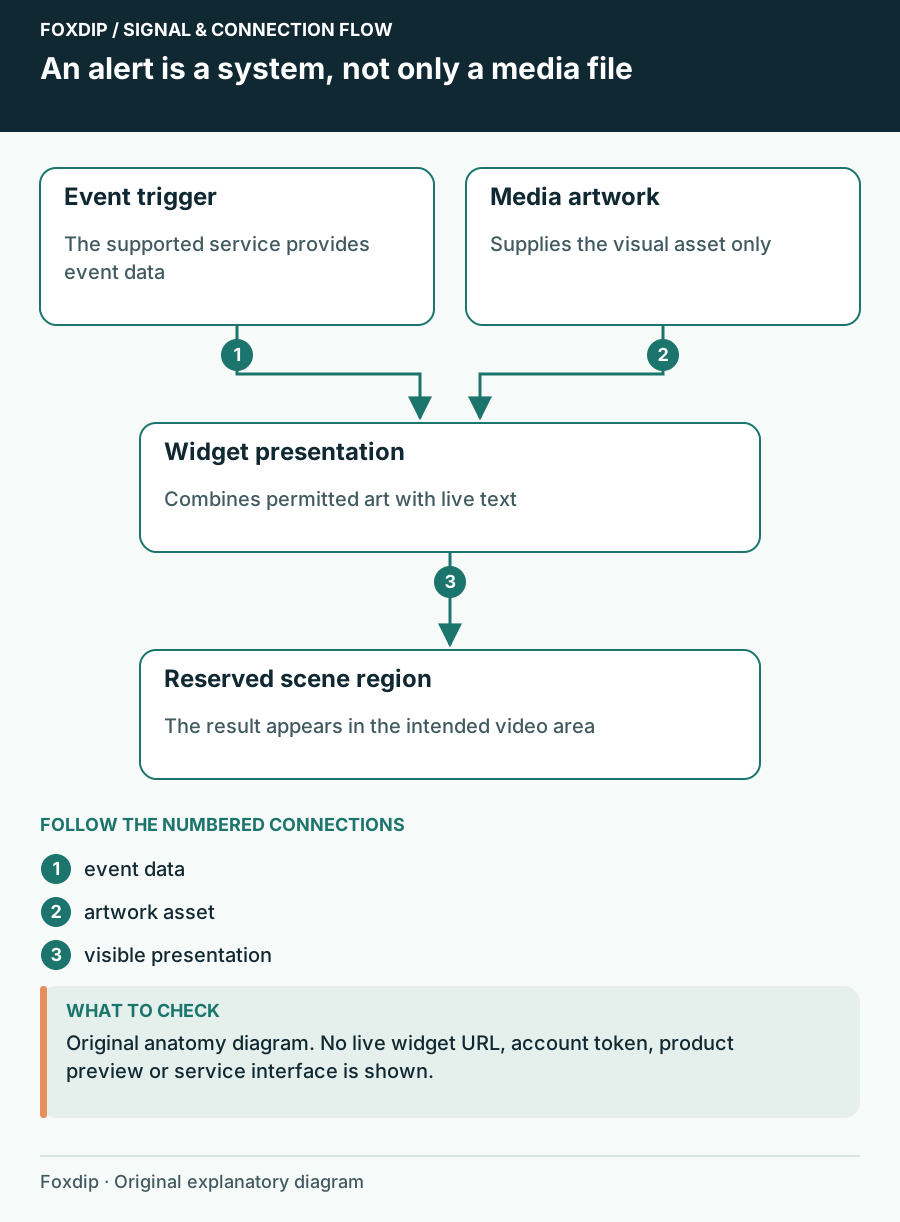
Animated Alert File vs Alert Widget: Know Which Part You Need
Understand the difference between an animation asset, a configured event widget and the remaining setup in your streaming software.
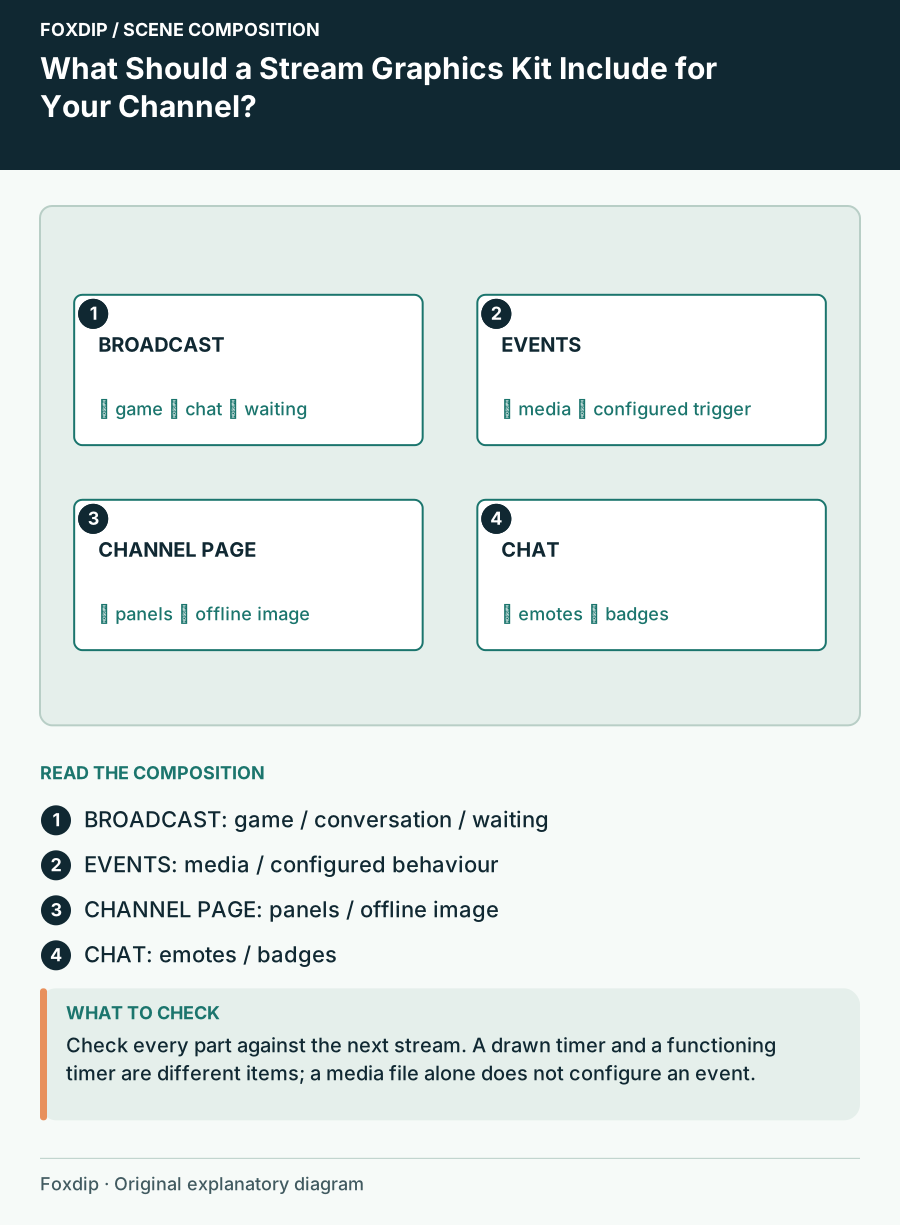
What Should a Stream Graphics Kit Include for Your Channel?
Build a coverage inventory for scenes, profile graphics and chat assets so a complete kit means complete for your stream.
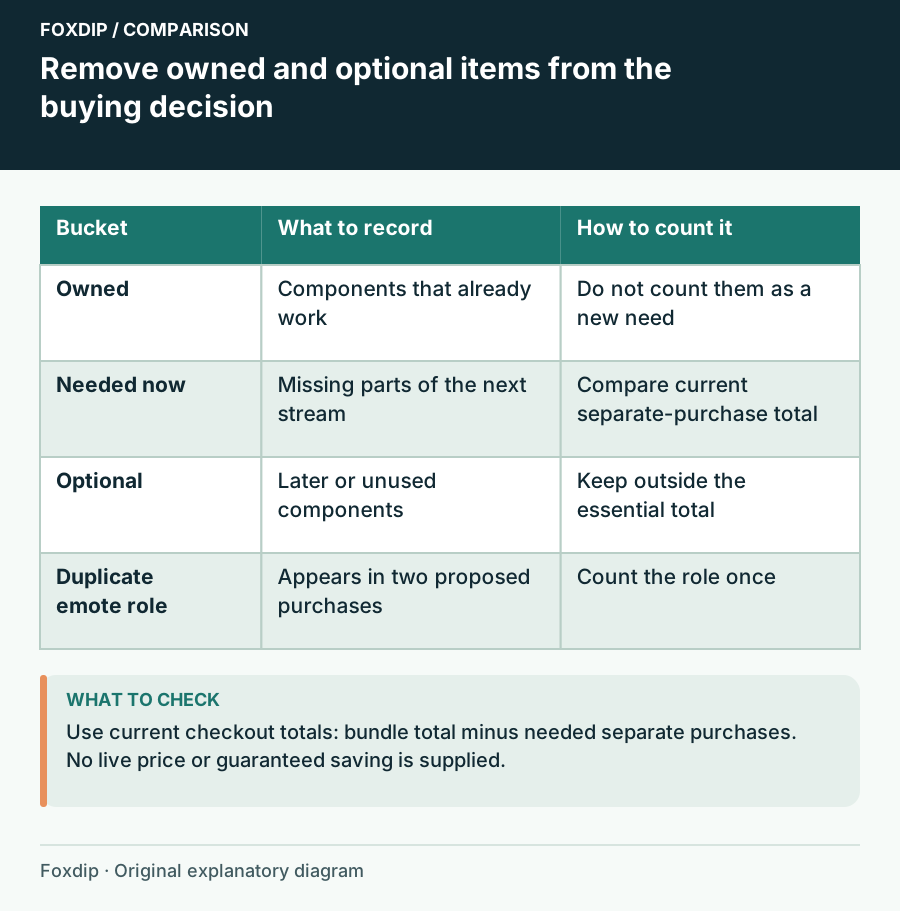
Streamer Bundle or Separate Packs? Compare the Parts You Need
Compare a graphics bundle with separate packs using ownership, required assets, duplicate content and the current checkout total.
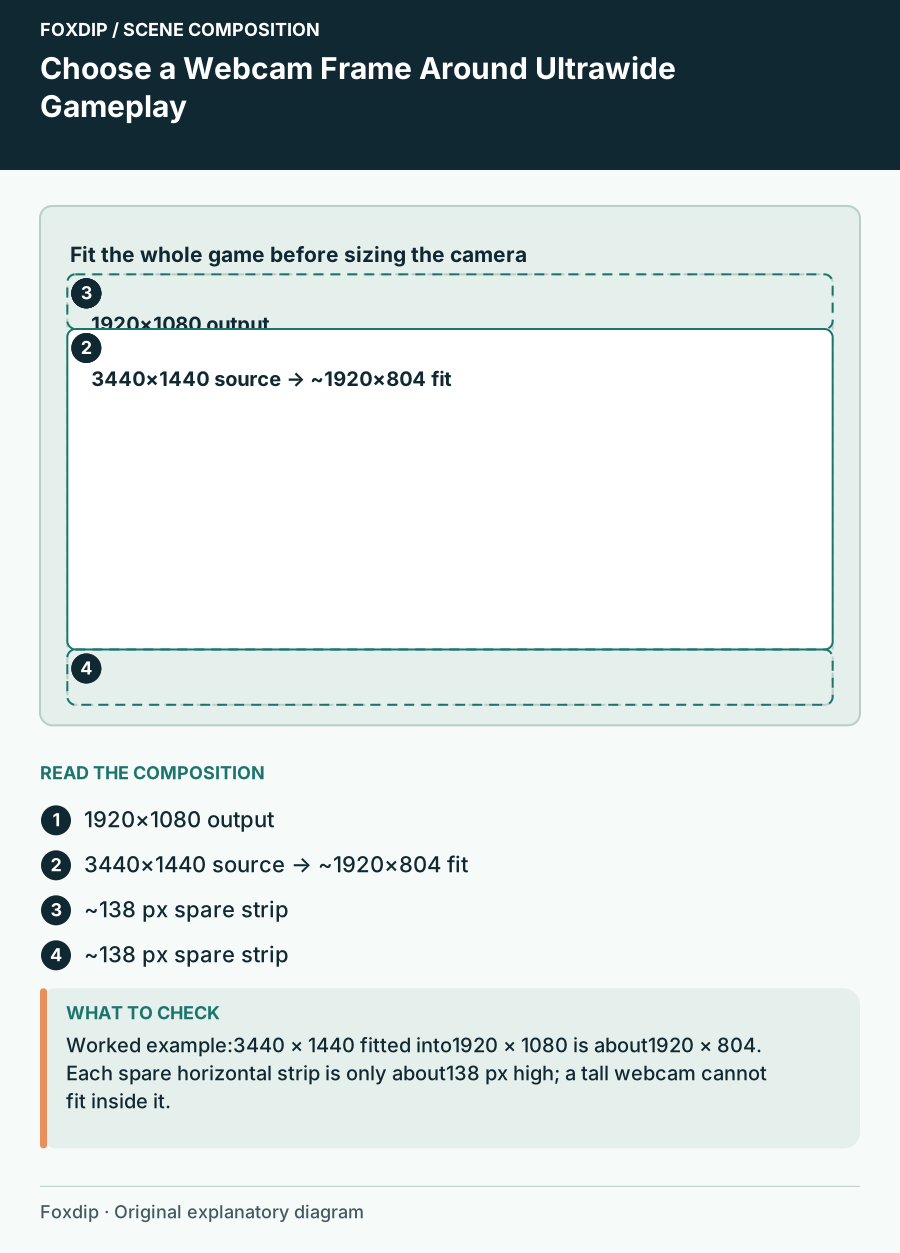
Choose a Webcam Frame Around Ultrawide Gameplay
Fit ultrawide game capture into a stream scene, use spare space deliberately and choose a camera frame that preserves the HUD.
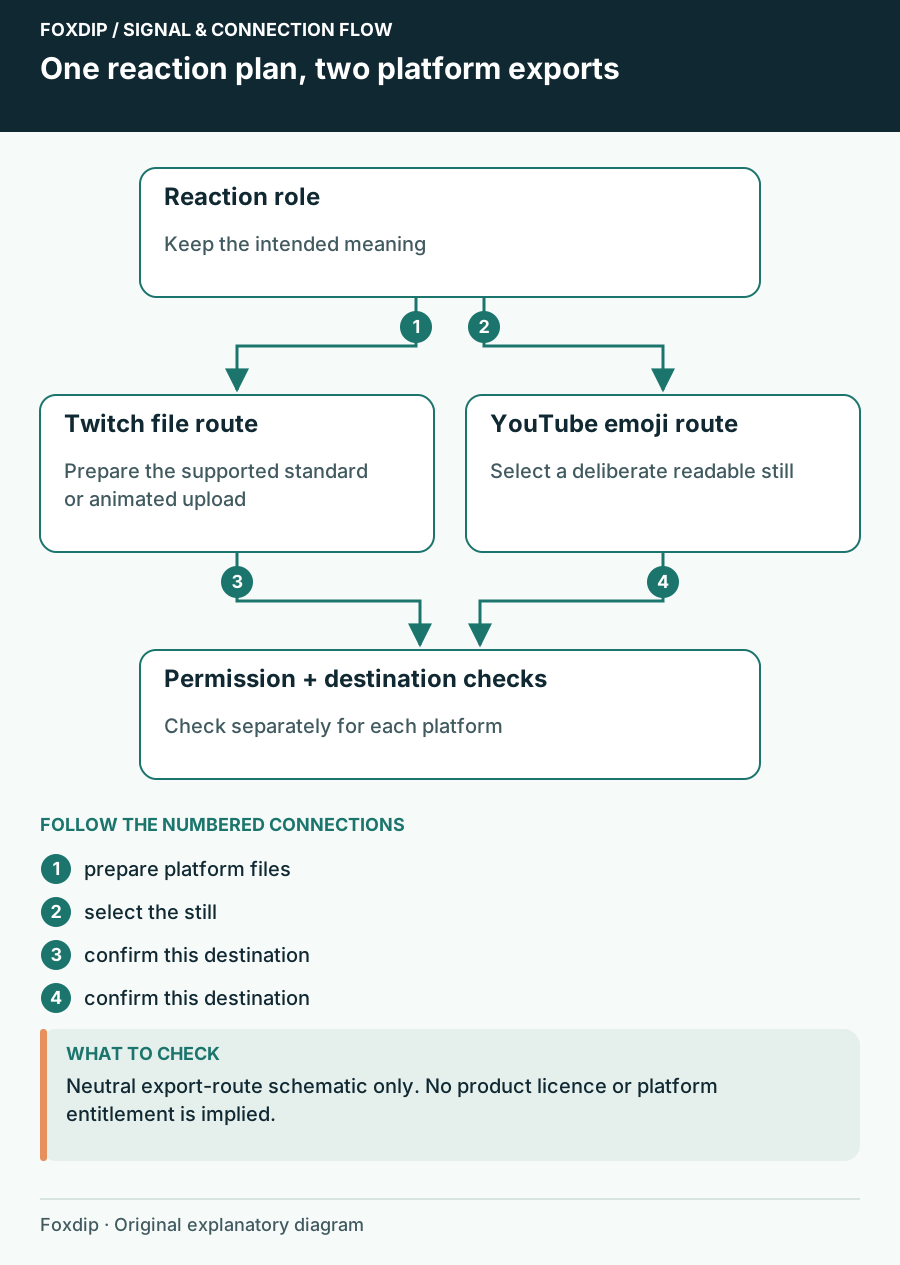
Use a Reaction Set on Twitch and YouTube: Check Each Destination
Plan separate Twitch emote and YouTube member-emoji exports, names and permission checks instead of reusing one upload folder blindly.