
Choose words people can send on their own, such as GG, HI or OOPS, and give each a distinct tone. A familiar word with a clear job is easier to use than a decorative slogan that needs an explanation.
In this guide
Start with the sentence the word replaces
A text emote is often a complete response. GG can acknowledge the end of a game, HI opens a conversation, and OOPS can soften a small mistake. Write the full sentence behind your proposed word. If you cannot explain when someone should send it, the word may be channel decoration rather than a useful chat reaction.
Consider who receives the message. A sarcastic NICE after another player fails means something different from an encouraging NICE after a personal milestone. You can still use humour, but choose the expression and accompanying shape deliberately. A small heart or gentle curve may suggest warmth; an aggressive burst can make the same letters feel louder.
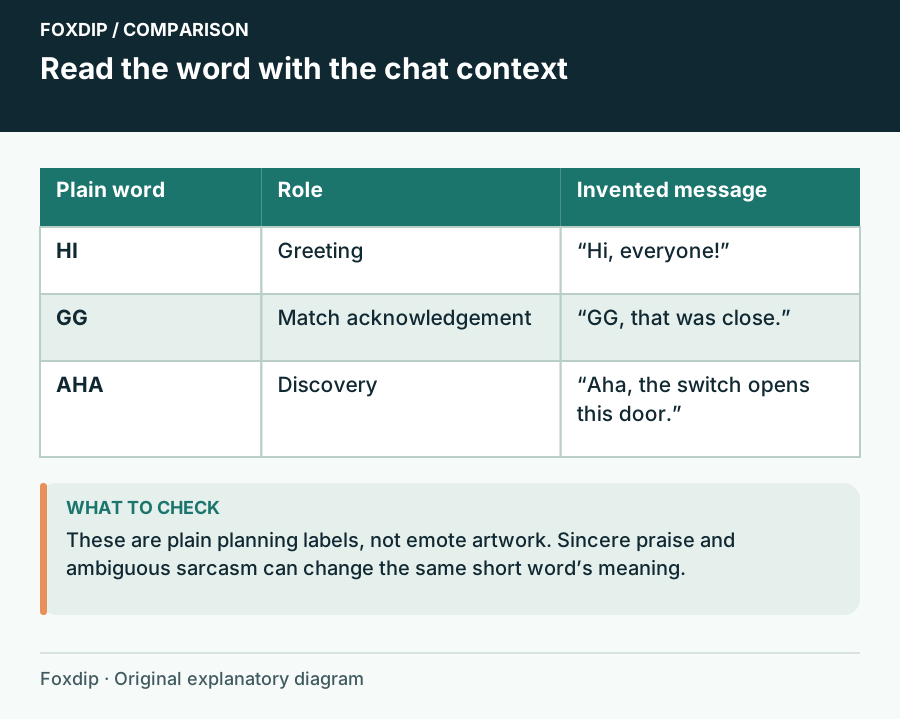
Original Foxdip schematic. Follow the labelled checks alongside the guide.
Build a compact vocabulary rather than a quote collection
Choose a greeting, an acknowledgement and a reaction to a common stream event before adding several private jokes. Keep long catchphrases in a panel, title card or chat command where there is room for the whole sentence. Splitting a sentence into separate emotes can leave viewers with fragments that do not say anything on their own.
For a puzzle stream, HI, THINK and AHA form three different functions. For a multiplayer stream, HI, GG and OOPS may fit better. These are sample vocabularies rather than a universal ranking. Avoid buying a full word pack just because two items suit you; compare the useful roles you will actually assign with what you already own.
| Proposed text | Typical use | Question to resolve |
|---|---|---|
| HI | Greeting | Does it welcome newcomers? |
| GG | End of a match | Does your channel use it sincerely? |
| AHA | Discovery | Does it add a role missing from your set? |
Check meaning across your community
Ask a few people to explain a candidate without prompting them with its intended meaning. This is an informal comprehension check, not a study. If the answers differ widely, adjust the wording or choose a more familiar response. Avoid assuming that an English abbreviation is obvious to everyone who watches your stream.
For a multilingual community, a shared gesture or picture can sit beside text reactions instead of forcing every emotion into one language. You may keep a channel-specific word, but give new arrivals a neutral greeting and thank-you option too. Do not use a culture-specific insult simply because a translation tool labels it funny.
Compare lettering only after the words make sense
Twitch asks creators to review included words for correct, legible lettering. Look for letters that remain distinguishable together: HI should not resemble an abstract ladder; a narrow I should not vanish between heavy strokes. View the supplied files on light and dark chat backgrounds, and inspect the punctuation as part of the design.
Choose emphasis carefully. An outline can separate the word from chat, while too many shadows, sparkles and stacked lines compete with the letters. The small-size animation guide linked below covers frame-by-frame readability. Here the buying decision is whether the wording earns its place at all; a technically crisp word can still be the wrong reaction.
Keep names and artwork aligned
Choose a memorable code that describes the reaction, then keep that meaning consistent when you introduce it. A greeting named after an unrelated running joke is harder to discover. Make a simple list of artwork, role and proposed code before you upload anything, and preserve your current names if viewers already rely on them.
When browsing our text-emote collections, treat the preview as an invitation to compare words, not proof that every design fits your channel. Confirm the current files and usage terms on the linked product before purchasing. Start with the word you expect to send tomorrow; the rest of the vocabulary can grow with the conversation.
Want graphics that already fit? See the complete stream packs ↗
Sources & references
Foxdip editorial design advice with platform behavior grounded in the linked official documentation. Layout dimensions and palettes are worked examples, not platform requirements.
- Twitch: Emote Formatting & Instant Emote Upload Requirements ↗Checked 2026-10-27
Spotted something out of date? Let Alex know.
How we put our guides together ↗