
List the changes you need before choosing a file type. A finished PNG can be moved and resized in a scene; changing its baked-in lettering or rebuilding its illustration usually requires an appropriate editable source and permission to use it that way.
In this guide
Describe the edit rather than asking for editable files
“I need to change the channel name” and “I need to rearrange every object” are very different requests. Write down each required change: text, colour, camera opening, language, illustration or motion. A pack may support one of these while keeping the rest fixed.
For example, a blank banner plus a separate text source may solve a name change without a full design template. A camera frame with the wrong opening ratio may need a different frame rather than an illustration editor. If you want to translate baked-in labels, a finished image may be inconvenient even when the artwork itself is exactly right.
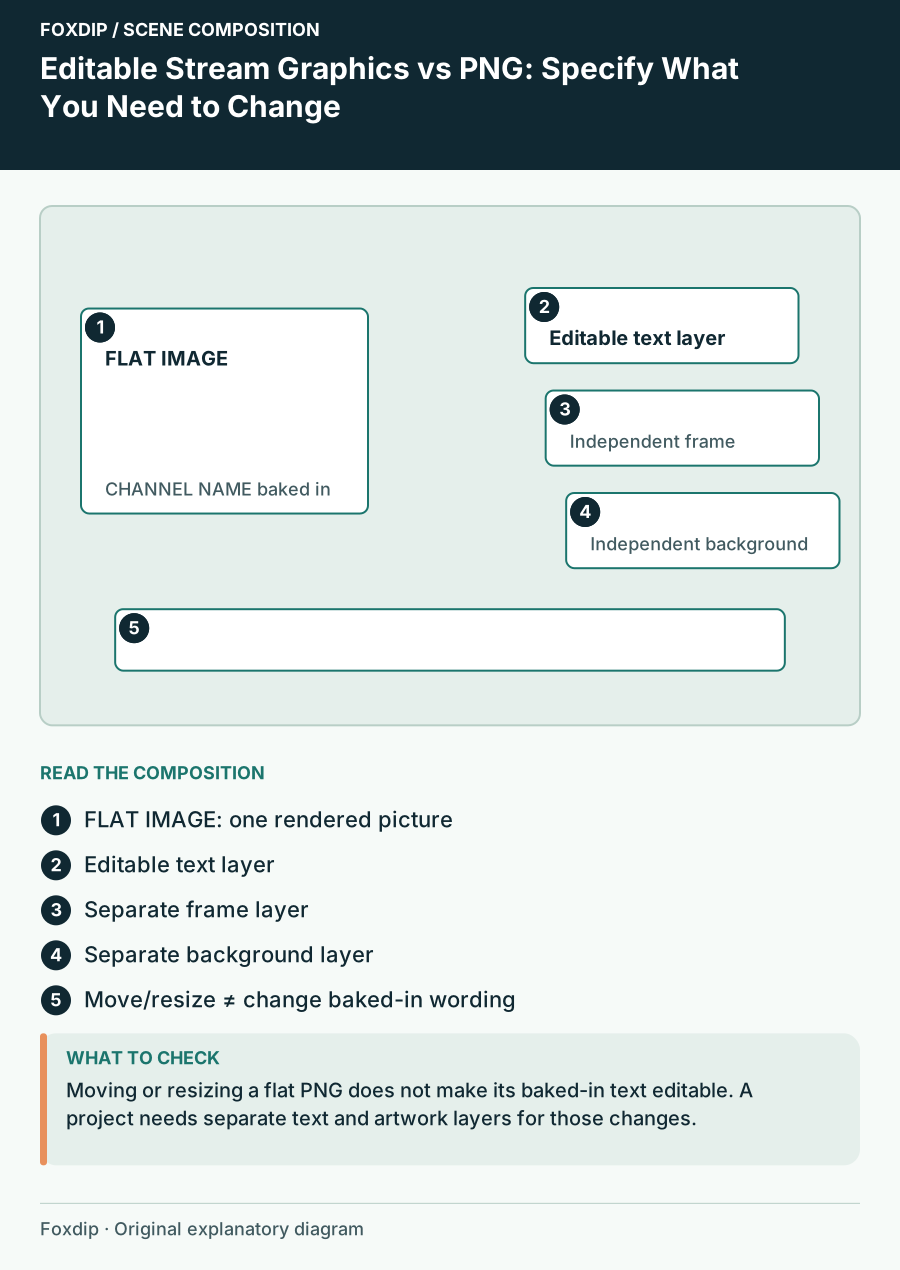
Original Foxdip scene plan. Positions illustrate this example; check the actual game or camera view.
Image: Foxdip · original diagram
Open full-size image : Editable Stream Graphics vs PNG: Specify What You Need to Change. Positioned regions: FLAT IMAGE: one rendered picture, Editable text layer, Separate frame layer, Separate background layer, Move/resize ≠ change baked-in wording. (opens in a new tab)Separate the delivery image from the working project
A delivery file is what your streaming software displays. A working project stores the information used to create that output. GIMP, for example, uses its native XCF format for saving a project and exports to other formats for delivery. That distinction is more useful than assuming a large file must contain editable layers.
A PNG can include transparency but does not by itself promise separate text, background and illustration objects. Similarly, a template filename does not guarantee that every element remains independently editable. Read which parts are exposed, which fonts or applications are needed, and whether the supplied version matches software you can use.
Match the format to the change
Use the table as a brief for the seller or your own comparison. It describes capabilities to verify, not promises about a particular product. A file can be technically editable while still being difficult for you to modify if you do not have the application, fonts or experience it assumes.
Also distinguish scene composition from artwork editing. OBS can arrange sources above one another, so separate text and a blank frame can offer useful flexibility. That does not unlock lettering already drawn into a flat image. If the template depends on code, decide whether you are comfortable editing those settings or prefer finished graphics.
| Change you need | What to look for | What does not prove it |
|---|---|---|
| Channel name | Blank version or editable text | A large PNG |
| Background colour | Exposed colour control or layer | A different preview colour |
| Move illustrated objects | Separate movable layers | Transparency alone |
| Change motion timing | Compatible animation project | A rendered video |
Count the ongoing work
Editable sources can be valuable if you expect frequent translations, event labels or sponsor changes. They also add an editing workflow: install the right software, preserve fonts, save a project copy and export files correctly. Finished images can be the simpler choice when the wording and layout already fit.
Try a sample task before deciding. Could you change one label and export it without rebuilding the design? Does the seller provide instructions for that application? If you only need a removable schedule, keeping the schedule as separate scene text may avoid repeating the export process every week.
Keep permission and capability as separate checks
An editable file describes technical possibilities; the licence describes permitted use. Neither should be inferred from the other. Confirm whether changes for your intended channel are allowed and whether any supplied fonts, photographs or other components have additional terms. Avoid assuming that access to layers grants resale or redistribution rights.
Save the original download, the licence and your edited project separately. Export into a new folder so the working file stays intact. Choose the least complicated format that performs the changes you can name, and pay for source flexibility when it solves a recurring need rather than because editable sounds universally better.
Want graphics that already fit? See the complete stream packs ↗
Sources & references
Foxdip editorial design advice with platform behavior grounded in the linked official documentation. Layout dimensions and palettes are worked examples, not platform requirements.
- GIMP 3: Export File ↗Checked 2026-10-27
- OBS: Sources Guide ↗Checked 2026-10-27
Spotted something out of date? Let Alex know.
How we put our guides together ↗