
Console capture, cameras and Stream Deck
Follow HDMI and USB paths, place party chat on the right input and keep your camera ready.
Let’s get it working.
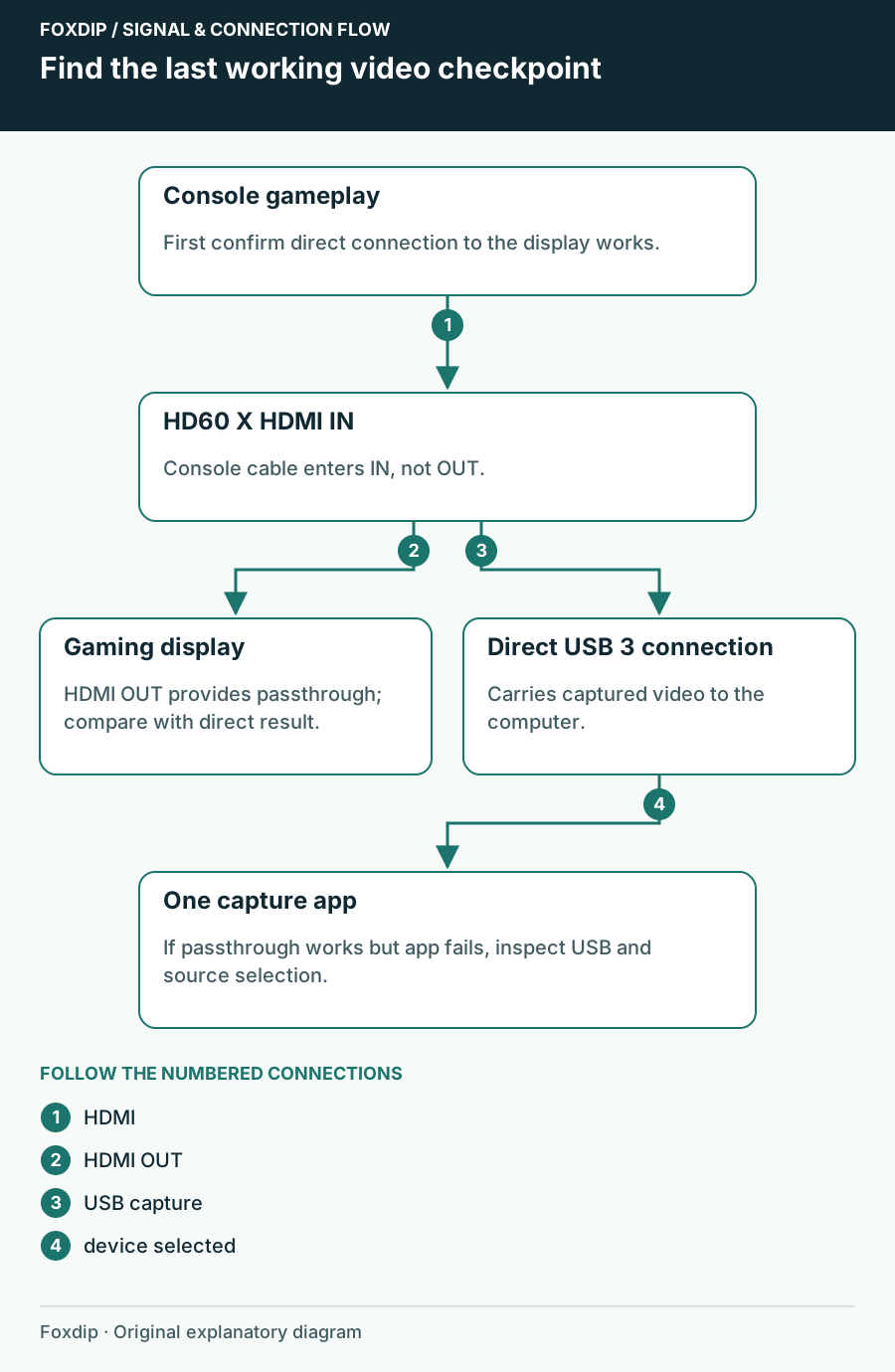
Elgato HD60 X Shows No Signal: Follow the HDMI Path
Find whether HD60 X loses the console signal, the passthrough picture or the USB preview, then test one connection at a time.
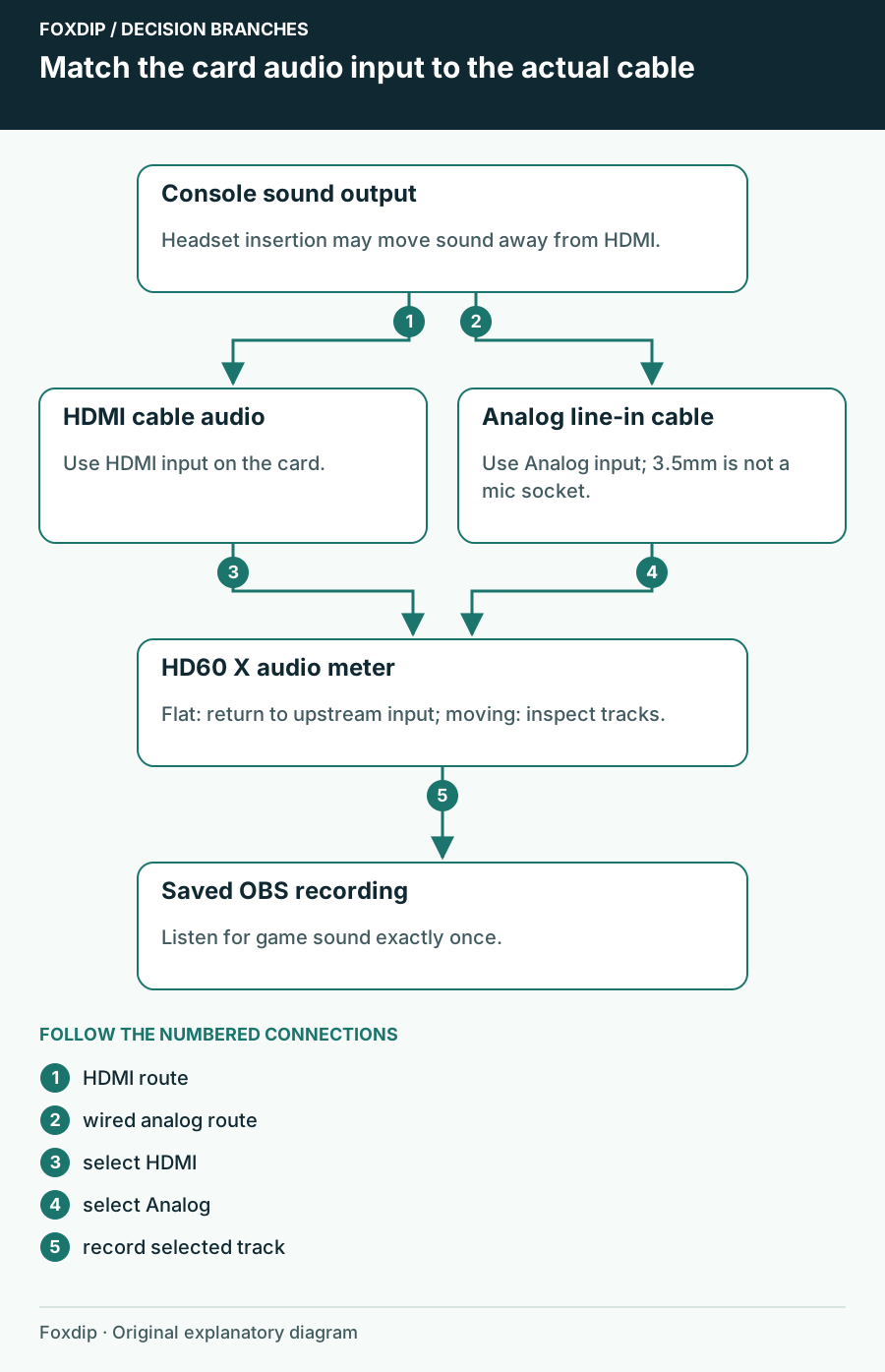
HD60 X Has Video but No Audio: Check the Selected Input
Trace game sound from the console to HDMI or analog line-in, then verify the HD60 X audio source and recording in OBS.
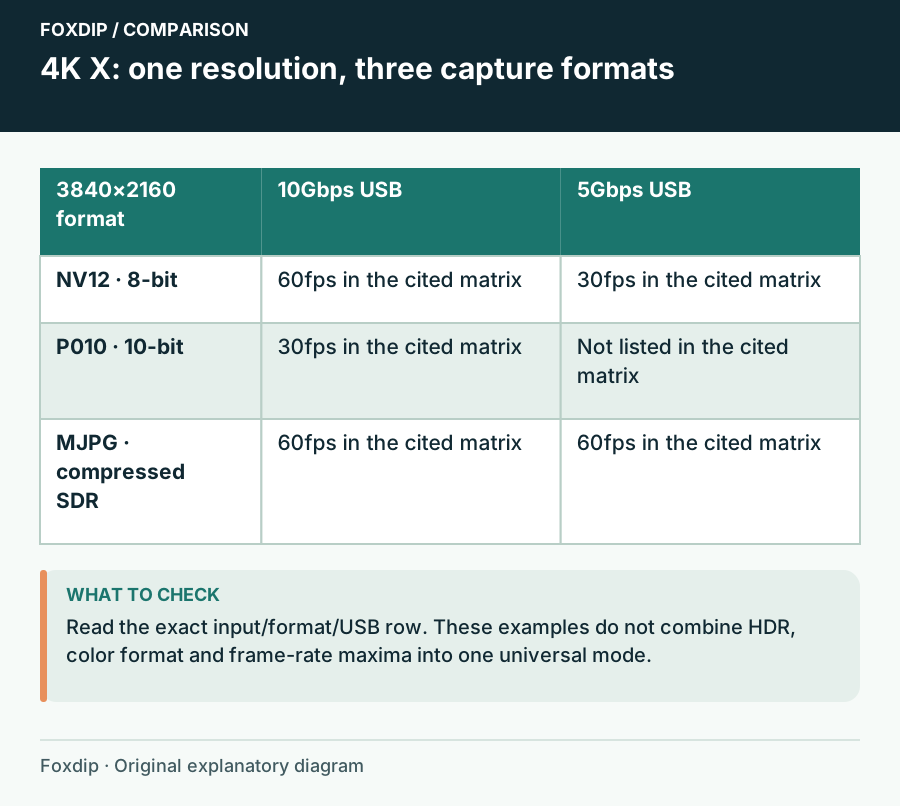
4K X Capture Modes Missing? Check USB Speed and Video Format
A 4K X mode depends on the input, USB speed and pixel format. Check the exact combination before changing your encoder.
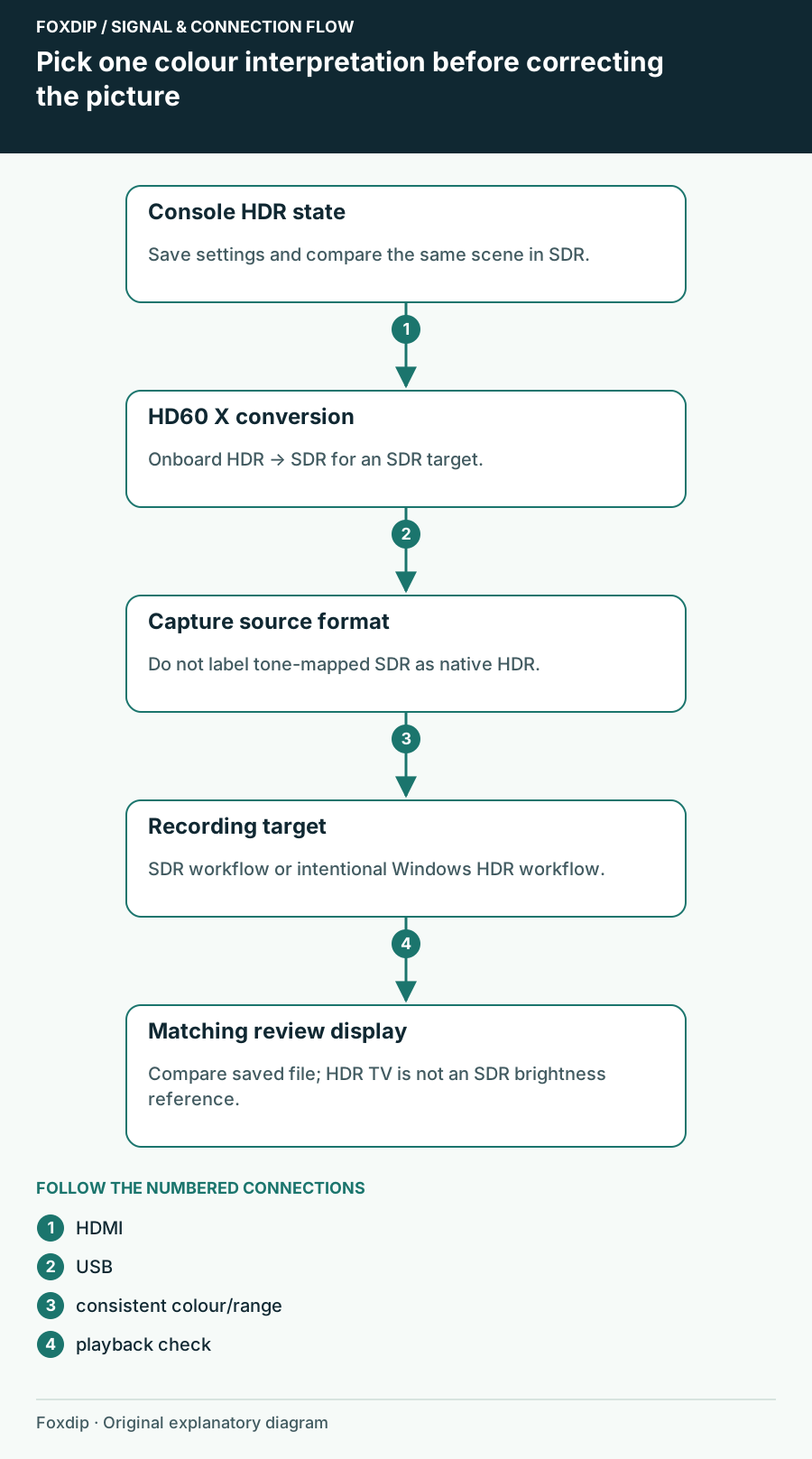
HD60 X Passthrough Looks Right but the Recording Colours Do Not
Separate HDR tone mapping from an HDMI range mismatch before adding colour filters to HD60 X footage.
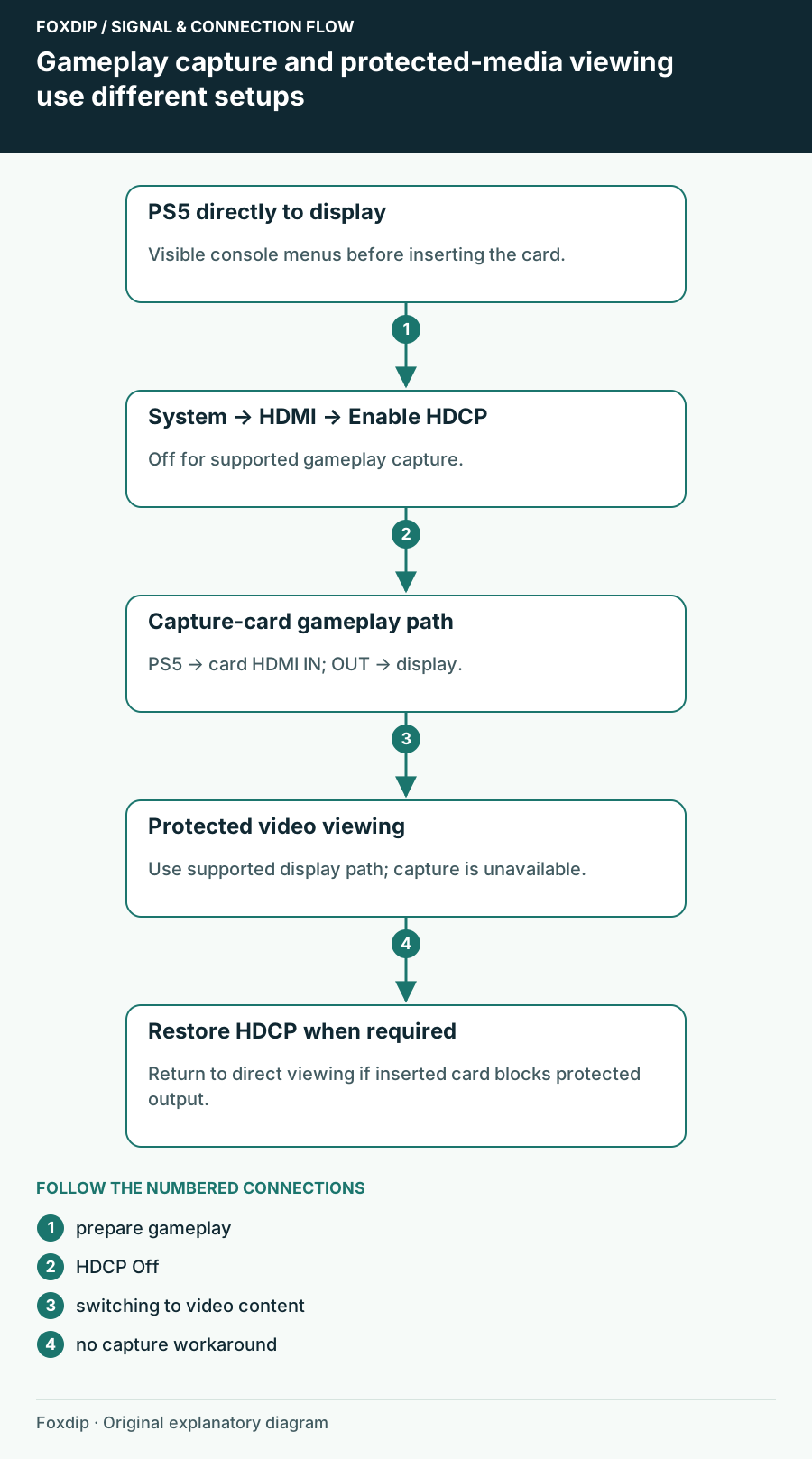
PS5 Capture Card Shows a Black Screen? Turn Off HDCP
Your capture card can't show PS5 games while HDCP is on. Here's where the setting is and how to turn it back on later.
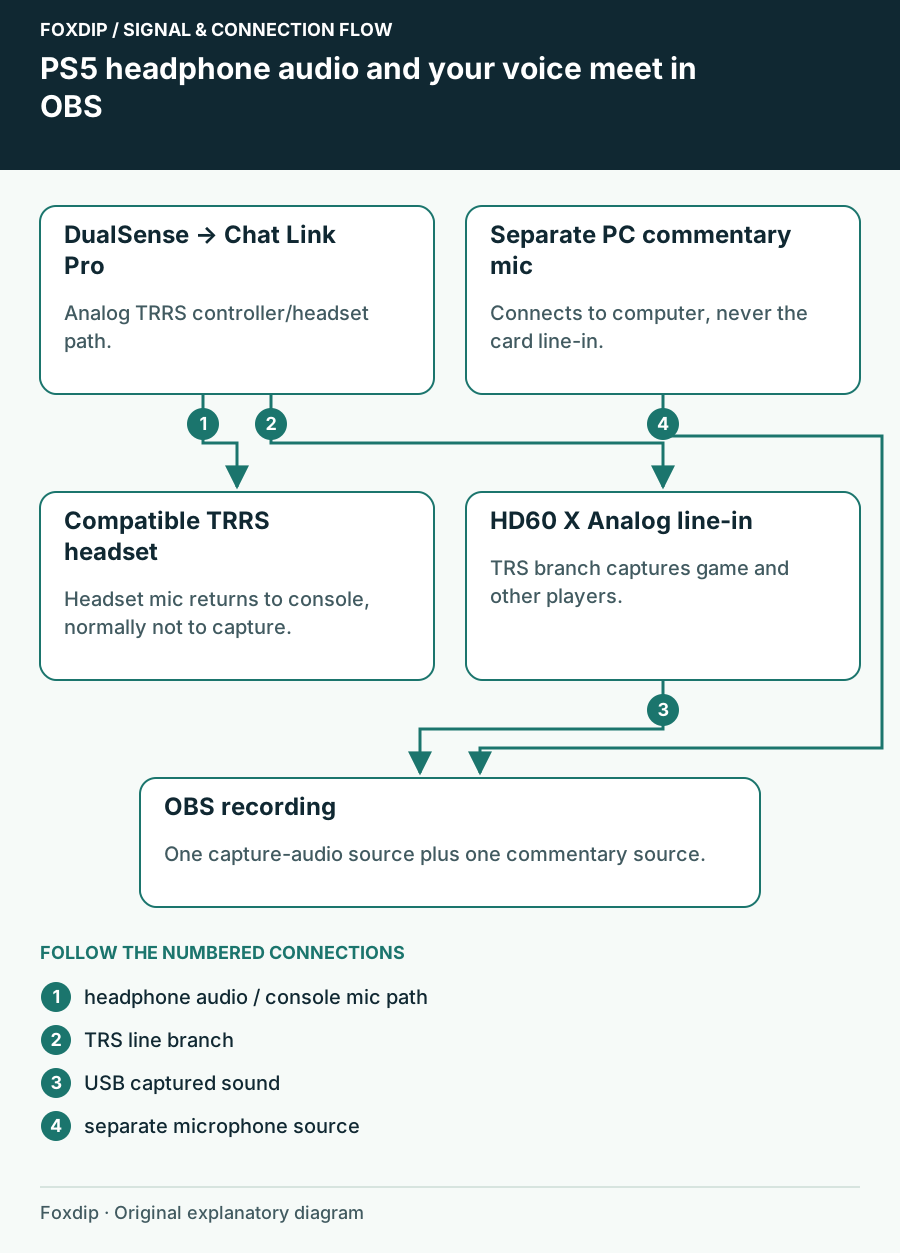
Record PS5 Party Chat: Map the Audio Paths First
Work out whether your PS5 headset, Chat Link Pro and capture card can carry the party audio—and where your own voice is recorded.
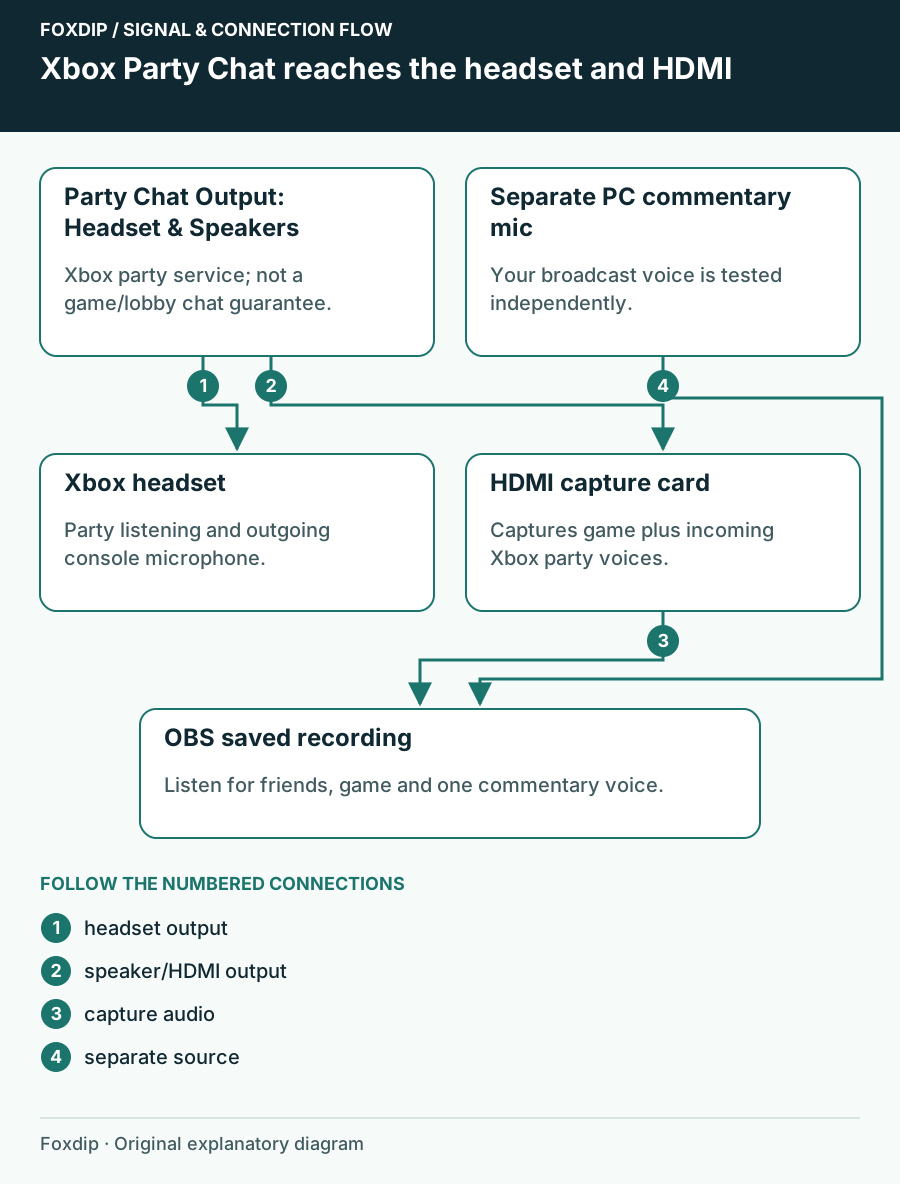
Capture Xbox Series X Party Chat While Using a Headset
Send Xbox party chat to HDMI as well as your headset, then separate your commentary and the game-chat limitation.
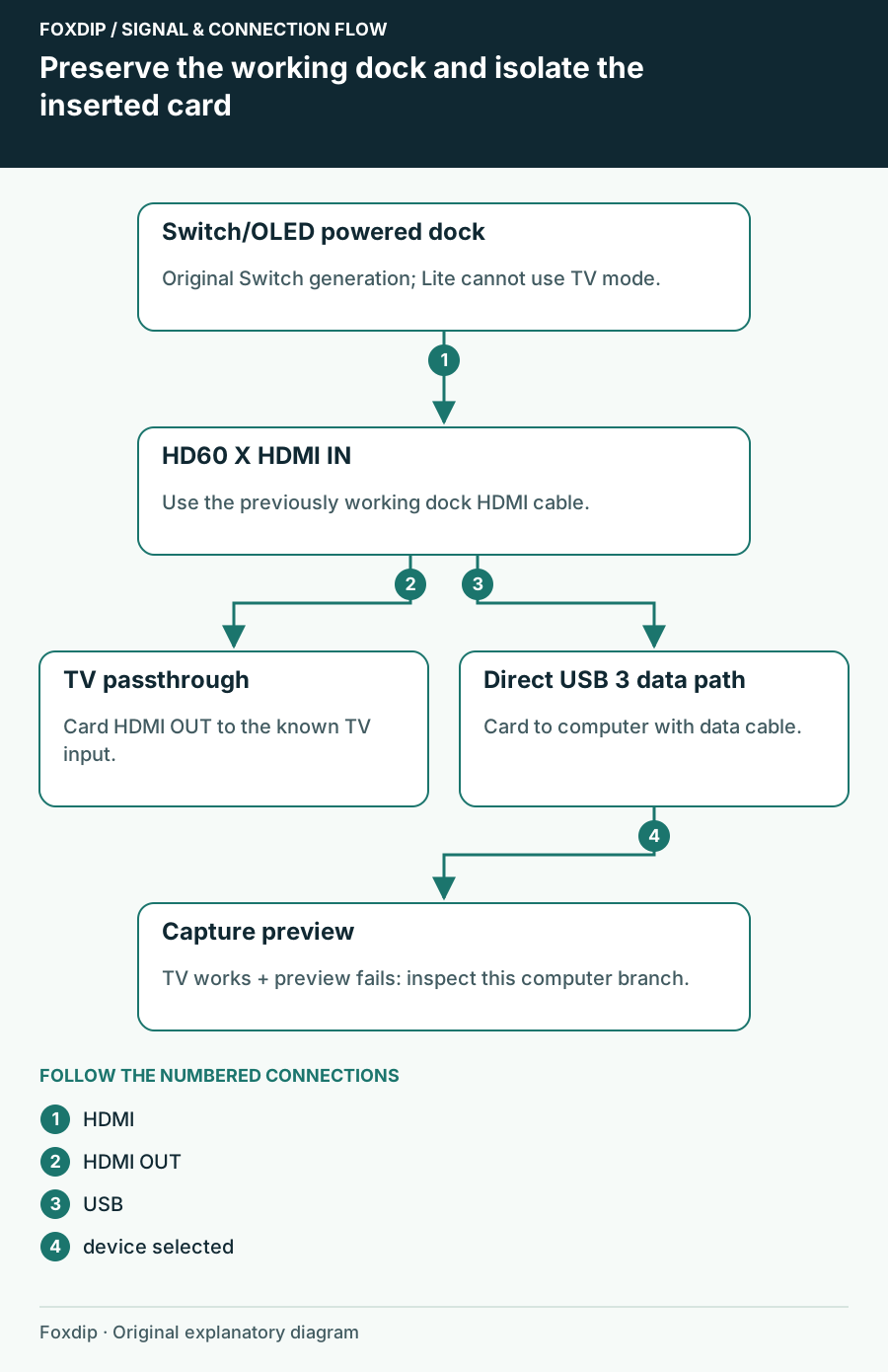
Switch Works on the TV but Not the Capture Card: Isolate the Added Link
Check an original Switch or OLED dock, HDMI direction and USB preview without confusing Switch Lite or Switch 2 requirements.
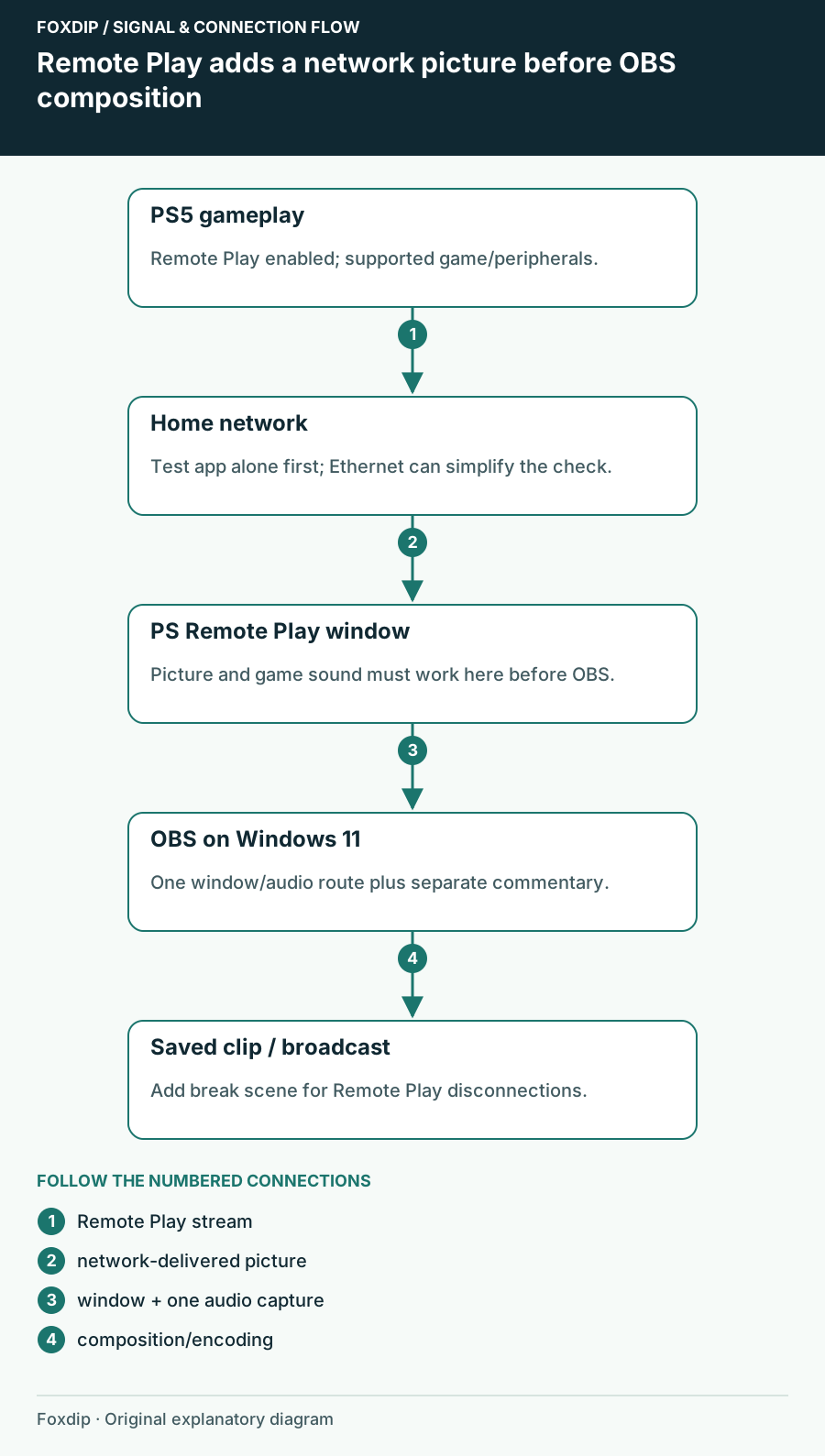
Stream PS5 Without a Capture Card (Remote Play + OBS)
No capture card? Use PS Remote Play on your PC and capture it in OBS. Here's how, and what to watch out for.
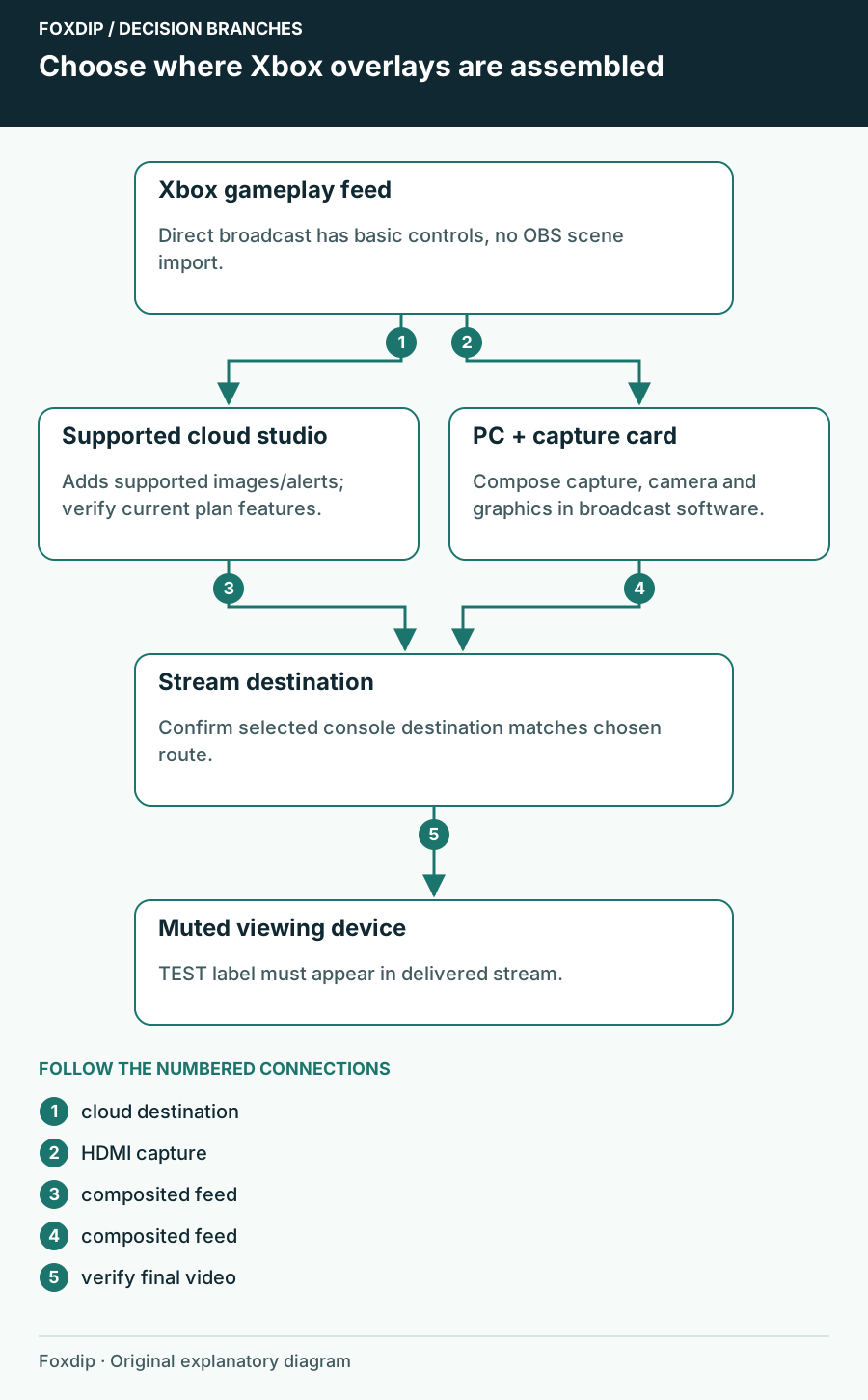
Can You Add Custom Overlays to a Native Xbox Stream?
Choose where Xbox stream graphics are composited: a supported cloud studio or a PC capture scene. Start with a single visible test image.
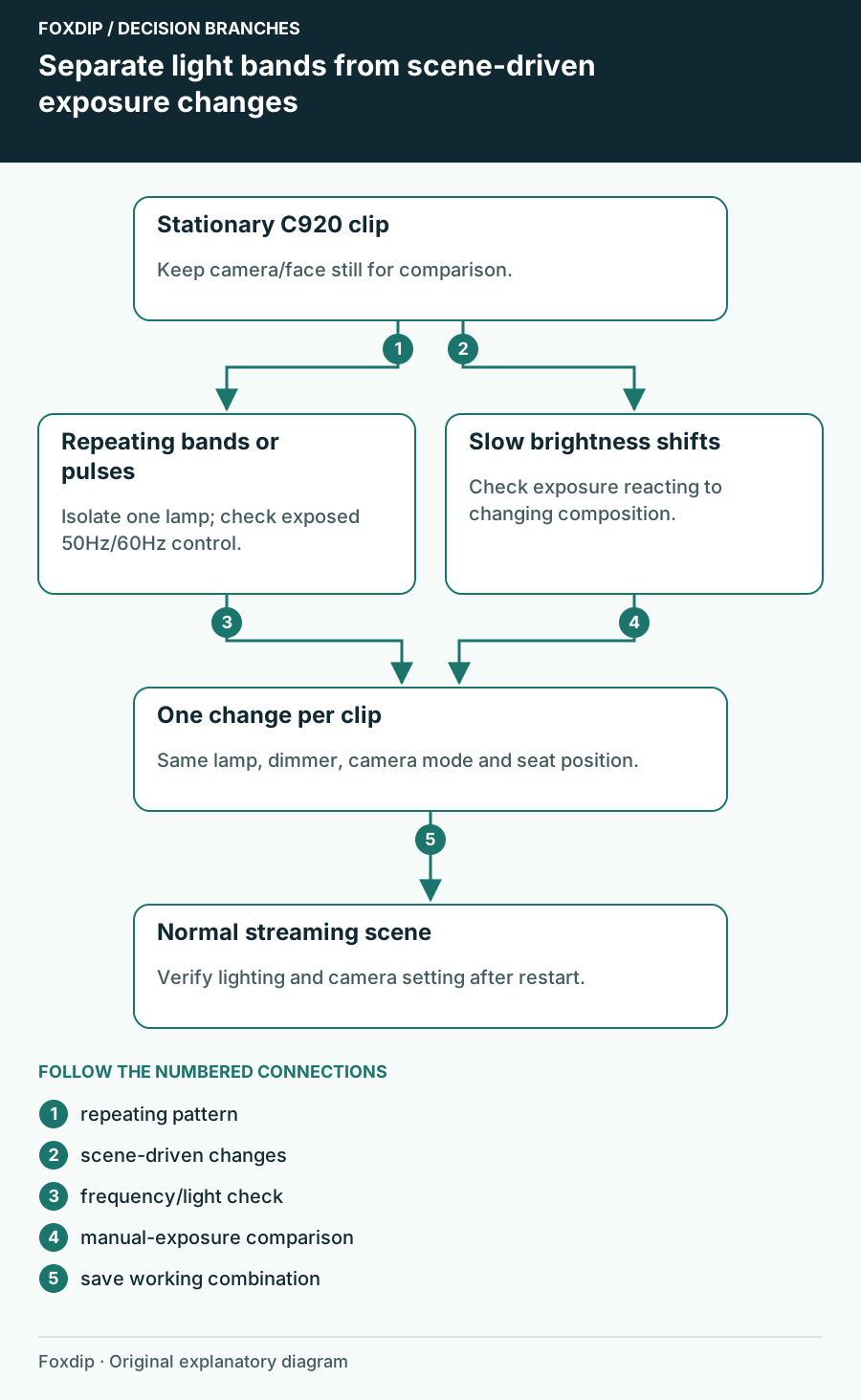
C920 Flickers Under Room Lights: Check the Lighting Frequency
Separate repeated light bands from automatic brightness changes, then check the C920 anti-flicker control and the lamp causing the symptom.
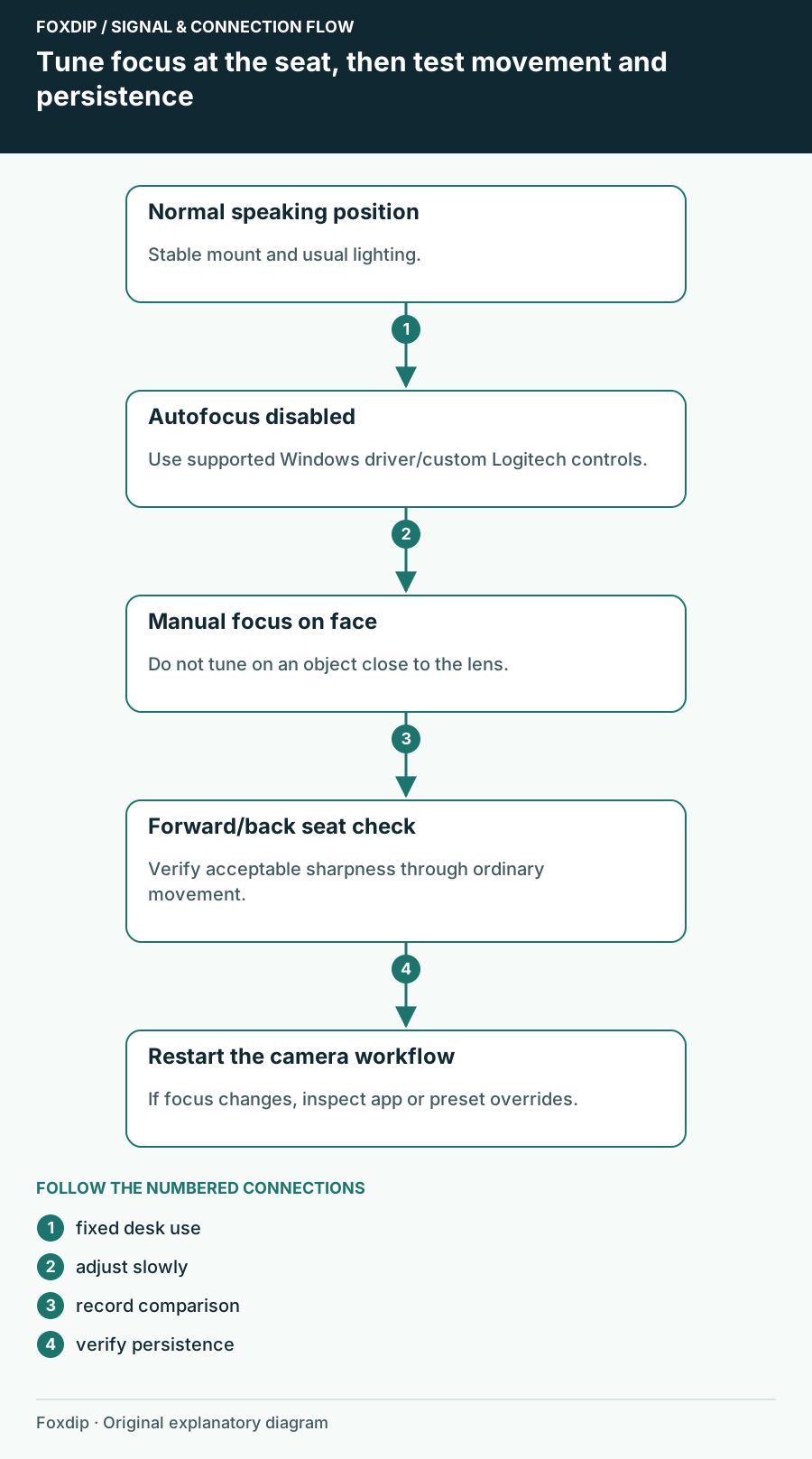
C920 Autofocus Keeps Hunting: Set Focus for Your Seat
Choose autofocus or a fixed focus for your actual speaking distance, distinguish motion blur, and verify the setting after OBS restarts.
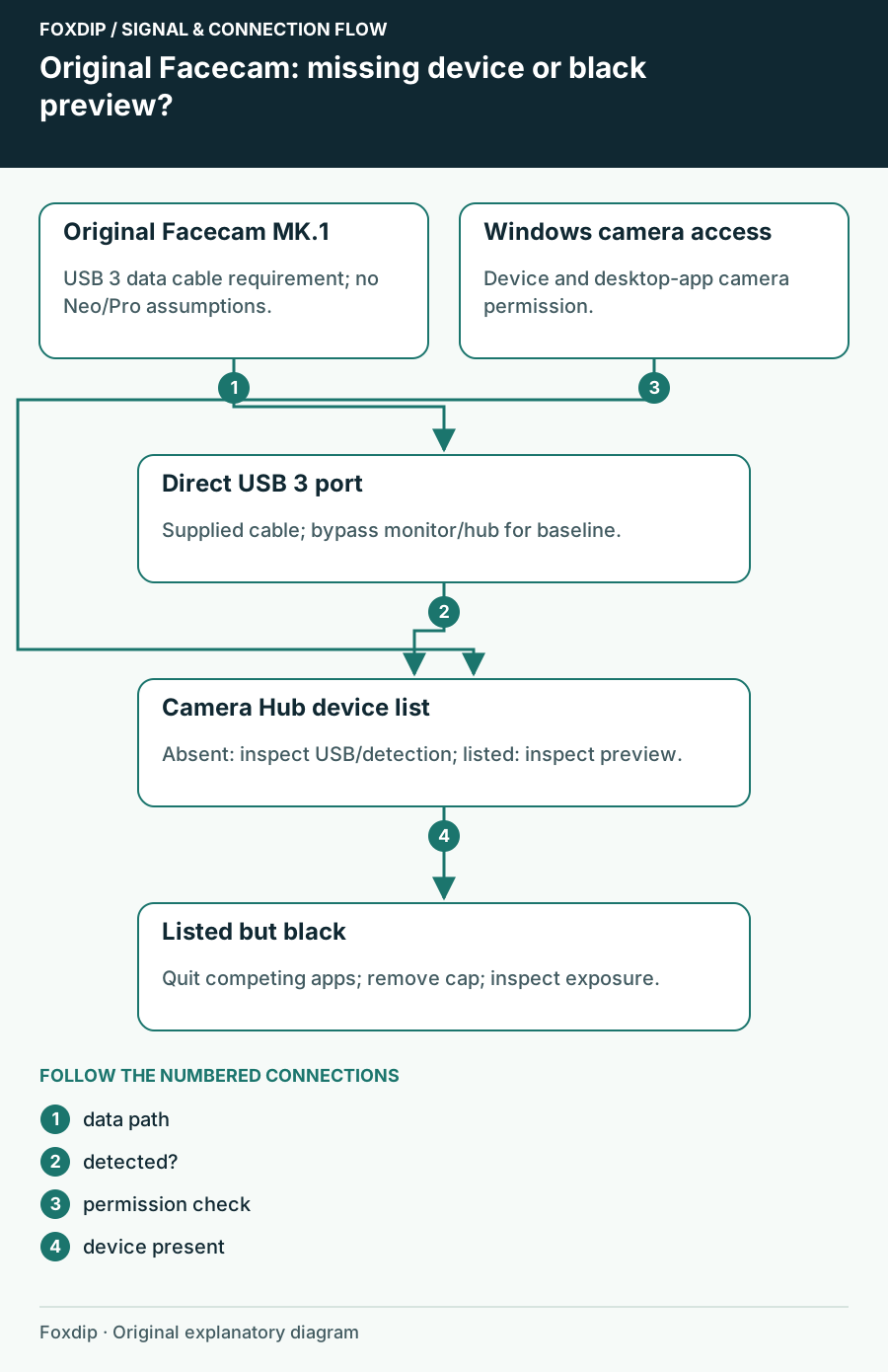
Original Facecam Missing in Camera Hub? Check the USB Path
Separate an absent original Facecam from a listed camera with a black feed, then check data cable, direct USB 3 and Windows permissions.
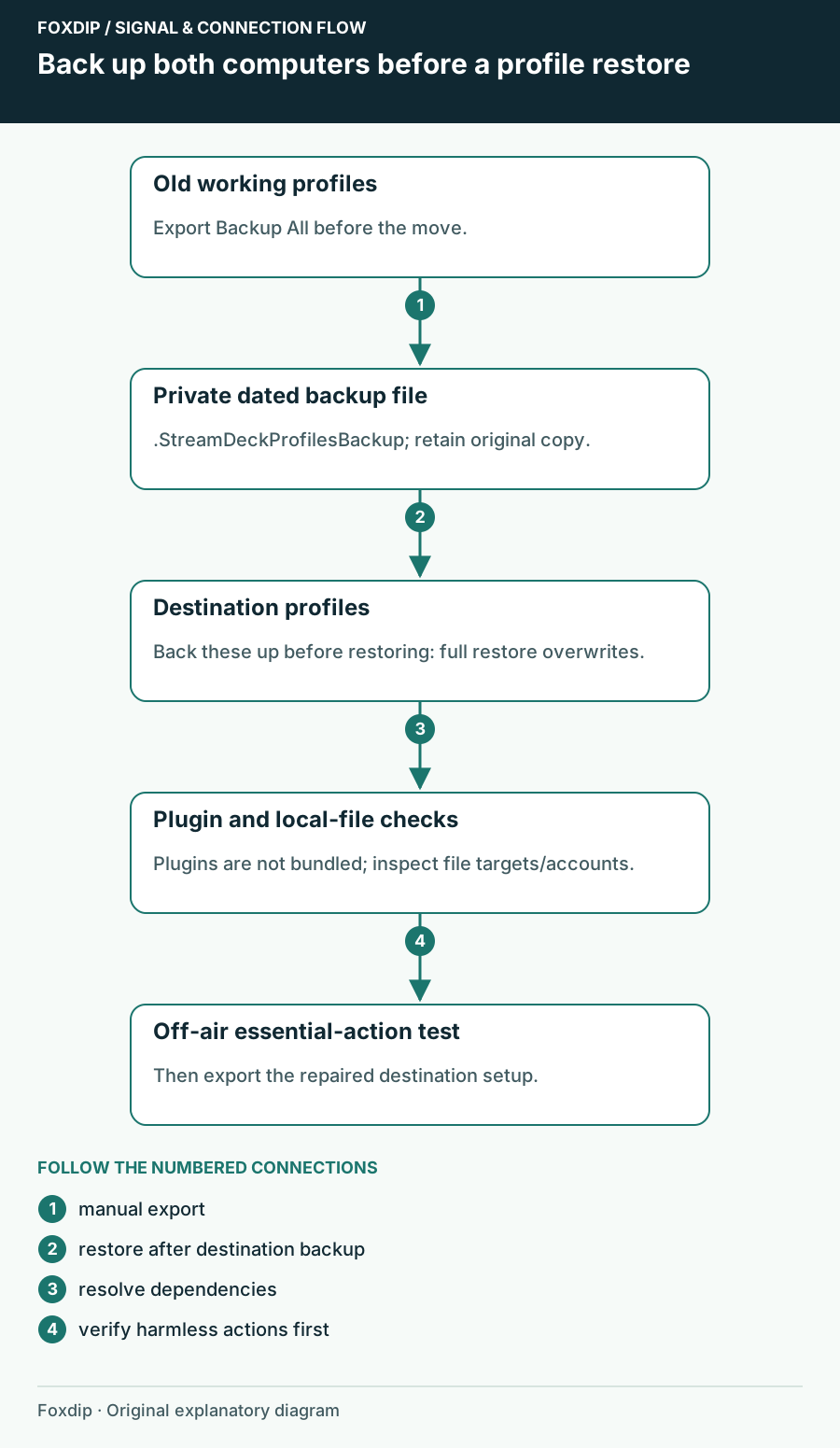
How to Move Your Stream Deck Profiles to a New PC
Back up your Stream Deck profiles, move them to another computer and fix the buttons that break after.
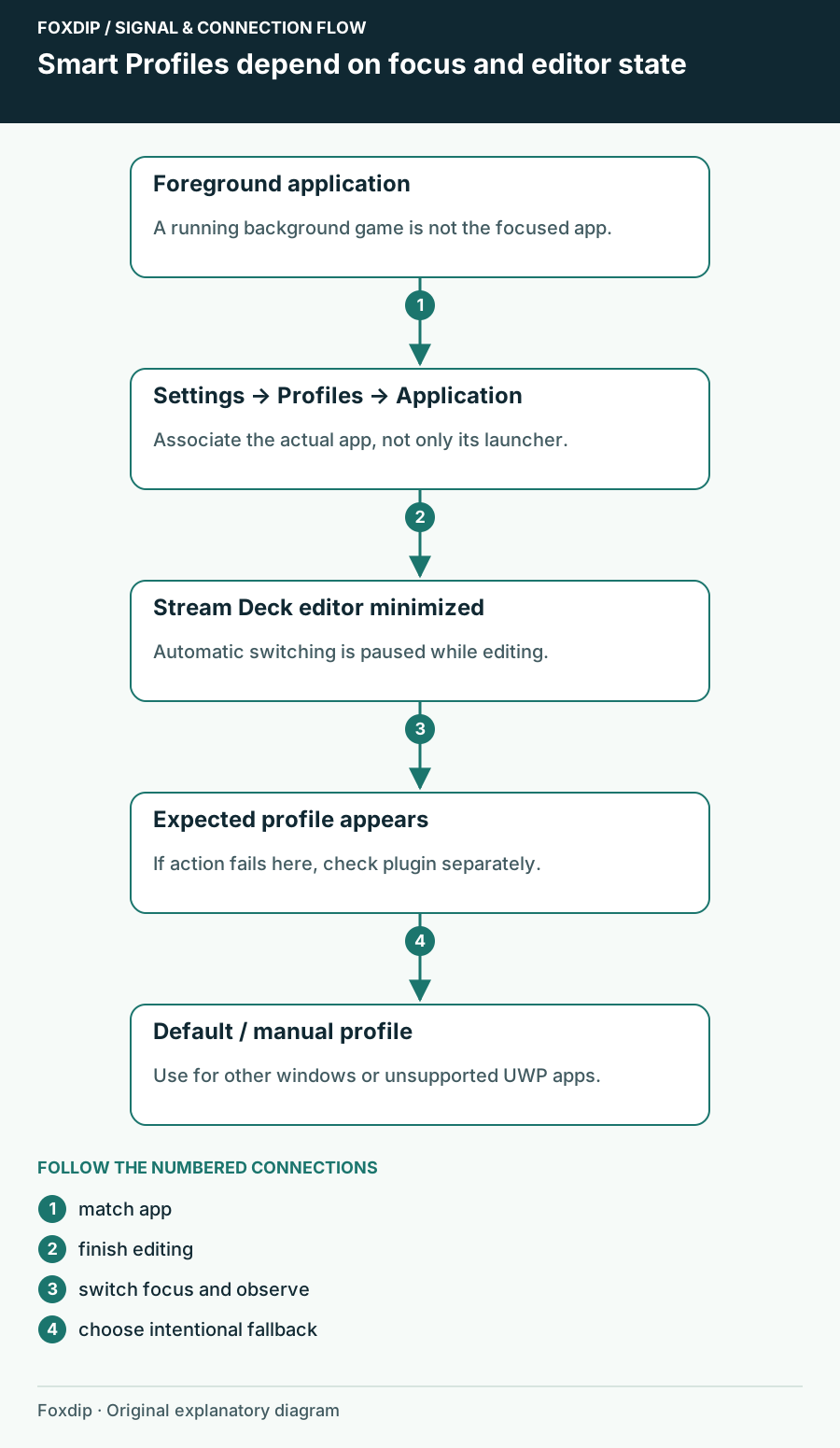
Stream Deck Opens the Wrong Profile When You Switch Apps
Check the focused application, Smart Profile association and editor state before rebuilding Stream Deck buttons.