
Use a positive offset when subtitles arrive too early and need to appear later. Use a negative offset to bring late subtitles forward. Check one cue near the start and another near the end before changing anything.
An on-device preview and downloadable result, with the limits described below.
Move every cue by the same amount.
Choose an SRT or VTT file. Positive seconds move subtitles later; negative seconds move them earlier.
JavaScript powers your local preview and download.
Cue text and VTT settings stay in place. If a cue would move before zero, the tool stops instead of silently trimming it. A constant offset does not repair timing drift.
No account or upload. Selected files and entered text stay on this device; exports are saved only when you ask.
In this guide
Before you start
- Use files and text you have permission to use.
- Enable JavaScript in a current browser.
Check whether the gap stays the same
A fixed offset helps when every cue is displaced by roughly the same amount. If the first minute is close but the last minute is several seconds out, you have drift or a different edit, not just a single delay.
Keep the original subtitle file and video together before trying an offset. SRT and VTT are text files, not the subtitles already burned into picture pixels. This tool cannot extract words from a video or move captions that have become part of the image.
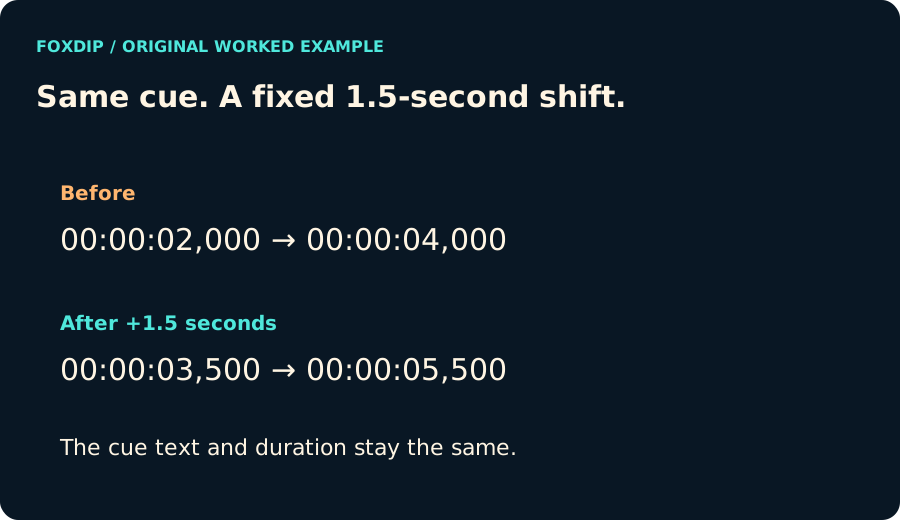
Original Foxdip diagram. The interactive tool above produces your own preview and export; this is not a platform interface screenshot.
Try a small, measured change
The included example starts at 00:00:02,000. An offset of +1.5 seconds moves it to 00:00:03,500 while keeping the same duration. Choose -1.5 to move the cue earlier instead.
The tool refuses a change that would place a cue before zero. It does not silently delete the cue or shorten it. Reduce the negative offset or return to the edit that created the mismatch.
Keep the text and cue settings intact
Select a subtitle file or paste the text. The tool adjusts timing lines, leaving cue text, identifiers and VTT settings in place. The report shows how many cues were shifted and a preview; a long preview is shortened on screen, while the download retains every cue.
Use UTF-8 text with conventional SRT or VTT timing lines. Unsupported or malformed timing lines produce an error. The 2 MiB processing limit and 10,000-cue limit are local safeguards, not a statement about every destination platform.
Watch the adjusted file with the video
Download the adjusted file under its new name and load it beside the video in your player or editor. Check the beginning, a middle conversation and the ending. A correct offset is something you observe, not just a number that looks tidy.
The file stays on this device. The tool does not upload it to a video platform, transcribe missing speech or translate the captions. Keep the original so you can reverse the experiment.
Sources & references
Original Foxdip browser-local tool and explanatory example. Platform or file-format guidance is linked below; account upload and moderation are separate.
- W3C — WebVTT ↗Checked 2026-10-27
- Library of Congress — SubRip Subtitle Format ↗Checked 2026-10-27
Spotted something out of date? Let Alex know.
How we put our guides together ↗