
Make a short heading graphic here, then put the longer explanation in the panel’s editable channel text. You can export a consistent set without squeezing your whole About page into an image.
An on-device preview and downloadable result, with the limits described below.
Give your profile a matching set.
Make a simple heading graphic, then put the longer explanation in your channel’s panel text.
JavaScript powers your local preview and download.
320 px wide. These original text-and-shape templates are free to use on your channel; you keep rights to your own words. No paid artwork or editable pack is included.
No account or upload. Selected files and entered text stay on this device; exports are saved only when you ask.
In this guide
Before you start
- Use files and text you have permission to use.
- Enable JavaScript in a current browser.
Let the heading do one job
About Me, Schedule and Rules work because a visitor can recognise them quickly. Keep the detailed schedule, conditions or links in the text below the image, where you can update them without exporting another graphic.
Choose one of the original line, corner or soft-card templates. All exports are 320 pixels wide; choose a height from 80 to 300 pixels for this tool. The preview uses the same drawing that becomes the PNG.
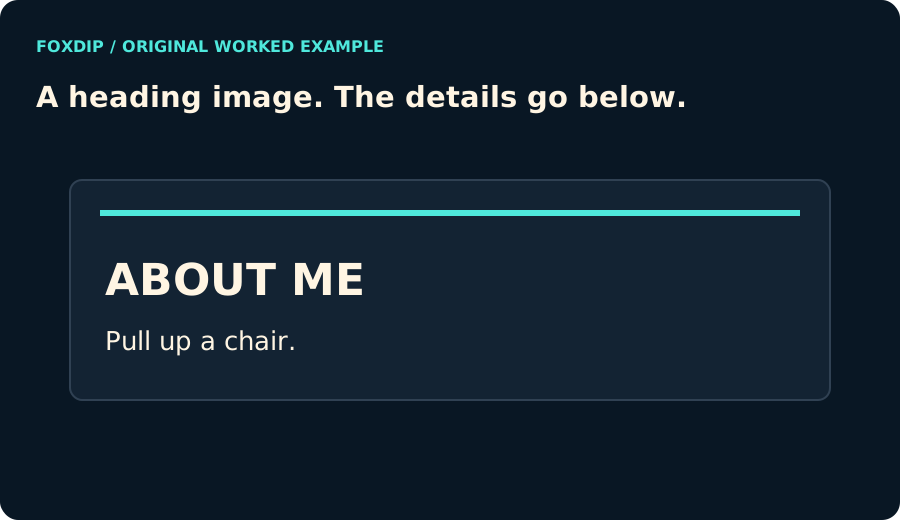
Original Foxdip diagram. The interactive tool above produces your own preview and export; this is not a platform interface screenshot.
Make the set feel related
Start with one panel and choose your background, text and accent colours. Export it, then change the heading while keeping the palette and height. Your profile will feel more consistent than a row of unrelated button styles.
Use the short second line only when it adds something. If the text is too long to fit legibly, the tool asks you to shorten it instead of cutting words off the image. You can keep the full explanation in the Twitch panel text.
Bring a draft from the copy worksheet
The panel-copy worksheet can transfer your channel name and About text after you tick its confirmation box and choose Continue to panel maker. The transfer stays in this browser and is consumed when the maker opens.
A long About paragraph will need editing before it fits a heading graphic. The maker keeps that text visible for you to shorten; it does not promise to turn a page of writing into a readable small banner. The original longer draft remains in the worksheet.
Download first, then add it to your profile
Choose Download panel PNG and open the image. In your channel’s panel editing area, upload that file and add the destination link and any accompanying text. This tool does not publish to Twitch or change your account settings.
These are original Foxdip text-and-shape templates for use on your channel. You supply the words. They do not contain the illustrated artwork or editable project files sold in paid packs. If you want that more detailed look, compare the actual pack contents before buying.
Want graphics that already fit? Or pick a matching panel set ↗
Sources & references
Original Foxdip browser-local tool and explanatory example. Platform or file-format guidance is linked below; account upload and moderation are separate.
- Twitch — How to Edit Info Panels ↗Checked 2026-10-27
- WHATWG — Canvas and bitmap serialization ↗Checked 2026-10-27
Spotted something out of date? Let Alex know.
How we put our guides together ↗