
Describe one failure you can reproduce, name your OBS version and include the result of each check. Review the report before sharing it with support.
Try it with your setup.
Change the example, update the preview, then keep the notes you want to use. Everything stays in this browser unless you download or print it.
Worked example
A plain-text structured report containing symptom, environment, repro, expected/actual and checks; no raw log parser or upload.
In this guide
Give the report one job
Start with the difference between what you expected and what happened. “Game audio meter moves but the saved clip is silent” is easier to investigate than “OBS is broken.” If the microphone works and the game does not, keep that distinction in the first sentence.
Use the environment field for the OBS version, operating system and relevant device labels. An exact interface or capture-card generation can matter. You do not need a full shopping list of the desk; include the parts on the failing signal path.
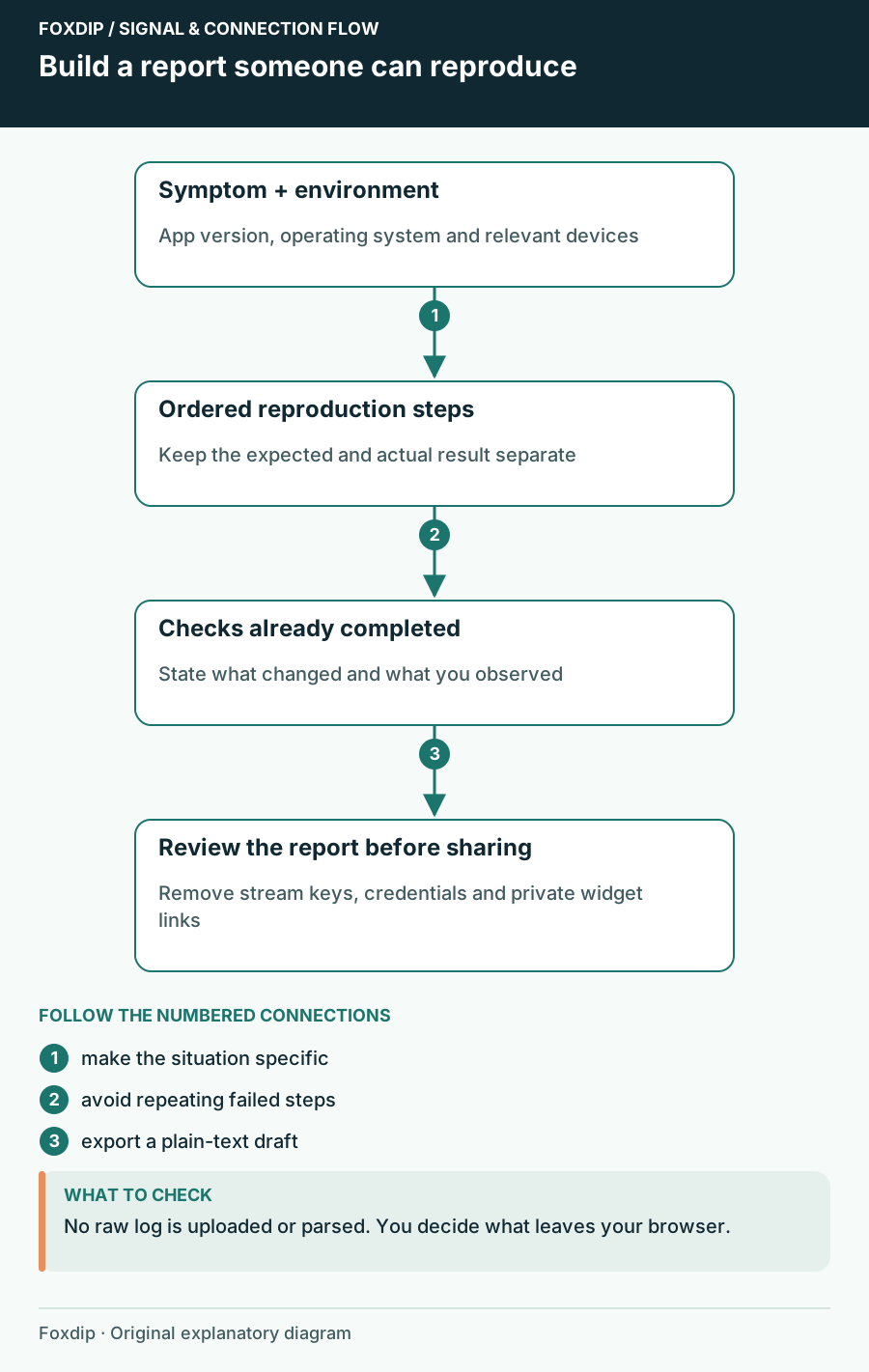
Foxdip worksheet example. Change the inputs above to make your own plan.
Describe the shortest route to the failure
Write the actions in order, beginning from a state another person could understand. Name the test scene, start a short recording, make the sound or movement, stop and open the saved clip. If the failure appears only after an hour or after changing scenes, record that condition instead of claiming the short test reproduces it.
Keep expected and actual behaviour in separate fields. The example expects game and microphone in the recording but hears only the microphone. That tells a helper the saved file is playable and at least one source reaches it; it does not yet identify why the game is absent.
Include results, not a pile of attempted fixes
For every check, say what changed or stayed the same. “Selected track 1 in the player; microphone audible, game still silent” is useful evidence. “Tried everything” gives the next person no way to avoid repeating the same work.
If you changed a setting and put it back, mention that too. Keep the report aligned with the current setup rather than describing a configuration that no longer exists. Add a small sample or screenshot only through the support channel’s normal process and review it separately.
Keep the report and the log as separate decisions
OBS’s pinned support instructions explain current and last-session logs and ask for a session in which the issue actually occurred. Collect the relevant log when the helper requests it. A fresh session without the failure may not contain the evidence they need.
This builder does not read raw logs or run the OBS analyzer. The optional link field is for a public support or log link you have already reviewed. Leave it empty if you are unsure what it exposes. Never paste stream keys, tokens, private widget URLs or an unreviewed dump into a public report.
Read the draft as the person receiving it
Choose Update preview and check that the report answers six questions: what failed, where, how to reproduce it, what you expected, what happened and what you already checked. Remove unrelated history that hides the sequence. Keep a result that narrows the problem even if you do not know what it means yet.
Download notes gives you a plain-text draft to review and paste where you choose. Nothing is submitted automatically. Local Save stays in this browser profile, so keep a downloaded copy if you need it on another computer. The goal is to make the next reply a useful diagnostic question rather than a request for the basics.
Sources & references
Original Foxdip worksheet guidance. Platform details follow the linked primary references.
- OBS Project — Administrator guide to posting logs ↗Checked 2026-10-27
- OBS Project — Log Analyzer ↗Checked 2026-10-27
Spotted something out of date? Let Alex know.
How we put our guides together ↗