
Enter an average video bitrate, the combined audio bitrate and duration. The result estimates media payload; your extra-space allowance is a planning choice.
A recording-space estimate with explicit units and assumptions.
Try it with your setup.
Change the example, update the preview, then keep the notes you want to use. Everything stays in this browser unless you download or print it.
Worked example
Base payload 18.288 GB (17.032 GiB); with user-selected 10% allowance 20.117 GB (18.735 GiB). With 100 GB free, 10 GB reserved and one copy: about 537 minutes at this average bitrate and allowance.
In this guide
Before you start
- A recording bitrate in Mbps or a measured average from a representative clip.
- Total audio bitrate in Kbps across all recorded audio streams.
- Expected duration and free space on the actual recording drive.
Start with the recording you will actually make
Use the bitrate of the recording, which may differ from your live stream. OBS can use separate quality and encoder choices for recording. A canvas of 1920 × 1080 does not by itself determine a file size, so entering dimensions instead of bitrate would give you false precision.
For a quality-controlled or variable-bitrate recording, make a representative clip first. Include the motion, overlays and camera you expect during the session. Use the observed average as your estimate and keep the clip length and conditions in your notes.
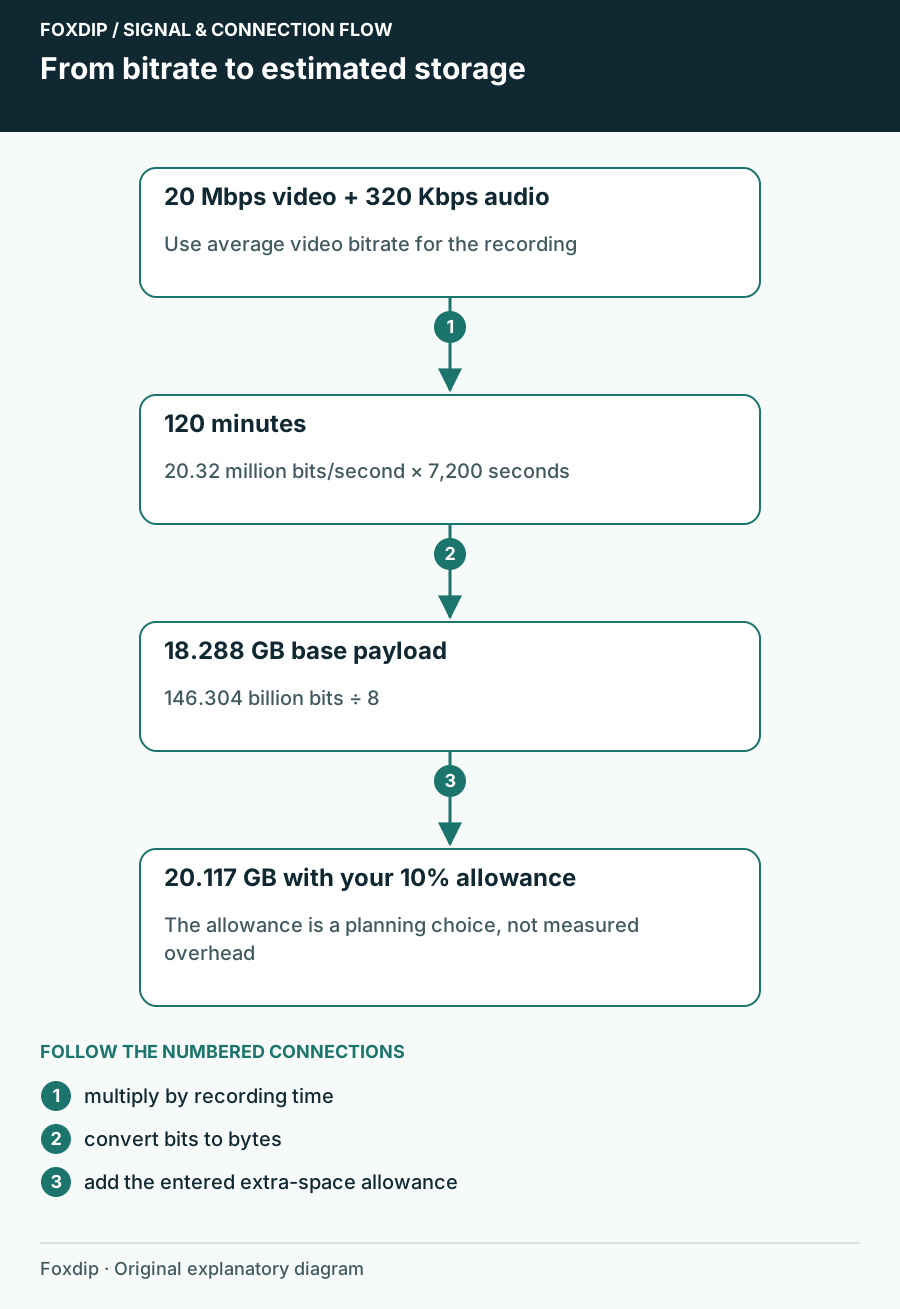
Foxdip worksheet example. Change the inputs above to make your own plan.
Keep video and audio in their own units
Video is entered in megabits per second; audio is entered in kilobits per second. Add every audio stream you intend to record. If the same microphone appears in a full mix and an isolated track, those are two encoded streams and both need space.
Update the estimate
Enter the two bitrates and duration, then choose Update preview.
Look for: The result shows base payload in decimal GB and binary GiB.
If the result looks surprisingly large or small, check minutes versus hours and Kbps versus Mbps before changing the bitrate.
A two-hour example you can reproduce
At 20 Mbps video plus 320 Kbps total audio for 120 minutes, the total rate is 20.32 million bits per second. Multiplying by 7,200 seconds and dividing by eight gives 18.288 billion bytes: 18.288 GB, or approximately 17.032 GiB.
With a user-selected 10% allowance, the planning figure becomes 20.1168 GB, about 18.735 GiB. That percentage is an example choice. It is not a measurement of your container overhead, encoder variation or drive behaviour, and the tool does not label it a guaranteed safety margin.
Budget for the second copy as well
A recording estimate covers the media payload, not your entire editing project. Consider temporary files, the editor's cache, another local backup and any export you keep. OBS remuxing can also create a second container file, so do not assume the source disappears as soon as an MP4 is available.
Check free space on the drive OBS will actually use. A large system drive does not help if the recording path points to a nearly full external disk. Keep enough room for your own workflow rather than filling the disk to the calculator's final decimal.
Keep the assumptions with the number
Use Download notes or Print to keep the bitrate, duration and allowance beside the result. If you use Save in this browser, treat it as a convenient local draft; retain an exported copy for an important session. Reset clears the current calculation so you can compare another plan.
After a real session, compare the file size with the estimate and update the average for the next one. A useful planner gets more specific to your content over time. It never needs to pretend that a variable-bitrate file has a fixed size before it is recorded.
Check whether the recording fits your drive
Enter free space in decimal GB, then reserve space for the operating system and other work. The calculator subtracts that reserve before estimating recording time.
Set copies to 2 when you plan to keep both the original recording and a similar-sized remux. A separate backup on the same drive is another copy. Different encodes may have different sizes; use this as a planning allowance.
At 8 Mbps video, no audio and no extra allowance, one hour is 3.6 GB. With two copies and 9 GB usable, the estimate is 75 minutes. Variable bitrate and drive behaviour can change the practical limit.
Sources & references
An original Foxdip worksheet or calculation, with linked platform references reviewed on 27 October 2026.
- OBS Project — Standard Recording Output Guide ↗Checked 2026-10-27
Spotted something out of date? Let Alex know.
How we put our guides together ↗