
Enter the slots you actually have and one planned reaction per row. Build around situations your chat needs to express, then check the art and platform rules separately.
A balanced reaction list that fits the slots you entered.
Try it with your setup.
Change the example, update the preview, then keep the notes you want to use. Everything stays in this browser unless you download or print it.
Worked example
6 planned reactions for 6 entered slots; 0 unassigned slots. Show reaction label and draft code as an editable planning list.
In this guide
Before you start
- A slot count from your current platform dashboard.
- A few examples of reactions your community actually uses.
- Draft reaction labels and optional code ideas.
Start with the moment, not the expression sheet
Think about a viewer arriving, celebrating a win, reacting to a surprise, sharing a laugh or staying quietly present. Write the moments in plain language before deciding what the character should look like. It is easier to notice a missing greeting when the list says 'greeting' than when every row contains only an attractive face.
You do not need to cover every emotion at launch. Choose the reactions that fit your channel's activities and language. A quiet study stream and a loud competitive stream may make different choices without either list being incomplete.
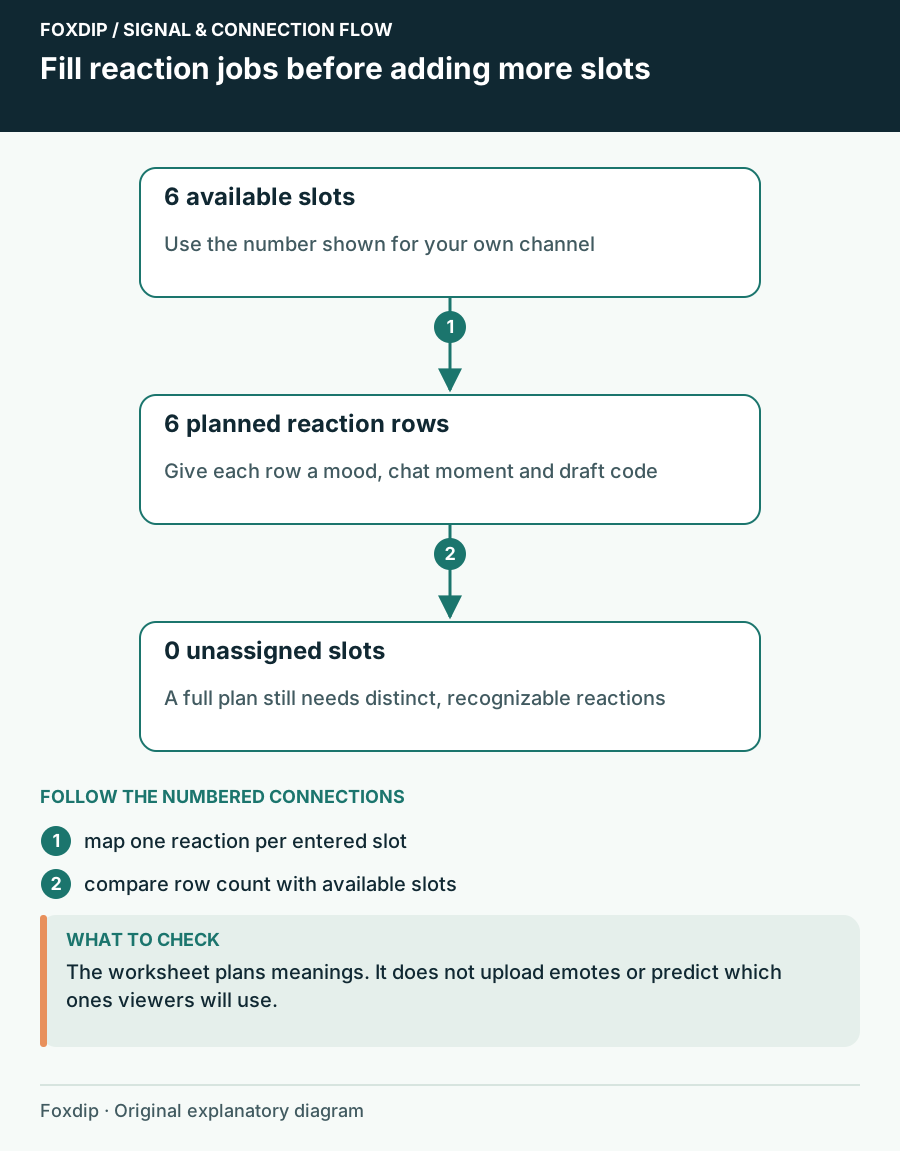
Foxdip worksheet example. Change the inputs above to make your own plan.
Let the real dashboard set the limit
Enter the number of slots you actually intend to fill. The planner does not check your Twitch account, subscription tier or feature eligibility. Treat follower, subscriber and other platform sets as separate plans if their intended use differs.
Build the first list
Write one reaction and draft code per line, then choose Update preview.
Look for: The preview counts planned reactions against the entered slot total.
If the list exceeds the count, combine overlapping uses or postpone a reaction rather than assuming more slots are available.
Six slots can cover six different jobs
One possible six-row plan is greeting, celebration, surprise, laughter, sympathy and quiet presence. That is an original planning example, not a ranking of the most popular emotes. Substitute a reaction your viewers use often if one of those roles has no place in your conversations.
Compare neighbouring rows aloud. If both celebration and excitement would be posted at exactly the same moments, decide whether you need both now. Keep familiar reactions when replacing a set, and note any code that viewers already recognize so the visual update does not unnecessarily change their habits.
Review the art after the reaction plan works
A label describes the job; it does not prove the artwork can do it. Inspect each candidate at the small size where people will use it. Twitch's formatting guidance asks creators to review emotes at actual size and distinguishes upload modes and file requirements. Follow the current platform instructions for the files you eventually upload.
Use the emote preview for a visual check. Look for a readable silhouette, an expression that matches the intended reaction and text that survives shrinking. Animation can help a reaction, but the planner does not judge GIF timing, transparency, file size or whether a design will be approved.
Check the smallest display size after the reaction roles are settled. Preview the actual emote files ↗
Keep a short reason beside each choice
Download notes or Print preserves the list for an artist, a moderator or your next shopping decision. Include the reaction's intended moment rather than sharing only a set of codes. Save in this browser can hold a local draft, while Reset starts another set without changing your platform account.
After a few streams, revisit the list using ordinary observation: which reactions are missing, which are duplicated and which ones are already familiar? You can improve the set without treating every unused slot as a reason to buy more artwork.
Want graphics that already fit? Browse Twitch emote packs ↗
Sources & references
An original Foxdip worksheet or calculation, with linked platform references reviewed on 27 October 2026.
- Twitch — Emote Formatting and Instant Upload Requirements ↗Checked 2026-10-27
Spotted something out of date? Let Alex know.
How we put our guides together ↗