
In this guide
Decide what is missing
If you need one reaction to learn how emote downloads and uploads work, start with a complete free sample. If you already know your channel’s look and need several matching expressions, a paid set may save you piecing them together. Make the choice about the job you need the artwork to do.
Write down the reactions you want, whether they should move, the formats you need and the platform slots you have. It is much easier to judge a pack against that list than against a wall of attractive previews. Buy the pieces you can see yourself using; the rest can wait.
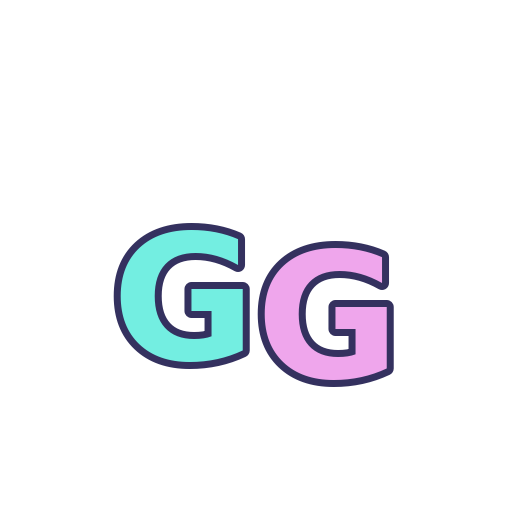
The actual GG sample artwork. This enlarged PNG helps identify the design; the chat-size examples below show how the smaller exports read.
Count the reactions, then the files
Our free GG sample is one design in seven exports: GIF at 28, 56 and 112 px, plus PNG at 28, 56, 112 and 512 px. A paid pack should fill a different need: more reactions, a matching visual family or scene files you do not already have. Read the current listing’s design count separately from its export count.
That makes the paid choice fairly concrete: do you want the other five reactions in the same style? GG is already included. Trying the free sample helps you judge the look and the files, but does not give you a seventh exclusive design later. Make the same check when a complete bundle and a smaller emote pack share artwork.
| Your need | Useful starting point | Check before choosing |
|---|---|---|
| Learn the download and sizing process | One complete free sample | Actual files, usage licence, smallest export |
| Several coordinated chat reactions | A matching emote set | Unique reactions, file formats, shared assets |
| A whole stream layout | A pack with explicitly listed overlays | Scene formats and exact contents; emotes alone are not an overlay |
Carry the same look into your About section, with words and links that visitors can use. Set up your Twitch panels ↗
Free still comes with a licence
You can use the GG sample on your own channel and associated community, including monetized use, without attribution. You cannot resell its files, share the ZIP or add the artwork to another asset pack. Keep the licence alongside the images so you have those terms when you need them.
For any pack, find out who can use it, which uses are covered and where to ask for help with a damaged download. Read the formats and licence on the Foxdip product page. If its buy button takes you to Etsy, check the live price and delivery terms there; a planned Foxdip shop price is a separate figure.
Use two backgrounds to see whether the file or the source needs attention. Fix a solid overlay background ↗
Try one reaction before buying the set
Extract the GG ZIP, compare the small PNG on both backgrounds and play the GIF. If it reads well, keep it and list the reactions you still need. Look for a current pack that fills those gaps. If the style feels wrong for your channel, a bigger collection of the same style is unlikely to fix that.
Use the sample, its file list and the local preview to make a choice you can explain. There is no email signup to get through first. You may finish with one free reaction, a matching set or a better idea of what to look for elsewhere. Each is a reasonable result.
Actual files · chat-size preview
Dark chat Illustrative preview


Light chat Illustrative preview
Compare the missing designs with the work you will save
Write three concrete things the paid pack would add to your current channel: a reaction you lack, a matching scene you use, or a prepared export that saves a task. Cross out items you already own. The remaining list is a clearer purchase reason than the total number of files in a promotional image.
The GG sample’s licence says the design is also in the paid Neon Chat collection and that editable project files or custom changes are not included in the sample. Use that distinction when your real need is personalisation: extra exports do not establish that you can edit the original design.
| Observation | Next change | Expected result |
|---|---|---|
| You only need a GG reaction | Try the included sample exports | No larger purchase is required for that single need |
| You need other matching reactions | Compare the distinct designs in the live listing | Count added expressions rather than repeated sizes |
| You need an editable name or custom character | Check editable-source or custom-work terms explicitly | Avoid buying a premade pack for an undocumented editing feature |
Check the delivered file types before assuming a project file is included. Inside an Emote ZIP: Find the File You Actually Need ↗
Give it a run in chat.
Try the free GG emote, or bring your own PNG or GIF to the preview. Look at the smallest size first and watch the whole loop.
Sources & references
We compare our free GG sample and its licence with the listed contents of our Neon Chat pack. November 2026 addition: documentation-based diagnostic examples; no new hands-on hardware result or platform upload test is claimed.
- Foxdip GG sample — actual exported-file manifest ↗Checked 2026-11-04
- Foxdip GG sample — included channel-use licence ↗Checked 2026-11-04
Spotted something out of date? Let Alex know.
How we put our guides together ↗