
Pick a PNG, choose Emotes or Sub badges, and download all three sizes in one ZIP. Your image is shrunk to fit each square without cutting anything off. For badges, we'll warn you if a file is over Twitch's 25 KB limit.
An on-device preview and downloadable result, with the limits described below.
One image. All three Twitch sizes.
Pick a PNG. Your whole image fits inside each square, and any empty space stays see-through.
JavaScript powers your local preview and download.
Gives you 112, 56 and 28 px for emotes, or 72, 36 and 18 px for sub badges, ready to upload on Twitch. It doesn’t crop or redraw your art, and it can’t make animated files. Twitch still has the final say on approval.
No account or upload. Selected files and entered text stay on this device; exports are saved only when you ask.
In this guide
Before you start
- Use files and text you have permission to use.
- Enable JavaScript in a current browser.
Start with the clean original
Use the transparent PNG supplied by your artist or pack. A screenshot of a chat message already contains a background and often has fewer useful pixels. Shrinking that screenshot cannot recover the original outline.
The resizer fits your whole image into each square instead of cropping the edges. A wide design gets transparent space above and below; a tall one gets space at its sides. If that makes the result too small to read, return to a better-suited original rather than stretching the character.
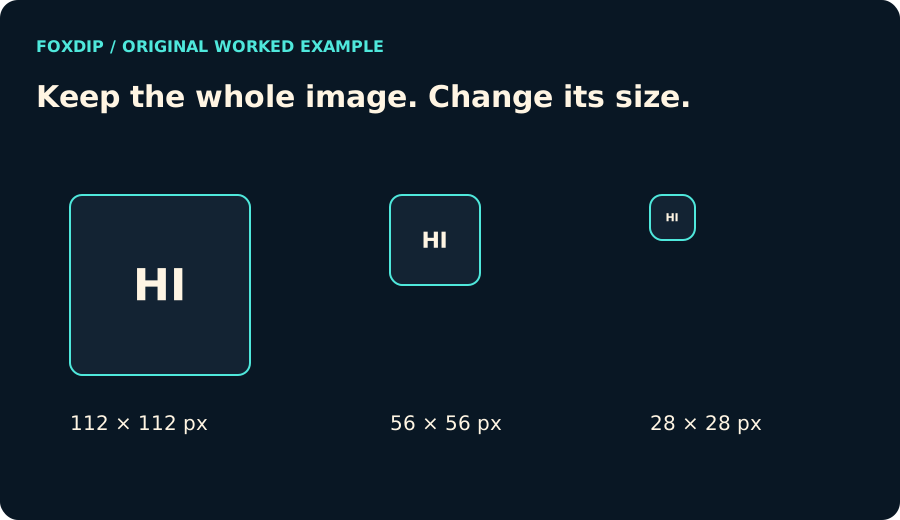
Original Foxdip diagram. The interactive tool above produces your own preview and export; this is not a platform interface screenshot.
Give the smallest preview the deciding vote
Open the 28 px preview at its displayed size. Can you distinguish the reaction or both letters without leaning in? Use the larger previews to check for a stray edge, but do not let a lovely 112 px image hide a muddy chat-sized result.
This tool exports static PNG only. It refuses GIF and animated PNG instead of quietly turning an animation into one still. Use the file inspector when you need to identify an animated file.
Keep the three sizes together
The ZIP contains 112, 56 and 28 px PNGs with distinct filenames plus a short README. Open it after downloading and make sure your file manager has extracted the images, not just shown the archive as a folder.
These sizes suit Twitch’s manual upload route. Twitch also documents an automatic resizing route with different input requirements. Follow the mode actually shown in your account; the files alone do not create an upload slot or bypass moderation.
A resize cannot add missing detail
The tool accepts files up to 10 MiB, 4096 pixels on each edge and 16 megapixels. Those are local processing limits, not a statement of Twitch’s upload limit. When an original is smaller than an export size, the preview warns that enlargement cannot recreate detail.
Your file stays on this device. The ZIP is generated only when you choose the download button. No artwork is redrawn, recoloured or sent to a server.
Want graphics that already fit? Or grab emotes that are already sized ↗
Sources & references
Original Foxdip browser-local tool and explanatory example. Platform or file-format guidance is linked below; account upload and moderation are separate.
- Twitch — Emote Formatting & Instant Upload Requirements ↗Checked 2026-10-27
- W3C — PNG specification ↗Checked 2026-10-27
- WHATWG — Canvas and bitmap serialization ↗Checked 2026-10-27
- Twitch Help — Subscriber Badge Guide ↗Checked 2026-11-13
Spotted something out of date? Let Alex know.
How we put our guides together ↗