
Keep the name dominant and the role short. Export the transparent PNG, then test its placement over a busy part of your scene.
An on-device preview and downloadable result, with the limits described below.
Put a name to the voice.
Export a transparent still graphic with a name and role. Position the whole image in your scene.
JavaScript powers your local preview and download.
A 1920 × 1080 transparent canvas with a static lower third. It does not animate, fetch viewer names or update itself.
No account or upload. Selected files and entered text stay on this device; exports are saved only when you ask.
In this guide
Before you start
- Use files and text you have permission to use.
- Enable JavaScript in a current browser.
Give each line a different job
Use the top line for the name and the second for the role or immediate context. If the second line becomes a biography, move that detail into the description or say it aloud. Small stream graphics need a short message.
The original geometric card uses your background, text and accent colours. It does not include a photo, animated entrance or paid character artwork.
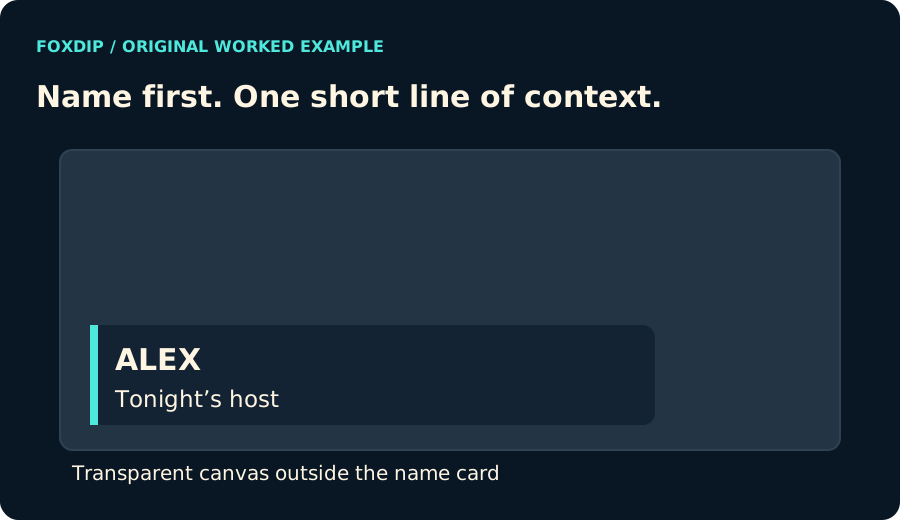
Original Foxdip diagram. The interactive tool above produces your own preview and export; this is not a platform interface screenshot.
Keep the transparent space when you place it
The export is a 1920 × 1080 PNG with the card near the lower-left area and transparent pixels elsewhere. That full canvas makes the intended placement easy to reproduce on a matching scene.
When using a different scene size, scale the whole image proportionally. Cropping or stretching the PNG may change the placement and text proportions. The safe-area preview can help you compare it with the content you need to keep visible.
Check it over the scene you actually use
Add the PNG as an image source and make a short private recording with the host or guest position in view. Read both lines at your normal viewing size. If the card covers subtitles, a scoreboard or hands, move it rather than expecting viewers to work around it.
The graphic is static. It never reads a guest list, changes its text or animates itself. Generate another file when the speaker changes, and keep filenames distinct so you load the right name in the right scene.
Want graphics that already fit? Browse animated overlays ↗
Sources & references
Original Foxdip browser-local tool and explanatory example. Platform or file-format guidance is linked below; account upload and moderation are separate.
- WHATWG — Canvas and bitmap serialization ↗Checked 2026-10-27
Spotted something out of date? Let Alex know.
How we put our guides together ↗