
Discord voice and screen sharing checks
Trace Discord voice, screen-share, permissions and privacy problems without mixing microphone processing with connection faults.
Find your starting point.
Keep voice input, channel permissions and the shared picture as separate checks. A successful microphone test is useful evidence, but it does not reproduce every voice-channel condition.
When the preview and a viewer disagree, record what each person sees or hears. Keep private notifications outside the test and make one change at a time.
- The mic test works but the channel is silent. Compare the actual voice-channel route.
- The shared game has no audio. Check the shared source and audio path.
- The call never connects. Treat connection failures separately from voice filters.
Voice and listening
Check the selected device and processing before changing the entire setup.
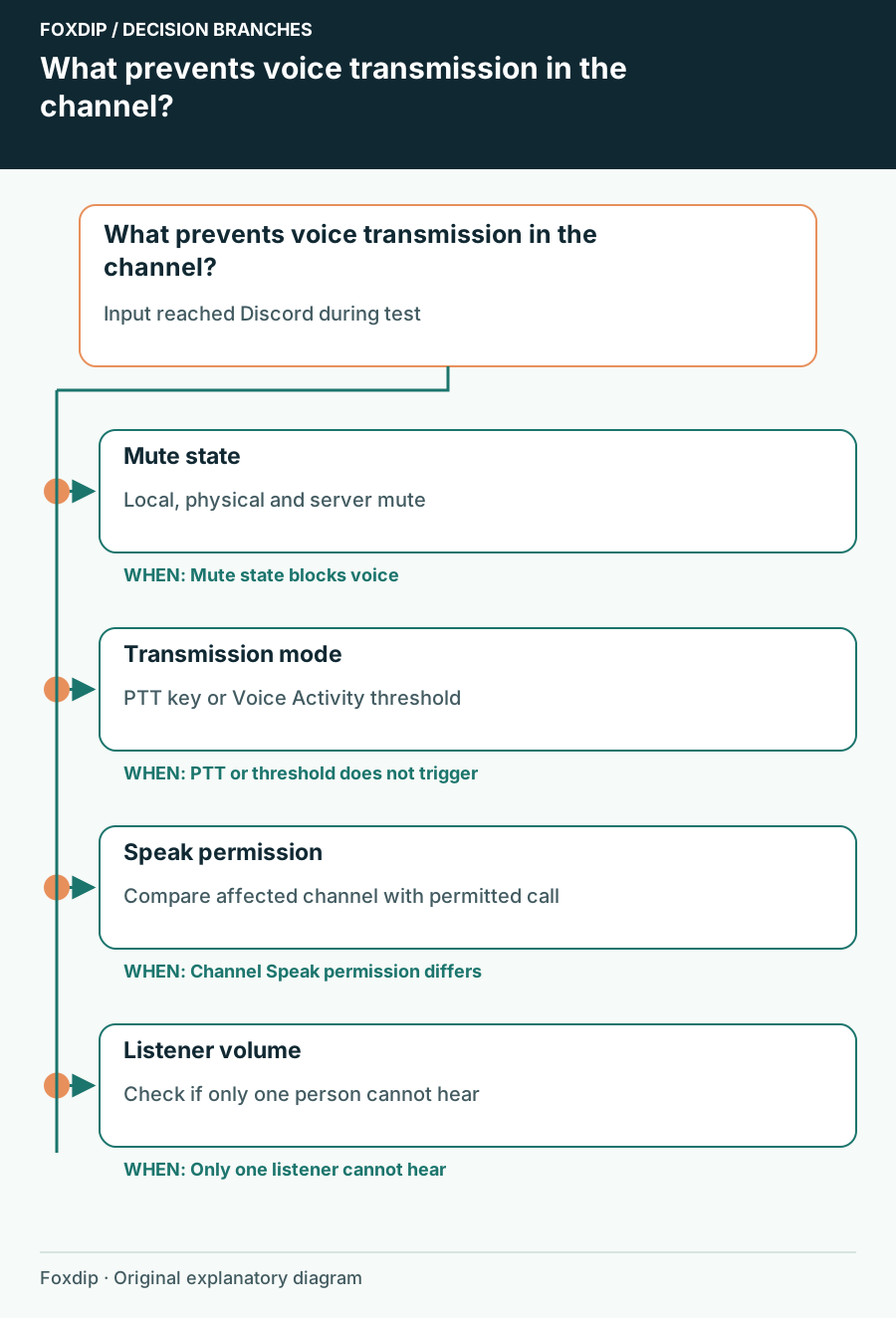
Discord Mic Test Works but Nobody Hears You in a Channel
Check transmission mode, mute state and channel permission after proving that Discord can receive your microphone.
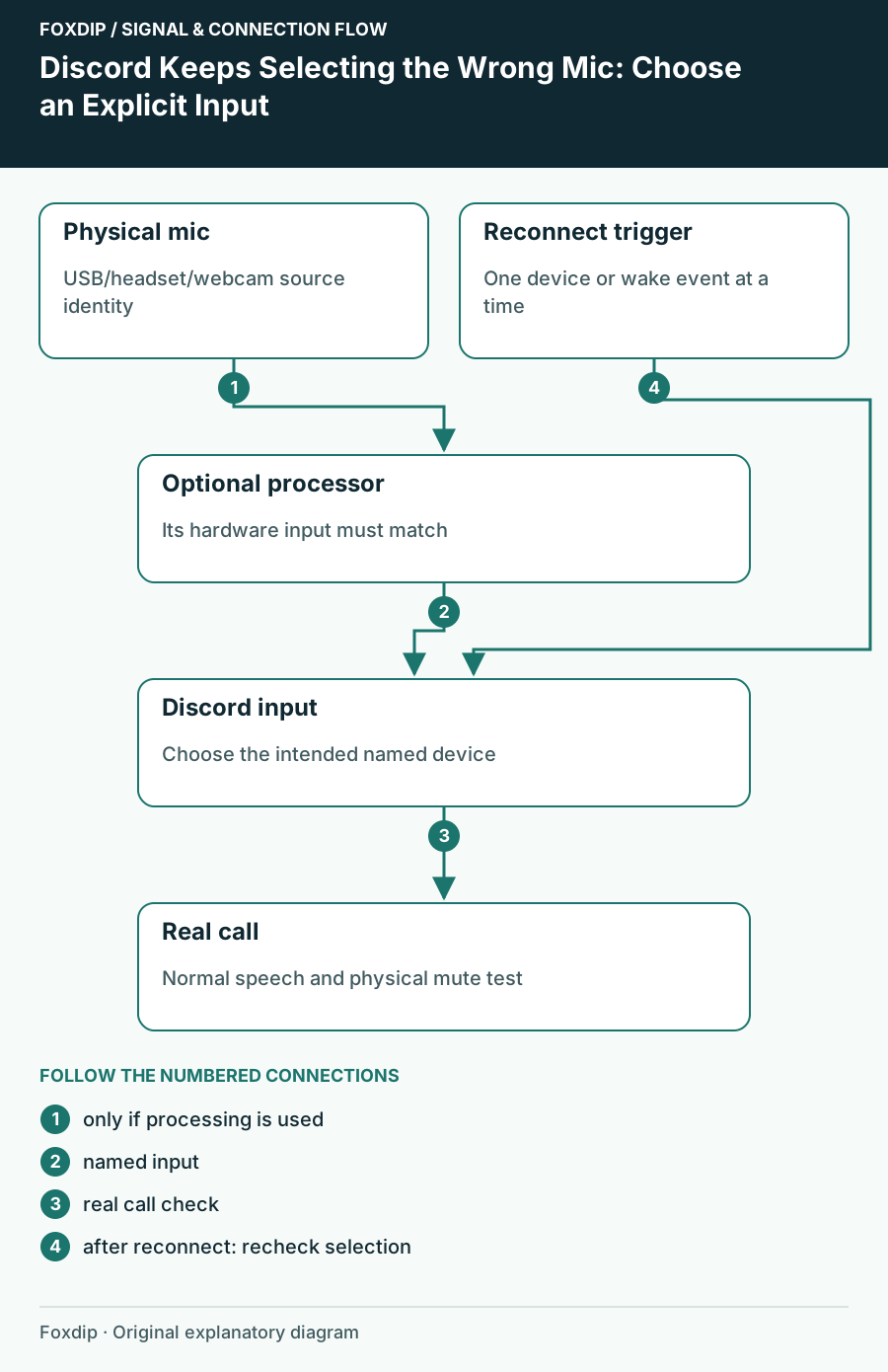
Discord Keeps Selecting the Wrong Mic: Choose an Explicit Input
Stop relying on an ambiguous default and trace whether the device changed in Discord, Windows or an audio mixer.

Discord Makes Your Game Quieter When Someone Talks: Check Attenuation
Compare Discord's desktop attenuation with other audio controls before raising every volume slider.
Discord Krisp Cuts Off Quiet Speech: Compare Processing Before Raising Gain
Test the same sentence with and without Krisp, separate noise suppression from voice activation and keep only the processing that helps.
Discord Push-to-Talk Stops When the Game Has Focus
Check the browser limitation, choose a non-conflicting shortcut and tune release delay without losing the ends of sentences.
Share the picture and sound
Check what the remote viewer receives, including the channel permission.
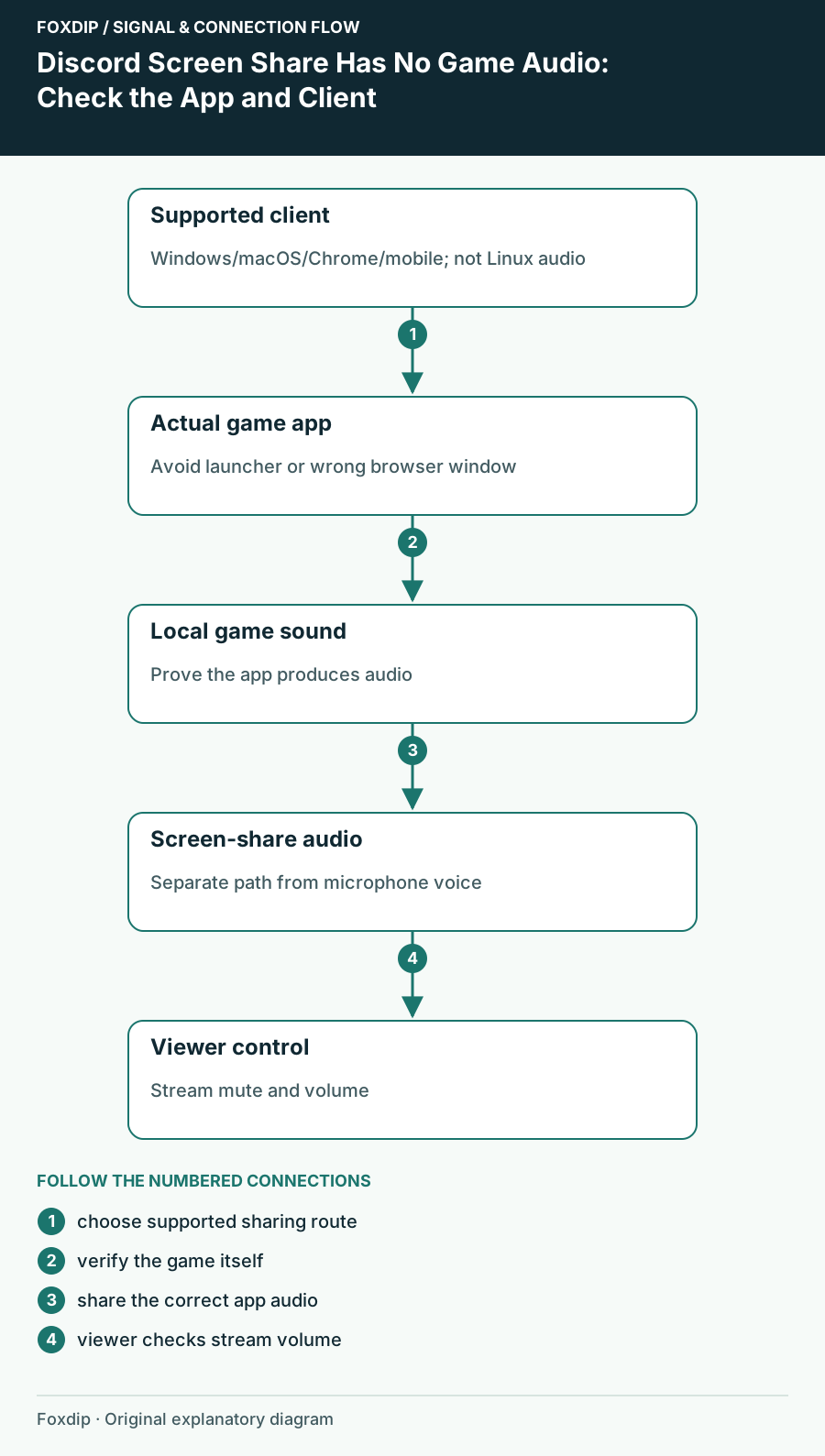
Discord Screen Share Has No Game Audio: Check the App and Client
Check audio-sharing support for your Discord client, select the game itself and verify sound from a viewer’s side.
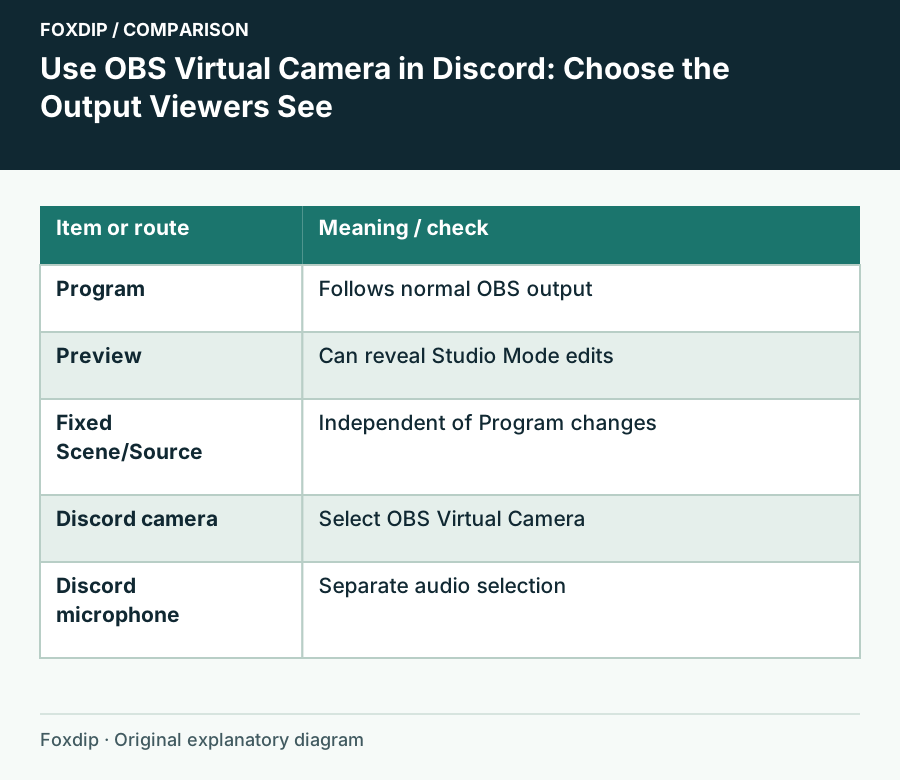
OBS Virtual Camera on Discord: How to Set It Up
Start OBS Virtual Camera, pick it as your camera in Discord, and choose what Discord sees: the whole program, one scene or one source. Set the mic apart.
Discord Go Live Missing in One Channel: Check the Video Permission
Compare a working channel or call, then review the narrow server or channel permission that controls screen sharing.
Discord Screen Share Stutters: Check the Viewer Before the Preview
Distinguish Discord's paused local preview from a real viewer freeze, then compare quality and application load.
Connection and privacy
Keep a connection investigation and a privacy check as distinct tasks.
Discord Stuck on RTC Connecting or No Route
Separate service problems from network restrictions, test a permitted connection and collect useful evidence without disabling protections broadly.
Check What Discord Streamer Mode Actually Hides
Enable the relevant privacy controls and test the captured Discord view, including the display-name exception.