
YouTube Live: prepare, deliver and keep the stream
Prepare a YouTube live event, check latency and viewer controls, and protect the recording before the broadcast begins.
Find your starting point.
Separate event settings, the encoder output and the viewer experience. Check the event you intend to use rather than assuming a reused setup carries the right details.
Use a small test before an important broadcast. Keep a local backup plan when the length or purpose of the stream makes the eventual platform archive important.
- Run an unlisted test. Check the viewer result before the real event.
- Choose the latency trade-off. Match the setting to the interaction you need.
- Protect a long stream. Decide on the backup before starting.
Prepare the event
Check the event identity and start/stop behaviour before sending a live output.
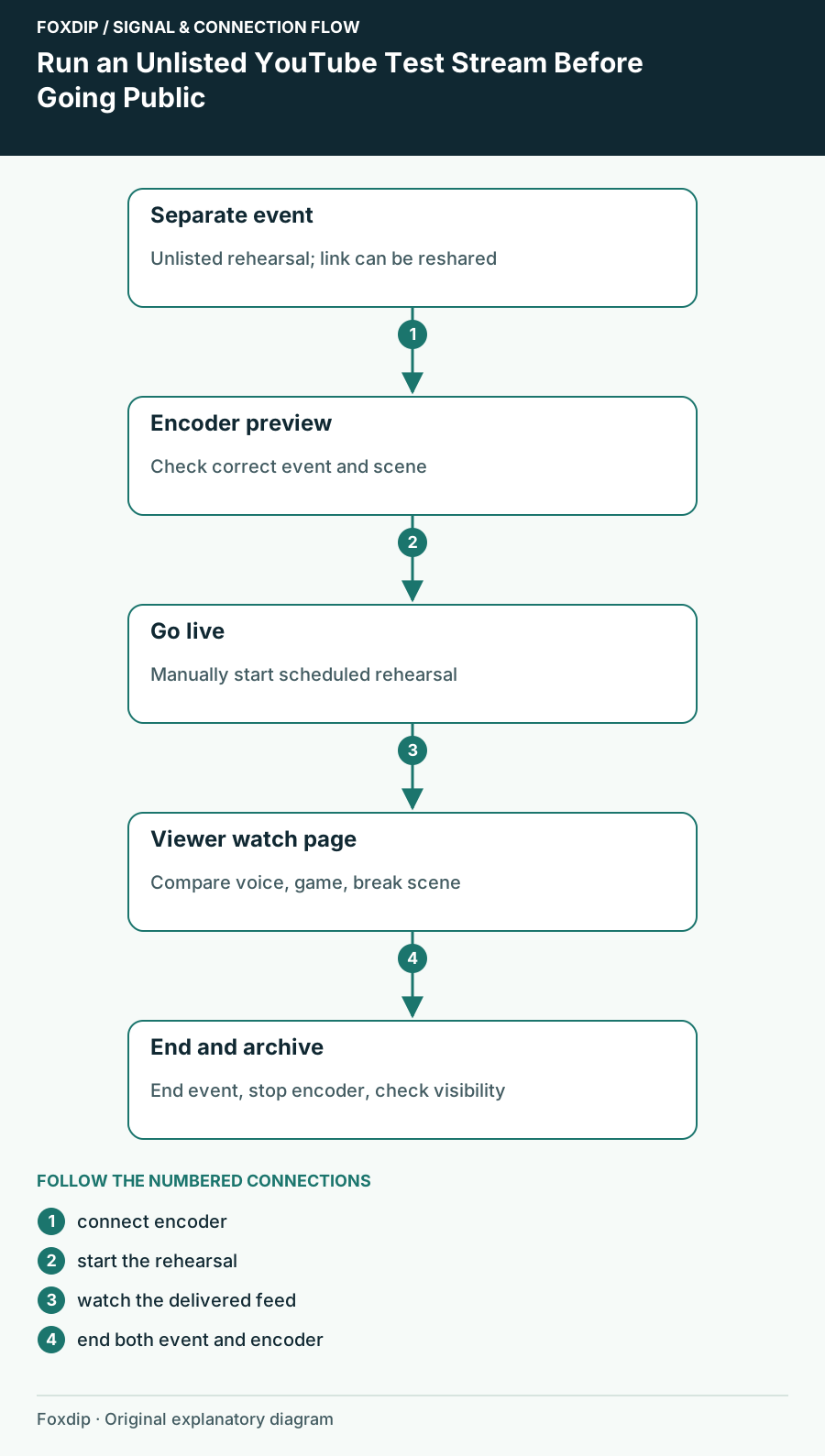
Run an Unlisted YouTube Test Stream Before Going Public
Create a separate unlisted rehearsal and check your real watch page, audio, scenes and ending procedure.

Reuse YouTube Live Settings Without Carrying the Wrong Event Details
Inspect the copied title, visibility, key and automation before distributing the new event's watch link.
YouTube Auto-Start and Auto-Stop: Control When the Audience Goes Live
Inspect event automation before sending an encoder feed and rehearse the end of the broadcast as carefully as the start.
Add a Trailer to a Scheduled YouTube Live Stream
Check trailer eligibility, attach the right uploaded video and verify the waiting-room experience before promoting the event.
Check the viewer experience
Compare latency, rewind, captions and the actual displayed composition.
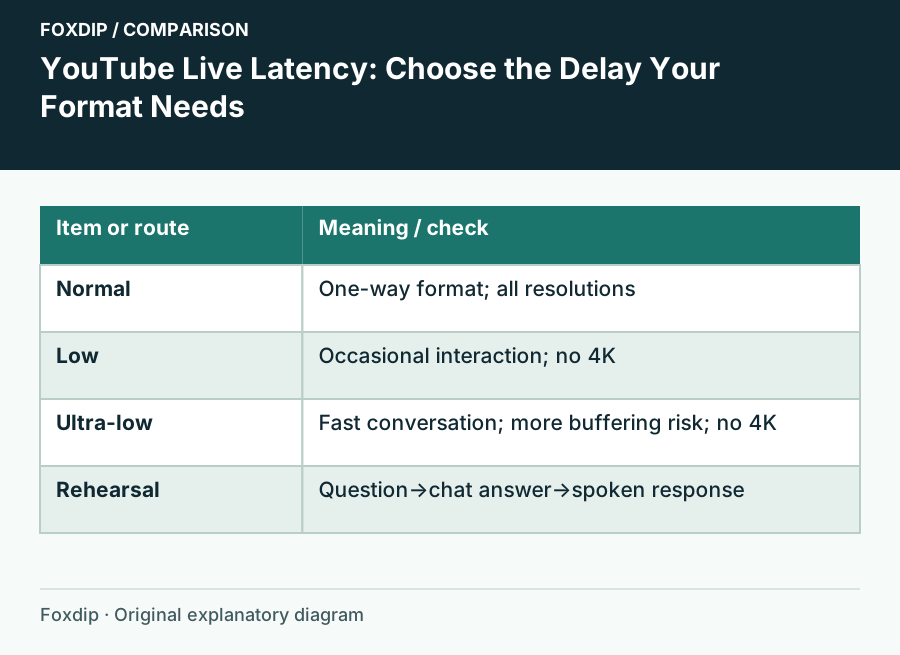
YouTube Live Latency: Choose the Delay Your Format Needs
Choose Normal, Low or Ultra-low latency for an encoder stream and rehearse the full viewer-response loop.
YouTube Live Rewind Not Working: Check DVR and the Viewer Session
Enable DVR where supported, distinguish a new viewer session from an old one and understand long-stream rewind limits.
YouTube Live Automatic Captions Missing: Check Language, Latency and Access
Verify the narrower live-caption requirements instead of applying the rules for captions on uploaded videos.
YouTube Dual Live Formats: Check the Vertical Crop Before Starting
Review the current dual-stream setting, choose a vertical layout or encoder feed and test the shared event on mobile.
Finish and keep the session
Plan the handoff and the recording you need afterward.
Set Up YouTube Live Redirect and Check the Receiving Channel
Verify sending eligibility, recipient permission and the correct live or Premiere target before the handoff.
Protect a Long YouTube Live Stream Before the Archive Limit
Plan a local recording, verify files during breaks and avoid relying on automatic archives for broadcasts longer than 12 hours.