FOXDIP / SOFTWARE HELP

Wave Link 3

Choose the symptom below, then follow the checks for your connection and app version.

All devices & apps
PICK THE PROBLEM

Let’s get it working.

4 guides for Wave Link 3

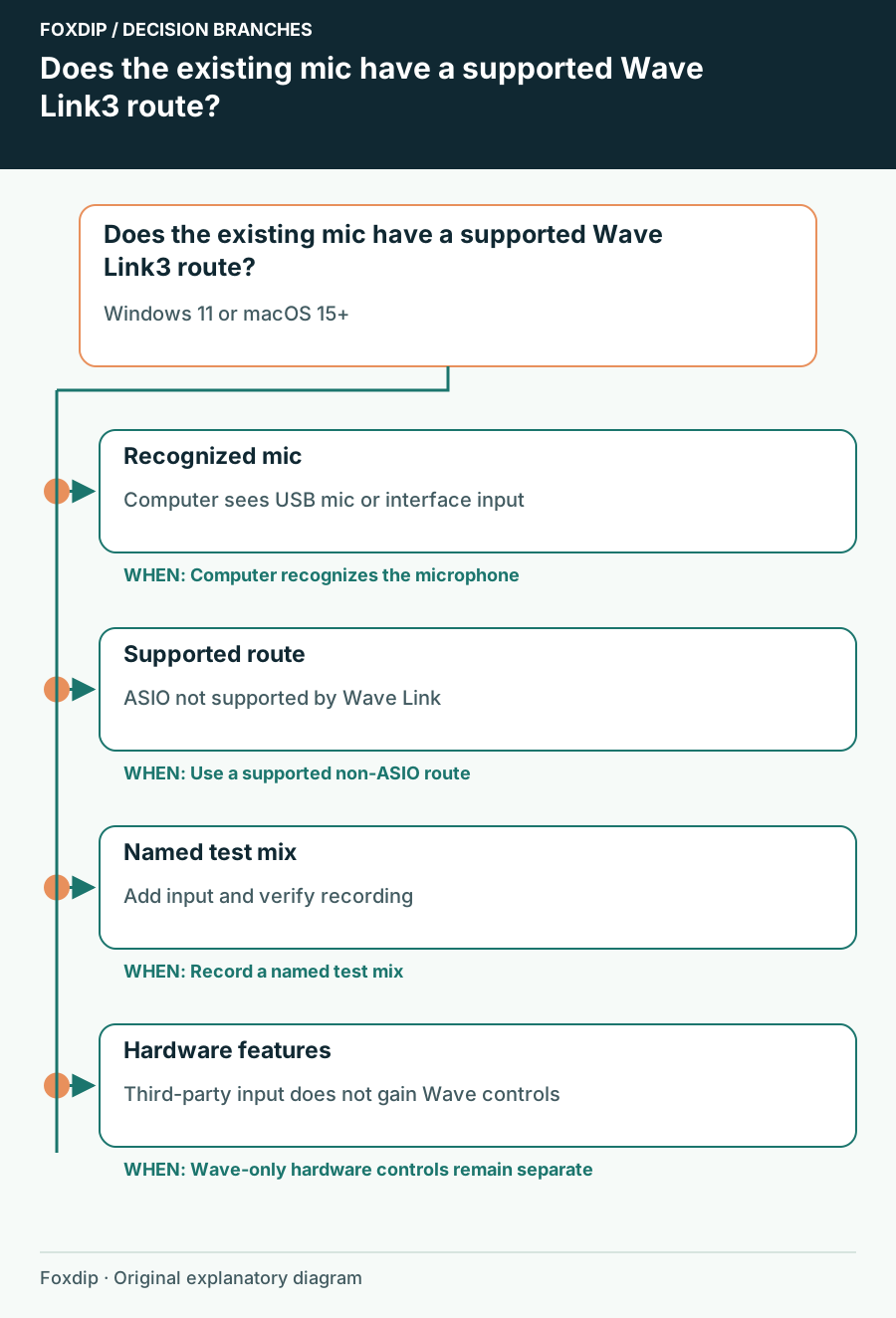
Does the existing mic have a supported Wave Link3 route?. Branches connect the checks and possible next steps.
Tutorial

Can Your Existing USB Mic Work with Wave Link 3?

Check computer recognition, operating-system requirements and the difference between mixing support and hardware-specific controls.

4 min read ·Oct 26, 2026
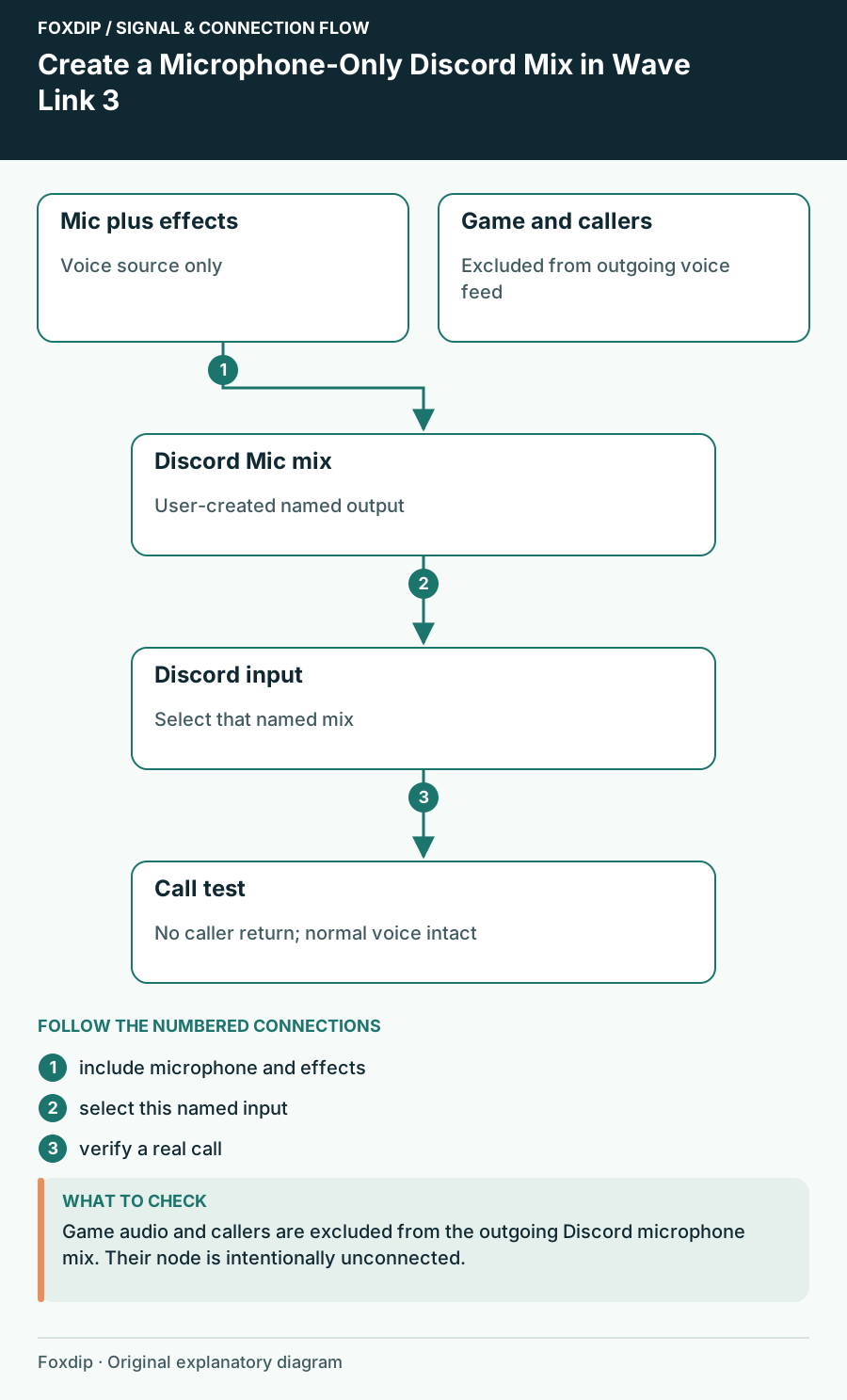
Create a Microphone-Only Discord Mix in Wave Link 3. Labels show the relationships described in the guide.
Tutorial

Create a Microphone-Only Discord Mix in Wave Link 3

Send your processed voice to Discord while keeping callers, game sound and the audience mix out of its microphone input.

4 min read ·Oct 26, 2026
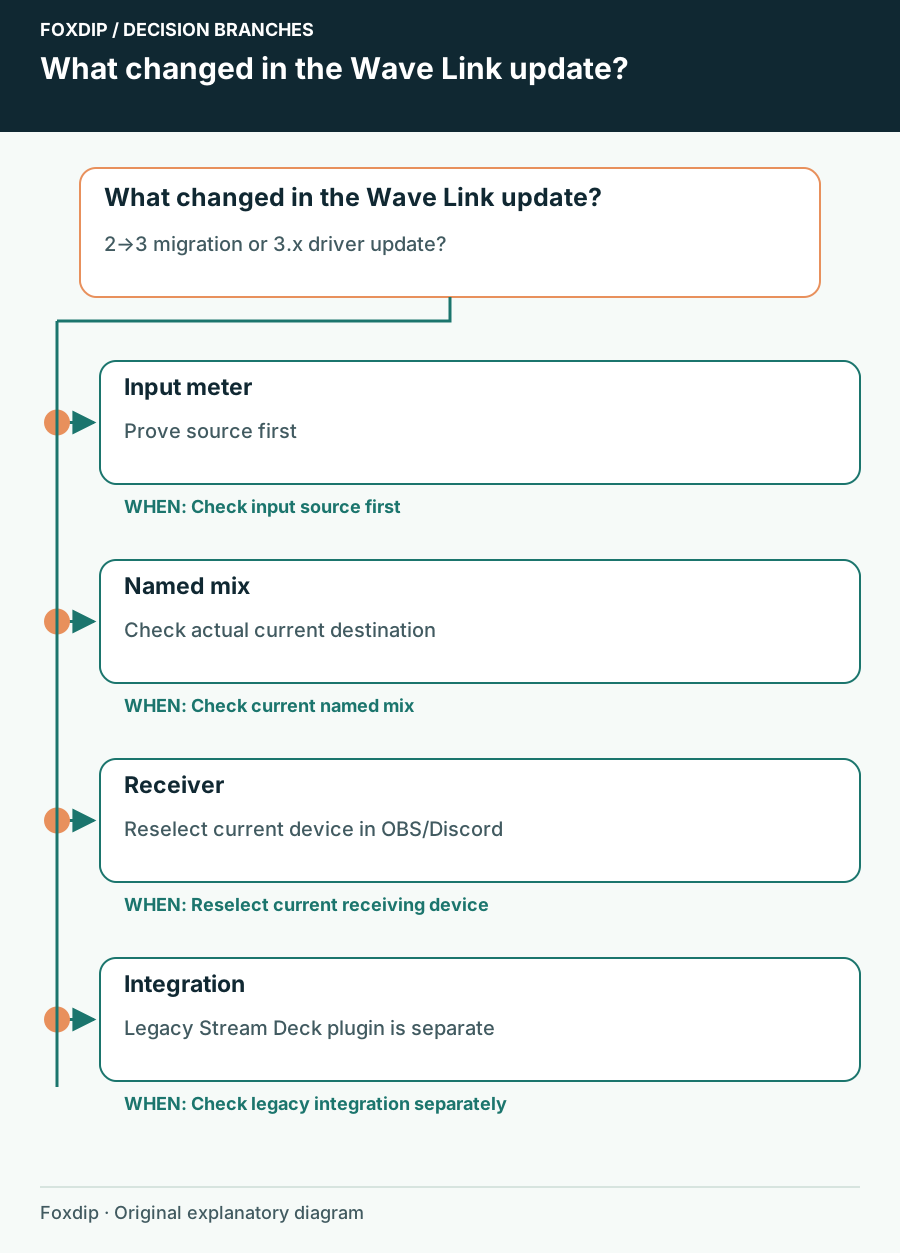
What changed in the Wave Link update?. Branches connect the checks and possible next steps.
Tutorial

Wave Link 3 Audio Changed After an Update: Recheck the Route

Compare current virtual-device names, application assignments and the audience mix before assuming an update damaged your setup.

4 min read ·Oct 26, 2026
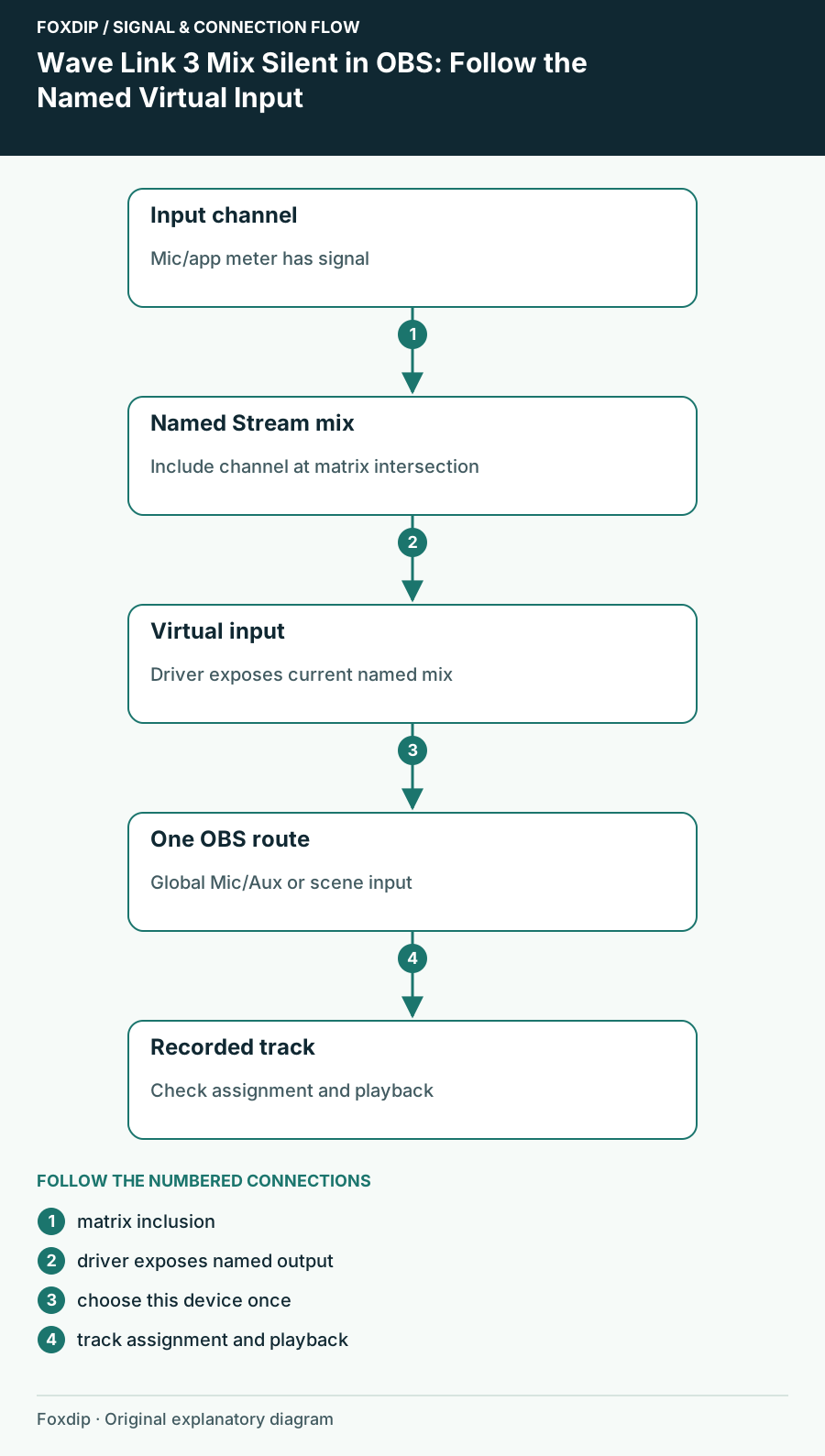
Wave Link 3 Mix Silent in OBS: Follow the Named Virtual Input. Labels show the relationships described in the guide.
Tutorial

Wave Link 3 Mix Silent in OBS: Follow the Named Virtual Input

Find the mix you actually created in Wave Link 3 and trace it into one OBS input instead of relying on an old device label.

4 min read ·Oct 26, 2026