FOXDIP / SOFTWARE HELP

Discord

Choose the symptom below, then follow the checks for your connection and app version.

All devices & apps
PICK THE PROBLEM

Let’s get it working.

4 guides for Discord

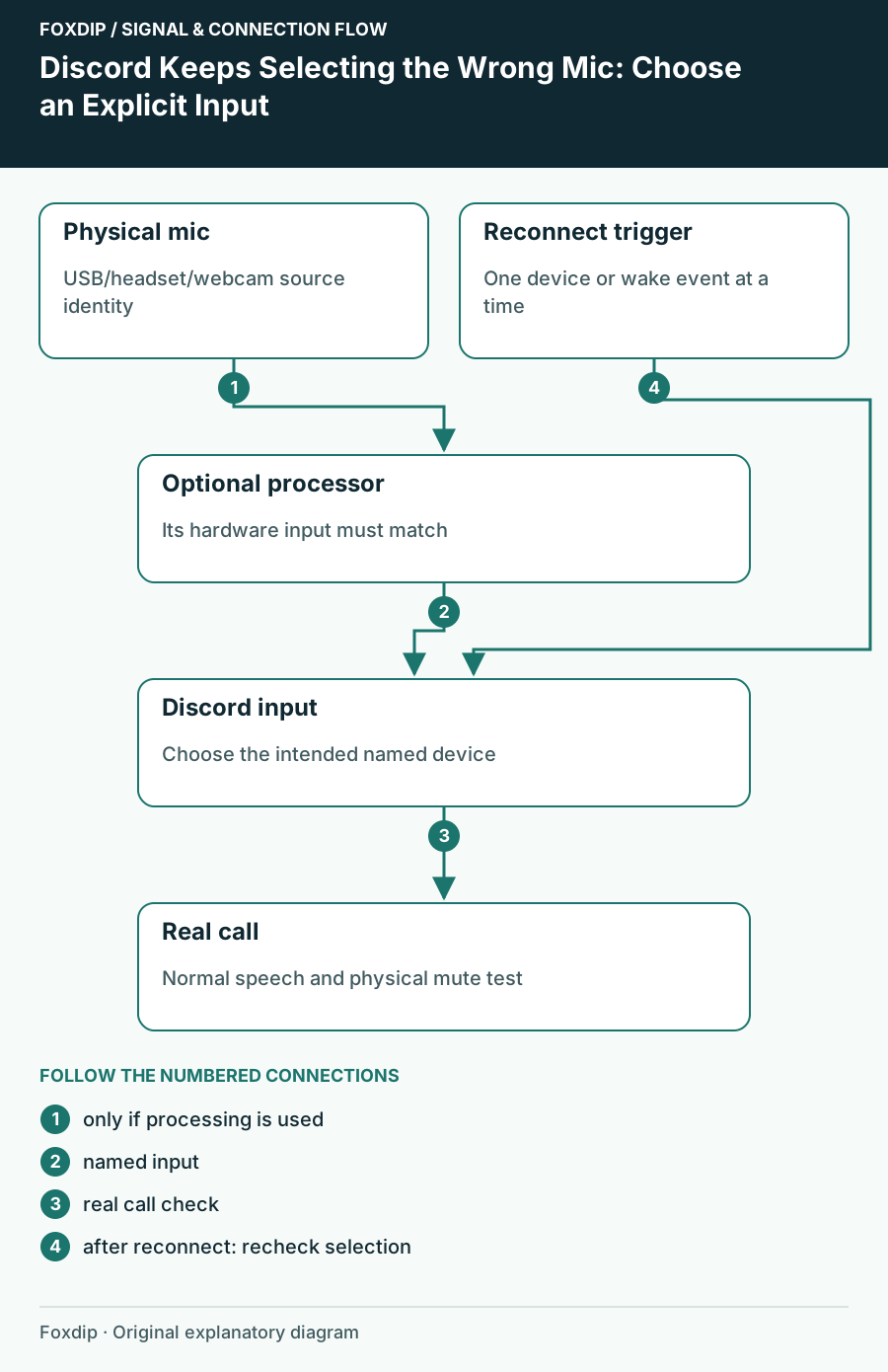
Discord Keeps Selecting the Wrong Mic: Choose an Explicit Input. Labels show the relationships described in the guide.
Tutorial

Discord Keeps Selecting the Wrong Mic: Choose an Explicit Input

Stop relying on an ambiguous default and trace whether the device changed in Discord, Windows or an audio mixer.

4 min read ·Oct 26, 2026
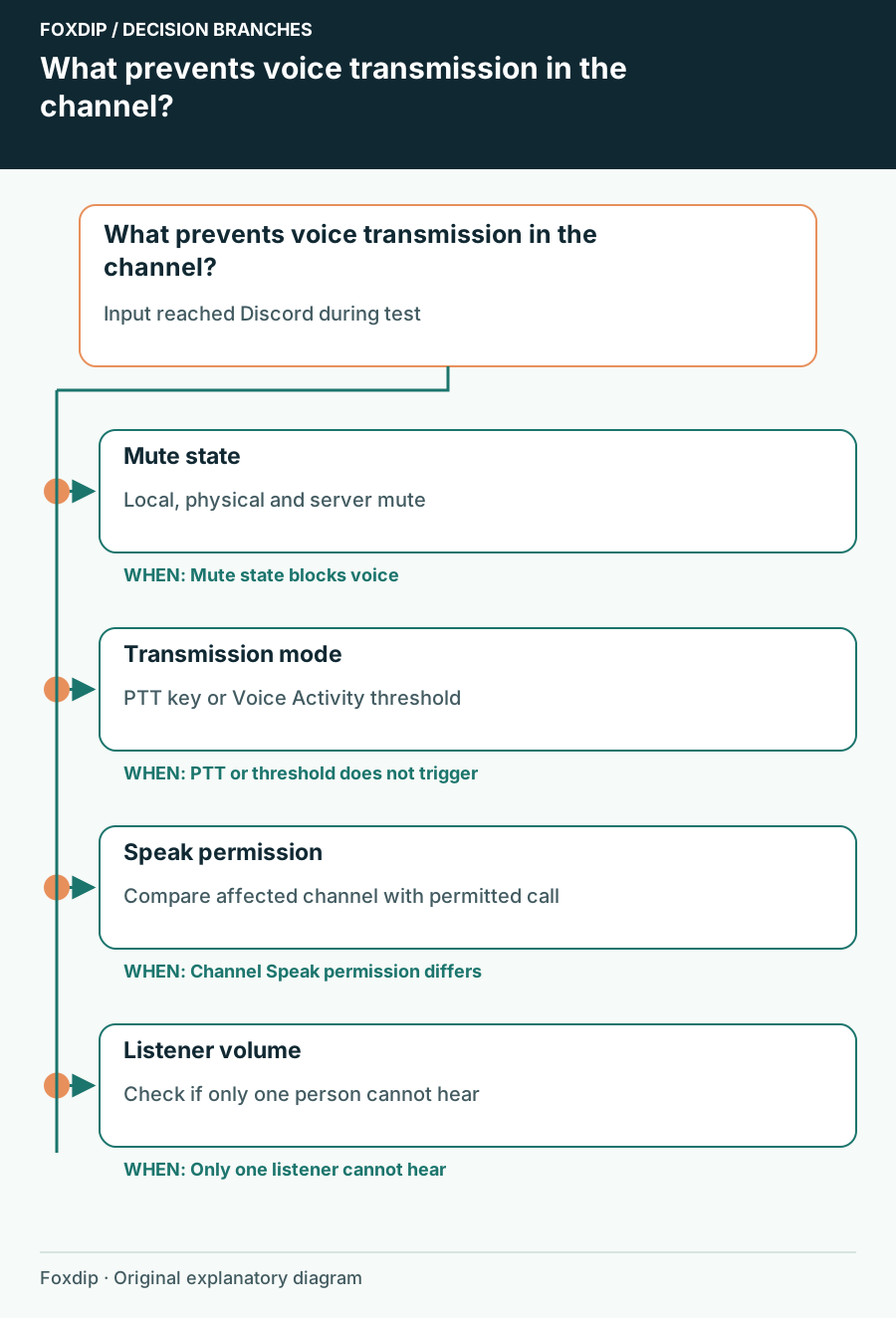
What prevents voice transmission in the channel?. Branches connect the checks and possible next steps.
Tutorial

Discord Mic Test Works but Nobody Hears You in a Channel

Check transmission mode, mute state and channel permission after proving that Discord can receive your microphone.

4 min read ·Oct 26, 2026
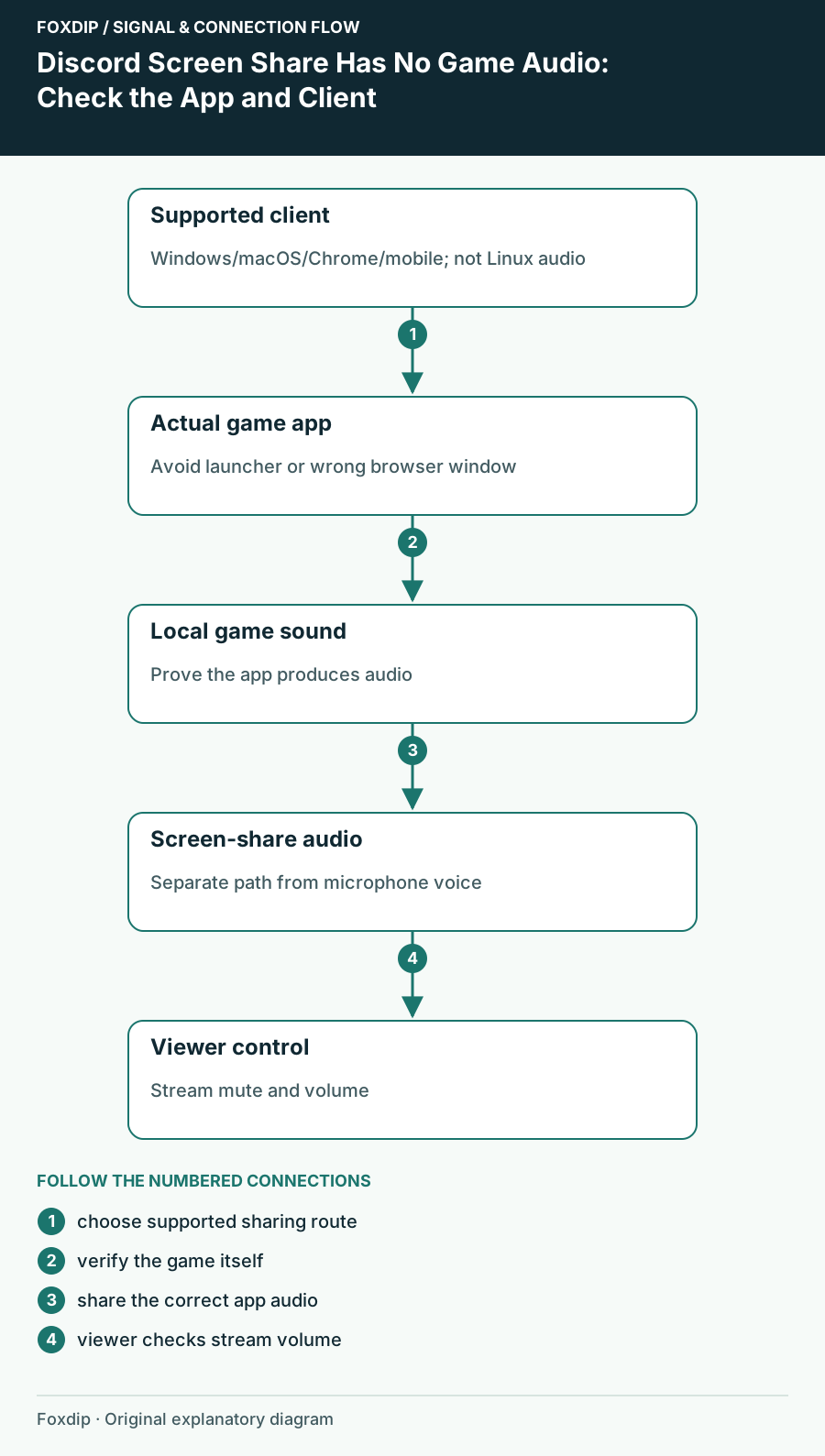
Discord Screen Share Has No Game Audio: Check the App and Client. Labels show the relationships described in the guide.
Tutorial

Discord Screen Share Has No Game Audio: Check the App and Client

Check audio-sharing support for your Discord client, select the game itself and verify sound from a viewer’s side.

4 min read ·Oct 26, 2026
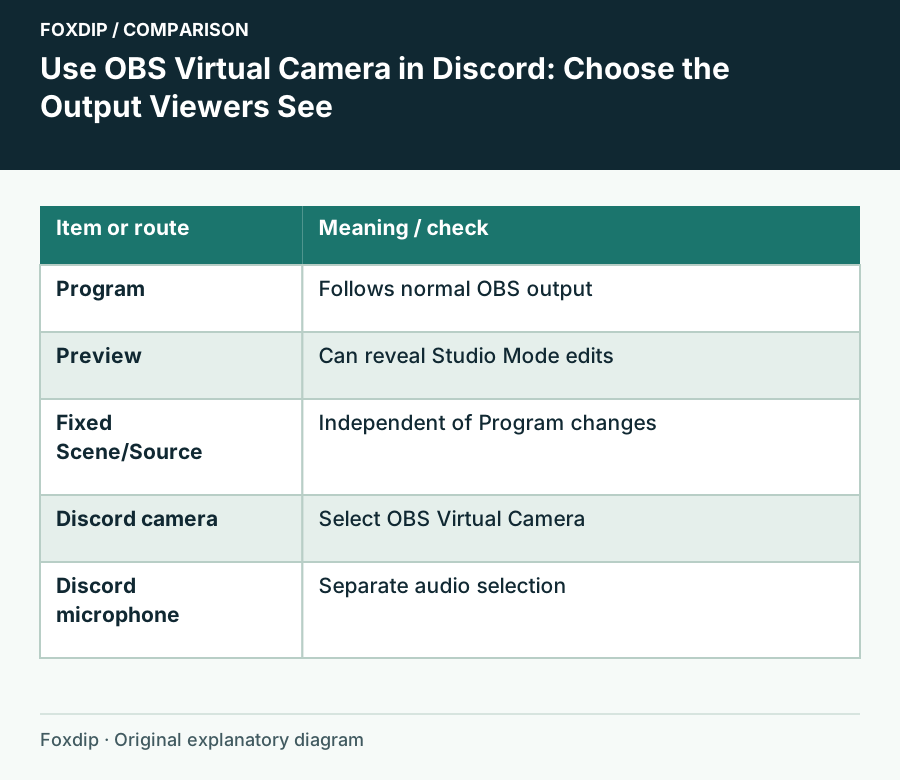
Use OBS Virtual Camera in Discord: Choose the Output Viewers See. Comparison columns: Item or route, Meaning / check.
Tutorial

OBS Virtual Camera on Discord: How to Set It Up

Start OBS Virtual Camera, pick it as your camera in Discord, and choose what Discord sees: the whole program, one scene or one source. Set the mic apart.

4 min read ·Oct 26, 2026