
Check the physical Mac/Windows switch, then edit the layer it uses. Inspect Fn's layer action if the change works only while a key is held.
A remap on the intended base or function layer, with the original binding preserved.
In this guide
Before you start
- Original Keychron Q1 HE with its existing Mac/Windows switch and mappings available to inspect.
- Screens show Launcher's demo keyboard; available controls depend on your model.
- A supported browser, a direct USB baseline and a blank text editor.
- A screenshot of the original key and layer action before making changes.
Check where the remap is supposed to work
If a remapped key still does its old job, first match the layer you're editing to the one you're using. If the change works only while Fn is held, follow that layer action. A visible replacement on another layer can be perfectly valid while leaving your everyday key unchanged.
Choose one nonessential key for the check and open a blank document. Write down what it currently does alone and what it does with Fn held. Keep your normal typing keys, Escape and the only Fn key intact. You'll use this small comparison to decide where an edit belongs.
Match the OS switch to the base layer
Inspect the keyboard's physical Mac/Windows switch. Keychron's original Q1 HE example uses Layer 0 for Mac and Layer 2 for Windows. Photograph the starting switch position.
Select that base in Launcher and wait for its label and keymap to update. Read your test key before editing. You may have changed the other OS base.
 123
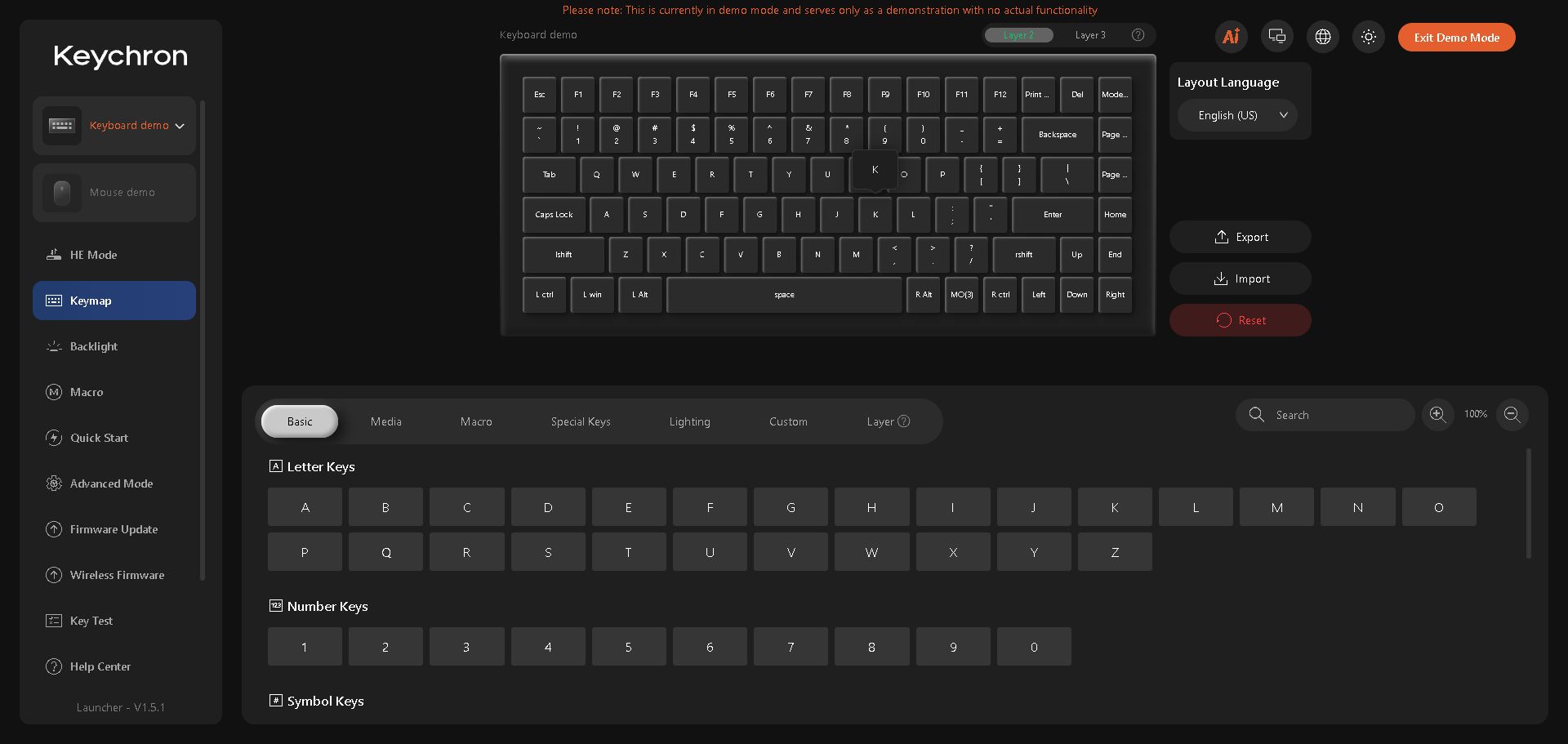
Layer 2 shows the Windows base map in this demo. Check the selected layer before reading the key assignments.
- Open Keymap
- Windows base: Layer 2
- Fn points to MO(3)
Follow Fn to its destination
Inspect Fn's layer action. MO activates a layer while held; TG stays active until toggled off. A displayed MO(3) targets Layer 3; follow your own mapping.
Compare the test key's destination-layer value with its base value. Put a chord action on the destination; put an ordinary-press action on the base. Preserve Fn itself.
 12
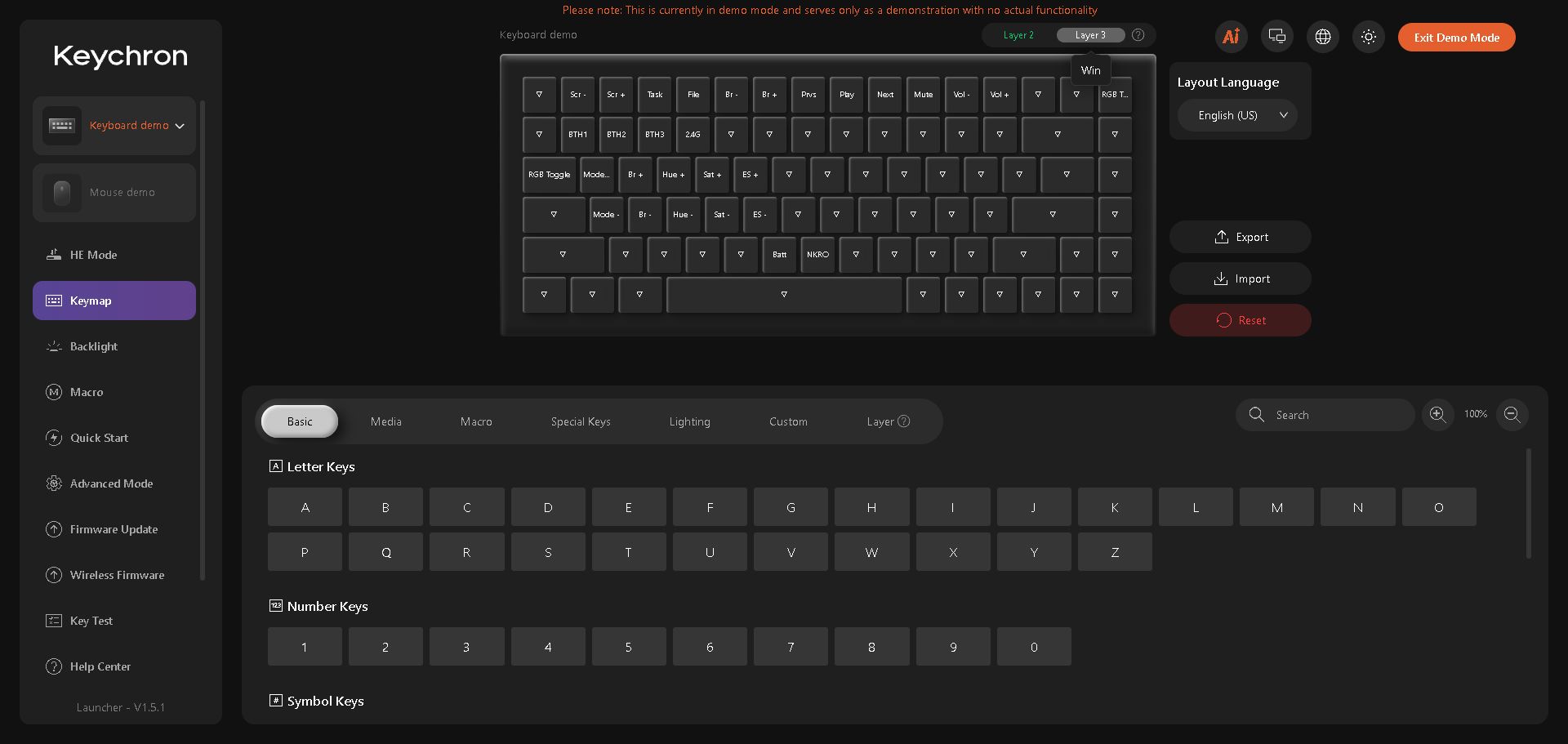
Layer 3 contains the demo’s Fn actions. A change here belongs to the Fn layer, not an ordinary base-layer press.
- Fn destination: Layer 3
- Different functions on this layer
Make one harmless remap and check it
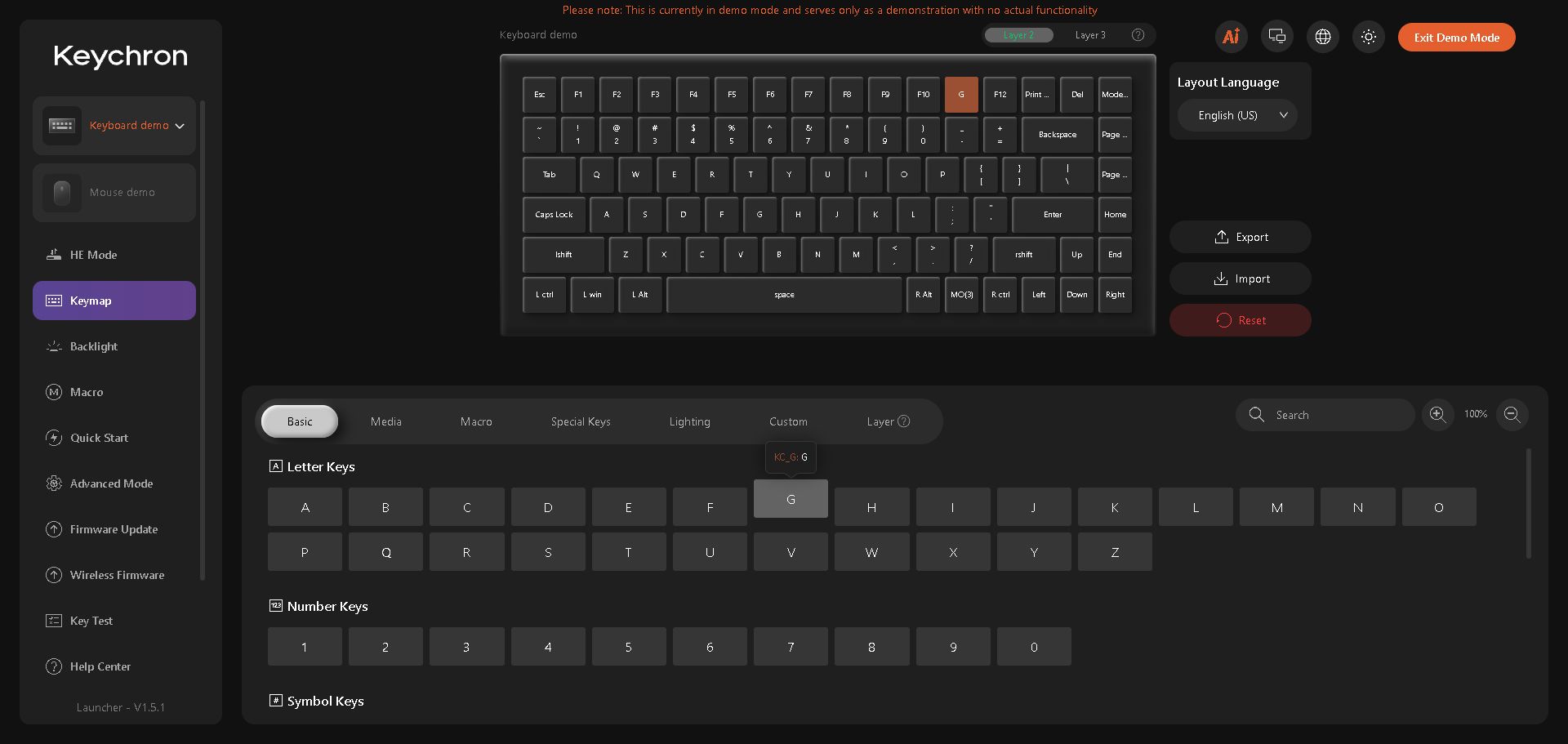
Preserve the original function, select your test key on the keyboard diagram, then choose a harmless letter from the Basic palette. In the demo below, the F11 position now reads G. If a shortcut menu opens when you select a key, click the replacement in the palette below it. Check the label before returning to the blank document.
Restore the original binding after the comparison. If the result followed the layer you edited, make your intended shortcut in that location. If it didn't, check the selected device and profile before repeating. Adding more remaps now would make it harder to see which one affected the result.
 123
The demo’s F11 position has been assigned G on Layer 2. The visible label lets you check which key and layer you edited.
- Confirm the layer
- Selected physical-key position
- Choose a Basic letter
Keep a small record of the final mapping
Record the OS-switch position, edited layer, physical key and replacement function. Check the shortcut in its intended application only after the blank-editor comparison makes sense. An application can assign its own meaning to a shortcut, so keep that check separate from whether the keyboard sent your test letter. If you alternate between computers, keep one note for each mode. Test the exact key combination you use at work or while playing, then check an ordinary press again. That final return to the base layer helps you catch a shortcut that leaves the keyboard in an unexpected state.
Sources & references
Layer examples follow Keychron’s original Q1 HE documentation. The real Launcher demo, version 1.5.1, supplies the screenshots. They illustrate the UI; use your model’s instructions for its OS switch and supported layers.
- Keychron — Switching and Toggling Layers ↗Checked 2026-10-18
- Keychron — Use Launcher to Program Your Keyboard ↗Checked 2026-10-18
- Keychron Launcher — demo interface ↗Checked 2026-10-18
Spotted something out of date? Let Alex know.
How we put our guides together ↗