
Reconnect the original Q1 HE to Launcher and compare the active HE profile with the one you edited, then test one change after reconnecting.
Separate the HE profile, OS keymap and exported backup before calling a restart a lost-settings fault.
In this guide
Before you start
- Original Keychron Q1 HE and a wired data connection.
- Current Chrome, Edge or Opera with official Launcher.
Identify which kind of setting changed
Actuation, Rapid Trigger and gamepad behavior belong to an HE profile. A remapped character or shortcut belongs to the keymap and its layer. Exporting a configuration creates a backup file; it is not proof that the keyboard is currently using the profile you meant to change.
This guide concerns the original Q1 HE, not the Q1 HE 8K or a mechanical Q1. Keychron’s original product documentation describes a separate Mac/Windows system toggle and layouts stored on the keyboard. Check that switch before treating a different keymap after reboot as erased memory.
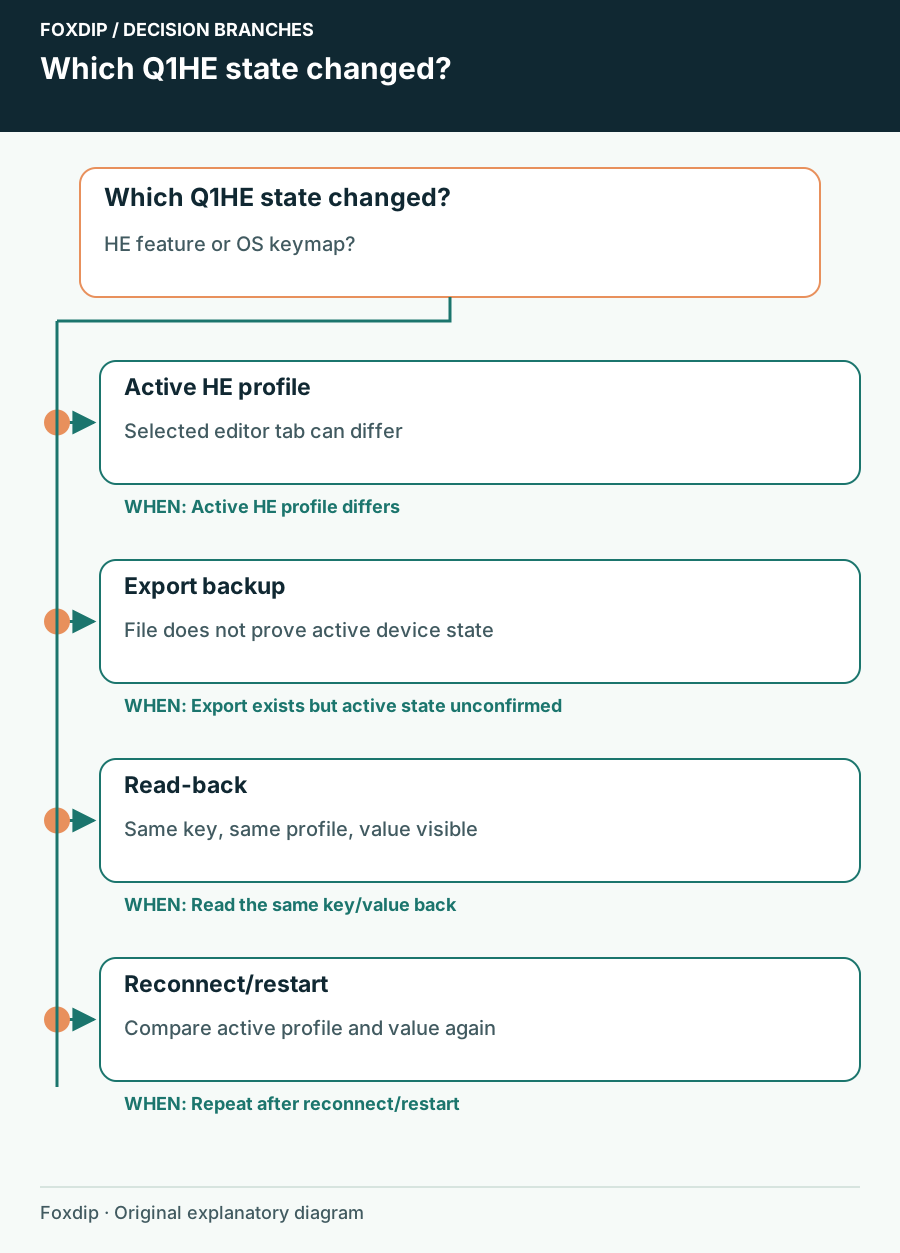
Original Foxdip schematic. Follow the labelled checks alongside the guide.
Reconnect to the real keyboard
Use a wired data connection for a controlled Launcher comparison. Open the official Keychron Launcher through Keychron’s site in a current Chrome, Edge or Opera browser, connect and select the exact keyboard. Keep the OS switch and connection mode unchanged for the first test.
In HE Mode, inspect which profile is active rather than only which profile’s page is selected for editing. Keychron’s profile guide explicitly illustrates the case where Gaming is selected while Default is actually active. That difference can explain why saved-looking numbers don’t match the key behavior you feel.
Make a backup before testing retention
Use the HE profile’s management menu to export the current configuration and give the file a date and profile name. Keep a separate note of the active profile and OS switch. Import replaces the current settings, according to Keychron’s guide, so don’t import an old file merely to check that the button works.
HE profile exports cover HE features. Do not assume one exported HE file contains every keymap, macro or lighting setting. Record important separate changes in the relevant area before considering a firmware update or factory reset.
Use one easy-to-reverse comparison
Change one non-critical key’s HE setting in the intended active profile using the controls Launcher provides. Avoid Enter, Escape or a key you need to reconnect. Complete the relevant confirmation shown by the actual interface; this guide does not assume one universal Save button for every Launcher page.
Read back the change
Reopen that profile’s setting and note the displayed value after the interface finishes applying it.
Look for: You have a concrete value to compare.
Reconnect without rebooting
Disconnect the keyboard, reconnect in the same wired mode and reauthorize it in Launcher.
Look for: You can distinguish a device reconnect from a full computer restart.
Repeat after restart
Restart the computer, reconnect Launcher and inspect the active profile and same key value.
Look for: You know whether the value changed or a different profile became active.
Report the difference you actually found
If the value remains but behavior differs, inspect the active profile and OS layer before changing it again. If the value disappears in the same profile immediately after reconnecting, record that exact sequence, firmware version and keyboard layout for Keychron Support. This is evidence for your unit, not proof of a known model-wide defect.
Restore the test key afterward. Keep the exported backup and the version note until the setup is stable. Use the keyboard’s exact firmware page only when an update is relevant, and preserve your configuration first; a blind flash or reset can erase the evidence and settings you were trying to protect.
Sources & references
Based on the official documentation linked beside the relevant sections. Follow the checks on your own setup; no hardware measurements or account tests are claimed.
- Keychron — Original Q1 HE ↗Checked 2026-10-27
- Keychron — Manage Your HE Profile on Launcher ↗Checked 2026-10-27
- Keychron — Program Keyboard with Launcher ↗Checked 2026-10-27
Spotted something out of date? Let Alex know.
How we put our guides together ↗