 Animated
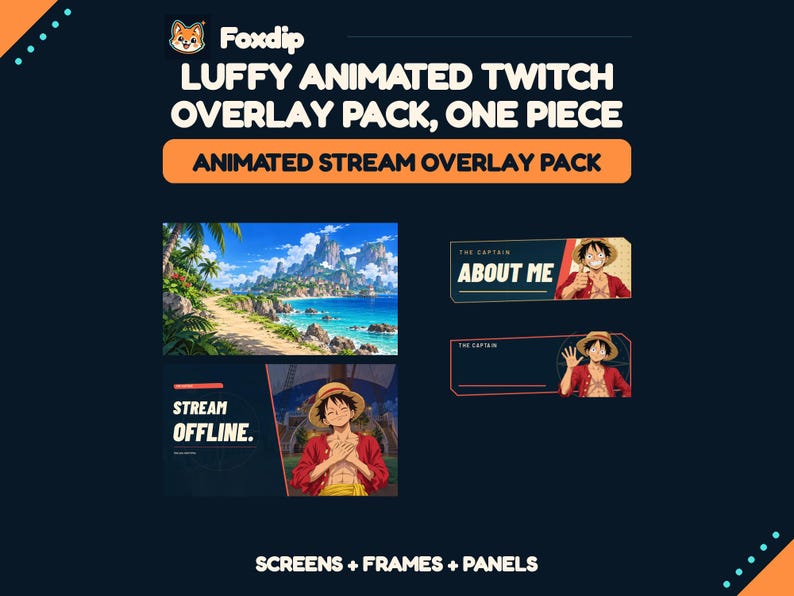
Luffy Animated Twitch Overlay Pack, One Piece Stream Screens, Alerts and Panels
PNG · WEBM · HTML · JPG · MP4Download
CA$13.17CAD
 Foxdip✦
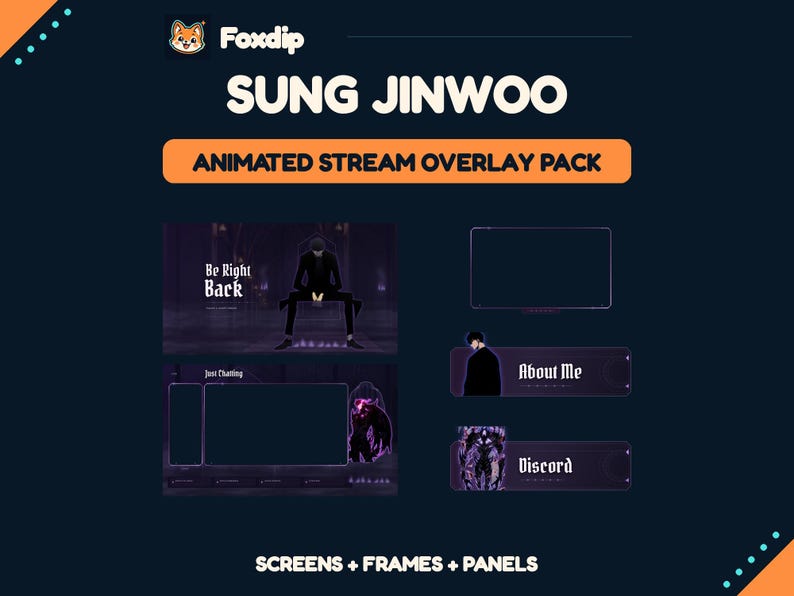
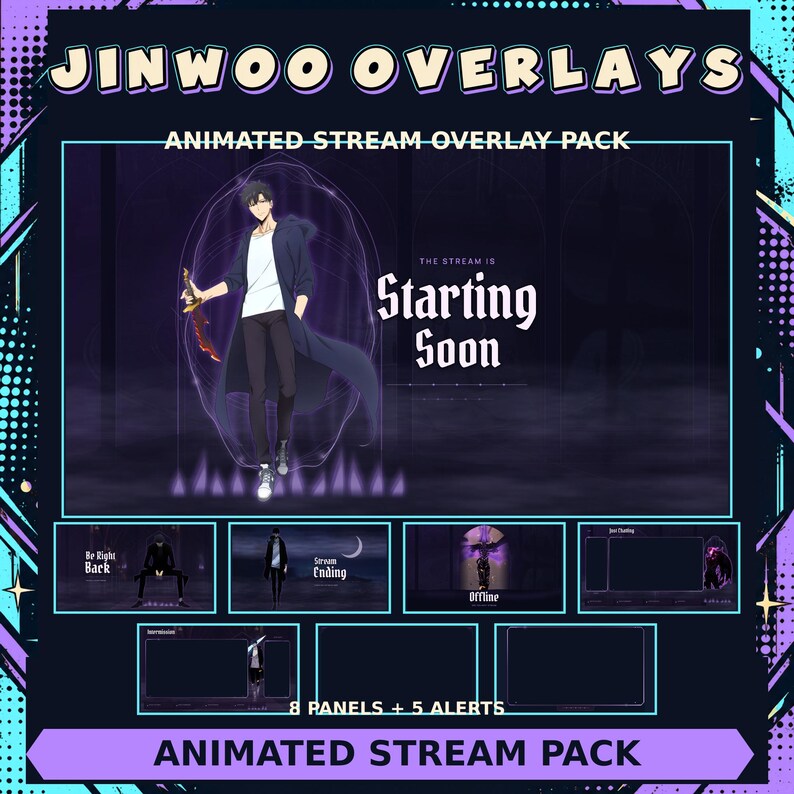
Violet portals, dungeon scenery and shadow-army artwork set the scene for this Jinwoo-themed stream pack. Animated screens, overlays and alerts join panels, banners and a personalization tool, with a StreamElements widget for your configured events.
CA$5.58CAD
4 ZIP · Files available after verified payment.
Buy on FoxdipListing availability checked 2026-11-07 · File details checked 2026-10-23. The files and licence below apply to your Foxdip purchase.
One design can come in several sizes or formats. Those exports are not extra reactions.
Create a coordinated Solo Leveling streaming setup with this Sung Jinwoo-themed digital graphics pack. “Violet Gate” combines dark violet graphics, portals, dungeon scenery and shadow-army artwork. Use the included files in OBS Studio to display your starting screen, breaks, gameplay, camera and chat. Matching panels and a banner complete your Twitch profile. WHAT’S INCLUDED • 3 animated screens: Starting Soon, Be Right Back and Stream Ending. • 1 static Offline screen. • 2 animated camera/chat layouts: Just Chatting and Intermission. • 1 transparent animated gameplay overlay. • 1 transparent animated webcam frame. • 8 illustrated Twitch panels: About Me, Rules, Schedule, Socials, Discord, Donate, Wishlist and Equipment. • 5 animated alerts: Follow, Subscribe, Donation, Bits and Raid. • 1 Twitch banner, a blank version and a username personalization tool. • StreamElements alert widget, editable composition files and installation instructions. FORMATS AND ANIMATION Main scenes and overlays are 1920 × 1080. The pack includes PNG images and transparent WebM videos; the three waiting screens also include MP4 versions. Videos run at 30 FPS. Portals, flames, mist, lighting and alert effects animate. Each alert has its own entrance and exit. Character illustrations are mostly static. All files are silent. PERSONALIZATION Use the included banner tool in Chrome or Edge to export a banner PNG with your channel name. Further composition changes require editing the supplied code files. Live viewer names and amounts are displayed through the included StreamElements widget after you upload the alert videos and configure its fields. HOW TO USE IT After purchase, download all 4 ZIP files and extract them into the same folder. Follow the included instructions to import the graphics into OBS Studio and configure your alerts. Transparent overlays sit above your camera, chat or gameplay sources. This is an instant digital download. No physical item will be shipped. Camera footage, gameplay and chat content are supplied by your own streaming setup. FOXDIP DELIVERY After payment is verified, your private download page and confirmation email provide all 4 ZIP file(s) listed below. Extract every archive for this product. For file support, email support@foxdipstudio.com with your order reference and filename.
Dimensions listed for this pack: 1920 × 1080. Match each size to the asset named above.
Explore the setup guide| Format | How to use it | Before uploading |
|---|---|---|
| MP4 | A local video file. Use a Media Source for an OBS scene. | Check the listed background and intended use; MP4 does not imply transparency. |
| PNG | A still image. Use an Image source for scene graphics. | For chat or a badge slot, use the size requested by that platform. |
| WEBM | A local video file. Use a Media Source for an OBS scene. | An alert video still needs an alert service to trigger it. |
The artwork licence and your platform’s upload features are separate. OBS source reference ↗
FOXDIP - VIOLET GATE CHANNEL USE TERMS Premade, non-exclusive use for your own creator channel and streaming setup, including monetized streams. You may customize the supplied composition files and banner for that channel and keep private backups. Do not resell, share, redistribute or sublicense the downloaded pack or its source assets, claim the artwork as your own, or sell merchandise using the character artwork. Original character and artwork rights remain with their respective holders. Foxdip has confirmed authorization to resell this pack. The source-reference credits and font licences are retained in 04-CUSTOMIZE/Licenses; the references alone are not a licence. No exclusive character ownership or official endorsement is transferred. Font licences continue to govern the included fonts. Download all four ZIPs from your private Foxdip order page and extract them into the same folder. Keep the JINWOO subfolders together. For file support, contact support@foxdipstudio.com with your order reference and filename.
About product licencesAfter verified payment, open your private download page from the confirmation email and download all listed ZIP files. For help, contact support@foxdipstudio.com with your order reference. Keep private download links out of screenshots.
Download and unzip help ↗AnimatedPNG · WEBM · HTML · JPG · MP4Download
CA$13.17CAD
 Animated
HTML · MP4 · PNG · TXTDownload
CA$10.05CAD
 Animated
HTML · MP4 · PNG · TXTDownload
CA$8.77CAD