 Static PNG
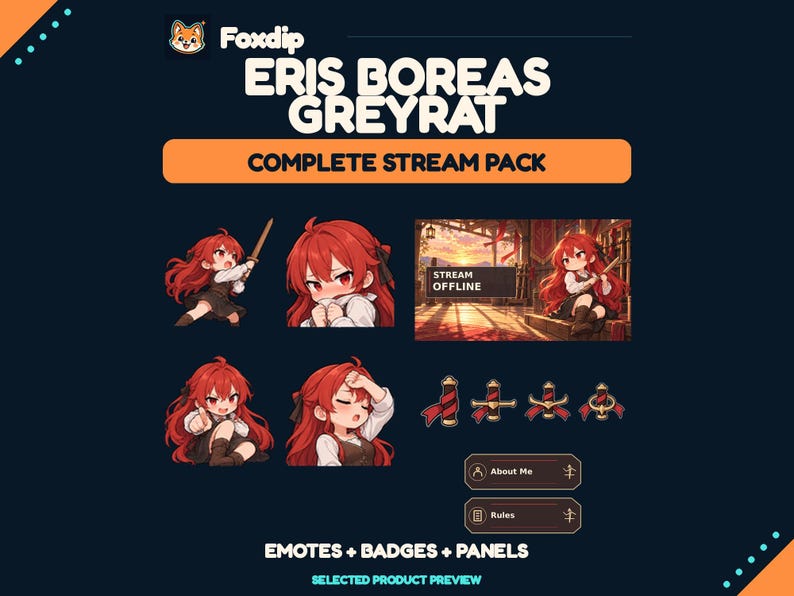
Eris Boreas Greyrat Stream Pack - 12 Emotes
PNGDownload
CA$16.46CAD
 Foxdip✦
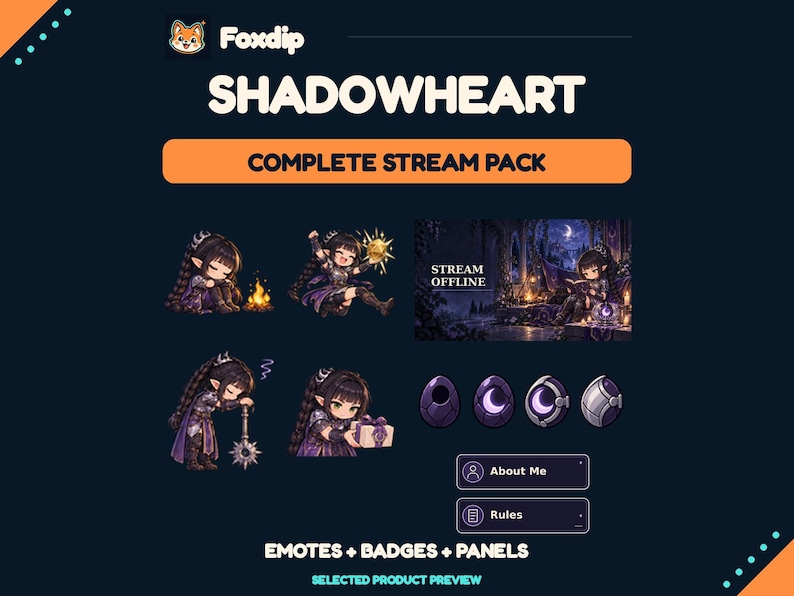
Bring Shadowheart’s cleric charm to your chat with 12 distinct static reactions. The COMPLETE edition adds 31 matching designs to the SAME twelve emotes sold in the EMOTES edition. You do not need to purchase both editions.
CA$11.24CAD
1 ZIP · Files available after verified payment.
Buy on FoxdipListing availability checked 2026-11-07. The files and licence below apply to your Foxdip purchase.
One design can come in several sizes or formats. Those exports are not extra reactions.
Bring Shadowheart’s cleric charm to your chat with 12 distinct static reactions. The COMPLETE edition adds 31 matching designs to the SAME twelve emotes sold in the EMOTES edition. You do not need to purchase both editions. FOXDIP — SHADOWHEART STATIC COLLECTION This is a digital download. Nothing physical is shipped. All graphics are static PNG images; no GIFs, animations, editable templates or custom name service are included. EMOTES EDITION 12 unique reactions: Heal, Exhausted, Lurk, Side Eye, Camp Rest, Crit Win, Hello, Wait, Yapping, Pat, Snack and Gift. Each reaction is supplied at 128, 112, 56 and 28 pixels square with a transparent background: 48 PNG files total. Export sizes are not additional designs. COMPLETE EDITION Includes the exact same 12 emotes and exports as the EMOTES edition, plus: 8 progressive subscriber badge designs, each at 72, 36 and 18 pixels: 24 PNG files. 20 individual Twitch panels at 320 x 100 pixels. 1 STREAM OFFLINE screen at 1920 x 1080 pixels. 1 Twitch profile banner at 1200 x 480 pixels, without a name. 1 profile picture design at 1024 and 256 pixels square, without a name. 43 distinct designs total. The 256-pixel profile picture is an extra size, not another design. 96 PNG files total in COMPLETE. INSTALLATION Extract the ZIP before use. Choose the correct folder for each image size. Twitch emotes: Creator Dashboard > Viewer Rewards > Emotes; use the 112 / 56 / 28 files if uploading manually. Eligibility and approval depend on your Twitch account. Discord emojis: Server Settings > Emoji > Upload Emoji. Use the 128-pixel files; Create Expressions permission is required. Emoji names use letters, numbers and underscores. Twitch badges: assign the three supplied sizes to your preferred subscriber milestones. Level 01–08 do not prescribe subscription durations. Panels: in your Twitch About page enable Edit Panels and upload each panel image. The offline screen, banner and avatar belong in the matching Twitch channel settings. A Twitch badge is not a Discord server badge. This pack is not an animated overlay or an OBS template. USE For use on your own channel and community. This pack is non-exclusive. Do not resell, redistribute, sublicense, share the source files or claim exclusive ownership. No rights in the underlying franchise are transferred. Unofficial fan art; not affiliated with or endorsed by the franchise owners. No editable sources or references are included. For help with missing or damaged files, contact Foxdip through Foxdip. FOXDIP DELIVERY After payment is verified, your private download page and confirmation email provide all 1 ZIP file(s) listed below. Extract every archive for this product. For file support, email support@foxdipstudio.com with your order reference and filename.
Dimensions listed for this pack: 320 x 100 pixels · 1920 x 1080 pixels · 1200 x 480 pixels. Match each size to the asset named above.
Explore the setup guide| Format | How to use it | Before uploading |
|---|---|---|
| PNG | A still image. Use an Image source for scene graphics. | For chat or a badge slot, use the size requested by that platform. |
The artwork licence and your platform’s upload features are separate. OBS source reference ↗
USE For use on your own channel and community. This pack is non-exclusive. Do not resell, redistribute, sublicense, share the source files or claim exclusive ownership. No rights in the underlying franchise are transferred. Unofficial fan art; not affiliated with or endorsed by the franchise owners. No editable sources or references are included. For help with missing or damaged files, contact Foxdip through Foxdip.
About product licencesAfter verified payment, open your private download page from the confirmation email and download all listed ZIP files. For help, contact support@foxdipstudio.com with your order reference. Keep private download links out of screenshots.
Download and unzip help ↗Static PNGPNGDownload
CA$16.46CAD
 Static PNG
PNGDownload
CA$16.46CAD
 Static PNG
PNGDownload
CA$16.46CAD